Hey everyone, welcome back to My Weird Prompts. We are coming to you from our home in Jerusalem, and today we are tackling a topic that hits very close to home, quite literally. I am Corn, and I am joined by my brother, the man who probably knows more about the internal mechanics of a standing desk motor than anyone I know.

Herman Poppleberry, at your service. And you are not wrong, Corn. I have spent more time than I would like to admit researching the specific torque requirements for dual motor lifting systems and the decibel ratings of various linear actuators. It is a fascinating intersection of mechanical engineering and human biology.
It really is. And this topic actually comes from our housemate Daniel. He has been on this journey of incrementally improving his home office setup over the last few years. He started out like most of us, thinking that real ergonomic gear was just too expensive, but he has been doing one or two upgrades a year and realizing how much of a difference it makes. He has got the chair, he is looking at monitor mounts, and now he is asking the big question about the foundation of it all: the desk itself.
I love that Daniel is taking the incremental approach. It is honestly the smartest way to do it because you get to actually feel the difference each change makes. If you swap everything at once, you might not realize that it was the chair adjustment and not the desk height that fixed your lower back pain. But today we are focusing on that table height, the mechanics of weight bearing, and the often overlooked footrest.
Let's start with the big one. Daniel asked if it is possible to find one fixed height that works, or if a height adjustable desk is always a better investment, even if you do not plan on standing. I think there is a common misconception that standing desks are only for standing.
That is exactly the point. People call them standing desks, but in the industry, we often refer to them as height adjustable workstations. The reality is that the standard desk height of twenty-nine to thirty inches, or about seventy-four to seventy-six centimeters, is a bit of a historical accident. It dates back to the era of typewriters and a very specific average male height from the mid-twentieth century. For a huge portion of the population, especially anyone under five-foot-ten, a fixed thirty-inch desk is actually too high.
Right, because if the desk is too high, you have to raise your chair to get your arms at that ninety-degree angle, but then your feet are dangling, or you are hunching your shoulders up to reach the keyboard. It is a cascading failure of ergonomics.
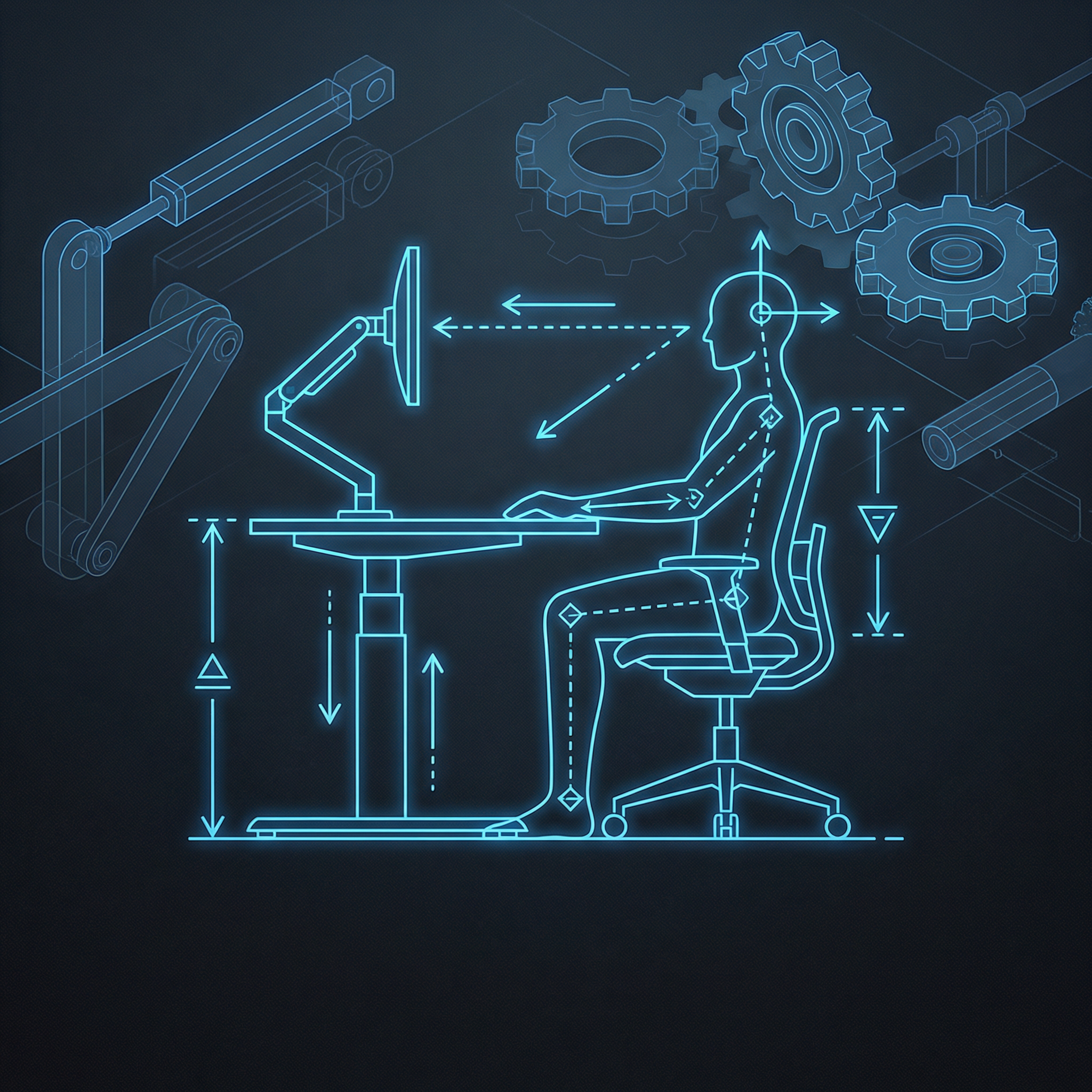
Precisely. If you are sitting at a desk that is even two centimeters too high, you are going to experience strain in your trapezius muscles and your neck. The beauty of a height adjustable desk, even if you never intend to stand, is that you can find your perfect sitting height to the millimeter. Most people find that their ideal sitting height is actually somewhere between twenty-five and twenty-eight inches. A fixed desk almost never hits that sweet spot unless you are quite tall.
So, it is about the sit-to-sit adjustment just as much as the sit-to-stand. I found that when I got mine, I ended up lowering it by about three centimeters from where my old fixed desk was, and the tension in my shoulders just vanished. It was like magic.
It is not magic, Corn, it is physics. When your forearms are parallel to the floor and your wrists are neutral, you are not fighting gravity to keep your hands in place. But Daniel also asked about retrofitting. He has got a table he likes, and he is wondering if he can just swap the legs.
Yeah, that is a great question because a lot of people have a high-quality tabletop that they do not want to get rid of. Maybe it is solid wood or a specific size that fits their room. Is it practical to just buy the motorized underframe?
It is very practical, and often it is the better way to go. Most of the high-end ergonomic companies, like Uplift or Deskhaus, sell their frames separately. You just have to be careful about the structural integrity of the tabletop itself. If you have a cheap hollow-core door or a thin piece of particle board, it might not handle the stress of being moved up and down, especially if you are mounting heavy equipment to it. You want a solid core, preferably at least one inch thick.
That brings us to the weight issue. Daniel mentioned he is looking at articulating monitor mounts and multiple screens. Those things are not light. I remember when we set up your triple monitor array, the mount alone felt like it was made of lead.
It probably was. Well, steel, mostly. If you are running three monitors on a single heavy-duty arm, you are looking at twenty-five to thirty-five pounds of weight concentrated on a very small surface area where the clamp meets the desk. When you add that to the weight of the tabletop and the rest of your gear, you really need to look at the lifting capacity of the motors.
So, what should he be looking for in a system that can handle that kind of load? Are we talking single motor versus dual motor?
For a heavy setup, dual motor is non-negotiable. A single motor system usually uses a hexagonal rod to transfer power from one leg to the other. They are noisier, slower, and they have a much lower weight capacity, usually around one hundred fifty pounds. A dual motor system has a dedicated motor in each leg. These can typically handle between three hundred and five hundred pounds, depending on the grade. In twenty-twenty-six, we are even seeing some heavy-duty four-motor systems for massive L-shaped desks that can lift over six hundred pounds.
Three hundred pounds sounds like a lot, but once you account for a solid wood top that might weigh eighty pounds, and then three monitors, a computer, speakers, and maybe a heavy printer, you are eating into that margin pretty quickly.
Exactly. And it is not just about the total weight, it is about the balance. If you have all your monitors on one side, a single motor system might struggle with the uneven load, leading to a jerky motion or even burning out the motor. Dual motor systems are synchronized by a control box that monitors the voltage and speed of each leg to keep the desk perfectly level. It is a much more robust solution for a professional setup.
What about the manual adjustment mechanisms Daniel mentioned? He was asking if those hand crank systems are worth considering. I have seen some that look like they belong on an old drafting table.
They have a certain aesthetic appeal, and they are definitely cheaper. But here is the reality: if it takes fifty turns of a crank to move your desk from sitting to standing, you are never going to do it. The friction of the gears and the effort required, especially with a heavy load like Daniel's, makes it a chore. Electric systems have become so reliable and affordable that I rarely recommend manual cranks anymore unless you are in a situation where you have no access to power.
I think there is also a safety aspect there. If you are cranking a heavy desk manually and something slips, or if the weight is uneven, it can be a bit precarious. With the electric ones, most have a collision detection system, right?
Most modern ones do. They use a gyro-sensor or an amperage-based system. If the desk hits your chair or a filing cabinet on the way down, it senses the resistance and stops immediately. That is a huge feature if you have expensive gear or, you know, knees. But let's go back to the idea of the fixed height for a second. Daniel asked if there is a way to make a fixed height work.
Well, if you are committed to a fixed height, you have to adjust everything else around it. That is where the footrest comes in, which was his final question. I feel like people think footrests are just for people whose legs do not reach the floor, but you have some pretty strong opinions on why everyone should consider one.
I do. The footrest is the unsung hero of the ergonomic world. Even if your desk is at the perfect height, a footrest allows you to change your posture throughout the day. It helps with what we call pelvic tilt. If your feet are flat on the floor, your lower back is in one position. If you can elevate your feet slightly, or even one foot at a time, you shift the pressure on your lumbar spine.
It is about movement, isn't it? We have talked about this before, that the best posture is the next posture. You should not be staying in any one position for hours on end.
Precisely. A good footrest, especially the ones that rock or have a slight incline, encourages micro-movements in your ankles and calves. This helps with circulation. If you are sitting for eight to ten hours a day, like Daniel mentioned, blood can pool in your lower extremities. Just that little bit of movement from a rocking footrest can make a massive difference in how tired your legs feel at the end of the day.
So, if Daniel decides to stick with his current desk height for now because it is too expensive to upgrade the frame, a high-quality adjustable footrest is probably his best bet to fix the ergonomic chain.
It is the most cost-effective fix. If the desk is too high, you raise your chair until your arms are comfortable, and then you use a footrest to bring the floor up to your feet. It is not as ideal as having a desk that can drop down to your natural height, but it solves the primary problem of spinal alignment and shoulder strain.
I want to go back to the monitor mounts for a second, because Daniel mentioned he is looking for better articulation. I think this is a really important part of the desk height conversation that people miss. The height of your desk is only half the battle. If your monitors are sitting on the desk surface, you are looking down, which ruins your neck posture regardless of how good your chair or desk is.
That is the neck crane effect. Your head weighs about ten to twelve pounds. For every inch you lean your head forward or down, the effective weight on your neck muscles doubles. If you are looking down at a monitor for eight hours, it is like having a forty-pound weight hanging off your neck.
So, the articulation Daniel is looking for isn't just about moving the monitors out of the way, it is about getting them at exactly eye level so his spine stays neutral.
Exactly. And when you have an adjustable desk, those mounts become even more important. When you transition from sitting to standing, your eye level relative to the desk actually changes slightly because of how your spine stretches and how your shoulders settle. Having a mount that lets you tweak the height and tilt of the screens in seconds is crucial to making the transition comfortable.
I remember when we were looking at different mounts, we saw some that were gas spring and some that were just mechanical tension. For a heavy setup like Daniel's, which one do you think holds up better over time?
Gas springs are smoother and easier to adjust on the fly, but they can lose their tension over several years. Mechanical spring mounts are a bit more industrial, but they are incredibly reliable for heavy loads. If he is going for a triple monitor setup, I would look for a mount that is rated for at least twenty percent more weight than his monitors actually weigh. You do not want to be at the absolute limit of the arm's capacity, or you will get what we call monitor droop.
Monitor droop sounds like a very nerdy medical condition.
It is a serious ailment in the home office world, Corn. There is nothing more frustrating than perfectly aligning your screens only to have the middle one slowly sink two centimeters over the course of an hour.
Alright, let's look at the big picture here. Daniel is in Jerusalem, he is freelancing, he is spending ten hours a day at this station. If you had to rank these upgrades in terms of impact versus cost, where does the adjustable desk frame land?
If he already has a great chair, the adjustable desk frame is number one. It is the foundation. It dictates everything else. If your desk is the right height, your chair works better, your monitor mounts work better, and your body works better. Retrofitting a high-quality dual motor frame onto his existing top is probably the most professional move he can make.
And what about the specific brands or types of systems? Without getting too into the weeds of every single manufacturer, are there specific features he should look for in a frame to ensure it is not just a cheap knockoff?
Look at the weight capacity first. Anything under two hundred pounds is likely a single motor or a very low-end dual motor. Look for a frame that has at least a five-year warranty on the electronics and motors. The good ones usually offer ten or even fifteen years. Also, check the height range. Some cheaper desks only go down to twenty-eight inches, which, as we discussed, might still be too high for many people when they are sitting. You want a three-stage frame that can go down to at least twenty-four or twenty-five inches.
That is a great point. The low end of the range is often more important than the high end for sitting ergonomics. I think a lot of people buy these desks for the standing feature and then realize they spend ninety percent of their time sitting, but now they can finally sit at the correct height.
It is a game changer. And I would also tell Daniel to look at the thickness of the steel in the legs. If the desk wobbles when it is at standing height, it is going to drive him crazy, especially with multiple monitors. A heavy, stable base is worth the extra investment. Look for frames that meet BIFMA standards for stability. Some frames have a crossbar for stability, though many modern high-end designs manage to be stable without one by using heavier gauge steel and better motor synchronization.
You know, it is interesting that Daniel mentioned he used to think this stuff was too expensive. But when you break it down over ten years of use, the cost per day is almost negligible. It is like the mattress analogy he used. You spend a third of your life in bed, so you buy a good mattress. If you spend eight to ten hours a day at your desk, you are spending another third of your life there.
It is an investment in your future health. The cost of a good ergonomic setup is significantly less than the cost of physical therapy for chronic back pain or carpal tunnel syndrome down the road. I think the incremental approach he is taking is perfect. This year, get the frame. Next year, get the high-end monitor arms. By the time he is done, he will have a workspace that actually supports his body instead of fighting against it.
I also want to touch on the footrest one more time because I think there is a psychological element to it. When I have my feet on a solid, angled surface, I feel more grounded. It sounds a bit woo-woo, but there is something about that physical contact that helps me focus.
It is not woo-woo at all. It is about proprioception. Having your feet firmly planted and your joints at comfortable angles sends signals to your brain that you are in a stable, safe position. This reduces the micro-stress on your nervous system. When your feet are dangling or tucked under your chair in a weird way, your body is constantly making tiny adjustments to maintain balance, which uses up mental energy.
That makes so much sense. It is the difference between sitting in a lounge chair where you are constantly shifting and sitting in a cockpit where everything is exactly where it needs to be.
Exactly. And Daniel's mention of voice technology and taking breaks is also key. No matter how ergonomic your desk is, you still need to move. The height adjustable desk makes that movement easier. You can raise it a few inches just to change your posture while you are still sitting, or you can stand for twenty minutes while you are on a call.
I actually find that I like to stand when I am doing something that requires high energy, like a brainstorming session or a quick meeting, but I prefer to sit when I am doing deep work or coding. Having the ability to switch between those modes without leaving my station is huge.
That is a common pattern. Standing can increase alertness and heart rate slightly, which is great for creative bursts. Sitting is often better for the kind of intense focus where you want to minimize all other physical sensations. The desk should be a tool that facilitates both.
So, to summarize for Daniel: Yes, height adjustable is worth it even if you don't stand, mainly for that perfect sitting height. Retrofitting is a great option if the tabletop is sturdy. Go for a dual motor system with a high weight capacity for those monitors. Skip the manual crank. And definitely get a footrest, even if it is just a simple one to start with.
Spot on. And I would add, do not forget about cable management when you do the upgrade. If you have multiple monitors and a motorized desk, you need to make sure your cables are long enough and properly routed so they do not snag or unplug when the desk moves up. There is nothing like the sound of a three-thousand-dollar setup being ripped off a desk because of a six-inch power cord.
Oh man, that is a nightmare scenario. I have seen that happen in office videos and it is heartbreaking. Definitely get some of those cable snakes or trays that attach to the underside of the desk.
It is a necessity. If you are going to do it, do it right. Build the whole system to move as one unit.
This has been a great deep dive. I think it is easy to get overwhelmed by all the options, but when you focus on the physics of it, the right choices become pretty clear.
They really do. It is all about supporting the human frame. We were not evolved to sit at thirty-inch high plywood rectangles for ten hours a day, so we have to use a little bit of engineering to bridge the gap.
Well, I hope that helps Daniel and anyone else out there who is looking at their home office and wondering why their shoulders hurt at five p.m. It is probably your desk height.
Almost certainly. And hey, if you are enjoying these deep dives and the brotherly banter, we would really appreciate it if you could leave us a review on your podcast app or on Spotify. It genuinely helps other people find the show and keeps us motivated to keep digging into these weird prompts.
Yeah, it really does make a difference. We love hearing from you all. You can find more episodes and get in touch with us at myweirdprompts.com. We have the full archive there if you want to search for other ergonomic tips or our past episodes on everything from AI to urban gardening.
This has been My Weird Prompts. Thanks for joining us in our living room today.
Thanks everyone. We will catch you in the next one. Goodbye!
Goodbye!