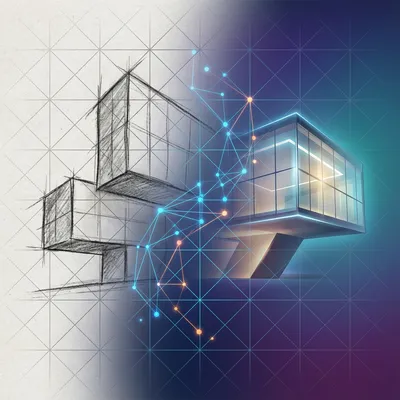
Daniel sent us this one, and it's a bit of a ramble — in the best way. He's been accused of being a bot on GitHub, which is its own little existential crisis, but the real meat of it is a workflow problem he and Hannah were tinkering with last night. They took a precise architectural render out of Revit — geometry locked, lighting controlled, materials accurate — and ran it through an image-to-image model to punch it up, give it that wow factor. What they got back was technically more impressive but also weirdly fake. Uncanny valley for buildings. And the question is: what model or workflow would actually solve this? How do you take a render and make it photoreal without breaking the geometry or making it look like a video game?

I love this prompt because it's not the usual "make it prettier" problem. It's a precision problem masquerading as an aesthetics problem. And Daniel's instinct to turn off web search and dial down the temperature — that's smart. He's trying to eliminate sources of randomness. But here's the thing, and I think this is what hit them: temperature in a language model that's orchestrating image generation is not the same as the stochasticity baked into the diffusion process itself.
You're controlling the wrong knob. The model's still rolling dice under the hood — different dice.
So when you do image-to-image with a diffusion model, the process is: add noise to your input image, then denoise it guided by your prompt. The strength parameter — or denoising strength — is what really matters. If you set it too high, the model takes creative liberties. The building tilts, the pool changes shape, the water gets that glossy "AI sheen" Daniel described. Set it too low, and you barely change anything. The sweet spot is narrow and it depends entirely on the base model.
What's actually happening when the water looks like a video game? Because that's a really specific complaint, and I've seen it. It's not just "this looks bad" — it's a particular kind of bad.
It's a few things layered on top of each other. First, most foundation models for image generation — Stable Diffusion, Flux, Midjourney — they're trained on a mix of photographs, renders, illustrations, paintings. When you feed them a clean architectural render, the model is seeing something that looks like its training data from the "render" bucket, not the "photograph" bucket. So it's pulling on associations with other renders — video game screenshots, Blender projects, Unreal Engine demos — and it's amplifying those qualities.
You're saying the model is treating the input as a stylistic prompt in itself. It sees render, it gives you render-plus.
That's exactly right. And the second thing is what researchers call the "regression to the mean of beauty." There's a paper from a couple years ago that showed AI image enhancers consistently push faces toward composite averages — smoother skin, more symmetrical features. For architecture, the equivalent is: perfect reflections, unnaturally even lighting, water with zero surface variation. The model's internal representation of "good" is a Platonic ideal, and it steers everything toward that.
That tracks with something I've noticed in world generation models too — they smooth over the idiosyncratic details that make things feel real. The scuff on the baseboard, the slight warp in the window reflection, the leaf in the pool. Real photographs have entropy. They have noise that isn't noise — it's information.
That's the third layer: the noise profile. Real photographs have sensor noise, lens artifacts, chromatic aberration, subtle vignetting. Renders out of Revit or V-Ray or whatever have a completely different noise signature. When a diffusion model denoises, it's applying a noise profile it learned, which is some blend of everything in its training set. If the model wasn't specifically trained to preserve photographic noise characteristics, the output will look synthetic even if every individual element is "correct.
Alright, so Daniel's asking for a practical answer. He mentioned Flexed Realism on Replicate, he mentioned ControlNets, he mentioned workflow builders. What's the actual approach here?
Let me walk through the options he raised and then propose what I'd actually do. Flexed Realism — I haven't used that specific model, but the name tells me it's probably a fine-tune on top of Flux that's been optimized for photorealism. Fine-tunes can help because they shift the model's internal aesthetic toward a specific domain. But a fine-tune alone won't solve the precision problem.
Because it's still a diffusion model doing denoising from noise. You're just changing what it's aiming for, not how much freedom it has.
Which brings us to ControlNets. This is where things get interesting. A ControlNet lets you add an additional conditioning signal to the diffusion process — an edge map, a depth map, a normal map, a segmentation mask. For architectural image-to-image, a depth ControlNet or a canny edge ControlNet is enormously useful because it tells the model: "the geometry is non-negotiable.
You're pinning the structure down.
You're pinning the structure, and the model is only allowed to change the surface qualities — the materials, the lighting, the atmosphere. But Daniel's problem is subtler than that. He doesn't want to freeze the geometry entirely — he wants the water to ripple, he wants the lighting to feel more natural, he wants the materials to have micro-variation. So a pure ControlNet with high weight might be too restrictive.
What about inpainting? He mentioned trying to prompt the model to just change the water and getting splotchy results. That's a classic inpainting failure mode, right?
Inpainting with a text prompt alone is really hard for exactly the reason Daniel discovered. The model doesn't know where "the water" is unless you give it a mask. And even with a mask, it's trying to generate something that blends at the mask boundaries, which is where the splotchiness comes from. The transition between the original pixels and the generated pixels is always going to be visible unless you do some kind of post-processing blend.
If you were sitting down with Hannah's render tonight, what's the stack?
I'd do a multi-stage pipeline. Stage one: take the original Revit render and run it through a depth estimator — something like Depth Anything V two, which is fast and accurate. That gives you a depth map. Stage two: use that depth map as a ControlNet input with a photoreal fine-tune of Flux, but set the ControlNet weight to about zero point six or zero point seven. Not full strength. You want it to respect the geometry but not be rigid about it. Stage three: set the denoising strength to something low — zero point three to zero point four — and use a prompt that's focused on photographic qualities, not architectural qualities.
What does that prompt look like?
Not "make the water more ripply" or "add imperfections." Those are instructions for a human retoucher. For a diffusion model, you want to describe the photographic process itself. Things like "shot on a Canon EOS R five, natural overcast lighting, subtle lens flare, shallow depth of field, photojournalism style, unretouched." You're telling the model to emulate the artifacts of photography, not to fix specific things.
That's a really important distinction. You're not asking it to add realism — you're asking it to add the fingerprints of a real camera.
That's what most people get wrong. They prompt for the outcome instead of prompting for the process that produces the outcome. It's the difference between saying "make this person look more real" and saying "shot on a nineteen-eighties Polaroid with flash.
Daniel also mentioned workflow builders. I think that's worth digging into because this multi-stage approach sounds like a pain to set up manually.
It is, and that's where something like ComfyUI becomes essential. You can build a node graph that takes the render, pipes it through a depth estimator, feeds that into a ControlNet conditioning node, combines it with a clip text encode for the photographic prompt, runs it through a Flux model with a low denoise, and outputs the result. Once the graph is built, you can drag and drop any render into it and get consistent results.
For someone who doesn't want to learn ComfyUI's node system — which, let's be honest, looks like a spaghetti monster the first time you open it — are there hosted versions of this?
Replicate has a few ComfyUI-as-API endpoints. You can also use something like RunPod or Modal to host your own ComfyUI instance. But the trade-off is control versus convenience. The more you abstract away the pipeline, the less you can tune those critical parameters — the ControlNet weight, the denoising strength, the prompt.
There's a broader point here about where AI fits in architectural workflows. Daniel mentioned that going from BIM to visual artifacts is already well established — Revit's been doing that for years. And then there's this second stage where you want to take a technically accurate render and make it feel alive. I wonder if we're going to see this become a standard part of the pipeline, or if it's always going to be a finicky post-processing step.
I think we're in an awkward middle phase. The models are powerful enough to produce stunning results, but not controllable enough to produce predictable results. For a client presentation, "stunning but slightly wrong" is worse than "accurate but slightly flat." If the pool looks gorgeous but the window mullions have shifted two inches, the client is going to fixate on the mullions.
Because that's the thing about architecture clients — they're trained to spot deviations. That's literally the job when you're reviewing submittals and shop drawings. You're looking for what changed.
So the tolerance for AI weirdness in architecture is much lower than in, say, concept art or mood boarding. The stakes are different. And that's why I think the solution Daniel's looking for isn't a better model — it's a better constraint system.
Say more about that. What do you mean by a constraint system?
Right now, the way most people use image-to-image is: here's my image, here's my prompt, go. The model has almost no constraints except the input image and the text. What I'd want is a system where I can specify: these regions are geometrically locked, these regions can change freely, this region can change but only within these bounds, this material can be replaced but the lighting must remain consistent. That's not a prompt engineering problem — that's a software architecture problem.
We're seeing pieces of this. Segment Anything from Meta — you can mask arbitrary objects in an image. Inpainting models can respect those masks. ControlNets can respect structural maps. But nobody's put it all together into a single coherent interface for architectural work.
There's a startup I've been watching called Arcol that's doing something in this space — real-time generative design for building layouts. And Autodesk has been investing heavily in AI inside Forma, which is their AEC cloud platform. But the specific use case Daniel's describing — take my finished render and make it photoreal without breaking anything — that's still a DIY workflow.
Let me play devil's advocate for a second. Is photorealism actually the goal? Because Daniel said the output looked "like a video game," but some of the most compelling architectural presentation in the last decade has been deliberately non-photoreal. Look at what MIR does — they're not trying to look like photographs. They're trying to look like paintings of an ideal world.
That's fair. And there's a whole aesthetic tradition of architectural illustration that's explicitly not photographic. But I think what Daniel and Hannah were reacting to wasn't "this doesn't look like a photo" — it was "this looks like a computer generated it." There's a difference between stylized and synthetic.
Stylized is a choice. Synthetic is an accident.
The accident comes from that smoothing effect I mentioned. The model is averaging away all the things that make an image feel authored — whether by a photographer or an illustrator. A watercolor rendering has brush strokes. A photograph has grain and aberration. A synthetic image has neither. It has nothing that says "a human or a physical process was involved in making this.
The fix isn't necessarily photorealism — it's texture. It's evidence of process.
And that's actually easier to add than realism. You can take a synthetic-looking render and run it through a second pass that adds film grain, subtle color shifts, lens distortion — purely post-processing effects that don't touch the geometry at all. That alone can bridge a lot of the uncanny valley gap.
Which brings us back to Daniel's question about workflow builders. If you're doing this at scale — say you've got fifty renders for a client presentation — you need a batch process. You can't be hand-tuning each one in ComfyUI.
For batch processing, I'd look at something like the Replicate API with a pre-built pipeline. You can send images programmatically, get results back, and apply consistent settings across the entire batch. Or if you're deep in the Autodesk ecosystem, there's the Forge API which now has some AI endpoints. But honestly, for a small firm or an individual architect like Hannah, the ComfyUI route with a saved workflow is probably the most practical approach right now. Build it once, reuse it.
I want to circle back to something Daniel said at the beginning — about being accused of being a bot. There's a weird symmetry here. He's a human being mistaken for an AI, and his render is an AI output that looks too much like an AI output. Both are problems of authenticity in a world where the line is blurring.
Both are solved by adding evidence of humanity. For Daniel, it's the messy, rambling voice memo — which, by the way, is unmistakably human. For the render, it's the subtle imperfections that say "a physical process touched this.
A cheap phone photo of a building has more "realness" baked in than the most sophisticated render.
Because the phone photo has a chain of custody. Photons hit a sensor, the sensor has flaws, the lens has dust, the compression algorithm makes choices. Every step leaves a trace. A render has none of that — it's a Platonic ideal transmitted directly to pixels. And then we run it through a model that's been trained to remove even more imperfections.
The pipeline you described — depth ControlNet, low denoise, photographic process prompt — that's essentially a chain of custody simulator. You're faking the fingerprints of a real image.
That's exactly what it is. And the best part is, you can control how heavy those fingerprints are. Do you want it to look like it was shot on a professional DSLR with perfect lighting? Crank the prompt toward "commercial architectural photography." Do you want it to look like a site visit snapshot? Prompt for "iPhone photo, handheld, slightly crooked, mixed lighting." The model knows what those fingerprints look like.
There's a whole taxonomy of photographic artifacts you could exploit. Chromatic aberration in the corners. Bloom around bright light sources. The slight green tint of fluorescent lighting. The crushed blacks of a phone sensor in low light.
The models understand all of these. They've seen millions of examples. The trick is knowing to ask for them. Most people prompt for subject matter — "a building, a pool, a tree." The power move is prompting for the capture process.
Daniel, if you're listening — and I know you are — the next time you and Hannah are doing this, try this exact prompt: "Amateur architectural photograph, Canon EOS R five, thirty-five millimeter prime lens, overcast afternoon, shot through a window, slight reflection visible, ungraded, straight out of camera." Don't mention the building. Don't mention the pool. Just describe how it was photographed.
Set the denoising strength to zero point three five. The input render already has the composition and the geometry. You're just asking the model to re-photograph it.
There's one more thing I want to touch on. Daniel mentioned using Gemini for this, which is interesting because Gemini's image generation is fundamentally different from a diffusion model like Flux or Stable Diffusion. It's more like an autoregressive model that generates images token by token.
That might actually be part of the problem. Gemini's image generation is impressive for composition and text rendering, but it's not as photoreal as the top diffusion models for this kind of task. If you want photorealism specifically, you want a model that was trained primarily on photographs — not a general-purpose multimodal model that was trained on everything.
Part of the answer might simply be: use the right tool. Gemini for understanding and reasoning about the image, Flux or Stable Diffusion with a photoreal fine-tune for generating it.
And actually, you could use Gemini in the pipeline — have it analyze the render, describe what's in it, then feed that description into a diffusion model as a prompt. But the generation itself should come from a dedicated image model.
Alright, let's get concrete. If someone listening wants to try this tonight, what's the absolute minimum viable setup?
Minimum viable: go to Replicate, find a Flux fine-tune that says "photoreal" or "realism" in the name. There are dozens. Upload your render. Set the prompt to something like "professional architectural photograph, natural lighting, highly detailed, photorealistic." Set the strength to zero point four. That'll get you seventy percent of the way there.
The next step up?
Next step up: install ComfyUI. Load a Flux model. Add a Depth Anything V two node. Add a ControlNet node for depth conditioning. Set the ControlNet strength to zero point six. Set the denoise to zero point three five. Use the photographic process prompt we talked about. That'll get you to ninety percent.
The last ten percent?
The last ten percent is manual. It's taking the output into something like Lightroom or DaVinci Resolve and adding grain, subtle color grading, a tiny bit of lens distortion. The stuff that says "a camera was here." No model can do that as well as a human with a good eye, because it's taste. It's knowing when to stop.
Which brings us to something I think gets lost in a lot of AI workflow discussions. The goal isn't to automate the entire process. The goal is to automate the parts that are tedious and keep the parts that require judgment. Hannah's judgment about whether the water looks right — that's not something you can prompt. That's an architect's eye.
That's the through-line of this whole conversation. The model doesn't know what "right" looks like for a specific project, a specific client, a specific moment in the design process. It can only give you its statistical average of "good." The human — the architect — is the one who knows when the average is wrong.
Daniel, one last thing on your bot problem. If someone on GitHub thinks you're a bot because you're too productive, take it as a compliment. But also, your voice memos are extremely human. Nobody's training a model to ramble like that.
Give it six months.
By the way, today's episode is powered by DeepSeek V four Pro.
DeepSeek's models have been really impressive on the coding benchmarks. I've been meaning to try their latest.
Let's talk about where this is all heading. Because I think Daniel's question is actually a snapshot of a much bigger shift. Architects are going from "AI as a toy for concept renders" to "AI as a tool for production deliverables." And the gap between those two things is enormous.
The concept render phase is forgiving. If the AI hallucinates some extra trees or changes the facade color, it's fine — it's a mood, it's a vibe. The production phase is unforgiving. Every pixel has to answer to a specification, a contract, a client's expectations. That's the gap Daniel and Hannah are standing in right now.
The tooling isn't there yet. We've got incredibly powerful models and incredibly primitive interfaces for controlling them precisely. A prompt box and a strength slider is not enough for production work.
I think we're going to see a new category of tool emerge. Something between a BIM authoring platform and an AI image generator. Where the model has access to the underlying geometry, the material specifications, the lighting rig — not just a flat render. Where you can say "change the pool water from still to lightly rippled" and the model understands that "pool water" is a specific material with specific properties in the BIM, not just a region of blue pixels.
That's the dream, right? AI that's model-aware, not just image-aware.
We're seeing the first steps. NVIDIA's been showing some wild stuff with neural radiance fields and real-time path tracing. There's a demo from GTC last month where they took a BIM model and rendered it with full ray tracing, then used a diffusion model to add atmospheric effects in real time. The geometry was locked, the lighting was physically accurate, but the atmosphere — the fog, the dust motes, the subtle bloom — was AI-generated.
The AI is handling the stuff that's computationally expensive to simulate but perceptually important. That's the right division of labor.
You don't need to simulate every photon scattering through fog. You just need the result to look like fog. And a diffusion model trained on photographs of fog can do that in milliseconds.
Which loops back to Daniel's water problem. The water in his render was probably physically accurate in terms of the render engine — correct reflections, correct transparency, correct IOR. But physically accurate water doesn't always look like "real water" to a human. Real water has stuff in it. Leaves, bugs, pollen, subtle color shifts from whatever's underneath.
That's the thing about architectural visualization. The goal is rarely physical accuracy. It's perceptual accuracy. It's "does this look like a place I could stand in?" not "does this pass a physics simulation?
If you're an architect listening to this, the takeaway isn't "go learn ComfyUI." The takeaway is: understand what kind of realness you're trying to add. Is it photographic realness? Each one needs a different approach.
Photographic realness: prompt for the camera, add post-processing artifacts. Material realness: use a model that understands material properties, or better yet, keep the materials from your render engine and only use AI for lighting and atmosphere. Atmospheric realness: that's where the low-denoise image-to-image really shines, because you're not changing the content, you're changing the feeling.
Daniel, you and Hannah were on the right track. You identified the problem — too perfect, too synthetic — and you identified some of the knobs — temperature, web search. You just needed different knobs. Denoising strength, ControlNet conditioning, photographic process prompting. Those are the knobs for this particular problem.
The workflow builder you were looking for — it's ComfyUI. I know it looks intimidating, but for this specific task, you only need about eight nodes. It's a weekend afternoon to learn and then you've got a reusable pipeline forever.
One more thought and then we should wrap. There's a philosophical question buried in all of this about what "real" means in the age of AI. We're using AI to make things look more real, but the AI's idea of real is just a statistical composite of everything it's seen. It's not real — it's average-real. And average-real sometimes looks fake because reality is full of outliers.
That's beautifully put. The real world is lumpy and weird. The AI's world is smooth and typical. Bridging that gap — that's the art.
And now: Hilbert's daily fun fact.
Hilbert: The national animal of Scotland is the unicorn. It has been since the twelfth century, when it was adopted as a symbol of purity and power by William the First.
...right.
Here's the open question I'm left with. As these tools get better, will we reach a point where AI-generated architectural renders are indistinguishable from photographs? And if we do, what does that do to the profession? When every architect can produce photoreal images of unbuilt spaces, does photorealism stop being valuable?
I think it becomes table stakes. Like how every architect can produce a floor plan now. The value shifts to what's in the image — the design thinking, the spatial experience, the emotional resonance. The AI handles the rendering, the human handles the vision.
Which is exactly where we want to be. Tools that amplify judgment, not replace it.
This has been My Weird Prompts. Thanks to our producer Hilbert Flumingtop. You can find every episode at myweirdprompts.com.
If you've got a weird prompt of your own — especially if you've been accused of being a bot — send it our way.