Imagine for a second that your entire life's history, every family photo, every scanned document, and every video of your kid's first steps is locked in a high-tech digital vault. Now imagine that vault is owned by a massive corporation that will incinerate everything inside if you happen to miss a five-dollar payment notification because it went to your junk folder or your credit card expired while you were on vacation. That is the precarious reality of cloud archival in twenty twenty-six. Today's prompt from Daniel is about the practical side of this digital preservation, specifically comparing the home NAS approach with these deep cloud storage tiers like AWS Glacier.

Herman Poppleberry here, and man, this is a topic that keeps me up at night. We are living in the most documented era of human history, yet we are also in the most fragile. People think the cloud is this ethereal, permanent place, but as Daniel points out, it is really just a series of business contracts and automated scripts. By the way, today's episode is powered by Google Gemini 3 Flash, which is fitting since we are talking about the massive infrastructure these models live on.
It is funny you mention the fragility. I think most people have this "set it and forget it" mentality. They upload to a cloud provider and assume it is safe forever. But we are seeing a shift. In the last year, we have seen cloud providers really start rationalizing their tiers, raising prices, and getting much more aggressive about purging "orphaned" data. It is not just about bit rot anymore; it is about administrative rot.
That is a great way to put it. We have spent a lot of time in the past worrying about bit rot—that slow, silent corruption where a one turns into a zero on a hard drive sitting in a drawer. But the "warm" storage philosophy Daniel mentioned is the modern answer to that. If you keep your data on a powered system, whether that is a Synology at home or an S3 bucket in the cloud, the system is actively "scrubbing" the data. It is reading the files, checking them against hashes, and fixing errors in real-time.
Right, so the "warm" part is basically the life support system for the data. If the power is off, the doctor isn't checking the pulse. But let's talk about the trade-offs. If I run a NAS at home, I am the doctor. I have to make sure the RAID is healthy, the drives aren't failing, and the house doesn't burn down. If I go to the cloud, I am outsourcing the medicine, but I might lose the patient if I forget to pay the bill.
And the costs are not as straightforward as the marketing makes them look. Let's get into the weeds of these cloud tiers. You have got things like AWS Glacier Deep Archive or Azure Archive Storage. On paper, they look incredibly cheap. We are talking about zero point zero zero zero nine nine dollars per gigabyte per month. For most people, that means you can store ten terabytes of data for about ten dollars a month.
Ten bucks for ten terabytes sounds like a steal. That is cheaper than a couple of fancy coffees. But I know you, Herman. There is a "but" coming, and it probably involves a giant invoice.
It is a massive "but." It is the retrieval trap. Cloud storage is like a lobster trap: it is very easy to get the data in, but it is incredibly expensive and slow to get it out. In twenty twenty-six, if you want to pull that ten terabytes back out of AWS Glacier Deep Archive, you aren't just paying for the data transfer. You are paying retrieval request fees, and you are waiting. We are talking twelve to forty-eight hours just for the data to become "available" to download.
So it is not like clicking a file in Dropbox and seeing it appear. It is more like ordering a book from a library warehouse in another state. You have to put in a request, wait for the librarian to go find the tape, put it in the machine, and then eventually you get a notification that you can start the slow process of downloading it.
And if you are in a rush—say you had a local drive failure and you need those files for a client tomorrow—the "expedited" retrieval tiers can cost two hundred times more than the standard rate. I was looking at a case study from late twenty twenty-five where a professional photographer had twelve terabytes in Glacier Deep Archive. Their local NAS died, and they needed to restore. The storage had only cost them about four dollars a month, but the bill to get that data back in a reasonable timeframe was four hundred and eighty dollars.
Ouch. That is the "cloud tax" coming home to roost. It is basically an insurance policy where the deductible is higher than the value of the car in some cases. But let's compare that to the home NAS setup. If I buy a four-bay Synology or a TrueNAS box, I am paying a lot upfront. I am buying the enclosure, I am buying four high-capacity drives—maybe twenty terabyte drives—and I am paying for the electricity to keep it spinning twenty-four seven.
Let's run the numbers on that. A decent four-bay NAS with eighty terabytes of raw storage—which gives you maybe sixty terabytes usable in a RAID five or ZFS equivalent—is going to cost you roughly two thousand dollars upfront in today's market. Over five years, including electricity, you are looking at maybe twenty-five hundred dollars. Cloud archival for that same sixty terabytes over five years at the "deep" rates would be about thirty-six hundred dollars, but that assumes you never, ever touch it. The moment you need to restore even a fraction of it, the NAS starts looking like a much better financial move.
Plus, the NAS is "warm." It is doing that scrubbing we talked about. If a bit flips on drive three, the ZFS file system sees it during the weekly scrub, looks at the parity on the other drives, and repairs it before you even know there was a problem. It is self-healing.
But the NAS has a single point of failure: your house. If there is a fire, a flood, or a particularly nasty power surge, your "warm" storage becomes "charred" storage. This is why the pros talk about the three-two-one rule. Three copies of the data, on two different types of media, with at least one offsite.
And Daniel mentioned a new version of that: the three-two-one-one rule. Three copies, two media types, one offsite, and one offline or air-gapped. That last "one" is the kicker. It is for the "everything went wrong" scenario.
That is where the institutional stuff gets really interesting. If you look at what the Library of Congress or a major university archive does, they aren't just sticking a NAS in a closet. They are using a hybrid approach. They often have an on-premise object storage system—something like Cloudian or MinIO—that behaves exactly like Amazon S3 but runs on their own hardware. This gives them the "warm" benefits and the speed of local access, but then they replicate that to a cloud provider for the offsite requirement.
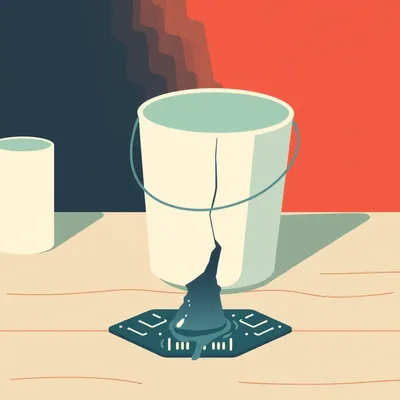
I want to go back to that "missed payment" nightmare Daniel brought up. This feels like the biggest hidden risk of the cloud. If I own the hard drive, no one can take my data away because my credit card expired. But with AWS or Google, the moment that payment fails and you miss the grace period, an automated script just... de-provisions your storage pool. It is gone. Not just inaccessible, but deleted.
It is terrifying. And in twenty twenty-six, these grace periods are getting shorter as providers try to clear out "zombie" data to save on energy and hardware costs. But there is a technical solution that is becoming standard for serious users: Object Lock.
Is that like a digital padlock?
Sort of. It is based on WORM technology—Write Once, Read Many. When you upload data to an S3 bucket with Object Lock enabled, you set a retention period. Let's say ten years. Once that is set, even you—the owner of the account—cannot delete that data. Even if a hacker gets into your account with root access, they can't delete it. And importantly, it creates a different legal and administrative hurdle for the provider.
Does it protect you from the missed payment, though? If I don't pay the bill, does Amazon have to keep my data for ten years because I "locked" it?
That is the big legal gray area right now. For government and financial institutions, Object Lock is often tied to compliance regulations like SEC Rule seventeen-a-four. In those cases, the contracts are much more robust. For a regular consumer? Probably not. If you stop paying, they will eventually pull the plug. But the "lock" does prevent accidental deletion or a rogue employee from wiping the archive.
What about these "lifetime" plans Daniel mentioned? Services like Proton Drive or Ente offering a one-time fee for archival. That sounds like the holy grail for a guy like me who hates monthly subscriptions.
They are appealing, but they rely on a "sustainable business model" that is hard to prove over decades. You are essentially betting that the company will exist in thirty years and that the cost of storage will drop fast enough to cover your one-time payment indefinitely. For family photos, maybe it is worth the gamble for one copy, but I wouldn't make it my only copy.
It seems like the "trust" issue is really the heart of this. We are transitioning from a world where we trusted physical objects—the shoebox of negatives—to a world where we trust systems and companies. And companies are fickle. They change their terms of service. They get acquired. They pivot to AI and decide that hosting your old wedding videos is no longer "core to their mission."
Precisely why the "sovereignty" movement is growing. People are moving back to local storage for their primary "warm" copy because they want physical control. But they use the cloud as a "black box" insurance policy. The trick is making sure that black box actually has your data in it when you need it.
How do you even verify that? If I have ten terabytes in Glacier, I am not going to download it every month just to check if it is still there. That would cost a fortune.
You don't have to download the whole thing. Most cloud providers offer "integrity reports" or "storage inventory" features. They are essentially proving to you that they have run their own internal scrubs and the hashes match. But as a user, you should still do a "test restore" of a small, random sample of files every quarter. If you can't pull back a single gigabyte, you have a problem with your "handshake," as Daniel put it.
It is like testing your smoke detector. It is annoying, you have to remember to do it, but if you don't, the one time you actually need it, you might find out the batteries are dead.
And let's talk about the energy side of this. In twenty twenty-six, we are seeing "energy volatility surcharges" on cloud bills. Because data centers are competing with AI training clusters for power, the cost of keeping those hard drives spinning is actually going up in some regions. This is making the predictable cost of a home NAS—where you know exactly what your power bill is—much more attractive.
I love the idea that my old photos are competing for electricity with a chatbot trying to write poetry. It really puts things in perspective. "Sorry, grandma, the AI needs to learn how to summarize emails, so your nineteen-ninety-eight vacation photos are going to cost an extra fifty cents this month."
It is not far from the truth! But this is where the institutional wisdom comes in. The pros use "air-gapped" copies. They literally put data on a tape, take the tape out of the machine, and put it in a salt mine or a climate-controlled vault. No electricity required. No hackers. No missed payments.
Tape? Like, cassette tapes? We are back to the eighties?
Not exactly, but LTO-nine or LTO-ten tapes can hold eighteen to forty-five terabytes on a single cartridge. For long-term archival, tape is still the king. It lasts thirty years if stored correctly. The problem for a home user is the drive. An LTO-nine drive costs three or four thousand dollars. It is just not practical for an individual.
So for the average person listening to this—someone who has maybe five terabytes of "cannot lose" data—what is the actual "gold standard" setup right now?
I would say a two-bay or four-bay NAS at home running a modern file system like Btrfs or ZFS. That is your "warm" copy. It handles the bit rot prevention through active scrubbing. Then, you use an automated tool to sync that to a cloud provider's archive tier—like Backblaze B2 or AWS Glacier—but you enable Object Lock for at least a year. That protects you from ransomware or accidental deletion. Finally, once a year, you copy your most precious stuff to a high-quality external hard drive and put it in a drawer at your office or a relative's house. That is your "offline" copy.
It sounds like a lot of work, Herman. I just want to take pictures of my sandwich and know they will be there when I am eighty.
It is work, but so was organizing physical photo albums. The difference is that a physical album doesn't vanish instantly if you forget to update your credit card on a website. We have replaced physical labor with administrative vigilance.
That "administrative vigilance" is the part that scares me. Most people are terrible at it. We have all seen people lose access to their email accounts or forget passwords. If your entire digital heritage is tied to an account that is tied to a phone number you don't have anymore, you are in trouble.
This is where we are seeing the rise of "federated" or decentralized archival. There are projects now that allow you to "trade" storage space with friends or family. I store a terabyte of your encrypted data on my NAS, and you store a terabyte of mine. It is "offsite" but not "corporate."
That is clever. It is like the digital version of giving your neighbor a spare key to your house. I trust you more than I trust a faceless corporation that might change its business model next Tuesday.
But you still need the "warm" aspect. If your neighbor's NAS is powered off for six months, those bits might start to drift. The beauty of the corporate cloud is that they have a financial incentive to keep the lights on and the data healthy—until they don't.
Let's talk more about that institutional side. You mentioned the Library of Congress. They have a massive mandate. How do they handle the "trust" issue? Do they actually use Amazon?
They do, but only as one leg of a multi-cloud and on-prem strategy. They use something called "digital preservation repositories" which are software layers that sit on top of the storage. These systems constantly verify the data across different locations. If the copy on Amazon doesn't match the copy on their local tape, the system automatically flags it and repairs it from the good copy. They never trust a single provider to be the "source of truth."
So the "source of truth" is actually the consensus between multiple systems. That is very "twenty twenty-six" of them. It is almost like a blockchain for archival, but without the crypto nonsense.
It basically is! It is about decentralized verification. And that is a huge takeaway for small organizations or even serious hobbyists. Don't let one provider be your only source of truth. If you have your photos in Google Photos, fine. But have a script that pulls them down to a local drive once a month.
I think the "Object Lock" thing is the most interesting technical development here. It is a way to force a company to be a better steward of your data. But it also means you have to be very sure you want to keep that data. If I lock a hundred terabytes of garbage for ten years, I am paying for that garbage for ten years.
That is the "rationalization" part of the archival process. We are moving away from "save everything forever" because the costs—both financial and environmental—are becoming clear. We have to start being digital curators, not just digital hoarders.
Digital hoarding is a real problem. I have thousands of screenshots of things I thought were interesting three years ago. If I archive those to Glacier, I am literally paying to store trash.
And that trash makes it harder to find the "treasure." This is where AI might actually help. We are starting to see archival tools that can scan your data and say, "Hey, you have forty-five photos of this same sunset. Do you want to keep all of them, or just the best two?"
As long as the AI doesn't decide my "best" two are the ones where I am making a weird face. But seriously, the idea of an AI-managed archive is interesting. It could handle the "warm" scrubbing, the cloud replication, and the "test restores" automatically.
We are getting there. But for now, the responsibility still sits with the human. You have to be the one to set up the payment alerts. You have to be the one to check the "storage health" emails.
It feels like we are in this awkward middle ground. We have moved away from the reliability of physical objects but haven't yet reached the reliability of a truly "set and forget" digital utility. It is like the early days of the electrical grid where you still kept candles around because you knew the power would go out.
That is a perfect analogy. We are in the "keep candles" phase of digital archival. The "candles" are your offline hard drives and your local NAS. The "grid" is AWS and Google. Use the grid for convenience and offsite safety, but don't throw away your candles.
So, for the practical takeaways. If you are a listener and you are looking at your mountain of digital data, what should you do this weekend?
First, evaluate what is actually "archival." Not your active projects, but the stuff you want to exist in twenty years. If it is less than two terabytes, a couple of high-quality external SSDs and a "warm" cloud sync like Backblaze is plenty. If you are over ten terabytes, you really should look at a basic two-bay NAS. Set it up with RAID one—that is mirroring—so if one drive dies, your data is still there.
And don't forget the cloud "black box." Pick a provider, but don't just use the standard tier. Look into those deep archival tiers like Glacier Deep Archive. It is incredibly cheap for the "insurance" copy, as long as you understand the retrieval costs.
And most importantly, set up an "administrative" backup. Make sure your recovery email and phone number for your cloud account are up to date. Add a second form of payment if the provider allows it. If your archival strategy depends on a single credit card that expires every three years, you don't have an archival strategy; you have a ticking clock.
I am going to go check my credit card expiration dates right now. This conversation has made me very nervous about my nineteen-ninety-nine prom photos.
As it should! Those photos are precious, Corn. Even if you were wearing a lime-green tuxedo.
It was "neon mint," Herman. Get it right. But seriously, the "test restore" is the one thing I think most people miss. I have definitely "backed up" things in the past only to realize later that the files were corrupted during the transfer or the format is now unreadable.
That is a whole other episode—software obsolescence. Even if the bits are perfect, if no one can open a "dot-xyz" file in twenty-fifty, it doesn't matter that you saved it. But step one is keeping the bits alive.
Step one: don't let the bits rot. Step two: don't let the account expire. It seems simple, but the complexity of these cloud tiers makes it anything but. I really appreciate the deep dive, Herman. I feel like I have a much better handle on why my "cheap" cloud storage might not be so cheap after all.
It is all about the "handshake." Between you and the hardware, and you and the corporation. If either one fails, the data dies.
Well, on that cheerful note, I think we have given people plenty to chew on. Before we wrap up, I want to say thanks to our producer, Hilbert Flumingtop, for keeping us on track.
And a big thanks to Modal for providing the GPU credits that power this show. They make the technical heavy lifting possible.
This has been My Weird Prompts. If you are finding this useful, or even just slightly terrifying, do us a favor and leave a review on your favorite podcast app. It really helps other people find the show and start worrying about their own digital archives.
You can find us at myweirdprompts dot com for the full archive and all the ways to subscribe.
Alright, Herman. I am off to buy some "neon mint" hard drives.
Good luck with that. See you next time.
See ya.