Daniel sent us this one — he's been thinking about backup strategies for the podcast, and he's already doing the sensible stuff. Two commercial offsite cloud backups, one on-site copy to his NAS. But here's the thing that's nagging at him. He wants one more copy, on physical media, stored somewhere he can physically access — ideally with someone he knows personally. Not for cost savings, not for convenience. It's about trust. In a worst-case scenario where everything's gone, he'd rather call up a relative than authenticate with a faceless hyperscaler. So the question is: are there still businesses and people who think this way? What does offline small-scale backup look like in the cloud era? And is there something rational underneath what looks like a sentimental impulse?

There absolutely is. And I want to start by saying the prompt isn't asking whether cloud backups are bad — they're not, and the three-two-one strategy he's already running is genuinely solid. What the prompt is really poking at is the difference between data durability and data sovereignty. Those are not the same thing.
Durability versus sovereignty.
Durability is whether the bits survive. Cloud providers are phenomenal at this — Backblaze reported eleven nines of durability for their B2 storage, which means if you store a million files, you'd statistically lose one every ten million years or something absurd. They're running erasure coding across multiple data centers. Your data is not going to just vanish because a drive fails.
That's a number that says "stop worrying" in the most condescending way possible.
Sovereignty is different. Sovereignty is whether you can get to your data when you need it, on your terms. And that's where cloud backups have failure modes that have nothing to do with hard drives dying. The prompt mentioned API keys. That's a real thing. If your authentication infrastructure is tied to your primary cloud identity, and that identity gets compromised or locked out, your backups are technically still there but practically inaccessible.
The bits are safe but the door is welded shut.
And it's not just API keys. It's the fact that you're depending on a chain of dependencies: your internet connection, the provider's authentication service, their billing system — if your credit card expires and you miss the email, some providers will freeze your account faster than you'd think — and the provider itself continuing to exist as a going concern.
The provider continuing to exist. That's the one people really don't like to think about.
Not often at the hyperscaler level, but even there, products get deprecated. Google has shut down enough services that there's a Wikipedia page tracking them. If you built your backup strategy around a specific Google Cloud product in twenty fifteen, you might have been forced to migrate twice by now. And for smaller providers, the risk is more existential. Backblaze and Wasabi are stable today, but what does the landscape look like in twenty thirty-six?
This is where the "disc in the attic" starts looking less like nostalgia and more like a distinct risk mitigation layer. It's not competing with the cloud backup. It's covering a completely different failure surface.
The cloud protects against your house burning down. The attic protects against your cloud provider going under or locking you out. They're complementary, not redundant.
Let's talk about the physical media question. Daniel mentioned M-Disc specifically. What actually is that, and does it live up to the claims?
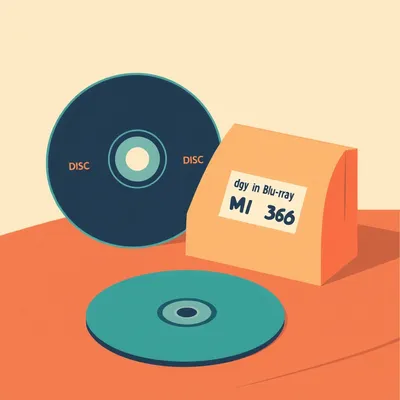
M-Disc is fascinating. It was developed by a company called Millenniata, and the core innovation is the recording layer. Standard writable DVDs and Blu-rays use an organic dye that degrades over time — that's why burned discs from the early two thousands are often unreadable now. M-Disc uses a stone-like inorganic layer, something akin to a synthetic mineral, that's physically etched by a higher-powered laser. The claim is that it's stable for a thousand years.
A thousand years. That's the kind of number that makes me immediately suspicious.
You should be. The thousand-year claim comes from accelerated aging tests — you expose the disc to high heat and humidity and extrapolate. The ISO standard they tested against, ISO ten thousand nine hundred ninety-five, is the same one used for archival-grade media. The discs passed. But real-world conditions are messier than lab tests, and a thousand years is an extraordinary claim. What I can say is that the U.Department of Defense and the Library of Congress have both used M-Disc for archival storage, which is a meaningful endorsement even if you're skeptical of the millennium timeline.
The Library of Congress stamping something "good enough for us" is about as close to a warranty as you're going to get in this space.
Practically speaking, for a podcast archive, M-Disc Blu-rays hold twenty-five, fifty, or a hundred gigabytes per disc depending on the version. A hundred gigs is a lot of audio. A typical podcast episode at high quality might be a hundred to two hundred megabytes, so you're fitting hundreds of episodes on a single disc. The write process is slow — you need a compatible burner, which most standard drives aren't — but once it's written, it's a stable, offline, physically accessible copy.
The workflow would be: periodically burn a batch of episodes to M-Disc, mail it to the in-law, and sleep better.
That's the workflow. And it's not as eccentric as it sounds. There's a whole community of people doing what's sometimes called "sneakernet backup" or "physical offsite rotation." The idea is older than cloud computing — it was standard practice in enterprise IT for decades, where companies would ship LTO tapes to Iron Mountain for offsite storage.
That's the other physical medium I want to talk about. Because M-Disc is the consumer-friendly option, but tape is what the serious players use. Is LTO viable for someone who's not a data center?
It's viable, but the economics are weird. LTO stands for Linear Tape-Open, and the current generation as of this year is LTO-10, which holds thirty-six terabytes native, up to about ninety compressed. A single LTO-10 tape costs somewhere around a hundred to a hundred fifty dollars. That's an astonishing cost per terabyte — far cheaper than hard drives or cloud storage for large datasets.
The media itself is cheap. What's the catch?
An LTO-10 drive costs somewhere between four and six thousand dollars. That's the barrier. The LTO ecosystem is built for enterprises that amortize that cost across thousands of tapes. For an individual backing up a podcast, buying a five-thousand-dollar drive to write a handful of tapes makes no financial sense.
Unless you can find an older-generation drive.
That's the workaround. LTO-5 or LTO-6 drives are much cheaper on the used market — you can find them for a few hundred dollars — and the tapes hold one and a half to two and a half terabytes, which is still massive for audio. The tradeoff is that LTO drives have a generational read-backwards compatibility of only two generations. An LTO-6 drive can read LTO-5 and LTO-6 tapes, write to LTO-5 and LTO-6. It cannot read LTO-4. So you're locking yourself into a hardware dependency.
Which circles back to the sovereignty problem. You've traded a cloud API dependency for a hardware dependency. You now need a working LTO drive of a compatible generation to read your tapes.
That's exactly the tradeoff. And it's why, for the use case described in the prompt, M-Disc actually makes more sense than LTO. M-Disc readers are standard Blu-ray drives — commodity hardware that will be available for decades. An LTO drive is specialized equipment with a limited support window. In twenty years, finding a working LTO-6 drive might be difficult. Finding something that reads a Blu-ray disc will not be.
M-Disc wins on the "can my in-law actually retrieve this data if I need it" metric, which is the whole point of the exercise.
There's another option worth mentioning, which is just a plain external hard drive. Not archival-grade, not a thousand-year medium, but a standard spinning disk or SSD in a USB enclosure. The failure mode is different — hard drives can seize up, especially if they're sitting unpowered for years. The bearing lubricant can degrade. But if you're rotating the drive annually, refreshing the data, it's a perfectly reasonable approach. And it's the cheapest option by far.
The rotation cadence matters. You're not burying a time capsule. You're maintaining a living backup that happens to live in someone else's house.
And that "someone else's house" part is the other half of the equation. The prompt asked whether businesses still think this way. The answer is yes, but not in the way most people imagine. The enterprise world has largely moved to cloud and colocation for offsite backup. But there's a fascinating niche of businesses and organizations that maintain what you might call "relationship-based" backup arrangements.
Give me an example.
Small to mid-size law firms are notoriously paranoid about data sovereignty — and for good reason. They have ethical obligations around client confidentiality that make them deeply uncomfortable with the idea that their backups exist on infrastructure they don't control. I've heard of firms where the managing partner keeps an encrypted hard drive in a safe deposit box at a bank, and another partner has a duplicate at their home. It's not automated, it's not elegant, but it satisfies a requirement that no cloud provider can meet: the data is never in the custody of a third party that could be subpoenaed without the firm knowing.
The subpoena angle. That's something I hadn't considered. If your data is in the cloud, the provider can be compelled to hand it over without notifying you.
It depends on the jurisdiction and the specific legal instrument, but yes. National security letters in the United States can include gag orders. A cloud provider might be legally prohibited from telling you that your data has been accessed. That's an extreme scenario, but for certain clients — journalists, activists, attorneys — it's not theoretical.
The "disc in the attic" is also a hedge against legal process risk. Not just technical failure.
It's a hedge against a whole category of risks that are organizational and legal rather than technical. And this is where I think the prompt's instinct is actually sharper than the framing lets on. The prompt says "it comes down to personal trust and relationships." That sounds soft. But in information security, trust is not a feeling — it's a threat model. Every backup strategy involves trusting someone. The question is who, and under what constraints.
Say more about that.
When you back up to AWS or Backblaze, you're trusting a corporation. That trust is backed by a service level agreement, a legal contract, and the company's financial interest in maintaining their reputation. Those are real things. But they're also impersonal. If something goes wrong, you're a ticket in a queue. If the company changes their pricing or their terms of service, you adapt or you leave. The relationship is purely commercial, and that's fine for most use cases.
The commercial relationship has limits. If Backblaze decides tomorrow that podcast audio backup isn't a priority for their business, they're not going to call you and explain. You'll get an email.
If you even get an email. The contrast is with what the prompt describes: someone who knows you personally, who isn't going to ask ten verification questions, who understands why this weird box of discs matters. That's not sentimentality. That's a different kind of reliability. It's slower, it's less automated, but in a genuine catastrophe — the kind where you've lost access to your primary accounts, your email, your phone, everything — having a human being who can physically hand you your data is uniquely valuable.
It's the difference between disaster recovery and disaster recovery when you've also been locked out of your identity. Those are not the same scenario.
And this is where I think the business world has actually lost something by moving entirely to automated, cloud-mediated relationships. There used to be a concept in banking and law and medicine of the "trusted intermediary" — someone who held critical assets or information not because they were the cheapest or most efficient option, but because the relationship itself was the security mechanism.
The family doctor who had your records in a filing cabinet. You could show up, say "it's me," and get what you needed.
That model has obvious flaws — filing cabinets burn down, doctors retire — but it also had a property that we've largely lost: the custodian of your data could recognize you. They had context. They knew your voice, your face, your circumstances. No cloud provider can do that. Authentication is algorithmic, not relational.
That's the core of the prompt, isn't it? The in-law in the attic is not just a backup target. They're a human authentication system.
They're a human authentication system with a very small attack surface. Nobody is going to run a phishing campaign against your in-law to get access to a box of M-Discs in the attic. The threat model is completely different from a cloud account that's accessible from anywhere on earth with the right credentials.
Let's talk about what this looks like in practice. If someone listening wants to set up a physical offsite backup with a trusted person, what's the right way to do it?
This is non-negotiable. If you're handing physical media to someone — even someone you trust completely — that media should be encrypted. Not because you don't trust the person. Because you don't trust the world. The discs could be stolen. The house could be burgled. The in-law could have a guest who gets curious. Encryption means the physical custody and the data access are separated. Your in-law has the discs but not the key.
The in-law is the physical custodian, but they can't actually read the data.
And that's important for their protection too. If someone ever came asking questions about what's on those discs, they can honestly say they don't know and couldn't access it if they wanted to.
What encryption tool would you recommend for this?
For a straightforward M-Disc backup, I'd use something like VeraCrypt to create an encrypted container, or just use a backup tool that supports client-side encryption natively. The key point is that the encryption happens before the data leaves your control. You burn already-encrypted files to the disc. The key lives with you, and ideally with at least one other trusted person who is not the physical custodian — so you don't have a single point of failure for the key either.
Now we've got a key custodian and a disc custodian, and they're different people.
For a podcast, that might be over-engineering it. But the principle is sound. For truly critical data, you want the physical media, the encryption key, and the ability to restore to be distributed across multiple people and locations. That way, no single compromise — a house fire, a death, a falling-out — can destroy your ability to recover.
What about the cadence? How often do you mail a new disc?
Depends on how much new data you're generating and how much you're willing to lose. If you're producing one podcast episode a week, and each episode is a hundred fifty megabytes, you're generating about six hundred megabytes a month. A twenty-five gigabyte Blu-ray M-Disc holds roughly three years of episodes at that rate. So you could realistically do an annual backup — burn everything once a year, mail it off, and you're only risking the episodes produced since the last burn.
An annual ritual. That feels manageable.
And there's something to be said for the ritual itself. Automated backups are great because they happen without you thinking about them. But that's also their weakness — you don't think about them. You don't verify them. I've seen situations where someone's automated backup had been silently failing for months, and they only discovered it when they actually needed the data.
The "I thought it was backing up" problem.
A manual process forces you to look at the data. You verify it as part of the workflow. It's slower and less convenient, but it's also less likely to fail silently.
Which brings us to a broader point. There's a tendency in tech to assume that automation is always better, that removing the human from the loop is always an improvement. But for something like backup — where the failure mode is catastrophic and the verification step is critical — having a human in the loop might actually be a feature, not a bug.
I think that's exactly right. And it's not just backup. This is a pattern you see in a lot of domains. Automated systems are great at handling routine operations at scale, but they're brittle at the edges. When something goes wrong in a way the designers didn't anticipate, you need a human who understands the context.
The in-law with the disc is the context-understanding human. The cloud is the automated system. They're not in competition. They cover each other's blind spots.
This is where I want to push back on something that's implied in a lot of tech discourse. There's this idea that using physical media and personal relationships for backup is "old school" or "outdated" — that it's something you do because you haven't caught up with the modern world. I think that's completely wrong. It's not outdated. It's addressing a different set of risks than cloud backup addresses. It's a different layer of the strategy.
Like wearing a seatbelt even though your car has airbags. The airbag doesn't make the seatbelt obsolete. They protect against different things.
And nobody calls you old school for wearing a seatbelt.
Let's address the prompt's question directly. Are there businesses that still think along these lines? The answer you've given is yes — law firms, certain medical practices, organizations with heightened confidentiality needs. But I want to ask: should more businesses think this way?
I think for most businesses, the cloud is the right primary backup strategy. The convenience, the automation, the geographic redundancy — it's hard to beat. But I also think that for data that is irreplaceable, having an offline, physically accessible copy stored with a trusted party is a sensible additional layer. Not instead of the cloud. In addition to it.
What makes data " irreplaceable" versus just "important"?
The test I'd use is: if you lost this data and couldn't recover it from any automated system, would it represent a permanent, meaningful loss? For a podcast like this one, the answer is yes. The episodes are the product. If the hosting platform vanished and the cloud backups were inaccessible, losing the entire episode history would be a genuine catastrophe. It's not just the files — it's the years of work, the conversations, the record of what was discussed and when.
For a business, it might be client records, intellectual property, financial history. Things where "we lost it in a cloud migration error" is not an acceptable explanation.
And I think there's also a psychological dimension that the prompt touched on and that's worth taking seriously. Peace of mind is not nothing. If having a physical copy in a trusted person's attic helps you sleep better, and the cost and effort are manageable, that's a valid reason on its own. You don't need to justify it with a threat model analysis.
The prompt essentially said "I know this isn't rational on a cost-benefit spreadsheet, but it matters to me." And your response is: it is rational, just on a different axis.
It's rational on the axis of sovereignty and trust. The spreadsheet is measuring the wrong thing — or rather, it's measuring only one of the things that matters.
This reminds me of something I've noticed about how people actually behave versus how economic models say they should behave. The model says you should treat all storage as interchangeable — a gigabyte in the cloud is equivalent to a gigabyte on a disc. But people don't experience it that way. There's something about physical possession that feels different, and that feeling isn't irrational. It's responding to a real difference in the relationship between you and the data.
Ownership versus access. You own a disc. You access a cloud account. Those are different legal and practical categories, even if the bits are identical.
The prompt's point about the in-law "not asking ten questions to verify my identity" — that's about the difference between accessing something you own and requesting access from a gatekeeper.
When you show up at your in-law's house and say "I need the backup discs," the response is "they're in the attic, let me get them." When you contact a cloud provider and say "I'm locked out of my account," the response is a verification process that you might not be able to pass, especially if the lockout is part of a larger identity compromise.
There's an irony here. The cloud providers have built incredibly sophisticated systems to verify that you are who you say you are. But those systems can fail in ways that a simple "I recognize your face and voice" cannot.
The sophistication is also the vulnerability. More moving parts, more failure modes.
Alright, let's get concrete for anyone listening who might want to set this up. Walk me through the practical steps for a physical offsite backup.
Step one: decide on your media. For most people, I'd recommend M-Disc Blu-ray if your data volume is manageable — under a hundred gigabytes per backup cycle. If you're backing up more than that, an external hard drive is more practical, with the understanding that you'll need to refresh it every year or two. Step two: encrypt the data before it leaves your possession. VeraCrypt, or a backup tool with built-in encryption. Step three: find your trusted custodian. Someone who lives far enough away that the same natural disaster won't hit both of you, but close enough that you can physically retrieve the data if needed. Step four: establish a cadence. Annual is fine for most use cases. Step five: document the restore procedure. This is the step everyone skips.
The restore procedure. Because the backup doesn't matter if you can't restore.
Write down, on paper, what software is needed to decrypt and restore the data. Include it with the backup media. Assume that when you need this data, you might be stressed, sleep-deprived, and working on unfamiliar hardware. Make it easy for your future self.
There's something darkly comic about encrypting your backup so well that even you can't get back into it.
It happens more often than you'd think. People create elaborate encryption schemes and then lose the key, or forget the passphrase, or the key is stored in a password manager that they're now locked out of. The backup exists but is permanently inaccessible.
A digital tomb.
A mausoleum of perfectly preserved, completely useless bits.
To wrap this up: the prompt asked whether there's still a place for offline, relationship-based backup in the cloud era. The answer is yes, not as a replacement for cloud backup but as a complementary layer that covers risks the cloud doesn't address — identity lockout, provider deprecation, legal process risk, and the simple human need to know that someone you trust can hand you your data when everything else has failed.
I'd add that the businesses and individuals who do this are not Luddites or nostalgics. They're people who've thought carefully about threat models and recognized that "trusted human with physical media" is a distinct and valuable risk mitigation strategy. It's not the most efficient. It's not the cheapest. But it covers failure modes that nothing else does.
Which is, in the end, what a good backup strategy is supposed to do.
Now: Hilbert's daily fun fact.

Between the world wars, whalers operating near the Comoros archipelago noticed that the blue whales in those waters sang at a slightly lower frequency than their Antarctic cousins — a difference of roughly one hertz — and some marine biologists now believe this regional pitch divergence was influenced by the unique carbonate chemistry of the Comorian basin, which affected how sound propagated through the water column.
Whale song has regional accents shaped by water chemistry.
A one-hertz dialect.
If you want to think more about backup strategies or just enjoy two brothers talking through the weird corners of technology and trust, you can find us at myweirdprompts dot com. This has been My Weird Prompts, produced by Hilbert Flumingtop. We're back next week.