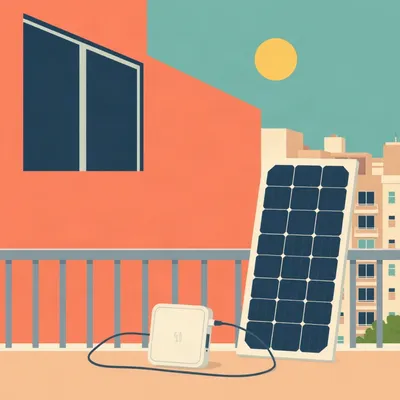
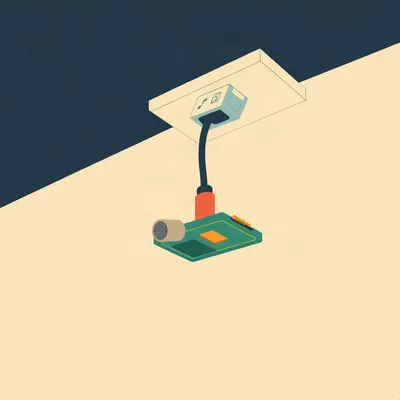
This one's a hands-on engineering challenge, and I love that it starts with a real failure. Daniel's got a sun-drenched patio in Jerusalem, wants an outdoor speaker connected to his Home Assistant network, but he's renting — no drilling, no cabling through walls. There's a plug but it's probably not weatherproof. There is Wi-Fi. So he thinks: solar-powered single-board computer, something like an Orange Pi or Raspberry Pi, just sitting out there listening on the network and driving a speaker. He bought an outdoor IP camera with exactly this setup — little solar panel, USB-C out — and it didn't work. So the real question is: can you actually get a continuously regulated supply from a small portable solar setup to run something like a Raspberry Pi reliably, or are these little panels only good for glow-in-the-dark garden elves?

Right, and the failure he describes is the diagnostic entry point. The camera didn't turn on. That's not a bad product, that's physics telling you something. And the physics here is genuinely interesting because it's not that solar can't do this — it's that the cheap all-in-one units almost always get the architecture wrong in a specific way that's worth unpacking.
Let me guess. They skip the buffer.
They skip the buffer. Exactly the problem. A solar panel is a current source whose output varies with irradiance — cloud passes over, you drop from five watts to half a watt in seconds. Most digital electronics, especially single-board computers, expect a stiff voltage supply. The Raspberry Pi four spec calls for five volts at three amps, fifteen watts minimum for the full-size board, and it's notoriously picky about voltage sag. Drop below about four point six five volts and you get the undervoltage warning. Drop further and it browns out or corrupts the SD card.
The little thirty-centimeter panel with a USB-C port — what's actually inside that thing?
Usually, a very dumb regulator. It takes whatever the panel produces — which might be five to twelve volts open-circuit, depending on sun — and tries to clamp it to five volts. No battery, no charge controller, no real buffering. The moment a cloud passes, the input collapses, the regulator can't maintain the output, and your Pi sees a voltage dip and either throttles, crashes, or never boots. The camera Daniel tried probably has the same problem. The panel can produce enough total watt-hours over a day, but it can't deliver them at the right voltage with the right瞬时 current when the device demands it.
That's the key distinction, right? Total energy versus power delivery.
That's it. Energy is watt-hours — how much work can be done over time. Power is watts right now — can you meet the instantaneous demand. A thirty-centimeter panel might collect fifteen watt-hours on a sunny Jerusalem day, which is theoretically enough to run a Pi Zero two W, which draws about two and a half watts at idle. But the Pi doesn't draw power smoothly — it spikes during boot, during Wi-Fi transmission, during audio decode. And the panel at any given second might be producing one watt in partial shade. Without a battery in the middle, you're asking the panel to meet peak demand directly, and it can't.
The architecture that actually works — and I've seen people do this for off-grid weather stations and remote sensors — is panel, charge controller, battery, then the device.
That's the canonical stack. And the battery chemistry matters. The most common approach in the DIY community is an eighteen-sixty-five or twenty-one-seven-hundred lithium-ion cell, or a LiFePO4 pack if you want better thermal tolerance for outdoor use. You size the panel to recharge the battery during daylight hours even under worst-case winter sun, and you size the battery to run the load through the night plus a couple of cloudy days. That's your autonomy margin.
Jerusalem's got the sun for it. I mean, we're talking about a climate where you get something like three hundred sunny days a year. The solar resource is not the problem.
No, the solar resource is fantastic. The insolation in Jerusalem averages around five and a half to six kilowatt-hours per square meter per day, which is better than most of Europe and comparable to the American Southwest. The problem is entirely on the regulation side. And this is where most people get tripped up, because they see a panel with a USB port and think it behaves like a wall adapter. It absolutely does not.
There's also the thermal problem. You're putting electronics in a sealed box on a Jerusalem patio in August. That box becomes an oven.
This is the part nobody thinks about until their Pi throttles to six hundred megahertz or just dies. A Raspberry Pi four starts throttling the CPU at eighty degrees Celsius. In direct sun, a sealed plastic enclosure can easily hit sixty or seventy degrees ambient inside. Add the Pi's own heat dissipation — maybe five to seven watts for a Pi four under load — and you're right at the thermal limit before you even start. For outdoor audio, you'd want active ventilation or a passively cooled metal enclosure, and even then, you're probably better off with a Pi Zero two W or an Orange Pi Zero, which dissipate far less heat.
The Pi Zero two W — what's the actual power draw on that thing?
At idle, about two point four watts. Under CPU load, closer to three point five. That's dramatically less than a Pi four or Pi five. For a solar-buffered setup, that's the difference between needing a twenty-watt panel and a ten-watt panel, or between a five-thousand-milliamp-hour battery lasting twelve hours versus thirty. The Zero two W also has Wi-Fi five built in, so it can connect to the Home Assistant network without an extra dongle. And for audio, you can run something like Shairport-Sync to make it an AirPlay target, or pipe audio through Home Assistant's media player integration. The compute demands for streaming audio are trivial — even a Zero can handle FLAC decode without breaking a sweat.
The Zero two W, a decent charge controller, an eighteen-sixty-five or two in parallel, and a ten-to-twenty-watt panel. That's a bill of materials under about sixty or seventy dollars. Is that actually a viable patio speaker node?
It's viable. There are dozens of documented builds on the Raspberry Pi forums and YouTube where people have done exactly this for remote audio. The gotchas are mostly about weatherproofing and battery management. Lithium-ion doesn't like being charged below freezing, and it doesn't like being stored fully charged at high temperature — both degrade the cell. LiFePO4 is more forgiving on both fronts but has lower energy density, so your battery's physically larger for the same capacity.
What about the charge controller? That seems like the part where a beginner build goes wrong.
The charge controller is where everything lives or dies. You need something that does maximum power point tracking, or at least a decent PWM controller with proper voltage cutoffs. The cheap ones — the five-dollar TP4056-based boards — will charge a single lithium cell from a five-volt USB input, but they don't boost the output back to five volts for the load. You need a combined charge-and-boost board, or separate charger and boost converter. The Adafruit PowerBoost series does this nicely — charges a lithium cell from USB or solar, boosts to five point two volts at up to two and a half amps. There are also dedicated solar charge controllers like the CN3791-based boards that handle the panel input directly and manage the battery properly.
These have low-voltage cutoff so you don't murder your battery?
The good ones do. Draining a lithium cell below about two point seven volts permanently damages it. A proper charge controller will cut off the load when the battery hits three volts or so. The cheap boards often don't, which is why so many solar garden lights die after one season — the battery gets deep-discharged once, and that's it.
Daniel's IP camera with the bundled solar panel probably failed on at least two fronts — no battery buffer, and if there was a battery, the charge controller was too dumb to manage it properly.
And there's a third possibility, which is that the panel simply can't produce enough current to boot the camera. Camera boot is power-hungry — it's initializing the sensor, the Wi-Fi radio, possibly an IR cut filter, maybe writing to local storage. That surge can be two or three times the steady-state draw. A bare panel can't deliver that surge, so the camera enters a boot loop where it tries to start, voltage sags, it resets, voltage recovers, it tries again. That's probably the "nothing happened" Daniel described — it was actually doing something, just not visibly.
Right, a boot loop with no status LED visible.
The most frustrating kind. And it's why the battery is non-negotiable. The battery handles the surges; the panel recharges the battery. That's the contract.
Let's spec this out. We want a patio speaker node. It needs to be on Wi-Fi, it needs to show up in Home Assistant, it needs to play audio, and it needs to run entirely off solar with enough battery to survive the night and maybe a cloudy day. What's the parts list?
Start with the compute. Raspberry Pi Zero two W, about fifteen dollars. It's got a quad-core Cortex-A53, five hundred twelve megs of RAM, Wi-Fi five and Bluetooth five. More than enough for audio streaming. Alternative: Orange Pi Zero two W, similar price, similar specs, sometimes better availability.
The Pi Zero has no audio jack, so you need either a USB audio dongle — the cheap ones work fine for this — or an I2S DAC HAT. The I2S route gives you better quality and lower noise, but it's more wiring. For outdoor use where fidelity isn't critical, a five-dollar USB audio adapter is perfectly adequate. Then you need an amplifier — a little Class D amp board based on the PAM8403 or similar, which runs off five volts and can drive a pair of outdoor speakers at maybe three watts per channel. That's plenty for a patio.
Panel: a ten-to-twenty-watt monocrystalline panel. Something like a Renogy twenty-watt twelve-volt panel is about thirty dollars. You don't need twelve volts for the Pi, but a higher panel voltage gives you more headroom for the charge controller to work with in low light. Charge controller: the Adafruit Universal USB DC Solar Lithium Ion Polymer charger, about fifteen dollars, or a DFRobot Solar Power Manager, about twenty dollars. Battery: two eighteen-sixty-fives in parallel, or a single LiFePO4 pack, maybe three to five amp-hours at three point seven volts nominal. That gives you roughly eleven to eighteen watt-hours of usable capacity. The Pi Zero plus amp draws maybe four watts total when playing audio. That's four to five hours of runtime from a modest battery, with the panel recharging during the day.
The math works. On a sunny Jerusalem day, the panel produces far more than the Pi consumes, the battery charges fully by mid-morning, and it rides through the night. On a cloudy day, the battery might not fully charge, but if you've sized it with a day or two of autonomy, it doesn't matter.
The sizing rule of thumb is: calculate your daily watt-hour consumption, multiply by your desired autonomy days, then size the panel to deliver that daily consumption in the worst insolation month. For Jerusalem in December, you're still getting maybe three kilowatt-hours per square meter per day. A twenty-watt panel is about a tenth of a square meter, so it collects maybe thirty watt-hours on a winter day. The Pi Zero and amp draw four watts for, say, six hours of active use per day — twenty-four watt-hours. The math closes even in winter.
We haven't even talked about the smarter approach, which is to not use a full Linux SBC at all.
Oh, this is where it gets interesting. If all you need is a network audio endpoint, an ESP32 can do the job at a fraction of the power. An ESP32 running something like Squeezelite-ESP32 or the new ESP32-S3 with the audio framework can stream audio over Wi-Fi, output I2S to a DAC, and draw under half a watt. At that power level, a five-watt panel and a single eighteen-sixty-five could run indefinitely. You lose the flexibility of a full Linux system — no Shairport-Sync, no easy Home Assistant add-ons — but if you're just piping audio from Home Assistant via something like the Media Source API or an MQTT-triggered stream, the ESP32 is more than capable.
Home Assistant has native ESPHome integration, so the device shows up, gets OTA updates, and you can control it from the dashboard.
ESPHome has an audio component now — it's still maturing, but for basic playback, it works. And there are commercial products that do this out of the box. The Sonoff and Athom lines have ESP-based smart speakers and audio receivers. But the DIY appeal here is strong, because a custom ESP32 audio node with a solar power manager and a battery can be built for under thirty dollars total.
There's something satisfying about a device that just sits there, silently powered by the sun, waiting for you to cast audio to it. It's the closest thing to magic that electrical engineering offers.
It really is. And the solar part of it — once you've got the buffer architecture right — is the easy part. The panel doesn't care what it's powering. It just needs to be sized correctly. The hard parts are weatherproofing, thermal management, and audio quality outdoors. Outdoor audio is acoustically weird. You've got no room gain, no reflections from walls, wind noise, ambient noise from traffic and birds. You need more power than you think to get usable volume, and you need speakers that can handle moisture and UV.
The speaker enclosure itself becomes a project. Are we talking about off-the-shelf outdoor speakers with a separate amp box, or building the whole thing into one weatherproof unit?
For a rental situation where you can't mount things permanently, I'd keep it modular. A small weatherproof enclosure — something like a Bud Industries NEMA box or even a decent IP65 junction box — houses the electronics. The solar panel mounts separately, angled for best sun. The speaker can be a commercial outdoor unit like the Polk Atrium or the Yamaha NS-AW series, something that's designed to live outside and has the proper driver materials and sealed crossovers. Then you just run a short speaker cable from the amp box to the speaker.
The whole thing is portable. When you move, you take it down.
That's the beauty of it. No holes drilled, no cables through walls. It's a self-contained solar-powered audio appliance.
Let's talk about the failure modes, because Daniel's camera experience is a good reminder that this stuff fails silently and confusingly. What are the things that will make a solar Pi setup stop working after a month?
First, battery degradation. If the charge controller doesn't have proper temperature compensation, the battery gets cooked in the Jerusalem summer. Lithium-ion capacity drops noticeably after a few hundred cycles at elevated temperature. After a year of daily cycling in a hot enclosure, you might have half the original capacity. Second, SD card corruption. The Pi's SD card is vulnerable to power loss during writes. If your battery runs out overnight and the Pi loses power mid-log-write, the filesystem can get corrupted. The fix is to make the root filesystem read-only, or use a more robust storage like a small SSD or a high-endurance SD card.
Read-only root filesystem — that's the standard trick for embedded Pi deployments, right?
You mount the boot partition read-write for configuration changes, then remount read-only for normal operation. Logs go to a RAM disk or to a remote syslog server. It's a bit of a pain to set up, but once it's done, you can yank power all day and the system comes back fine. There are scripts like "overlayroot" and "fsprotect" that make this easier on Raspberry Pi OS.
What about corrosion? We're outdoors, there's humidity, maybe some rain splash even if the box is sealed.
Conformal coating on the PCB helps, but the bigger issue is connector corrosion. USB ports, audio jacks, the GPIO header — any exposed metal will oxidize over time, especially if there's any salt in the air. The fix is to use sealed connectors or to pot the connections in silicone once everything's wired up. And use stainless steel hardware for mounting. Galvanic corrosion between dissimilar metals outdoors is a real thing that will turn your nice build into a rusted mess in eighteen months.
I feel like we should mention the commercial alternatives, because not everyone wants to solder charge controllers in their kitchen. What's out there that does this off the shelf?
The closest commercial product is probably the solar-powered Wi-Fi speaker category, but it's still niche. There are Bluetooth speakers with built-in solar panels — the JBL and Ultimate Ears ones are mostly gimmicks, the solar panel is too small to meaningfully extend battery life. For Wi-Fi, there's not much. The Sonos Move has a battery and can be used outdoors, but it charges via a base station or USB-C, not solar. The real commercial solutions are in the pro audio and security camera space. Reolink and Eufy make solar-powered Wi-Fi cameras that actually work, because they've engineered the power path properly — battery, charge controller, low-power sleep modes. If you took the guts of a Reolink solar camera and repurposed them for audio, you'd be most of the way there.
Which is basically what Daniel tried and found didn't work. So the cheaper end of that market is still cutting corners.
The price point tells you everything. A proper solar power management system with MPPT charging, battery protection, and regulated output costs maybe fifteen to twenty dollars in components alone. If the whole product — panel, camera, enclosure, everything — is selling for forty dollars, they've skipped something. Usually the battery management.
The lesson is: if it's cheap and claims to be solar-powered, it's probably lying about one of those two things.
Or it works for exactly the narrow use case they designed for — a few motion-triggered recordings per day, with the device in deep sleep the rest of the time. That's not a continuously available network audio node. Different power profile entirely.
Let's circle back to the specific challenge. Daniel wants this thing on his Home Assistant network. What's the software stack look like for making a Pi show up as a media player in Home Assistant?
There are a few paths. The cleanest is probably to run an MPD server on the Pi — Music Player Daemon — and connect it to Home Assistant via the MPD integration. Home Assistant sees it as a media player entity, you can send audio to it, control volume, see what's playing. MPD is lightweight, well-tested, and runs beautifully on a Pi Zero. For AirPlay, Shairport-Sync makes the Pi appear as an AirPlay target. For a more integrated approach, you can run the Squeezelite client and connect it to a Logitech Media Server, which Home Assistant also integrates with. Or you go the ESPHome route with an ESP32, where the audio pipeline is handled natively.
All of these work over Wi-Fi, no Ethernet cable required.
All Wi-Fi. The Pi Zero two W has perfectly adequate Wi-Fi for audio streaming — we're talking a few hundred kilobits per second for a compressed stream, maybe one and a half megabits for lossless. Well within what even a weak Wi-Fi signal can handle. The bigger challenge is Wi-Fi range outdoors. If the patio is far from the access point, you might need a better antenna or a Wi-Fi extender. But that's a networking problem, not a solar problem.
What about using the Pi as a Bluetooth receiver instead? Cut Wi-Fi out entirely and just stream from a phone?
You can, but then it's not a Home Assistant node — it's just a Bluetooth speaker. The whole point here is network integration, being able to automate it, include it in multi-room audio groups, trigger playback from automations. Bluetooth doesn't give you that.
So Wi-Fi it is. And Wi-Fi means the Pi is awake and connected continuously, which means the power draw is constant, which means the solar and battery sizing has to account for twenty-four-seven operation, not just active playback hours.
A Pi Zero two W idling on Wi-Fi draws about two point four watts continuously. Over twenty-four hours, that's about fifty-eight watt-hours. Even when nobody's listening to anything. That changes the solar sizing significantly compared to a device that sleeps and wakes on demand.
That's where the ESP32 really shines. Half a watt continuous, twelve watt-hours per day. A five-watt panel and a couple of eighteen-sixty-fives would run that indefinitely with margin to spare.
The trade-off is capability. The ESP32 can stream audio, but it can't run MPD, it can't transcode formats, it can't do AirPlay natively. You're dependent on whatever audio pipeline ESPHome or your custom firmware supports. For a lot of people, that's fine — they just want to cast from Home Assistant. But if you want the flexibility of a general-purpose Linux box, the Pi is worth the extra power budget.
We've got a spectrum. On one end: ESP32, ultra-low power, limited flexibility, basically an appliance. On the other end: full Pi, more power-hungry, full Linux flexibility, needs a bigger solar setup. The sweet spot for most people is probably somewhere in between — a Pi Zero two W with the software stripped down to just what's needed, root filesystem read-only, maybe even a custom Buildroot image that boots in seconds and uses almost no resources.
Buildroot or Yocto. If you're really optimizing, you build a minimal Linux image that does exactly one thing — audio streaming — and nothing else. Boot time under ten seconds, RAM usage under a hundred megs, CPU mostly idle. That's a project for a very specific kind of person.
The kind of person who sends in a prompt about solar-powered SBCs, I'd say.
And there's an entire community of people doing exactly this. The "Solar Pi" and "Off-Grid Pi" forums are full of builds for remote weather stations, wildlife cameras, mesh network nodes, and yes, outdoor audio. The recurring theme in every successful build is the same: panel, charge controller, battery, load. In that order. Never panel directly to load.
Which is the thing Daniel learned the hard way with his camera. The bundled solar panel with USB-C out is a panel directly to load — maybe with a token regulator — and it doesn't work.
It's frustrating because it looks like it should work. The marketing shows a panel and a camera and says "solar powered." The USB-C connector implies standards compliance. But the power delivery spec requires negotiation — a USB-C source and sink communicate to agree on voltage and current. A dumb solar panel with a USB-C port almost certainly doesn't implement USB PD negotiation properly. It just puts five volts on the VBUS line and hopes the device accepts it. Some devices do, some don't. The camera probably looked at the port, tried to negotiate, got no response, and never drew power.
Even the connector choice is misleading. A USB-C port on a solar panel suggests a level of sophistication that isn't there.
USB-C is a connector, not a protocol. People confuse the two constantly. A USB-C port can carry USB two point zero, USB three point two, Thunderbolt, DisplayPort, or just five volts DC. The port tells you nothing about what's actually happening on the pins. In the case of cheap solar panels, it's almost always just a five-volt DC output on the VBUS and ground pins, with no data, no PD, no nothing. If your device requires PD negotiation to accept power — and some do, as a safety feature — it'll never work.
That's a useful diagnostic tip right there. If your device won't power on from a solar panel's USB-C port, try a USB-A to USB-C cable instead. USB-A always provides five volts without negotiation.
That's actually a great practical tip. The USB-A to USB-C cable skips the negotiation requirement entirely because USB-A is a dumb five-volt source by definition. It won't solve the buffering problem — you still need a battery in the path — but it might at least get the device to attempt a boot.
To wrap the technical answer: yes, a solar-powered SBC on a patio is entirely feasible. The architecture is panel to charge controller to battery to SBC. Size the panel for your worst-case insolation, size the battery for your desired autonomy, weatherproof everything, manage the thermals, and don't skip the charge controller.
If you want to keep it simple, start with an ESP32. The power budget is so low that the solar setup becomes almost trivial. A five-watt panel, a small LiFePO4 battery, a basic charge controller, and you're done. It's the gateway drug to solar-powered computing.
The gateway drug to having a computer on your patio that you never have to charge or plug in. That's a compelling pitch.
It really is. And once you've got one solar-powered node working, the temptation to add more is strong. Solar-powered garden lighting controller. Solar-powered weather station. Solar-powered bird feeder camera. It's a whole ecosystem.
You start with a speaker and end up with a solar-powered smart garden that's more compute-dense than a 1990s data center.
That's where this is heading. The cost of small-scale solar and low-power compute has dropped so far that you can deploy sensor and actuator nodes anywhere with sun exposure. The bottleneck isn't the hardware anymore — it's the software and the integration. Home Assistant is actually a huge enabler here because it provides the unified control plane. All your weird solar-powered gizmos show up in one dashboard.
Daniel's patio speaker is not just feasible, it's basically a starter project for a much larger home automation expansion. The failure with the camera was informative — it taught him exactly what not to do.
Now he knows what to do instead. I'd love to see the build log when he puts it together.
A weatherproof box, a little panel angled just right, a Pi Zero silently serving audio on the network, powered entirely by that brutal Jerusalem sun. There's something poetic about it.
The sun that makes you need a cold drink on the patio is also the sun that powers the music while you drink it.
That's almost profound.
I have my moments.
Now: Hilbert's daily fun fact.
Hilbert: In the late sixteen hundreds, a pigment maker in the Comoros accidentally created a vivid blue dye by mixing indigo with crushed coral and lime — a local formula that some fringe chronologists later cited as evidence for the phantom-time hypothesis, claiming the shade matched pigments supposedly invented centuries earlier in Europe, though the chemistry was just a coincidence of island mineralogy.
...right.
If you're building a solar-powered patio speaker, I'd say the time to start is now. The components are cheap, the documentation is abundant, and the satisfaction of hearing music come out of a box that's been running silently on sunlight for weeks is hard to beat.
For everyone else who bought a solar gadget that didn't work: it's probably not you, it's the missing battery. Add the buffer, and suddenly the sun delivers.
Thanks to our producer Hilbert Flumingtop. This has been My Weird Prompts. Find us at myweirdprompts dot com, and if you enjoyed this episode, leave us a review wherever you listen — it helps.
Until next time.