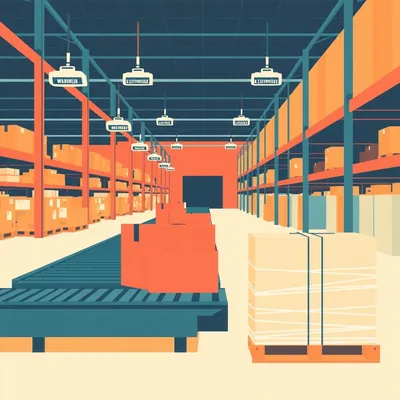
Daniel sent us this one — he's asking about the strange world where the fastest way to move data is still a truck. We're talking AWS Snowmobile, Backblaze's physical transfer service, the whole concept of shipping hard drives instead of using fiber. And the core questions are: does data actually rot in the back of a truck, who uses this beyond just migration, are there privacy motives, and if you wanted to ship your own NAS across the country, how do you not destroy it? There's a lot to unpack here.

Let's start with the math, because the math is genuinely absurd. A single ten gigabit per second fiber connection, fully saturated with no overhead — which never happens in practice — would take about twenty-six years to move one hundred petabytes. AWS Snowmobile does it in a week.
Twenty-six years versus a week. That's not a tradeoff, that's a category error.
It really is. And that's the thing most people miss when they think about "the cloud." We've trained ourselves to believe everything is instant, everything is virtual, the network is infinite. But data has mass. At a certain scale, the physics of moving electrons through glass fiber just loses to the physics of moving hard drives down an interstate.
The fastest network in the world is a FedEx truck with a pallet of SSDs in the back. This has been true for decades.
Andrew Tanenbaum famously said "never underestimate the bandwidth of a station wagon full of tapes hurtling down the highway." That was in nineteen eighty-one, and it's still correct. The latency is terrible — days instead of milliseconds — but the throughput is measured in exabytes per hour.
Let's unpack why a truck full of hard drives can beat the internet at its own game, and then let's get into the part I find unsettling — what happens to all those bits while they're bouncing down I-80 in a shipping container.
So there are really two categories here. First, you've got the purpose-built enterprise services — AWS Snowmobile, which is literally a forty-five-foot shipping container pulled by a semi-truck, holding one hundred petabytes across more than a thousand NVMe SSDs. There's also Snowball, which is a smaller appliance, about fifty terabytes or eighty terabytes depending on the model. Azure has Data Box, Google has their Transfer Appliance. These are all managed services where the provider owns the hardware end to end.
Then the second category?
Cold storage shipping. Backblaze Fireball is the one most people know — they ship you a physical storage device, you load it up, you ship it back. There are also LTO tape courier services where companies literally FedEx tape cartridges to Iron Mountain or some archival vault. The difference is that in the second category, the drives are powered down during transit. The data is cold. And that's where the bit rot question gets interesting.
That's the thing that keeps me up at night, metaphorically. I'm a sloth, I sleep fine. But the idea that my data is slowly decaying in the back of a truck — that's existentially uncomfortable.
Let me explain exactly what's happening at the physical level, because this is where the engineering gets beautiful. SSDs store data as electrical charge in floating-gate transistors. Over time, that charge leaks. If a drive is powered off for months or years, the voltage levels that represent your ones and zeros drift, and eventually the controller can't distinguish them reliably. HDDs have a different problem — magnetic domains on the platters can weaken or flip, especially if the drive is exposed to heat, vibration, or strong magnetic fields during shipping.
If you just toss a bunch of drives in a truck and drive from Ohio to Oregon, you're rolling the dice on data integrity.
Which is why AWS Snowmobile doesn't do that. The truck has its own diesel generator — a three hundred fifty kilowatt generator — and the entire storage array stays powered up for the entire journey. The drives are active, the controllers are running, and the system is continuously performing background scrubbing. It reads every block, checks the error correction codes, and if it finds any bit that's drifted, it rewrites it. The data is never cold.
It's a data center on wheels. A literal data center, with climate control, fire suppression, the works.
It's a forty-five-foot shipping container that happens to have wheels and a truck attached to it. The climate control keeps the drives at optimal temperature. There's twenty-four-seven video surveillance, GPS tracking, and according to AWS documentation, the truck has escort vehicles and optional armed security. The storage itself is a cryptographic black box — all data is encrypted client-side before it ever touches the Snowmobile, and the encryption keys are managed by a hardware security module inside the truck. Even the driver cannot access the data.
The driver is just hauling a hundred million gigabytes of encrypted nothing, as far as they're concerned.
And that's the privacy angle right there. The data never touches the public internet. It never traverses a router that anyone else owns. For certain compliance regimes — HIPAA, ITAR, GDPR — being able to say "the data was physically transported in a locked, encrypted container with an armed escort and zero network exposure" can actually be simpler to certify than a VPN tunnel or AWS Direct Connect.
That's fascinating. The internet is arguably the most surveilled infrastructure ever built, and yet we've convinced ourselves that encryption makes it private. Meanwhile, a truck with a padlock and a guy with a gun is, in some legal frameworks, considered more secure.
It's the difference between theoretical security and auditable security. A network path goes through dozens of routers, switches, and autonomous systems. Any of them could be compromised. A physical truck has a chain of custody. You know exactly who touched it, when, and where. For a financial institution doing an initial cloud migration, that physical chain of custody creates an audit trail that a network transfer simply can't match.
Who's actually using this? I assume it's not people backing up their iPhone photos.
NASA, for one. The National Energy Research Scientific Computing Center — NERSC — used Snowmobile to migrate two point seven petabytes of climate data to AWS. NASA's Earth science division had about a hundred twenty petabytes of satellite imagery and climate model output sitting at Goddard Space Flight Center, and their internet link was only forty gigabits per second. The math just didn't work. A Snowmobile trip took about a week. A network transfer would have taken the better part of a year, assuming nothing went wrong.
A hundred twenty petabytes of satellite data. That's the kind of dataset where you don't even bother running the bandwidth calculator — you just call the truck.
Media companies are another big user. When you're shooting an eight-K feature film, the raw footage for a single day of shooting can be multiple terabytes. A production studio in New Zealand shipping raw footage to a post-production house in Los Angeles — they're not going to upload that over their office internet connection. They put it on a storage array and courier it.
I've heard of hedge funds doing this too.
There's a documented case of a hedge fund that needed to move about fifty terabytes of proprietary trading data to a colocation facility in Chicago. The data included years of backtested strategies and proprietary models. They used a bonded courier service with a secured vehicle because no network path — not a VPN, not a dedicated line, nothing — was considered sufficiently auditable for their compliance requirements. The data was too sensitive for any network exposure whatsoever.
A bonded courier. That's the financial industry's version of "I'll just drive it over myself.
It really is. And that gets us to Backblaze, which takes a fundamentally different approach. Backblaze Fireball is a storage appliance they ship to you. You load up your data, ship it back, and they ingest it into their B2 cloud storage. But unlike Snowmobile, the drives are powered down during transit. They're packed in anti-static bags with desiccant, inside padded cases, and shipped via FedEx.
Backblaze has decided that the bit rot risk during a two-day FedEx shipment is acceptable.
They've mitigated it through their storage architecture. Backblaze uses a seventeen-plus-three Reed-Solomon erasure coding scheme. In a twenty-drive storage vault, they can lose up to three entire drives and still reconstruct all the data perfectly from the remaining seventeen. So if a drive arrives with a few flipped bits, they detect it during the ingest process, and they reconstruct from parity. The data is never at risk — it's just that individual drives might arrive imperfect.
The erasure coding is the insurance policy. You don't need to keep the drives powered if you've got enough redundancy to absorb the damage.
And this is the key difference between the enterprise approach and the cold-shipping approach. AWS keeps the data warm and scrubs continuously. Backblaze lets it go cold and relies on mathematical redundancy to fix whatever breaks. Both work, but they have different cost profiles and different risk models.
What about tape? You mentioned LTO couriers.
LTO tape is making a quiet comeback for archival cold storage, and shipping tapes is actually more common than most people realize. LTO-9 tapes hold about eighteen terabytes native, forty-five compressed. LTO-10 is pushing thirty-six terabytes native. And LTO-14, which is on the roadmap, is targeting five hundred seventy-six terabytes per cartridge. At that point, a single FedEx envelope could carry more data than most data centers had a decade ago.
A FedEx envelope with half a petabyte in it. That's the kind of thing that sounds like science fiction but is just... a magnetic tape in a plastic case.
Tape has an advantage over hard drives for shipping — it's less vulnerable to shock. A tape cartridge can survive being dropped. A hard drive with its heads unparked, not so much. The shock tolerance for a powered-off hard drive is typically about two hundred Gs for two milliseconds. For an SSD, it's much higher — around fifteen hundred Gs — because there are no moving parts. But SSDs have their own failure mode: the controller can be damaged by electrostatic discharge during handling.
If you're doing the DIY version — shipping your own NAS across the country — you've got to worry about shock, static, bit rot, and theft. That's a lot of failure modes.
It is, and most people get this wrong. The typical approach is "put the NAS in a box with some bubble wrap and hope for the best." That's how you end up with a pile of dead drives on the other end.
Alright, so the enterprise services have this dialed in. But what about the rest of us? Who's actually using this, and can you do it yourself?
Let's start with the practical advice, because I think a lot of listeners might actually need this someday. Step one: remove the drives from the NAS chassis. Do not ship them installed.
The chassis is designed to hold them securely.
Because the chassis is heavy — a four-bay Synology or QNAP weighs maybe five or six pounds without drives, ten or twelve with. During shipping, that weight gets thrown around. The SATA connectors on the backplane are not designed to withstand lateral force from a drive being yanked by its own mass during a drop. I've seen photos of NAS units that arrived with drives partially ejected from their bays, connectors bent, backplanes cracked. Ship the drives separately.
You're essentially disassembling the whole thing.
The chassis goes in one box, the drives go in another. Each drive goes in its own anti-static bag. Not a Ziploc bag — anti-static bags are metallized and actually dissipate charge. A regular plastic bag can build up thousands of volts of static electricity, and one discharge through the drive's controller board and your data is gone.
For hard drives specifically, the heads need to be parked.
Most modern drives auto-park their heads when power is removed — the actuator arm swings to a safe landing zone off the platters. But it's worth verifying. If you're shipping older drives, you can usually issue a park command through the operating system before shutdown. For SSDs, there's no head crash risk, but the controller is still vulnerable to static, and NAND flash cells can lose charge if the drive sits unpowered for a long time. For a cross-country shipment of a few days, SSD charge leakage isn't a major concern. For international shipping that might take weeks — it starts to matter.
What about the physical packing?
Pelican case with custom foam cutouts. A Pelican case is essentially a hard shell that's waterproof, dustproof, and crushproof. The custom foam — you can get pick-and-pluck foam or have it laser-cut — ensures the drives don't move at all inside the case. Standard shipping boxes get crushed. I've seen a box with a Synology NAS arrive looking like someone drove a forklift over it. The NAS survived because it was in a Pelican case. A cardboard box with bubble wrap would have been a total loss.
We're talking a hundred fifty, two hundred dollars for a proper Pelican case. That's the cost of doing this right.
Compare that to the cost of data recovery. Professional data recovery from a physically damaged drive starts at about five hundred dollars per drive and goes up from there. If you've got four eight-terabyte drives in a RAID array, and two of them arrive damaged, you could be looking at thousands of dollars in recovery costs — assuming recovery is even possible.
You mentioned insurance.
FedEx and UPS offer declared value coverage, but read the fine print. Their standard liability for electronics is often capped, and they may require specific packaging standards to honor a claim. For a NAS full of drives, you want to insure for the replacement value of the entire unit plus the data — and some carriers offer specific electronics or media coverage that's separate from standard declared value. It's worth calling them and asking.
What about tracking? Can you just throw an AirTag in the case?
You can, and many people do. But check the regulations if you're flying or shipping internationally. Lithium batteries in AirTags are small enough that they're generally allowed in checked baggage and cargo, but some carriers have specific restrictions on battery-powered tracking devices. The bigger issue is that an AirTag only works when it's near an Apple device. If your Pelican case is sitting in a FedEx sorting facility in Memphis at three in the morning, you might not get a location update for hours.
It's a partial solution. Better than nothing, but not a real-time tracking system.
For real-time tracking, you'd need a GPS tracker with cellular connectivity, and those are larger, more expensive, and have their own battery and regulatory considerations. For most DIY scenarios, an AirTag plus the carrier's own tracking is sufficient.
What about customs for international shipments? I imagine shipping a NAS from the US to Europe or vice versa adds a whole layer of complexity.
It does, and this is where the privacy angle gets complicated. If you're shipping encrypted drives across an international border, customs officials can, in many jurisdictions, compel you to provide decryption keys or detain the shipment. Some countries — China, Russia, certain Middle Eastern nations — have data localization laws that may prohibit the export of certain types of data on physical media. Even if your data is encrypted, the physical drives can be held at the border for weeks while customs decides what to do.
The very thing that makes physical transfer attractive for privacy — the data never touches the internet — becomes a liability at the border, where someone with legal authority can physically seize your drives.
It's the double-edged sword of physical custody. On a network, your data is exposed to surveillance but physically distributed. On a truck, your data is physically concentrated in one place but cryptographically opaque. Different threat models favor different approaches.
Let's talk about what happens when the drives arrive. You've shipped your NAS from New York to San Francisco. You unpack everything. What's the first thing you do?
Full surface scan. Every sector, every block. On ZFS, that's a scrub. On Btrfs, same thing — a scrub. On a traditional RAID array, you run a filesystem check with surface scan enabled. This can take hours or days depending on the size of your array, but it's non-negotiable. You need to verify that every bit arrived intact before you trust the array with live data.
If you're using ZFS with parity — RAID-Z or RAID-Z2 — you've got some protection against a drive arriving with errors.
Yes, and this is why I recommend shipping with at least one parity drive if you're doing DIY. If you've got a four-drive array and you ship it with RAID-Z1 — which is single parity — one drive can arrive completely dead and you can still reconstruct. If you shipped with no parity, a single dead drive means data loss. For anything irreplaceable, ship with double parity.
The checklist is: remove drives from chassis, anti-static bags, custom foam in a Pelican case, insure for replacement value, track it, and run a full scrub on arrival. Did I miss anything?
One more thing. Before you even pack the drives, run a full scrub and verify the array is healthy. You want to know that the data was intact before you shipped it, so if something arrives broken, you can be confident it happened during transit and not before. Also, keep a separate backup. A NAS in transit is not a backup. If it's the only copy of your data, you're one forklift accident away from losing everything.
"A NAS in transit is not a backup." That should be on a t-shirt.
It really should. And that brings us to the broader question of when physical transfer actually makes sense. The rule of thumb is: if your dataset is over about ten terabytes, and you have access to a typical business internet connection — say, a gigabit per second — the math starts to favor shipping. At a gigabit per second, ten terabytes takes about twenty-two hours to transfer, assuming perfect conditions. In practice, with TCP overhead, congestion, and the fact that most "gigabit" connections don't actually deliver a gigabit, it's more like thirty to forty hours. Meanwhile, overnight FedEx gets it there in twelve hours.
The crossover point is lower than most people think. It's not just for hundred-petabyte NASA datasets. A video production company with a few terabytes of raw footage hits the crossover point easily.
And the crossover point shifts depending on your internet connection. On a hundred megabit per second connection — which is still common for small businesses — one terabyte takes about twenty-two hours. At that point, shipping a drive via FedEx overnight is faster for anything over a few hundred gigabytes.
Let's talk about some of the misconceptions around this, because I think there are a few that need busting. The first one is "physical transfer is obsolete because fiber is fast enough.
That misconception comes from confusing bandwidth with throughput. Fiber has great bandwidth — the capacity of the pipe is enormous. But throughput — how much data you actually move in a given time — is limited by the speed of light in glass, TCP window sizes, packet loss, and about a dozen other factors. A truck full of hard drives has terrible latency but effectively infinite bandwidth. For the initial seed load of a large dataset, the truck wins every time.
The second misconception: "data in transit on a truck is at rest and vulnerable to bit rot.
We covered this, but it's worth repeating. Enterprise services keep the drives powered and scrubbing during transit. The truck is a mobile data center with a generator. The data is never cold. For cold-shipping services like Backblaze, the erasure coding provides mathematical protection against bit rot. Either way, the risk is managed.
Third one: "shipping a NAS is as simple as putting it in a box with bubble wrap.
We've thoroughly debunked that one. Drives out, anti-static bags, Pelican case, insure, scrub on arrival. Bubble wrap is for coffee mugs, not for the only copy of your dissertation.
If you're now thinking about shipping your own NAS, here's what you need to know to not destroy your data. Let's recap the concrete checklist. One: verify your array is healthy before you touch anything — full scrub, check for errors. Two: power down properly and remove every drive from the chassis. Three: each drive goes in its own anti-static bag, not a Ziploc, not a grocery bag. Four: pack the drives in a Pelican case or equivalent hard case with custom foam — no movement, zero. Five: the empty chassis ships separately, also well-padded. Six: insure for full replacement value and check the fine print. Seven: track it somehow — AirTag at minimum. Eight: on arrival, full surface scan before you trust the array with anything.
Nine: this is not a backup. If the data matters, have another copy somewhere else. A NAS bouncing down the highway in the back of a FedEx truck is a single point of failure.
What about the future of this? You mentioned LTO-14 targeting five hundred seventy-six terabytes per cartridge. At some point, does tape shipping become the dominant form of physical transfer again?
I think we're going to see a bifurcation. For active data that needs to be immediately accessible on arrival — database migrations, media production workflows, financial data — SSD-based shipping like Snowmobile or DIY NVMe arrays will dominate because the data needs to be online instantly. For archival cold storage, tape will make a huge comeback. LTO-14 at five hundred seventy-six terabytes per cartridge means you could ship an exabyte in a few shoeboxes. At that density, physical transfer becomes almost absurdly efficient.
The shoebox exabyte. That's a weird prompt in itself.
There's another development worth watching. As edge computing grows and data gravity increases — the idea that large datasets attract applications and services to them — we might see "data ferries." Not one-off migrations, but scheduled, recurring physical data transfers between data centers. Imagine an autonomous electric truck that drives a loop between AWS us-east-1 and us-west-2, carrying a Snowmobile's worth of data on a regular schedule, because the network backbone between those regions can't keep up with the data generation rate.
A data ferry. Like the Staten Island Ferry, but for petabytes.
And this isn't as far-fetched as it sounds. Microsoft already experimented with a data ferry concept called Project Natick — underwater data centers that could be physically transported. The logic is the same: sometimes moving the data center is more efficient than moving the data.
There's something deeply satisfying about this. We've built this incredible global network of fiber optic cables, satellite links, wireless spectrum — and the optimal solution for big data is still "put it in a box and drive it there." The future is just the past with better packaging.
And diesel generators. And armed escorts. But yes, fundamentally, we're still doing what people did in the nineteen seventies when they mailed magnetic tapes between university computer centers.
The more things change.
Alright, so to wrap this up: physical data transfer is not obsolete. It's the optimal choice for initial cloud seed loads, air-gapped compliance scenarios, and any dataset over roughly ten terabytes where your internet connection can't keep up. For enterprise, AWS Snowmobile and similar services keep data warm and scrubbing during transit. For cold shipping, Backblaze relies on erasure coding to handle any bit rot on arrival. And for DIY, the checklist we laid out — drives out, anti-static bags, Pelican case, insure, scrub on arrival — is the difference between a successful migration and a very expensive lesson.
The fastest network in the world is still a truck, and for the foreseeable future, that's not going to change. Fiber gets faster every year, but datasets grow faster than fiber does. The gap might actually widen.
Which is a good place to leave this. If you've got a weird prompt for us — maybe about why your NAS sounds like a coffee grinder, or whether pigeons can actually carry SD cards faster than your home internet — send it to prompts at myweirdprompts dot com.
Now: Hilbert's daily fun fact.

In the early Renaissance, the pigment known as "dragon's blood" was actually a tree resin harvested primarily from Dracaena cinnabari on the island of Socotra, not from mythical creatures. The resin's deep red color came from compounds called dracoresins, and it was used as both a painting pigment and a wound sealant — though its color faded badly when mixed with lead white, a fact that frustrated illuminators for centuries.
Of course dragon's blood is tree sap.
That's my new band name.
This has been My Weird Prompts. I'm Corn.
I'm Herman Poppleberry. If you enjoyed this episode, leave us a review wherever you get your podcasts — it helps other people find the show. Until next time.