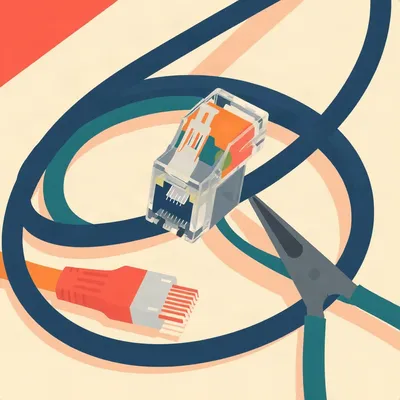
There is a specific moment of despair that I think every person who runs their own network knows intimately. You're crouched in front of a repurposed IKEA cabinet, the door is digging into your shoulder, and you're staring at a fistful of identical black Ethernet cables packed so tightly you can't trace any of them with your fingers, let alone your eyes. One of them is your WAN link. One of them goes to the server that hosts your entire media library. One of them is the downlink to the switch in the living room. And you have to disconnect all of them, move to a new apartment, and plug them all back in again. Without spending three hours playing the world's most frustrating game of cable roulette.

The stakes are not trivial. If you get it wrong, your carefully configured pfSense box with its static IPs and VLANs and firewall rules just sits there blinking at you, and your spouse wants to know why the internet isn't working in the new place, and you have to say something like "I'm troubleshooting the layer two topology" which is not the answer anyone wants to hear on moving day.
It's the networking equivalent of defusing a bomb while someone asks if you've seen the box labeled "kitchen scissors.
So the prompt asks what we'd recommend for someone managing a network — home or business — who's about to move and wants the reconnection to be as close to zero-drama as possible. The core question is: how do you label and identify your switches and cables so that when you arrive at the new place, you can literally reconnect everything and have it all come back up?
The listener has already tried the obvious solutions. Paint markers on black equipment chassis, which works for labeling the gear itself but not the cables. Those little flag labels that wrap around Ethernet cables and then immediately unstick themselves and cling to each other like they're in a support group. Ribbon cable labels that promised they'd stay put and didn't. The whole consumer-grade labeling ecosystem has failed, and the question is what actually works.
Before we get into the specifics — and we're going to get very specific — I want to name the real problem here, because it's not what most people think it is. The problem isn't that the labels fall off. That's a symptom. The problem is that most people are trying to label the wrong thing in the wrong way, and they're doing it without a system that exists independently of the physical cables. So let me ask you this: what does a label actually do when you stick it on a cable?
It says "this cable goes to the server" or "this is the WAN link." That information lives on the cable itself. So when you unplug everything and coil it up and shove it in a box, the label is still there, but the context is gone. You're standing in the new apartment holding a cable that says "Server B" and you have no idea which port it was plugged into, which switch it came from, or whether it was the primary link or the failover. The label answered the wrong question.
It's like writing someone's name on their coffee cup but not writing down where they sit. The cup is labeled, the coffee gets delivered to the wrong desk anyway.
That's exactly the analogy. And this is where paint markers fail, flag labels fail, ribbon cable fails — they're all trying to solve the problem of "how do I mark this physical object" when the real problem is "how do I preserve the relationship between this cable and everything it touches.
The cable is just the middleman. It's not where the information lives, it's what the information flows through.
So let's talk about why each of these consumer solutions breaks in practice, because the failure modes are instructive. Paint markers — white paint marker on a black Ethernet jacket. It works for about a week, and then the jacket flexes, the paint micro-cracks, and you're left with a smudge that might say "WAN" or might say "WAX" or might just be an abstract expressionist piece in your cable management.
I'd pay good money for a cable labeled "WAX.
The flag labels — those little wraparound things that come out of a Brother or Dymo label maker. The problem is surface energy. Ethernet cable jackets are typically PVC or low-smoke zero-halogen material, and both have low surface energy. Adhesives don't bond well to low-energy surfaces. Add heat cycling inside a closed cabinet — which can easily hit forty degrees Celsius with equipment running — and the adhesive creeps. The flag label curls, it catches on adjacent cables, it peels off entirely. The ribbon cable labels have the same adhesion problem, plus they add bulk to the cable, which makes cable management worse, not better.
Colored electrical tape. The beginner's trap.
Colored electrical tape is the worst of all, because it leaves residue, the adhesive dries out and the tape unwinds itself, and after six months in a warm cabinet it's basically just a sticky ghost of good intentions.
Every obvious solution is trying to make the cable carry its own identity, and the cable is fundamentally hostile to being labeled. It's cylindrical, it's made of material that repels adhesives, it flexes, it gets hot, it rubs against other cables. The cable doesn't want your label.
Which brings us to the core insight, and this is where the military and touring roadies have already solved the problem in a way the consumer networking world hasn't caught up to. They don't try to make the cable tell you where it goes. They give the cable a short, unique identifier — something like "A zero one" or "CBL dash zero zero three" — and then they put the actual relationship information somewhere else. A patch map. A cable schedule. A document that lives outside the rack.
The cable gets a license plate, not a biography.
That's it. That's the entire paradigm shift in six words. The license plate tells you nothing by itself. You need the DMV database to know who owns the car. But the license plate is short, durable, and universally understood. The patch map is the DMV database for your network.
The roadies have been doing this for decades. You walk up to a touring rack, every XLR cable has a tiny piece of white gaff tape with a code on it, and inside the rack lid there's a laminated sheet that maps every code to its source and destination. They don't label the cable with "lead vocal mic to channel seven." They label it "V zero one" and the sheet tells you what V zero one means.
The US Army has a formal standard for this — MIL-STD dash six eight one, the Cable and Harness standard. It mandates unique alphanumeric identifiers on every cable assembly, with a corresponding wiring diagram stored in the equipment's technical manual. They arrived at this not because it's elegant, but because when you're reassembling communications gear in a field environment, you cannot afford to guess which cable goes where.
Neither can you afford to guess when your spouse is asking why the internet isn't working and you're sweating into an IKEA cabinet.
Here's the promise of this episode. By the time we're done, you'll have a concrete, step-by-step plan for documenting your current network — the one that's still plugged in and working right now — so that when you arrive at the new place, the reconnection takes under thirty minutes. Not three hours of tracing cables and squinting at smudged paint marker. Thirty minutes of methodically plugging things in, checking boxes on a sheet, and having everything come back up the first time.
The goal is to do the thinking once, now, while the network is intact and you can see how everything connects. Capture that knowledge. Make it durable. Then the move itself is just mechanical re-assembly.
The first step — the thing that separates this approach from every failed labeling attempt — is understanding what you're actually documenting. You're not labeling a cable. You're documenting a connection. A connection has a source port, a destination port, a purpose, and a logical identity. The cable is just the physical instantiation of that connection. The documentation lives independently of the cable, which means it survives the cable being unplugged, coiled, transported, and re-plugged somewhere else entirely. That independence is crucial, because it leads directly into why your physical labels keep failing.
Let's talk about the material science behind that failure — because once you understand the physics, you stop blaming yourself and start blaming the adhesive industry.
Which is a much healthier target for resentment.
Ethernet cable jackets are almost always PVC or low-smoke zero-halogen compound. Both have what's called low surface energy. Think of surface energy as how welcoming a material is to adhesives. High surface energy — like metal or glass — adhesives grab on and hold. Low surface energy — like polyethylene, polypropylene, PVC — the adhesive just kind of sits there, waiting for an excuse to leave.
Like a guest at a party who's already checked their watch twice.
Then you put that cable inside a closed cabinet with a switch and a router churning out heat, and the temperature cycles between ambient and maybe forty, forty-five degrees Celsius. That thermal cycling causes what adhesive engineers call "creep" — the adhesive literally flows microscopically, losing its bond over time. The flag label that looked great on day one is curled and peeling by day thirty.
The cable is chemically unwelcoming and thermally unstable. It's a hostile work environment for glue.
That's before we even get to the geometry problem. Cables are cylindrical. A flat label on a curved surface means the edges are under constant tension, trying to lift. The smaller the cable diameter, the worse the problem. Cat6 cable is about six millimeters thick — that's a pretty aggressive curve for a flat adhesive label to conform to.
Which is why those wraparound flag labels seem clever in theory. You print them, you wrap them around the cable, the ends stick to each other. But now you've got adhesive bonding to itself, not to the cable jacket, and the whole assembly just slides along the cable like a ring on a finger.
If you've ever tried to pull a cable through a bundle with flag labels on it, you know exactly what happens. The flags catch on adjacent cables, they fold, they tear, they come off entirely. The label becomes a liability.
This is the point in the episode where I'd like to acknowledge that everything the listener has tried and found wanting was designed to fail. It's not incompetence. It's physics.
Which brings us to the solution that actually works, and it's been hiding in plain sight in the industrial world for years. Heat shrink tube labels.
Ah, the label that becomes one with the cable.
You print the label onto a heat shrink tube — both Brother and Epson make cartridges specifically for this, the Brother P-Touch HSe series or the Epson LabelWorks heat shrink tubes. You slide the tube onto the cable, apply heat — a heat gun or even a decent hair dryer at about one hundred twenty-five degrees Celsius — and the tube shrinks at a two-to-one or three-to-one ratio, forming a permanent mechanical bond around the cable jacket.
It's not relying on adhesive at all, is it?
There is a thin adhesive lining that activates with heat, but the primary holding force is the compression of the tube itself. It physically cannot peel off. It cannot slide. It cannot curl. You'd have to cut it off with a knife.
It solves the surface energy problem, the thermal cycling problem, and the geometry problem all at once. That's almost elegant.
The print quality on these things is surprisingly good. You can fit a short alphanumeric code — say, six to eight characters — on a tube segment that's maybe two centimeters long, and it's crisp, heat-fused onto the material. It won't smudge, it won't fade, it won't rub off. This is what datacenters use. This is what industrial control panels use. It's just that nobody told the home networking community.
We're telling them now.
The only catch is you need a label maker that supports the heat shrink tube cartridges. The Brother P-Touch models that take the HSe tubes start around sixty or seventy dollars. The tubes themselves are maybe fifteen to twenty dollars for a cartridge that'll do dozens of cables. It's not free, but it's also not expensive compared to the cost of spending three hours troubleshooting a network that should have taken twenty minutes to reconnect.
Compared to the emotional cost of crouching in an IKEA cabinet at eleven PM wondering which black cable is which.
That cost is unquantifiable.
We've solved the physical labeling problem. Heat shrink tube, short code, done. But now we need to talk about what goes on the label, and this is where the system part comes in.
The instinct — and I've done this, I think everyone who's ever labeled a cable has done this — is to put the destination on the label. " "Living Room Switch." And that seems helpful in the moment, because you're standing there looking at the cable and you want to know where it goes.
The moment you unplug it, "Living Room Switch" doesn't tell you which port on the living room switch, or which switch it came from up here, or whether it's the primary or backup link.
If you ever repurpose the cable — if "Server B" becomes the new NAS — now the label is lying to you. You either live with the wrong label or you peel off the heat shrink tube you so carefully installed.
The label becomes technical debt.
That's exactly what it becomes. So the system that the military uses, that touring roadies use, that datacenter operators use, is to label the cable with a unique identifier that means nothing by itself. A license plate. CBL dash zero zero one. A zero three. NET dash twelve. Something short, unique, and meaningless without the map.
The map is the thing that tells you what CBL dash zero zero one actually connects.
This is the patch map. A patch map is fundamentally a table. It doesn't need to be complicated. The columns are: Cable ID, Source Device, Source Port, Destination Device, Destination Port, and Purpose. That's it. You can build this in a spreadsheet, in a note-taking app, on a piece of paper taped to the inside of the cabinet door — the format matters less than the fact that it exists somewhere other than on the cable itself.
Let's make this concrete. I'm in my networking cabinet right now, everything is plugged in and working. What's my first move?
You open a spreadsheet and you start at one end of the chain. The ISP gateway. Where does it go? It goes to the pfSense WAN port. So row one: Cable ID, you assign it — call it W zero one. Source Device is ISP Gateway, Source Port is Port one. Destination Device is pfSense, Destination Port is WAN. Purpose is WAN uplink. Then you move to the next cable. pfSense LAN port goes to switch port one. Cable ID L zero one.
You just work your way through the entire cabinet, cable by cable, building rows in the spreadsheet.
And this is the key — you do this before you touch a single cable. You do it while everything is connected and working, because that's when you can actually see and verify what goes where. You're not guessing. You're documenting reality.
This is the psychological shift. Instead of labeling as a thing you do during the move, labeling becomes a thing you do before the move, while the network is still intact and you have all the context.
Once the map is built, then you label the cables. Each cable gets its Cable ID printed on a heat shrink tube, applied about two or three inches from the connector on both ends. Both ends get the same ID, because when you're holding the switch end of a cable, you need to know which cable it is without tracing it all the way back to the server.
Then you take photos. Multiple angles of the cabinet, with the cables visible and the ports visible. These photos are your fallback. If the patch map gets lost in the move — and things get lost in moves — you have visual reference of what went where.
Store the photos in a cloud folder. Call it something obvious like
We've got the patch map built and the cables labeled. Now let's talk about the thing the listener is actually worried about. He's got this carefully constructed logical network — VLANs, DHCP reservations, firewall rules — and the question is whether the physical labeling system actually helps him reconnect the logical layer, or if he's still going to be SSHing into the pfSense box at midnight trying to remember which interface was which.
The good news is, static IPs are already documentation. They encode the topology. The listener's pfSense box knows that VLAN ten lives on a specific interface and that interface expects a certain subnet. The challenge isn't rebuilding the logical network — that's stored in the config. The challenge is mapping physical cables to those logical interfaces so the config actually works when you plug things in.
Which is where the patch map earns its keep. You add two columns: IP Address and VLAN ID. So now a row reads: Cable ID W zero one, Source ISP Gateway Port one, Destination pfSense WAN port, IP one ninety-two dot one sixty-eight dot one dot one slash twenty-four, VLAN untagged. Purpose WAN uplink.
Suddenly the map isn't just telling you what plugs into what. It's telling you what the network should look like when it's working. It becomes a verification tool. When you reconnect at the new place, you ping each static IP from a laptop and check it off the map. If something doesn't respond, you know exactly which cable to trace.
Let's address the AliExpress product the listener mentioned. The LED-lit ports. That's a real thing — Panduit and Siemon make intelligent patch panels with LED guidance. Panduit's SmartZone system came out around twenty nineteen, and a forty-eight port unit runs about eight hundred dollars. The management software lights up the specific port you need to connect, so you literally can't plug into the wrong one.
Which is brilliant for a datacenter with hundreds of ports and junior technicians doing moves at two AM. For a home networking cabinet with maybe twelve to twenty connections total, it's like using a flamethrower to light a candle. Eight hundred dollars to solve a problem that a twenty-dollar pack of colored heat shrink tubing solves just as well.
The colored heat shrink on the RJ45 boots — that's the budget version of the LED panel.
Cable Matters and Monoprice both sell multi-color packs of RJ45 boots or heat shrink tubing — ten colors for around fifteen to twenty dollars. You assign a color to each VLAN or device type. Red for WAN, blue for the main LAN, green for IoT, yellow for management. Then when you're reconnecting, you don't even need to read the label to know that all the green cables go to the IoT switch ports. The color tells you at a glance.
Which also means if you drop the patch map behind the cabinet during the move, you still have a coarse visual grouping that'll get you eighty percent of the way there.
Here's the thing about the ISP gateway swap that the listener is counting on. He said there's a strong chance the new place has the same ISP and fiber. If that's true, the pfSense WAN config probably works without changes. Plug in the new gateway, pfSense gets a DHCP address or uses the same static config, and everything comes up.
If the new place has a different ISP — say he moves from somewhere with Comcast to somewhere with AT and T fiber — there's a real chance the WAN configuration changes. AT and T fiber often requires VLAN tagging on the WAN port, VLAN two zero one specifically, where Comcast typically uses untagged traffic.
I've seen exactly this. Someone moved from a Comcast house to an AT and T fiber apartment, and suddenly their pfSense box couldn't get a WAN address. Nothing was broken — the WAN port just needed VLAN two zero one tagged on it. Because they had a patch map that showed exactly which cable went to the pfSense WAN port and what its current config was, they updated the VLAN tag in pfSense, noted the change on the map, and were back online in five minutes.
Five minutes versus the alternative, which is forty-five minutes of forum posts and trial and error.
The map doesn't just survive the move. It gets better after the move because you update it with the new reality.
Let's walk the actual reconnection workflow, step by step, because this is where the system pays off. You're at the old place. Everything is still plugged in. Before you touch a single cable, you have your patch map printed out, your photos taken, and your heat shrink labels already applied from the documentation phase.
Step one: disconnect everything, but do it methodically. Unplug one cable, coil it with a velcro tie, and make sure the Cable ID label is visible on the outside of the coil. Don't just throw cables in a box. If you coil them neatly with the label showing, you save yourself the later step of uncoiling seventeen cables to find the one you need.
Step two: at the new place, lay out your equipment in roughly the same physical orientation as before. pfSense on top, switch below it, patch panel if you have one. You don't need the same IKEA cabinet, but keeping the devices in the same vertical order means the cable lengths still work and the mental model transfers.
Step three: use the patch map to reconnect one cable at a time. Start from the top of the map — usually the WAN connection — and work down. Check off each row as you go. This is deeply satisfying in a way that's hard to explain to people who don't maintain networks.
It's the satisfaction of a checklist where every item is a small victory.
Step four: power everything on in order. ISP gateway first, let it sync. Then pfSense, let it boot. Then switches, then servers. And step five: ping each static IP from your laptop. If everything responds, you're done. If something doesn't, the patch map tells you exactly which cable to check.
One bonus tip that's easy to overlook. Take a photo of the physical layout of the cabinet itself, with a ruler for scale. When you're buying a new cabinet or shelf for the new place, you'll know exactly how much depth you need, where the ventilation gaps are, and whether the gear will actually fit before you drill anything.
That's the kind of thing that sounds obsessive until you're standing in IKEA trying to remember if your switch is thirty centimeters deep or forty, and the difference determines whether the cabinet door closes.
The patch map system works even if the physical layout changes completely. New cabinet, different wall, different room. It doesn't matter. The map describes connections, not positions. As long as the cables reach, you reconnect by following the rows, and the network behaves exactly as it did before.
What does that look like in practice, step by step, starting tonight? Let's boil it down to four things you can actually do, right now, before the move.
Before you touch a single cable, create the patch map. Spreadsheet, seven columns. Cable ID, Source Device, Source Port, Destination Device, Destination Port, IP Address slash VLAN, Purpose. Keep it with the equipment. This is the master document.
Heat shrink tube labels. Not flag labels, not ribbon labels, not paint markers. Heat shrink tubes with a two-to-one or three-to-one shrink ratio. They form a mechanical bond around the jacket — they don't rely on adhesive chemistry that fails when the cabinet hits forty-five degrees Celsius. Print the Cable ID on both ends of every cable, two inches from the connector. Pair them with colored heat shrink boots for visual grouping. Ten colors, fifteen bucks, done.
Multiple angles, good lighting, ports and labels visible. Store them in a cloud folder named Network Move and the date. These are your insurance policy. If the printed map gets lost or coffee gets spilled on it mid-move, the photos are your fallback.
Number four — and this is the one people skip — test the system before the move. Disconnect one cable. Then try to reconnect it using only the map. No memory, no tracing, no guessing. If the map gets you there in under thirty seconds, it works. If it doesn't, refine it. Better to find the gap while the network is still running than at midnight in the new apartment with your spouse asking why the Wi-Fi is down.
The test exposes what you thought was obvious but wasn't written down. So that covers the move itself.
Right, but the system works for a one-to-one move. Same gear, same cables, same layout. But what happens when the new place has different wall jacks, or the cable runs need to be longer, or you're adding a new switch because the new apartment has Ethernet drops in three rooms instead of one?
The patch map scales. You don't need a new system. You just update the Destination Port column. The old row said Cable ID L zero three went from Switch A Port five to Wall Jack Living Room. The new row says Switch A Port five to Wall Jack Bedroom Two. The cable ID stays the same. The logic stays the same. Only the endpoint changes.
That's the thing about decoupling the identifier from the role. The label on the cable doesn't say Living Room, so when it stops going to the living room, you don't have to relabel it. You update the map and move on. This is the difference between a system that survives one move and a system that survives twenty.
Which brings up the longer arc here. Home networks are not getting simpler. Five years ago, most people had a router and maybe a switch. Now we've got IoT VLANs, guest networks, ten gigabit backbones, multiple access points, PoE cameras, and whatever the next thing is that needs an Ethernet drop.
The documentation burden scales with the complexity. The patch map we described today — seven columns in a spreadsheet — that's the foundation. But once you've got it, you can start treating your network more like code. Tools like NetBox let you define your entire network topology in a structured format — devices, interfaces, cables, IP addresses, VLANs — and generate documentation from that. The patch map becomes a view, not a document you maintain by hand.
You could eventually generate it directly from your pfSense config. Parse the interface assignments, pull the static DHCP mappings, cross-reference with the switch port descriptions. The map writes itself.
For most home users, that's aspirational. But the key insight is that the spreadsheet is already a primitive database. Every column is a field. Every row is a record. You've already done the hard part, which is modeling your network as structured data instead of as a tangle of cables you kind of remember.
The goal isn't to never have cable management frustration again. That's not realistic. Cables are still cables. They still snag on things and get tangled in boxes and somehow multiply when you're not looking.
The goal is to make the frustration predictable. You know that reconnecting will take forty minutes, not four hours, because you've got the map and the labels and the photos. And if something goes wrong, you know exactly where to look.
Solvable in under an hour. That's the standard. Not zero frustration — bounded, predictable, fixable frustration.
Now: Hilbert's daily fun fact.
Hilbert: Contrary to popular belief, mantis shrimp do not have the world's most complex color vision. The original two thousand fourteen study that claimed they could see twelve to sixteen color receptor types actually found they're worse at discriminating between similar colors than humans. Their eyes process each color channel independently with very little comparison between them — which means they see a riot of raw color data but can't distinguish subtle gradients the way a human can. The pop-science narrative that mantis shrimp live in a psychedelic rainbow world was mostly a misreading of the paper.
...right.
The shrimp sees everything and nothing at the same time. There's probably a metaphor in there about cable management, but I'm not going to make it.
Before we go — if this episode saved you from a moving-day meltdown, or if you've got your own labeling war stories, we'd love to hear about it. Leave us a review wherever you get your podcasts. It genuinely helps other people find the show.
This has been My Weird Prompts, produced by Hilbert Flumingtop. I'm Corn.
I'm Herman Poppleberry. We'll be back with another one soon.