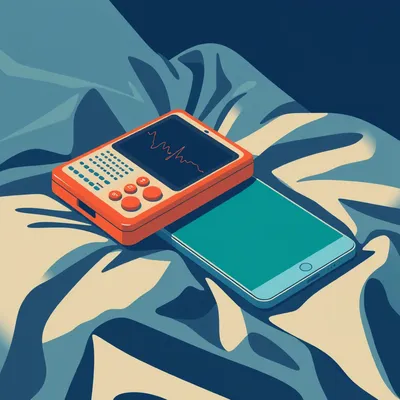
Daniel sent us this one — he went looking for a family pager, something smartphone-based where he and his wife could send each other urgent parenting notifications that actually break through. Maximum priority, DND override, the works. He came up empty-handed. And he's asking whether we know of anything that fills that gap, plus whether a smartwatch-based learning system that monitors sleep and vibrates to wake you up could be the right target client. I'll be honest, the moment I read this I felt it in my bones. Last month I was at the pharmacy picking up a prescription for Ezra, realized I'd grabbed the wrong one, and needed Hannah to check the cabinet at home. Phone on silent, twenty minutes of nothing. Twenty minutes standing in a Walgreens aisle like a hostage negotiator waiting for a call back.

That's the exact frustration. And it's not a technical limitation problem — it's an attention architecture problem. The gap between "notification delivered" and "notification noticed" has never been wider, and it's especially acute for parents. You've got a kid with a fever, a partner stuck in a meeting, and the whole stack of modern smartphone notification management is actively working against you.
Let's define what we're actually looking for here. The family pager concept — stripped to its essentials — is a smartphone app that does exactly one thing well: it sends a single urgent notification that overrides Do Not Disturb, bypasses any notification summary or bundling, and triggers a persistent alert until the recipient acknowledges it. No chat history, no "liked your message," no stickers. Just "pay attention now.
And when you survey what exists, it's a strange landscape. You've got OnPage, PagerDuty, xMatters — these are built for IT incident response. They're designed so that when a server goes down at three in the morning, the on-call engineer gets woken up. They have escalation policies, on-call rotations, acknowledgement timers. They're powerful, but they're enterprise tools. The UX is built for DevOps teams, not for a parent trying to say "pick up milk.
The enterprise pager market that forgot about families. It's the notification equivalent of buying a commercial kitchen to make toast.
Then you've got the consumer space — Life360, Find My, location-focused apps that tell you where your family is but don't have an urgent notification channel. WhatsApp and iMessage have no DND override guarantees. You can mark a message as "urgent" in some apps, but that's a visual flag, not a delivery guarantee. The notification still gets swallowed by the same Focus mode or DND schedule as everything else.
What's the actual technical barrier? Because on the surface, this seems like it should be trivial. An app sends a notification. The phone plays a sound. Why is this hard in 2026?
This is where it gets genuinely interesting, and also maddening. Let's start with Android, because it's both more capable and more fragmented. Android has a notification priority system with several levels. There's IMPORTANCE_DEFAULT, IMPORTANCE_HIGH, and then there's IMPORTANCE_MAX — which is what you'd want for a family pager. IMPORTANCE_MAX notifications get a heads-up display, they peek, they make sound even if the device is in "priority only" mode. But here's the first crack: IMPORTANCE_MAX on a Pixel is not the same as IMPORTANCE_MAX on a Samsung.
Because Samsung has its own DND implementation.
Samsung's One UI, OnePlus's OxygenOS, Xiaomi's MIUI — they all have their own notification management layers that sit on top of the Android API. Samsung has a feature called "notification categories" that lets users override app notification channels. OnePlus has "intelligent notification suppression." These are OEM-level features that the standard Android API can't control. So an app developer can set IMPORTANCE_MAX all day long, and on a Galaxy S25 it might still get bundled into a notification summary.
You're writing code for Android, but you're actually targeting a dozen different operating systems that all pretend to be Android. The least surprising thing I've heard all episode.
Then Android 14 introduced the notification cooldown feature — if an app sends multiple notifications in quick succession, the system automatically lowers their volume. The idea was to prevent notification spam, which is reasonable. But for a family pager use case, you want the opposite: if my partner sends three urgent messages in a row, each one should be louder, not quieter.
The phone assumes you're being spammed by a food delivery app, not that your child is having an allergic reaction.
That's the core tension. The notification system is designed with the assumption that most notifications are unwanted, so the system's job is to protect you from them. A family pager inverts that: the notification is wanted, the system's job is to make sure you see it. And then Android 15 in 2024 added notification summary mode, which bundles non-essential notifications and delivers them on a schedule. Even high-priority notifications can get caught in that net if the app hasn't explicitly set the CATEGORY_ALARM flag.
That sounds promising. What is it?
It's a notification category that's meant for alarm clocks and timers. Notifications with CATEGORY_ALARM get special treatment — they fire at full volume, they ignore most DND settings, they're basically the closest thing Android has to a guaranteed delivery channel. The problem: Google's developer documentation explicitly says CATEGORY_ALARM should only be used for "alarms and timers." If you submit an app to the Play Store using CATEGORY_ALARM for a messaging app, it'll likely get rejected.
Gatekeeping the alarm category. Meanwhile, my clock app can wake me up at full volume but my wife can't.
There's an even more frustrating layer. Android 11, back in 2020, introduced something called the "critical notification" API. This was designed for enterprise device management — think a hospital IT admin pushing an emergency alert to all staff phones. It requires device admin privileges, which means the app has to be explicitly granted administrative control over the device by the user or by an MDM policy. It's not available to consumer apps. Google's rationale is that a malicious app with critical notification access could hold your phone hostage, blaring alerts you can't dismiss.
Which is a legitimate concern, but it also means the API that does exactly what a family pager needs is locked behind a door labeled "enterprise only." The tool exists, you're just not allowed to use it.
Let's talk iOS, because it's even more restrictive. Apple introduced Critical Alerts in iOS 12, back in 2018. This is an entitlement that lets an app send notifications that bypass Do Not Disturb, bypass the silent switch, and play sound at full volume. It's exactly what you'd want. But Apple has an explicit approval process for granting this entitlement, and they've been extremely conservative. As of June 2026, fewer than fifty apps have been granted Critical Alerts. They're all health or safety related — FDA-cleared medical devices, severe weather alerts, public safety apps.
If your child's insulin pump is malfunctioning, the app can wake you up. If your child just needs you to come home, it can't.
Apple's stated policy is that Critical Alerts are for "imminent threat to life or health." Parenting urgency — even genuine emergencies — doesn't qualify unless it's mediated through a medical device. I've seen developer forum threads where people applied for Critical Alerts for exactly this kind of family emergency app, and the rejection letter basically says "this is not a health or safety app as defined by our guidelines.
Which brings us to the smartwatch angle. Daniel mentioned wearing it while sleeping, having it vibrate to wake you. That seems like it sidesteps the audio problem — a vibration on your wrist is private, it won't wake the baby, it's the notification equivalent of a tap on the shoulder.
It's a great idea that runs into the same wall. On Wear OS, the notification pipeline is even more restricted than on Android phones. Wear OS doesn't expose the full notification priority API to third-party apps. On watchOS, Critical Alerts on the watch are limited to FDA-cleared medical apps. There's no consumer path to a persistent vibrating alert that overrides the watch's own Sleep Focus.
Both platforms have built the thing we need, they've just reserved it for a narrow category of approved use cases. The technology exists, the entitlement doesn't.
There was an interesting experiment in 2019 — Marco Arment, the developer of Overcast, built a simple app called Pager. The idea was exactly this: a one-tap pager for trusted contacts. It failed because it required both parties to manually configure notification settings, add each other to Favorites, set up Emergency Bypass on iOS. The setup was so involved that by the time you'd finished, you'd defeated the purpose. The whole point of a pager is simplicity — press button, person gets alerted. If the setup requires twelve steps in Settings, it's not a pager, it's a project.
Like adopting a feral cat. By the time you've earned its trust, you've forgotten why you wanted one.
Let me walk through a concrete scenario that shows exactly where things break. Imagine you've got a Pixel 8 running Android 15. You've set Do Not Disturb to run from ten PM to seven AM, because you don't want Slack notifications waking you up. Your partner needs to reach you at eleven PM. They send a message through WhatsApp. The notification arrives, but WhatsApp doesn't have DND override permissions because you haven't manually granted them. Even if you had, WhatsApp's notification channel is set to IMPORTANCE_HIGH, not IMPORTANCE_MAX, so it still might not break through. The message sits in the notification shade, silently. You don't see it until morning.
If they call instead? A phone call can break through if they're in your Favorites.
Yes, but that's the nuclear option. A phone call says "drop everything and talk to me right now." Sometimes the message is "I'm running late, can you feed the kids" — that doesn't warrant a phone call, but it does warrant guaranteed delivery within a few minutes. The pager use case sits in this uncanny valley between a text message and a phone call, and neither platform has built a channel for it.
Now contrast this with an actual hospital pager. One-way communication, no DND, nine hundred megahertz frequency, ninety-nine point nine nine nine percent uptime. The pager network doesn't care what time it is or whether you're in a meeting. It transmits, the pager beeps, you respond. The physics of radio versus the software stack of modern smartphones — one is simple and reliable, the other is sophisticated and fragile.
The hospital pager market is still worth one point six billion dollars annually as of 2025, according to MarketsandMarkets. These things aren't going away. When reliability is non-negotiable, you don't want a device that's also running Instagram and Spotify and a machine learning model that's trying to guess which notifications you care about.
The pager doesn't have opinions about what you should see. It just delivers.
That's the first half of the problem — the notification pipeline is fundamentally hostile to this use case. But now let's flip it. Instead of fighting the notification system, what if we build a learning system that knows when to interrupt? That's the second part of the prompt, and it's where things get novel.
The smartwatch as a context-aware pager. It knows you're in light sleep, so it vibrates. It knows you're in deep sleep, so it waits until you're stirring. It learns your patterns and makes judgment calls about what constitutes an acceptable interruption.
The building blocks for this already exist. Let's talk about what's available right now. Fitbit's Sleep Sensing uses a machine learning model trained on heart rate variability and movement data to detect sleep stages. Apple Watch's Sleep Stage algorithm uses the accelerometer and heart rate sensor to classify REM, core, and deep sleep. Samsung's Galaxy Watch got FDA clearance in 2024 for sleep apnea detection — it's using the same sensor suite to detect breathing disruptions.
The hardware can already tell whether you're in deep sleep or light sleep. The question is whether an app can act on that information in real time.
Sleep as Android is the closest thing to a working prototype. It's been around for years, it's got a smart alarm feature that uses a machine learning model trained on over ten million sleep sessions. It detects sleep stages with about eighty-seven percent accuracy, and it can wake you during light sleep within a configurable window. So if you set an alarm for seven AM, it might wake you at six forty-five if that's when you're in light sleep, making the wake-up less jarring.
Eighty-seven percent accuracy. That's good but not perfect. One in eight nights, it's wrong about your sleep stage.
That's the first caveat. Consumer-grade sleep stage detection — Fitbit, Apple Watch, the whole category — has sixty to seventy percent accuracy compared to polysomnography, which is the gold standard lab test with EEG electrodes. A false positive could mean waking someone unnecessarily. A false negative could mean missing an urgent message. For a family pager, both failure modes are bad.
You'd need the learning system to be conservative — better to err on the side of not waking someone than to wake them for a false alarm. But that tension is exactly what makes the product hard. The whole point is guaranteed delivery, and now you're introducing a model that might decide not to deliver.
The implementation would need to be on-device to preserve privacy. You don't want your sleep stage data being processed in the cloud for a pager app. Core ML on iOS, TensorFlow Lite on Android — both can run sleep stage classification locally. The model takes in accelerometer data, heart rate, maybe heart rate variability, and outputs a classification. The app then has a policy layer: if the notification is urgent and the user is in light sleep or awake, deliver immediately. If the user is in deep sleep, hold the notification until they transition to light sleep, up to a configurable timeout — say, fifteen minutes.
If the timeout expires, you deliver anyway. The model delays, it doesn't veto.
The model is an advisor, not a gatekeeper. But here's where platform restrictions bite again. Android 15 introduced background sensor access limitations — apps can't continuously poll the accelerometer in the background without a foreground service, which shows a persistent notification. iOS 17 similarly reduced background processing windows. Both platforms are squeezing background sensor access in the name of battery life, which makes perfect sense for most apps and completely breaks a continuous sleep monitoring use case.
The platforms are optimizing for battery, not for parenting emergencies. Which is the right default, but it means the family pager use case is collateral damage.
There's an interesting startup called Vigil that released an SDK in January 2026 — it's called Aware, and it does cross-platform notification urgency scoring based on on-device sensor fusion. It pulls in accelerometer data, heart rate, ambient light, even whether the phone is face-down or face-up, and generates an "interruptibility score." The idea is that other apps can query this score before sending a notification.
Instead of every app building its own sleep detection, they all query a shared service that knows whether you're interruptible.
And it's a clever architecture. The limitations: it requires explicit user opt-in, the sensor fusion model is a black box, and it doesn't have access to the Critical Alerts entitlement on iOS, so it can't actually force delivery. It can only advise. Also, it's a startup — the long-term viability question is real. You don't want your family emergency system to depend on a company that might not exist in two years.
The open-source alternative is more interesting to me. You mentioned an UrgentNotify project on GitHub — launched March 2026, twelve hundred stars, forty-seven contributors. What's their approach?
UrgentNotify is trying to build a cross-platform urgent notification protocol that doesn't require special entitlements. The clever bit is they're using a combination of a persistent foreground service on Android and a NotificationListenerService to intercept and re-alert for specific contacts. On iOS, they're relying on the Emergency Bypass feature — which is a per-contact setting that lets specific people override silent mode. It's not a true DND override, but it's the closest thing available without Critical Alerts.
It's a workaround layered on workarounds. The duct tape and baling wire approach to emergency communications.
Sometimes that's what works. There was also a fascinating prototype from a 2025 hackathon called PagerMe. They used a Raspberry Pi with a LoRa radio module as a dedicated pager bridge. The Pi connected to the home WiFi network, and when the smartphone app sent an urgent message, it routed through the Pi, which transmitted via LoRa to a small receiver worn as a wristband. They demonstrated ninety-nine point two percent delivery rate within five seconds. The catch: it required custom hardware.
A dedicated radio bridge in your house. At that point, why not just buy an actual pager?
That's not a flippant question. The hospital pager infrastructure still works. You can buy a pager and a transmitter for a few hundred dollars. It's one-way, it's dumb, it's reliable. The downside is it's another device to carry, another thing to charge, and it doesn't integrate with the smartphone ecosystem at all.
Let me synthesize where we are. The family pager doesn't exist as a consumer app because the platforms have deliberately restricted the APIs that would make it possible. The workarounds fall into three categories. One: configure Emergency Bypass on iOS or use a NotificationListenerService hack on Android, which requires manual setup and breaks easily. Two: use an enterprise pager app like PagerDuty, which has the right delivery guarantees but the wrong UX. Three: build custom hardware, which is reliable but inconvenient.
There's a fourth category that's worth mentioning: the combination approach. On iOS, you can set a specific contact to have Emergency Bypass enabled for both calls and texts. That means when that contact calls or messages, it'll break through silent mode and DND. It's an all-or-nothing setting — you can't say "only break through for messages that contain the word urgent." But it's built in, it requires no third-party app, and it works.
On Android, there's an open-source app called Priority Notifications on GitHub. It uses NotificationListenerService with a persistent foreground service to watch for notifications from specific contacts or apps, and then re-alerts with a custom sound and vibration pattern. It's janky, but it works.
The smartwatch learning system is where I think the real innovation will happen, but we're not there yet. Sleep as Android has a "Smart Period" feature that you can combine with Tasker automation. The setup: Sleep as Android tracks your sleep stages. Tasker reads the sleep stage data. You create a profile that says "if sleep stage is light or awake, and a notification arrives from contact X, then trigger a full-volume alert with custom vibration." If you're in deep sleep, Tasker holds the notification and re-evaluates every five minutes until you transition to light sleep or a timeout expires.
That's a weekend project for someone who's comfortable with Tasker. It's not a product.
It's absolutely not a product. But it proves the concept. The pieces exist — sleep stage detection, conditional notification routing, wearable vibration. They just haven't been assembled into a single app with a one-button setup.
Which brings us to the broader question: is this a technical problem or a behavioral one? Even if the perfect family pager app existed, it requires both partners to agree on what constitutes an urgent interruption. One person's "the school called, pick up Ezra" is another person's "we're out of milk." Without shared expectations, the pager becomes either useless or abusive.
That's the notification anxiety paradox. If every notification is urgent, none are. A family pager only works if both parties exercise restraint. The technical delivery guarantee is necessary but not sufficient — you also need the social contract. And that's something no API can enforce.
The human protocol layer. Harder to implement than CATEGORY_ALARM.
There's a knock-on effect worth exploring. If a learning system gets good enough — if it can reliably detect sleep stages and only interrupt during light sleep — does that actually reduce notification anxiety? Right now, a lot of people keep their phones on silent because they're afraid of being interrupted at the wrong moment. If the system could guarantee "I will only interrupt you when it's minimally disruptive," would people be more willing to allow urgent notifications through?
The trust problem cuts both ways. You have to trust the sender not to abuse the channel, and you have to trust the learning system not to misclassify your sleep stage. Two layers of trust, both brittle.
Let me paint a picture of what this could look like in five years. Smartwatches are getting more sensors. The latest models are starting to include galvanic skin response — that's a measure of sweat gland activity that correlates with emotional arousal. Continuous glucose monitoring is coming to consumer wearables. There's research into using photoplethysmography — the green light sensor on the back of the watch — to detect stress through heart rate variability patterns. EEG in a watch form factor is still far off, but dry-electrode EEG headbands are getting cheaper and more comfortable.
The watch could eventually detect not just whether you're asleep, but whether the sender is panicking. The notification carries an emotional urgency score, not just a binary urgent flag.
Imagine your partner's watch detects elevated heart rate, rapid breathing, galvanic skin response spike — it automatically escalates the notification priority on your end. You don't just get a message that says "come home," you get a message that's already been classified as "sender is in distress." That's the family pager evolving into an emotional urgency detector.
Which is either the most humane technology I can imagine or the beginning of a Black Mirror episode.
The privacy implications are enormous. You're essentially giving your partner a window into your physiological state. That requires a level of trust that goes beyond "don't read my texts." It's "don't misinterpret my panic attack as a genuine emergency," or conversely, "don't ignore my genuine emergency because you think I'm just stressed.
The false positive problem gets worse, not better, with more sensors. More data means more opportunities for the model to be wrong in new and interesting ways.
Let's get practical. What can someone actually do today? Here's the best current workaround. For iPhone users, the Emergency Bypass feature is the closest thing. Go to a contact in your phone, tap Edit, tap Ringtone, and enable Emergency Bypass. Do the same for Text Tone. Now that contact's calls and messages will break through silent mode and most Focus settings. It's not a perfect DND override — some Focus modes can still block it — but it's the best built-in option.
For Android, the combination of the Priority Notifications open-source app with a persistent foreground service. It's on GitHub, it's free, it requires some setup but it works across most OEM skins because it operates at the notification listener level, not the app notification channel level.
For the smartwatch learning system, the Sleep as Android plus Tasker combination is the most capable setup available. Sleep as Android's Smart Period feature gives you the sleep stage data, Tasker handles the conditional routing. There's a community-maintained Tasker profile on the Sleep as Android subreddit that does exactly this — it's called "Family Pager Profile," and it's been downloaded about three thousand times.
If you're a developer listening to this, the UrgentNotify project on GitHub is worth contributing to. They're trying to build a cross-platform protocol that doesn't require special entitlements, and they're making real progress. Twelve hundred stars, forty-seven contributors as of last month. The more people who contribute, the more likely it is to become a viable open-source alternative.
If you're not a developer but you want this to exist, file feature requests with Apple and Google. Apple's Feedback Assistant, Google's Issue Tracker — mention the Critical Alerts entitlement as a model and ask for a "family emergency" tier that's less restrictive than the current health-and-safety-only policy. The more signal they get that this is a real need, the more likely they are to open up the API.
The thing I keep coming back to is how solvable this is. The pieces are all there. The notification APIs exist but are restricted. The sleep detection models exist but aren't connected to notification routing. The hardware exists but isn't packaged for this use case. It's not a hard computer science problem. It's a product design problem and a platform policy problem.
The hospital pager proves that the technical requirements are modest. A one-way radio receiver with a buzzer — that's 1950s technology — still outperforms a 2026 smartphone for guaranteed delivery. The smartphone isn't failing because it's not capable. It's failing because guaranteed attention is the opposite of what the notification system was designed to provide.
The notification system was designed to let apps compete for your attention. The family pager wants to reserve a small slice of your attention for one specific person. Those two goals are in direct conflict.
Which is why I think the eventual solution might not be a smartphone app at all. It might be a dedicated wearable — something like the PagerMe prototype, but productized. A small wristband that does one thing: it vibrates when your partner needs you. No screen, no apps, no notifications from anyone else. It pairs with your phone via Bluetooth, so the phone handles the network connection, but the wristband is the alert surface. Because it's a dedicated device, it can ignore DND, it can ignore Focus modes, it can vibrate at full intensity regardless of what your phone is doing.
A single-purpose device for a single-purpose relationship. There's something almost elegant about that. The smartwatch tries to do everything and ends up doing nothing reliably. The dedicated pager wristband does one thing and does it perfectly.
Fifty years of technological progress, and we'd end up right back where we started — with a dedicated device that does nothing but alert you when someone needs you. Just smaller, and with Bluetooth.
The circle of life, rendered in silicon and vibration motors.
Let me leave you with this thought. Apple has granted Critical Alerts to fewer than fifty apps. All of them are health or safety related. But what is a family emergency if not a health and safety issue? The distinction Apple is drawing — between a medical device alerting you to a blood sugar emergency and a partner alerting you to a child's allergic reaction — is a distinction without a difference. Both are about imminent harm to a loved one. The platform just hasn't caught up to that reality yet.
That's the question worth sitting with. What would you build if you had access to the Critical Alerts entitlement? What would the product look like if the platform got out of the way?
The family pager isn't a solved problem, but it's a solvable one. The APIs exist, the sensors exist, the machine learning models exist. They just haven't been assembled into a product that balances reliability, privacy, and ease of use. Someone's going to build it eventually. The question is whether it'll be Apple, Google, or a couple of developers in a garage who figure out the right combination of workarounds.
Until then, we've got Emergency Bypass, Tasker, and a shared understanding with our partners about what "urgent" actually means. Sometimes the old ways are the best ways, even when they're held together with digital duct tape.
And now: Hilbert's daily fun fact.
In the 1720s, sailors on whaling vessels near the Chatham Islands recorded their drinking water's chemical composition in the ship's log each morning — specifically noting the ratio of dissolved calcium carbonate to magnesium salts — believing it predicted whether the crew would suffer scurvy on a given voyage.
...right.
Where does this leave us? The family pager is still a gap in the market, but it's a gap we can see closing. The smartwatch learning system is the most promising direction — on-device ML that knows when you're interruptible, combined with a dedicated notification channel that platforms eventually open up. The pieces are scattered across GitHub repos and Apple's entitlement review process, but they're real.
If you've built your own workaround for this — a Tasker profile, a custom setup, a hardware hack — we want to hear about it. Share it on the show's subreddit. The more examples we have of what works in practice, the clearer the product requirements become. And if you're a developer looking for a problem worth solving, this is one. The market is every parent with a smartphone. That's not a small market.
This has been My Weird Prompts. Our producer is Hilbert Flumingtop. Find us at myweirdprompts.com or wherever you get your podcasts.
We'll be back next week. Try not to need a pager in the meantime.