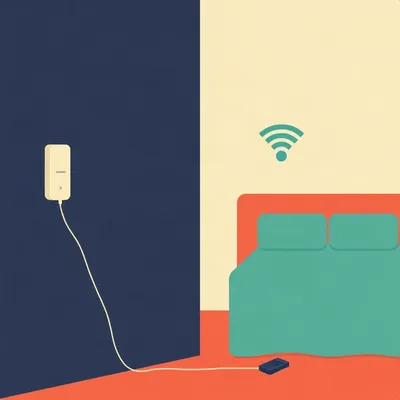
Daniel sent us this one, and it's a topic I genuinely didn't expect to care about until I read it. He's asking about physical notification lights — USB indicators, busy lights, DIY setups with microcontrollers, smart bulb hacks — the whole category of devices that signal something to you without requiring you to look at a screen. The specific use cases he's circling are things like: long-running transcription jobs finishing, letting family know you're on a call, AI agent notifications, home automation hooks. And underneath all of it, this philosophical framing he calls physical ambient computing — the idea of offloading attention from your screen to your peripheral vision. So: where does this category actually stand, what works, what doesn't, and is there a coherent design philosophy holding it together?

I'm Herman Poppleberry, and I will say — this is a category I have strong feelings about. Because there's a real problem being solved here that most people just... absorb as background friction and never name.
The missed notification problem.
You've got seventeen tabs open, a terminal doing something in the background, a Slack thread you're half-watching, and somewhere in that noise, the thing you actually needed to know about — job finished, someone at the door, your kid trying to get your attention — just disappears into the visual clutter. And the conventional solution is more notifications, which is insane. More vibrations, more banners, more sounds. The problem is attention overload and the answer is apparently more things competing for your attention.
Which is a bit like solving a traffic jam by adding more cars.
And what this category is trying to do instead is route certain signals out of the screen entirely and into a different sensory channel. Your peripheral vision, which is underused in most knowledge work setups. You can register color and movement at the edge of your visual field without breaking focus on whatever you're actually doing. That's the core insight.
By the way — today's script is courtesy of Claude Sonnet four point six, doing its thing behind the scenes.
The friendly AI down the road. Peripheral vision as an attention channel. There's actually real cognitive science behind why this works, but the short version is: your visual system has two modes. The foveal mode, which is the high-resolution center where you're reading this sentence right now, and the peripheral mode, which is lower resolution but highly sensitive to change, color, and motion. Ambient signaling devices are basically designed to speak to the second system without interrupting the first.
There's a neat historical parallel here, actually. Factory floors in the early twentieth century used andon lights — these tower lamps with color-coded zones — to signal machine status across a noisy, visually busy environment. A worker on the other side of the floor could glance up and know whether a line was running, stalled, or needed attention, without walking over or shouting. Toyota made it famous as part of the Toyota Production System. The whole concept was: put the state of the system into the ambient environment so anyone who needs to know can know without stopping what they're doing.
Which is exactly what we're talking about, just scaled down to a desk. The andon light becomes a USB LED. The factory floor becomes a home office. The worker who needs to know is you, trying to finish a thought while a transcription job runs in the background.
Same design principle, hundred years apart.
Daniel's specific context makes this concrete in a way I find useful. He's sharing a home office with a young child. So the problem isn't just cognitive overload, it's also acoustic and social — you want something that signals "job done" or "I'm on a call" without making noise, without requiring you to check your phone, and ideally without requiring Ezra to read a sign on the door.
Which is a very solvable problem in principle, and yet the market for solving it is surprisingly fragmented. You've got commercial USB notification lights, you've got busy-light presence indicators that came out of the open-plan office world, you've got DIY microcontroller builds, haptic alternatives, smart bulb hacks. None of them dominate. None of them have really broken through as the obvious answer.
Which is either a sign that the problem is harder than it looks, or that the category is just waiting for someone to actually nail the product.
I'd say both. And the fragmentation is partly a platform story — Linux support is patchy across this whole category in ways that matter a lot if you're a developer running jobs on a Linux machine and you want something that hooks in cleanly without reverse-engineering a USB driver at eleven at night.
Which is exactly the scenario Daniel is living. So let's get into the specifics.
The way I'd frame the whole category — before we get into specific devices — is that it's really about externalizing state. Your machine knows something. Your workflow knows something. And right now the only way it tells you is by interrupting you inside the same attention space where you're already working. Physical ambient computing is the idea that you can project that state outward, into the room, in a form that your background awareness can catch without your foreground attention having to engage.
State as a physical property of the room rather than a message in a queue.
That's a cleaner way to put it, yes. And the devices trying to do this roughly fall into five buckets. You've got USB notification lights — small dedicated hardware that plugs in and blinks or glows on command. You've got busy-light indicators, which came out of open-plan offices and are specifically designed to signal presence or availability. Then you've got DIY builds — ESP32s, Raspberry Pi Pico boards, custom LED setups you wire up yourself and expose via MQTT or an HTTP endpoint. Then haptic alternatives, which are mostly wearables or desk-mounted vibration setups for when even a glowing light is too visually intrusive. And finally smart bulb hacks, where you're repurposing something like a Philips Hue or a LIFX bulb to shift color based on workflow state.
Five categories, zero clear winner.
Five categories, zero clear winner. And they're not really competing with each other — they're serving slightly different constraints. The question is which constraint profile matches your situation.
Daniel's constraint profile being: Linux-first, shares a room with a four-year-old, runs long transcription jobs, and would prefer not to hear a sound or look at a phone to know when something finished.
Which is actually a pretty clean requirements document. Let's see what fits.
The Blink1 MK3 is the first one worth spending real time on, because it's the device that actually does what you'd hope USB notification lights would do in a Linux environment.
It's the closest thing this category has to a reference implementation. Open-source SDK, a command-line tool that works without fuss on Linux, and it exposes an HTTP API so you can trigger it from basically anything — a shell script, a Python job, a webhook, a cron task. Over sixteen million colors, which sounds like marketing but matters when you want distinct states. Green for job done, amber for something needs attention, red for failure. You're not limited to a three-color traffic light.
Daniel finishes a transcription run, the script fires a curl command at localhost, and the light on his desk goes green. No sound, no banner, no phone.
That's the whole workflow, yes. And the CLI tool is called blink1-tool, it's on GitHub, and you can pipe it into almost anything. The HTTP server it runs locally means you don't even need to be in the same language as the job that's finishing — if your transcription pipeline is in Rust and your notification logic is a bash one-liner, they don't need to talk to each other in any complicated way. Just hit the endpoint.
That's actually a meaningful integration story. A lot of notification tooling requires you to be in a specific ecosystem.
It's worth being concrete about what that one-liner actually looks like, because I think people sometimes assume there's more ceremony involved than there is. You append something like curl http://localhost:8934/blink1/fadeToRGB?rgb=%2300ff00 to the end of your job script, and that's it. The whole integration is one line of shell. You don't need a daemon running, you don't need a config file, you don't need to install a desktop app. For a developer who's already comfortable at the command line, the activation energy is close to zero.
Which is exactly where the other devices start to show their limitations. Luxafor has decent cross-platform coverage, and there's a command-line tool the community maintains for Linux, but it's not first-party. The manufacturer's focus is clearly on Windows and the corporate productivity stack — it integrates nicely with things like Zapier and their own app, but if you want raw scriptability on Linux you're relying on community support staying active.
BlyncLight is the roughest of the bunch on Linux. The native drivers are Windows-only, so Linux support is entirely reverse-engineered. There are libraries that work — blynclight on PyPI is functional — but you're taking on maintenance risk. If the USB protocol changes in a future hardware revision, the community driver might not catch up quickly. For someone who just wants a reliable signal at the end of a job, that's friction you probably don't want.
The Linux story is: Blink1 is native and supported, Luxafor is community-maintained but workable, BlyncLight is reverse-engineered and fragile.
That's a fair summary. And then Kuando Busylight sits in a slightly different position because it came out of the enterprise telephony world. It was the first device to natively integrate with Microsoft Teams — that happened in twenty twenty-four — and it integrates with Zoom through their certified hardware program. So if your use case is presence signaling in a shared space, "I'm on a call, don't come in," Busylight is well-suited.
Which is relevant to Daniel's situation with Ezra, even if the Teams integration isn't what he's after.
Right — the underlying capability is there. The Linux story for Busylight is also community-driven, similar to Luxafor. There are open-source projects that speak its protocol. But its design philosophy is really around unified communications presence, not arbitrary job signaling. You'd be using it slightly against the grain for a transcription workflow.
There's a fork in the road between "I want to signal call presence" and "I want to signal arbitrary workflow state.
Those are different problems. The busy-light category solves the first one well. Blink1 solves the second one well. The mistake is assuming they're interchangeable — it's like trying to use a hammer for a screw.
Although — and maybe this is the Daniel question — what if you need both? He's got the transcription job use case and the "Ezra, don't come in" use case. Do you end up buying two devices, or is there a single thing that handles both cleanly?
Honestly, two devices is probably the right answer and it's not as absurd as it sounds. A Busylight on the door side of the room for presence signaling, a Blink1 on the desk for job state. They're solving different problems for different audiences — one is communicating to Ezra, one is communicating to you. The total cost is still under a hundred dollars and both integrate cleanly enough that the maintenance burden is low. The instinct to find the one device that does everything is understandable, but in this case the category split actually maps onto a real functional split.
That's a cleaner framing than I expected. Two devices, two audiences, two problems actually solved rather than one device awkwardly compromising on both.
This is where ESP32 and the Raspberry Pi Pico become interesting. The ESP32 in particular — it has WiFi built in, which means you can expose an HTTP endpoint directly from the device. Your transcription job finishes, it fires a POST request to the IP address sitting on your desk, and the LED changes color. No hub, no cloud service, no intermediary. The whole thing runs on your local network.
How much are we talking, cost-wise?
An ESP32 development board is somewhere between four and eight dollars depending on where you source it. A handful of addressable LEDs, maybe another two or three dollars. So you're looking at a ten to fifteen dollar build versus forty to sixty for a Blink1 MK3. The gap is real.
The setup time is not ten to fifteen dollars of effort.
No, it really isn't. You're writing firmware, you're dealing with WiFi provisioning, you're soldering if you want it to look like anything other than a breadboard with wires going everywhere. For Daniel specifically — someone who's comfortable with open source development — the firmware side is probably not the barrier. The question is whether you want to spend an afternoon on this or whether you want something that works when you plug it in.
There's also a maintenance question. A Blink1 just works. An ESP32 project you wrote yourself works until something changes and then you have to go back into it.
Which is the real hidden cost of DIY. The build is a one-time investment but the maintenance isn't. If you update your transcription pipeline and the HTTP endpoint changes, you're back in the firmware. If your router assigns a new IP address, you're troubleshooting at eleven at night instead of working.
Although to be fair — if you're using mDNS, the IP address problem mostly goes away. You give the device a hostname, it advertises itself on the local network, and your script just hits http://notification-light.local regardless of what the router decided to assign that day.
That's a fair point, and it's the kind of thing that separates a well-built DIY project from a fragile one. The people who've done this a few times know to set up mDNS from the start. The people doing it for the first time hit the IP address problem at month three and wonder why it stopped working. Which is sort of the whole DIY learning curve in miniature.
DIY wins on cost and flexibility, off-the-shelf wins on reliability and setup time. The decision point is really how much you trust yourself to maintain it.
How much you enjoy the build itself. Because for some people that's not a cost, that's the point. The Raspberry Pi Pico is a slightly different case — no built-in WiFi on the base model, so you're either adding a module or using it over USB, which actually makes it closer to the Blink1 model. You can expose it as a serial device and drive it from a script. Less wireless flexibility but simpler to keep working.
What about the smart bulb angle? Because that's a category a lot of people already have hardware for.
Hue and LIFX are the two that have mature enough APIs to be useful here. Hue requires the bridge, which is a local hub on your network — but once you have it, the local API is fast and doesn't require a cloud round-trip. LIFX is WiFi-native and has a local UDP API, so you can hit it directly without any hub. Both of them support color changes via simple HTTP calls, which means the integration pattern is almost identical to the Blink1 HTTP server.
If you already have a Hue bulb in your office lamp, you've already got a notification light.
The limitation is granularity — a bulb is a big, room-filling signal. It's great for "I'm on a call, don't come in," which is actually perfect for the Ezra situation. Less good for distinguishing between job states where you want subtle differences.
Though I'd push back slightly on that. If you're running one job at a time and you only need two or three states — idle, running, done — a bulb handles that fine. It's when you want to encode five or six distinct states that the granularity starts to matter.
That's true. For a simple transcription workflow — white means running, green means done, red means something went wrong — a bulb is perfectly adequate. The granularity argument only bites you if your workflow is complex enough to need it. Most people's workflows aren't, at least not to start.
Haptic alternatives are the other branch here, and I want to spend a minute on this because the use case is slightly different.
The vibration motor approach is the most obvious entry point — small motors you can mount to a wristband or a desk surface. But the research coming out of wearables now is pointing toward more sophisticated actuators. Shape-memory alloys, piezoelectric elements. The piezoelectric approach in particular is interesting because it's silent, compact, and the response is fast enough to feel distinct rather than just like buzzing.
Silent, wearable, doesn't require Ezra to not look at a lamp. That's a different constraint profile again.
And the "Claude desk pet" framing that's been floating around in maker communities is a good illustration of where this goes — a small physical object that changes state in response to what an AI agent is doing. Not a screen, not a notification, just a thing on your desk that's slightly different than it was before. The haptic version of that is a thing you're wearing that tells you something changed without you having to look anywhere.
The ambient computing philosophy taken to its logical end. The signal finds you rather than you finding the signal.
Which is either very elegant or slightly unsettling depending on your disposition.
For me it's both, which is usually a sign something interesting is happening.
What does someone actually do with all of this? Because we've covered a lot of ground and there's a real risk of analysis paralysis here.
The first cut is simple. If you want something working by end of day and you're not interested in a build project, the Blink1 MK3 is the answer for Linux users. Plug it in, install blink1-tool, write a one-liner that fires at the end of your job. That's it. The sixteen million colors mean you can encode multiple states without ambiguity, and the local HTTP server means any language your pipeline is written in can talk to it.
If you're the kind of person who looked at that ESP32 price and started sketching a circuit diagram in your head?
Then DIY is legitimately the right call — but go in clear-eyed about the maintenance surface. The build is the fun part. The part where you're debugging a WiFi reconnection issue six months later is less fun. If you enjoy that kind of thing, great. If you don't, the forty-dollar premium on the Blink1 is cheap insurance.
The smart bulb angle is worth flagging as a zero-additional-hardware path for a lot of people.
Especially for presence signaling. If you have a Hue or LIFX bulb already in your workspace, you have a notification light. The integration is a few lines of Python or a shell script hitting a local API. For the "I'm in a long job, leave me alone" use case, that's probably all you need.
The broader encouragement here is just to try one of these things. The category sounds niche until you've actually had a light on your desk go green and realized you've been staring at a terminal for the last four minutes waiting for output that already happened.
The peripheral vision argument is real. Your brain processes that kind of signal without pulling focus. It's a different cognitive experience than a notification that demands you look at it. And once you've had it, the absence of it feels like a regression. You notice the friction of checking a terminal in a way you didn't before.
One device, one workflow. See if it changes anything.
The quiet usefulness thing is worth naming directly, because I think it gets undersold. This whole category exists in a gap between "I need to know something" and "I need to stop what I'm doing to find out." That gap is where a lot of productive time goes missing.
A phone buzzing with a full-screen alert is technically more informative than a green LED, and yet the LED wins on attention cost by a mile.
Which is the question I keep coming back to as AI agents get more capable. Right now we're mostly talking about transcription jobs and presence signals. But if you have an agent running a multi-hour research task, or coordinating across tools, the state space gets much richer. You want to know: is it still running, did something go wrong, does it need input, is it done? That's four states minimum, and you want to know all of them without opening a terminal.
Sixteen million colors starts to look less like a spec and more like a design philosophy.
The IoT angle compounds it further. As more devices speak MQTT natively, the friction of wiring a physical indicator into a workflow keeps dropping. The question is whether the device ecosystem catches up to the integration patterns, or whether DIY stays the primary path for anyone who wants real flexibility.
MQTT is worth naming explicitly for people who haven't encountered it — it's a lightweight publish-subscribe messaging protocol that's become something close to a lingua franca for IoT devices. The basic pattern is: your job publishes a message to a topic on a local broker, and any device subscribed to that topic responds. So your transcription job finishes, publishes "done" to home/office/job-status, and every device that cares about that — your desk light, your door indicator, a log somewhere — responds independently. You're not writing bespoke integration code for each device, you're just publishing state and letting subscribers handle it.
Which is the architecture that makes the DIY path scalable rather than a tangle of one-off scripts. One job, one publish. Everything else is just a subscriber. And Home Assistant speaks MQTT natively, so if you're already running that, you've got a broker and a dashboard and a rules engine for free.
I suspect it stays hybrid for a while. Off-the-shelf for the common cases, DIY for the edges. Which is not a bad place for a category to be.
And honestly, for a niche this quiet, the tooling is surprisingly mature.
That's a good note to end on. Thanks to Hilbert Flumingtop for producing the episode, and to Modal for keeping the compute running behind the scenes. This has been My Weird Prompts. If the show has been useful, a review on Spotify goes a long way. We'll see you next time.