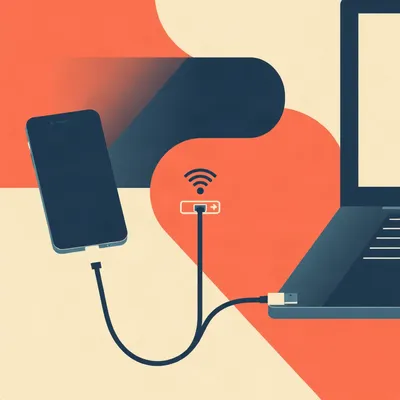
Daniel just moved apartments, and the network migration was a beast. Re-cabling, re-labeling, re-discovering which device was on which static IP while surrounded by Euroboxes. The move threw him into industrial storage, but the networking side made him think of military network admins who move complicated internal networks around the world routinely. Now he's visiting in-laws and using Tailscale successfully for the first time — seamless auth to devices at home, including an MCP gateway for an AI agent. And doing it for real surfaced failure modes he hadn't anticipated.
His questions: what happens when the in-laws' router uses the same subnet as home? How do you reach a printer on the remote network? Can a travel router act as a bridge without breaking everything? He wants to know how people who do this routinely handle subnet traversal and pop up these mobile traveling networks. Because travel routers are affordable, and if you have Ethernet access, plugging in a box suddenly makes this entirely feasible — even if for most travelers it's absurdly overcomplicated.
So we're picking up that thread. What happens when your home network goes portable, and what the military can teach us about subnet traversal on the fly.

The thing that jumps out at me from Daniel's setup is that he's crossed a threshold. He's not asking whether Tailscale works — he's using it, it's working. He's asking what breaks when you push it further. That's the right question.
It's the difference between reading the manual and finding out the manual left three pages out.
And those missing pages are what the military has been dealing with for decades. A tactical operations center moves, sometimes daily. They roll into a new location, set up a network enclave, and expect to reach services back at the rear echelon. Same fundamental problem Daniel has — just with more camouflage and worse coffee.
And presumably fewer in-laws.
Presumably. Let's start with what the military actually does, because their doctrine maps surprisingly well to a guy with a travel router and a home server. The U.S. military's tactical network deployment emphasizes three things. One: standardized labeling and documentation. Every cable, every device, every subnet gets a unique identifier that travels with it. Two: pre-planned subnet allocation. Each unit gets a block of IP space that doesn't change when they move. Three: redundant egress paths — multiple ways out of a tactical network in case one link fails.
So the labeling is the part that sounds boring until it isn't.
Until it's two in the morning and you're staring at a switch with sixteen identical cables and no idea which one goes to the satellite link. The military learned this the hard way. A tactical network that isn't documented is a tactical network that doesn't work after the person who built it rotates out. They use standardized naming conventions — every device gets a label that tells you its role, its unit, and its place in the topology. It's not glamorous. It's also the difference between a fifteen-minute redeployment and a six-hour debugging session.
And most home users — even the ones running home servers — don't do any of this.
Most home users have one subnet, one router, and they've never labeled a cable in their lives. Daniel's situation is different because he's now operating across multiple locations. The moment you have two networks, documentation stops being optional.
So the military's first lesson is: write it down, label it, and make sure someone else could reconstruct it if you got hit by a bus.
That's the bus factor, and it's real. Now the second lesson — pre-planned subnet allocation — is where Daniel's actual problem lives. He asked what happens when the in-laws' router uses the same subnet as home. That's a subnet collision, and it's incredibly common.
Because every consumer router ships with the same defaults.
192.168.1.0/24. It's everywhere. If your home network is on 192.168.1.0/24 and you walk into someone else's house also on 192.168.1.0/24, you have a routing problem. Tailscale can't distinguish between a device at 192.168.1.50 on your home network and a device at 192.168.1.50 on the remote network. It's the same address space.
So the solution is to not use the default.
Renumber your home network to something nobody else uses. Pick a subnet from the 10.0.0.0/8 range — 10.42.0.0/24, 10.99.0.0/24, something idiosyncratic. The military does this by assigning each unit a block that's globally unique within their operational domain. You do it by picking a subnet that won't collide with a hotel or an in-law.
I use 10.7.7.0/24. Nobody's going to stumble onto that.
That's the idea. And the third military lesson — redundant egress paths — maps to something Daniel's going to hit if he sets up an exit node. An exit node routes all your non-Tailscale traffic through a specific machine, so you appear to be at home. Your streaming services think you're on your couch.
And if that exit node goes down?
You lose internet access entirely. The military solves this with multiple egress points — if the primary satellite link fails, traffic routes through a secondary. For a home user, the equivalent is having a fallback: either a second exit node or a configuration that fails open to the local connection.
"Fails open" meaning if the exit node is unreachable, just use the local internet directly.
Right. Tailscale lets you set an exit node as a preference, not a requirement. If the exit node goes down, traffic falls back to the local gateway. It's not as clean — your IP changes, your streaming services notice — but you're not offline.
That's the kind of thing you don't think about until you're sitting in someone else's house with no internet and no idea why.
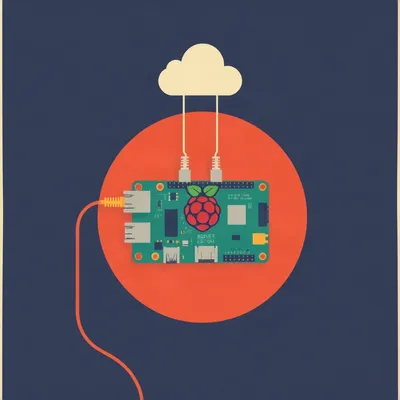
And that's exactly the failure pattern Daniel's bumping into. Let's get into the mechanisms. Tailscale's subnet router feature is the core of what makes this work. A node in your home network — could be a Raspberry Pi, could be your home server — advertises routes for the entire local subnet to the Tailscale mesh. Every other device in your Tailscale network then knows to route traffic for that subnet through that node.
Without installing Tailscale on every lightbulb and printer.
That's the key. Your smart thermostat doesn't run Tailscale. Your network printer doesn't run Tailscale. But if your home server advertises the subnet route, your laptop on the other side of the country can reach the printer at 10.7.7.50 as if it were local. Tailscale handles the routing table updates automatically.
So the home server becomes a gateway for the entire home subnet.
And you can advertise multiple subnets. If you've got a separate VLAN for IoT devices, you advertise that too. The Tailscale node just needs to be able to reach those subnets — it doesn't need to be the router.
What about the exit node piece? That's different from subnet routing.
Different function. A subnet router says, "I can reach these addresses, send traffic for them through me." An exit node says, "Send all your internet traffic through me." Your laptop's default route becomes the exit node. Every web request, every DNS query, every streaming packet goes through your home connection first.
Which is useful if you want to access something geo-restricted or want your traffic to appear to originate from home.
Or if you're on an untrusted network and want all your traffic encrypted back to a connection you control. Tailscale handles the NAT traversal and firewall punching automatically — you don't need to open ports on your home router. The exit node and your remote device negotiate a direct WireGuard tunnel, and if they can't establish a direct connection, they relay through Tailscale's DERP servers.
DERP being...
Designated Encrypted Relay for Packets. It's Tailscale's fallback relay network. If two nodes can't punch through NAT to reach each other directly, they relay through the nearest DERP server. It adds latency, but it works.
So the exit node handles NAT traversal, firewall punching, and falls back to a relay if needed. What's the failure pattern Daniel wouldn't anticipate?
Several. The obvious one is the exit node going down — we covered that. The less obvious one is asymmetric bandwidth. If your home connection has fast download but slow upload — which is most cable connections — your browsing experience through the exit node is bottlenecked by your home's upload speed. You're pulling data down from the internet to your home server, then your home server is uploading it to you over the Tailscale tunnel. That upload is the choke point.
So if you're on a gigabit connection at the in-laws' but your home upload is twenty megabits, you're getting twenty megabits.
At best. And you're also competing with anyone at home who's using the connection.
That's the kind of thing you discover at the worst possible moment.
The second failure pattern is DNS. Tailscale's MagicDNS handles resolution for Tailscale nodes — you can reach a device by its hostname, and MagicDNS resolves it to the Tailscale IP. But MagicDNS doesn't cover devices on the remote subnet that aren't Tailscale nodes. If you're at the in-laws' and you want to reach their network printer by hostname, MagicDNS won't help you. You'd need the printer's IP address, or a local DNS resolver that can handle both subnets.
And the printer discovery problem is worse than that.
Much worse. Network printers often use mDNS or Bonjour for discovery — multicast protocols that don't traverse subnets by default. Your laptop broadcasts "who's a printer?" on the local subnet, and printers respond. That broadcast doesn't cross a Tailscale tunnel. So even if you can route to the printer's IP, you might not be able to discover it automatically. You'd need to configure it manually by IP, or set up a multicast relay using something like Avahi.
Which is a whole other layer of complexity.
And now you've crossed the line from "this is practical" to "this is a hobby."
I think Daniel crossed that line somewhere around the Euroboxes.
Fair. Let's talk about the travel router piece, because that's where this gets interesting. Daniel mentioned bringing a home server for an extended stay and layering in a travel router. That's a pop-up mobile home network.
So instead of just connecting your laptop to Tailscale, you're creating a whole local enclave that bridges back to home.
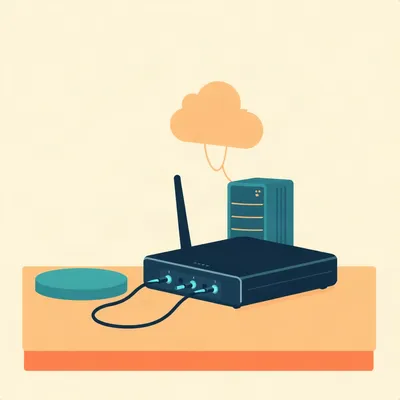
GL.iNet routers — the GL-MT3000, the GL-AXT1800 — are the go-to for this. They run OpenWrt, which means you can install Tailscale directly on the router. You plug the travel router into the in-laws' Ethernet, and it creates its own Wi-Fi network with its own subnet. Your devices connect to that Wi-Fi network. The travel router runs Tailscale and can act as both a subnet router and an exit node.
So my phone connects to the travel router's Wi-Fi, and the travel router handles all the Tailscale routing back to home.
And the travel router advertises its own subnet to the Tailscale mesh. So your home server can reach your phone on the travel router's subnet, and your phone can reach devices on the home subnet. It's a two-way bridge.
What about devices on the in-laws' network? Daniel mentioned a network printer that's on the remote subnet, not on his travel network.
If the travel router is plugged into the in-laws' Ethernet, it has an interface on their network. You can configure the travel router to also advertise the in-laws' subnet to Tailscale. So your home devices can reach the in-laws' printer through the travel router.
But only if the subnets don't collide.
Only if the subnets don't collide. If both networks are 192.168.1.0/24, you're stuck. The travel router can't distinguish between a device at 192.168.1.50 on the in-laws' network and a device at 192.168.1.50 on your home network.
So the pre-planned subnet allocation isn't just a nice-to-have. It's the thing that makes the whole setup possible.
It's foundational. You need non-overlapping subnets. The standard approach: assign your home a unique /24 from the 10.0.0.0/8 range — say 10.0.0.0/24. Assign your travel router a different /24 — 10.0.1.0/24. Hope the in-laws are on 192.168.something so there's no collision. If they're also on 10.0.0.0/24, you've got a problem.
And you're not going to ask your in-laws to renumber their network.
You are not. That's a conversation that ends poorly. So you plan ahead. Pick a subnet for your home that's unlikely to collide with anything — 10.42.0.0/24, 10.99.0.0/24. Something that isn't a default on any consumer router.
What if you do hit a collision and you can't renumber?
Then you NAT. You put your entire travel enclave behind a single IP on the in-laws' network. The in-laws' router sees one device — your travel router. Everything behind it is hidden. It's ugly, it adds a layer of NAT that breaks some protocols, and it's exactly what the military does when they can't control the upstream network.
Ugly but functional is a recurring theme in networking.
It's the entire history of NAT. Now, the comparison that's worth making here is to enterprise SD-WAN. What Daniel's describing — dynamic subnet routing, policy-based egress, centralized management across multiple locations — is essentially what Cisco Viptela or VMware Velocloud do. They're designed for exactly this: branch offices that need to route traffic intelligently across multiple paths, with failover and policy controls.
At what cost?
Thousands of dollars per node, plus licensing and support contracts. A Cisco Viptela deployment for a small business with three locations could easily run fifteen to twenty thousand dollars a year.
And Daniel's doing it with a hundred-dollar travel router and Tailscale's free tier.
Tailscale's free tier gives you up to a hundred devices. The travel router is maybe eighty dollars. You're getting maybe eighty percent of the functionality for less than one percent of the cost. The tradeoffs are real — no SLA, no dedicated support, you're responsible for your own security — but for an individual or a small team, it's hard to beat.
Security is the part that makes me nervous. You've got a travel router that's now a bridge between two networks. If it's compromised...
An attacker could pivot into your home network. The travel router is the weak point. Tailscale's ACLs help — you can restrict which devices can reach which subnets — but the travel router itself needs to be hardened. Strong admin password, no default credentials, firmware updates applied promptly. And you should assume that any device on the in-laws' network is potentially hostile. Not because your in-laws are malicious, but because their network might be compromised.
Their IoT lightbulbs are not your friends.
Their IoT lightbulbs are running firmware from 2019 and they've never been updated. So you treat the in-laws' network as untrusted, and you firewall accordingly. The travel router should block inbound connections from the in-laws' network except for the specific ports Tailscale needs.
This is the part where most people's eyes glaze over and they decide maybe they don't need a mobile home network after all.
And that's a perfectly reasonable decision. This is not for everyone. It's for people who look at a network diagram and think, "I could make that work."
So the audience of this podcast.
I mean, yes. Let me walk through a concrete setup because I think it helps to see it end to end. You've got your home network on 10.42.0.0/24. Your home server is at 10.42.0.10 and it runs Tailscale as a subnet router, advertising 10.42.0.0/24. You've got a GL-MT3000 travel router configured with its own subnet — 10.42.1.0/24. You install Tailscale on it and configure it as both a subnet router, advertising 10.42.1.0/24, and optionally as an exit node.
Plug it in at the in-laws'.
Plug the WAN port into the in-laws' Ethernet. The travel router gets an IP on their network — let's say 192.168.1.100. Your devices connect to the travel router's Wi-Fi and get addresses on 10.42.1.0/24. Your laptop is 10.42.1.50. It runs Tailscale. It can reach your home server at 10.42.0.10 because Tailscale routes that traffic through the home server's subnet router. Your home server can reach your laptop at 10.42.1.50 because the travel router is advertising that subnet.
The in-laws' printer?
If their printer is at 192.168.1.25, and there's no subnet collision, you can configure the travel router to also advertise 192.168.1.0/24 to Tailscale. Now your home server can reach the printer at 192.168.1.25 through the travel router. Your laptop can reach it directly because it's on the same physical network — the travel router is bridging.
What if I want all my internet traffic to appear as if I'm at home?
You set the travel router as your exit node in the Tailscale client. Now all your non-Tailscale traffic routes through the travel router, through the Tailscale tunnel, to your home server, and out to the internet from there. Your IP is your home IP.
The failure pattern we talked about — the bandwidth bottleneck, the exit node going down — those all apply.
They all apply. And there's one more that's specific to this setup: double encryption. If you're routing through an exit node, your traffic is already encrypted by the WireGuard tunnel. If you then visit an HTTPS site, you're encrypting again inside the tunnel. That's fine — it's not a security problem — but it adds CPU overhead on both ends. The travel router's little ARM processor is doing WireGuard encryption for every packet. For most use cases it's fine, but if you're pushing a lot of data, you'll notice.
The travel router becomes the bottleneck.
The GL-MT3000 can handle about sixty to eighty megabits per second through WireGuard, in my experience. The GL-AXT1800 is faster — maybe two hundred megabits. If your home upload is faster than that, the router is the limit. If your home upload is slower, the home connection is the limit. Either way, you're not getting gigabit.
That's still usable for most things.
Email, web browsing, SSH, even video calls — all fine. You're not going to stream 4K video through it, but you probably weren't going to do that through your home's upload anyway.
We've covered the mechanisms, the failure pattern, the setup. What's the thing that people get wrong about all of this?
They think Tailscale is just a VPN. It's not. A VPN gives you a tunnel to a network. Tailscale gives you a mesh. Every device is a peer. Subnet routing and exit nodes turn individual peers into gateways for entire networks. It's a fundamentally different model. The other thing people get wrong is assuming subnet conflicts are rare. They're not. 192.168.1.0/24 is everywhere. If you haven't renumbered your home network, you will hit a conflict eventually.
And the third thing?
Documentation matters. The military knows this. They label everything. They document the topology. They make sure someone else can pick up where they left off. Most home users don't do any of this, and then they're surprised when they can't remember which static IP they assigned to the printer three years ago.
I feel personally attacked.
You should. We all should. The bus factor is real, and most home networks have a bus factor of one.
The military's three lessons — labeling, pre-planned subnets, redundant egress — they're not just for tactical operations centers. They're for anyone who wants their network to survive a move.
Or a visit to the in-laws. Same principles, different stakes.
Lower stakes, arguably.
Arguably. Though I've seen family dynamics around technology that could rival a joint operations center.
That's a different episode.
That's a different podcast. Let me pull on one more thread. The enterprise SD-WAN comparison tells you something about where this is heading. Five years ago, the kind of dynamic subnet routing Daniel's describing required enterprise hardware and a dedicated IT team. Now it's a hundred-dollar router and a free software service. The barrier to entry has collapsed.
Which means the interesting problems shift from "can I do this" to "should I do this, and how do I do it safely."
And "what breaks when I do." The failure pattern are the interesting part now. Subnet collisions, DNS resolution across subnets, mDNS discovery, bandwidth contention, security hardening. Those are the problems you don't know you have until you're sitting in someone else's house trying to print a boarding pass.
The printer is on a different subnet and your laptop can't see it.
You spend forty-five minutes debugging it while your wife asks why you can't just use the printer like a normal person.
I feel like Daniel has lived that exact moment.
I feel like Daniel has lived that exact moment multiple times and still chose to bring a home server on a family visit.
That's commitment.
That's a man who has found his hobby and is not letting go.
Hilbert: Nineteen ninety-nine. I was in Kosovo with a disaster response outfit. We set up portable networks in refugee camps — no infrastructure, satellite uplinks, whatever hardware we could scrounge. I carried a MikroTik hAP and a bag of pre-configured Raspberry Pis. We were doing subnet traversal with travel routers before Tailscale existed.
Hilbert: You're talking about subnet conflicts like they're a bug. They're not. They're a feature. If you're in a camp and the UNHCR network is on 10.0.0.0/8, you don't try to avoid it. You NAT through it. You put your entire enclave behind a single IP and let the upstream network think you're one device. It's ugly. Double NAT, broken protocols, port forwarding nightmares. But it works. Tailscale is elegant. Elegance is a luxury. Sometimes you just need to get the damn printer working.
Hilbert: I set up a network in a camp once where the only available subnet was 10.0.0.0/8 — same as our home network back at base. Couldn't renumber either side. Solved it with a double NAT and a custom routing table on a Raspberry Pi. Ugly as sin. But the real lesson wasn't the routing. It was the documentation.
Hilbert: I wrote everything down on a piece of paper taped to the router. Subnet map, static IPs, the NAT rules, which port went to which service. Because if I got hit by a bus — and in that line of work, the bus was not always metaphorical — someone else needed to take over in five minutes. The military gets that. Most home users don't.
Hilbert: I still have that piece of paper. It's in a box somewhere.
The piece of paper taped to the router is the most reliable configuration management system ever invented.
It's also the one that survives a power outage when your documentation wiki is on the server that just went down.
There's a principle there that goes beyond networking. The system should be recoverable by someone who wasn't in the room when you built it.
That's the military lesson we keep circling back to. The labeling, the documentation, the pre-planned subnets — it's all in service of making the network survive the person who built it. Daniel's network survived a move because he'd presumably documented enough to reconstruct it. But if he got hit by a bus tomorrow, could Hannah figure out which static IP the home server is on?
That's a sobering question to end on.
It is. And it connects to the bigger open question here. As more people work remotely and carry their home networks in a backpack, the line between home and away blurs. Subnet traversal and mobile enclaves stop being a niche hobby and start being a standard skill. But the documentation and planning — the boring stuff — that's what makes it work at scale. Tailscale solves the technical layer beautifully. It doesn't solve the human layer.
The human layer being: write it down, label it, and make sure someone else can pick it up.
The human layer being: your network is only as portable as your documentation.
What about the other open questions? How long before consumer ISPs start blocking Tailscale traffic as VPN abuse? Or throttling it?
Some already do. Mobile carriers are the worst — they'll throttle or block UDP traffic on certain ports, which is what WireGuard uses. Tailscale works around it with DERP relays over HTTPS, but that's a cat-and-mouse game. The ISPs have the incentive to block anything that looks like a VPN because it lets users bypass their traffic shaping and geo-restrictions.
The travel router model — is it sustainable for long-term remote work, or is it a temporary hack?
It's sustainable if you're willing to maintain it. Firmware updates, security patches, monitoring. It's not set-and-forget. But for someone who enjoys this stuff, it's perfectly viable. The bigger question is whether it becomes a product. Someone's going to build the consumer version of this — a box you plug in anywhere that automatically meshes with your home network. Tailscale is halfway there already.
This has been My Weird Prompts. Thanks to our producer, Hilbert Flumingtop.
If you've got a weird prompt — something about moving networks, subnet conflicts, or the intersection of military logistics and home IT — email the show at show at my weird prompts dot com. We read every one.
We'll be back soon.