Daniel sent us this one — he's got Google Drive for personal, Google Drive for work, a couple of S3 buckets, and a NAS at home behind Cloudflare, and he wants to browse all of them from his phone as if they were one drive. Right now, every file manager treats each remote as its own little island, and sync clients are built for replication, not live browsing. His question is, what if you stop trying to solve this on the phone and build a server-side unified filesystem instead — one that aggregates everything and just exposes a single endpoint?

He specifically called out Google Shared Drives as a pain point, which they absolutely are. Those things are basically an abstraction over a folder ID — they don't show up as top-level entities in the API the way My Drive does, and configuring them on every single device is exactly the kind of repetitive misery that makes you want to throw your phone into the sea.
The sea is patient. It would accept the phone without judgment.
The point is, the multi-cloud, multi-protocol reality is just how technical users live now. You've got work stuff in one place, personal stuff in another, archival cold storage in S3, and the big fast NAS for media. But mobile file managers haven't caught up. Solid Explorer and CX File Explorer can connect to individual remotes, sure, but there's no unified view. Each connection is a separate entry, and Google Shared Drives require special handling that most of them don't even expose in the UI.
The question isn't really "which app fixes this." The question is whether the whole approach — configuring every remote on every device — is the wrong architecture.
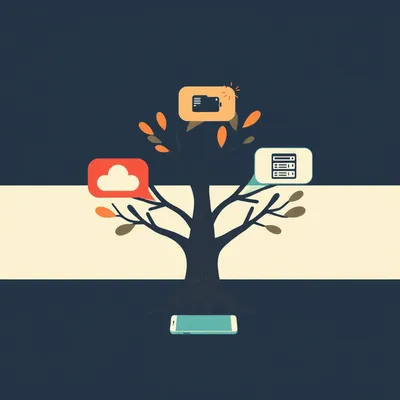
The alternative is saying, look, an Android phone is a terrible place to manage a complex multi-cloud topology. Let the phone be a phone. Build a server that mounts everything — Google Drive, S3, the local NAS — merges them into one logical tree, and then just serves that tree to your devices through a single standard protocol. WebDAV, SFTP, whatever. The complexity lives in one place, on the server, and every endpoint just sees one filesystem.
The episode is really about that shift — from endpoint-managed remotes to infrastructure-managed unification. And Daniel's asking us to survey the tools that make this possible, then walk through how you'd actually make it work on Android.
Which is a great framing because there are tools that do pieces of this, but stitching them together into something that actually works on a phone — that's where it gets interesting. rclone is the obvious foundation. It speaks to over forty cloud providers, it can serve any remote as WebDAV or SFTP, and it handles Google Shared Drives with the team drive config option. But rclone alone doesn't create a unified namespace. Each remote is still a separate mount point.
Rclone is the universal translator, but you still need something that makes all the translations land in the same book.
That's where mergerfs comes in. It's a FUSE-based union filesystem that pools multiple mount points into a single logical volume. So you use rclone to mount Google Drive here, S3 there, your NFS share over there, and mergerfs stitches them together under one directory. Policy-based file placement, too — you can tell it to write new files to whichever mount has the most free space, or always try the local NAS first for speed.
The Shared Drive thing — why is that such a special headache?
Because in the Google Drive API, Shared Drives aren't a top-level resource. They're identified by a folder ID, and you access them through a different API endpoint than My Drive. rclone handles it with the team drive option in the config — you literally pass it the Shared Drive ID — but you have to know that's how it works. A lot of file managers don't expose that level of configuration, so Shared Drives just don't show up. On the server side, you configure it once, rclone knows how to talk to it, and mergerfs doesn't care — it's just another directory in the pool.
The pitch is, suffer once on the server, and every device benefits. Which is the opposite of the current model, where you suffer on every device individually and hope nothing changes.
And the Android piece is where the rubber meets the road. Android's kernel technically supports FUSE, but on an unrooted device you can't just mount an arbitrary remote filesystem. The practical path is rclone serve webdav on the server, then connect with a WebDAV-capable file manager. Solid Explorer handles it well — you point it at your server's WebDAV endpoint, authenticate, and suddenly you're browsing a unified tree that spans Google Drive, S3, and your NAS, all from one connection on your phone.
Which is almost disappointingly simple once the server side is set up. You spend all this time architecting the backend, and the mobile experience is just... opening an app and browsing files.
That's the sign of good infrastructure. The complexity is invisible to the user. But there are real tradeoffs to talk through — latency across cloud providers, caching strategies so you're not re-downloading the same file every time you open it, security when you're exposing a unified filesystem to the internet. Daniel mentioned Cloudflare Tunnel, which is the right instinct for zero-trust ingress. You pair that with rclone's built-in authentication on the WebDAV endpoint, or put an OAuth proxy in front.
There's the question of whether rclone plus mergerfs is even the right stack, or whether something like Nextcloud's external storage support or JuiceFS makes more sense depending on what you're optimizing for.
Yeah, we should walk through the alternatives. Nextcloud can mount S3 and Google Drive as external storage and present them through a single interface — but it adds database overhead and sync semantics you might not want. JuiceFS builds a POSIX filesystem on top of object storage with a separate metadata database, which is fascinating but more complex to set up. For most people who just want a unified browseable tree on their phone, rclone plus mergerfs plus WebDAV is the sweet spot. It's free, it's open source, and it's mature.
We've got the shape of this. Let's dig into the actual mechanisms — how you configure rclone for Shared Drives, what a mergerfs command actually looks like, and what happens when you hit that WebDAV endpoint from Android.
Before we get into the command-line specifics, I want to sit with the problem Daniel's describing for a minute — because I think it's actually worse than most people realize. The client-side approach isn't just inconvenient. It's fundamentally broken for power users who live across multiple clouds.
I mean, it works. You open Solid Explorer, you add your Google Drive, you add your S3 bucket, you add your NAS. It's tedious, but it functions.
It functions if your requirements are static. But the moment your Google Shared Drive permissions change — which they do, regularly, especially in organizations — you're re-authenticating on every device. If you add a new S3 bucket for a project, that's another connection to configure on your phone, your tablet, your laptop. And here's the part that really gets me: sync clients like Google Drive for Desktop or rclone sync aren't designed for live browsing at all. They replicate data locally. You're not exploring a remote filesystem — you're maintaining a local mirror, which is a completely different thing.
The sync model solves a problem Daniel doesn't have. He doesn't want a local copy of everything. He wants to browse what's actually out there, in real time, across all his storage backends, without duplicating terabytes onto his phone.
And file managers that do support remote browsing — they treat each remote as its own silo. You're not browsing "my files." You're browsing "my Google Drive," then backing out and going into "my S3 bucket," then backing out and going into "my NAS." The mental model is a filing cabinet where every drawer is in a different room.
Which is exactly the experience that makes people say "I'll just dump everything in Google Drive and call it a day." The friction pushes you toward vendor lock-in not because the alternative tools don't exist, but because the integration experience is exhausting.
Google Shared Drives make this even more pointed. Most Android file managers don't surface Shared Drives at all in their Google Drive integration. They authenticate against My Drive and that's it. To access a Shared Drive, you'd need the app to specifically implement the team drive API endpoint, pass the folder ID, and handle the different permission model. Some do — but it's inconsistent, and when it breaks, you're debugging OAuth scopes on a phone screen.
There's a special circle of hell reserved for debugging OAuth scopes on a phone screen.
The alternative paradigm Daniel's pointing at — and this is really the thesis of the whole episode — is to stop treating the phone as the integration point. The phone should be a dumb terminal for files. One connection, one protocol, one view. All the intelligence lives on a server you control. That server mounts every backend, merges them into a single tree, handles authentication, handles caching, handles the quirks of each API. The phone just sees a filesystem.
The beauty of it is, once that server exists, every device benefits identically. Your laptop connects via the same WebDAV endpoint. Your tablet connects via the same WebDAV endpoint. You fix a Shared Drive permission issue once, on the server, and every device keeps working. The complexity is centralized, which means it's actually manageable.
That's the architecture shift. From distributed configuration to centralized infrastructure. It's the same pattern that made web applications win over desktop apps — move the hard stuff to the server, let the client be thin.
Which does raise the question of what "thin" means on Android specifically. Because as you mentioned earlier, FUSE is technically in the kernel, but unrooted Android won't let you mount arbitrary filesystems. So we're not talking about a native mount — we're talking about an app that speaks a protocol.
WebDAV is the pragmatic choice. It's old, it's boring, it's supported everywhere. Solid Explorer connects to a WebDAV server the same way it connects to Google Drive — you add a remote, pick WebDAV, enter the URL and credentials. From the user's perspective, it's just another folder in the sidebar. But behind that folder is a unified tree spanning every storage backend you own. The phone has no idea it's talking to Google Drive and S3 and an NFS mount simultaneously. It just sees directories and files.
The server becomes a kind of universal translator — not just between protocols, but between the API quirks of every cloud provider. Google Shared Drives need a folder ID? The server knows that. S3 has no concept of directories and fakes them with key prefixes? The server handles that. NFS has POSIX permissions that don't map cleanly to WebDAV? The server translates.
That translation layer is where rclone shines. It already knows how to normalize all these backends into something that looks like a filesystem. The missing piece — the thing rclone doesn't do on its own — is merge them into one tree. That's what we'll get into with mergerfs. But the conceptual foundation is exactly what you just said: the server is a universal translator, and the phone is just a window.
Let's talk about the tools. rclone is the foundation for good reason — it speaks to over forty cloud providers, from the usual suspects like Google Drive and S3 to things like Backblaze B2, Wasabi, even Proton Drive now. And it's not just a sync tool. It can serve any remote as WebDAV, SFTP, HTTP, or FTP. It can mount remotes as FUSE filesystems. It's the universal adapter.
The USB-C hub of cloud storage, if you will. One dongle to rule them all.
Here's the thing — and this is where people get stuck — rclone alone doesn't give you a unified namespace. You can mount your Google Drive to /mnt/googledrive, your S3 bucket to /mnt/s3, your NAS to /mnt/nas. And you can serve each of those as separate WebDAV endpoints. But they're still separate. Your phone still sees three different connections.
Rclone is the translator, but you still need a librarian to put all the books on the same shelf.
That librarian is mergerfs. It's a FUSE-based union filesystem that pools multiple mount points into a single logical volume. You point it at all your rclone mounts and your local NFS share, and it presents them as one directory tree. Under the hood, it's policy-driven. You tell it where to write new files, how to handle duplicates, which branch to prefer when the same path exists in multiple places.
Walk me through what that actually looks like in practice. If I've got three rclone mounts sitting there, what's the command?
Something like this. mergerfs -o defaults,allow_other,use_ino /mnt/googledrive:/mnt/s3:/mnt/nas /mnt/unified. That's it. One command, and suddenly /mnt/unified contains everything from all three backends. You browse into what looks like a single directory, and mergerfs figures out which underlying mount actually holds each file.
The policy options — what do those actually control?
The big ones are category.create and category.For creating new files, you can set it to epmfs — existing path, most free space — which writes to the mount that already has the parent directory, falling back to whichever has the most room. Or you can set it to mfs, most free space, which always picks the mount with the most available storage regardless of path. For reading, the default is ff, first found — it checks the branches in the order you listed them and returns the first match.
If I put my local NAS first in the branch list, mergerfs checks there before hitting the cloud mounts. Which is a nice latency hack for frequently accessed files.
And you can get more granular. There's a policy called newest that picks the file with the most recent modification time across all branches, which is useful if you've got the same file replicated in multiple places. But the real power is that mergerfs doesn't care what the underlying filesystems are. It just sees directories. rclone handles all the protocol translation, and mergerfs handles the unification.
Which brings us to the elephant in the room — Google Shared Drives. Daniel specifically called these out as a pain point, and I think a lot of people don't realize why they're different.
They're different because they're not a top-level entity in the Google Drive API. My Drive is straightforward — you authenticate, you get a root folder, you browse. Shared Drives live in a parallel namespace. They're accessed through a different API endpoint, they have their own permission model, and they're identified by a folder ID that you have to know in advance. It's not like the API returns a nice list of "here are your Shared Drives" the way it returns your My Drive root.
How does rclone actually handle them?
You use the team_drive config option when you create the remote. The command looks like rclone config create mydrive drive team_drive and then the Shared Drive ID. That ID is a long alphanumeric string you can grab from the URL when you're browsing the Shared Drive in a browser — it's the part after /folders/. Once that's in the config, rclone treats the Shared Drive as the root of that remote. You mount it like any other rclone remote, and mergerfs doesn't know or care that it's a Shared Drive. It's just another directory in the pool.
This is where the server-side model really proves its worth. You figure out the Shared Drive ID once, you paste it into a config file on the server, and you're done. Every device that connects to the WebDAV endpoint sees the Shared Drive. Versus the alternative — trying to get four different Android file managers to all support Shared Drives, each with their own OAuth flow and their own interpretation of the API.
I've debugged that. It's not fun. Some apps use the older Drive API and don't see Shared Drives at all. Some use the newer API but only surface them if you explicitly enable a "team drives" setting buried three menus deep. And when Google deprecates an API version — which they do, regularly — every app breaks independently. On the server, you fix it in one place.
There's a broader point here about FUSE-based approaches in general. What are the actual tradeoffs?
Performance is the big one. FUSE adds a round trip through userspace for every filesystem operation. For a local disk, that overhead is noticeable but usually acceptable. When the underlying storage is already high-latency — like a cloud API call to Google Drive — the FUSE overhead is negligible compared to the network round trip. But it's still there, and it adds up if you're doing thousands of small metadata operations.
FUSE is not the bottleneck when your bottleneck is the internet.
The real bottleneck is API rate limiting. Google Drive will throttle you if you hammer it with too many requests. S3 charges you per operation — list requests, head requests, get requests. A unified filesystem that's constantly stat-ing files across three cloud backends can burn through API quotas fast. That's where caching becomes critical. But the FUSE layer itself — it's mature, it's stable, and for this use case the overhead is in the noise.
What about the other projects in this space? You mentioned MinIO Gateway earlier.
MinIO Gateway was interesting — it let you access S3-compatible storage through the MinIO interface, and for a while it supported Google Cloud Storage, Azure, and a few others as backends. But it was deprecated a few years back. s3fs-fuse is still around — it mounts an S3 bucket as a local filesystem directly, no rclone needed. And gcsfuse does the same for Google Cloud Storage. But neither handles the multi-provider unification problem. They're point solutions for a single backend.
If you want one tool that speaks forty protocols and another tool that merges them, rclone plus mergerfs is still the most mature combination.
Rclone and mergerfs give us the unified filesystem on the server. But the whole point was accessing this from an Android phone. How does that actually work?
That's where the FUSE-on-Android problem bites. The kernel supports it, but unrooted Android won't let you mount arbitrary remote filesystems. You can't just ssh in and run a mount command.
Even if you could, the battery and connectivity implications would be terrible. A FUSE mount on a phone that's constantly stat-ing files across three cloud backends over a cellular connection? That phone would be dead by lunch and your mobile data cap would be gone by Tuesday. The practical path is WebDAV. rclone serve webdav on the server, and a WebDAV-capable file manager on the phone.
Solid Explorer handles this cleanly. You add a new remote, pick WebDAV, punch in the server URL and credentials, and it shows up as a folder in the sidebar. Browse, stream, upload — it all works. The phone has no idea it's talking to Google Drive and S3 and an NFS share stitched together with mergerfs. It just sees directories and files.
CX File Explorer does it too, and it's free. The experience is slightly less polished, but it supports background uploads and has a built-in media player that can stream directly from the WebDAV endpoint. So you're browsing your unified tree and you tap a video file sitting on your NAS — it plays. The server handles pulling the bits from the right backend and streaming them over HTTPS.
Which brings us to the hidden tax in all of this: latency. Every file operation on a unified filesystem that spans Google Drive, S3, and a local NAS inherits the speed of the slowest link in the chain. You click a folder, the server has to check three different backends, and you're waiting.
It's worse than people expect because it's not just download speed. It's API call overhead. A simple directory listing might require a list request to Google Drive, a list objects call to S3, and a readdir on the NFS mount. If Google's API takes eight hundred milliseconds to respond, that's your floor. mergerfs doesn't cache directory listings by default — it queries the underlying mounts every time.
How do you make this not feel like browsing files over dial-up?
Rclone's VFS cache is the first line of defense. The flag --vfs-cache-mode writes enables write-back caching — files you upload get staged locally and flushed to the remote in the background. But for reading, you want at least --vfs-cache-mode minimal, which caches directory listings and file metadata. The real game-changer is --dir-cache-time, which tells rclone how long to cache directory structures before re-querying the backend. Setting it to ten minutes means you're not hammering Google's API every time you navigate into a folder and back out.
For media streaming — if I'm watching a video off the NAS through this setup, is the server re-downloading chunks every time I seek?
That's where rclone's VFS read-ahead helps. It fetches blocks ahead of where you're reading, so sequential access feels snappy. But random seeks — jumping to the middle of a large video — still trigger new range requests. For that use case, a local proxy cache on the server makes a huge difference. A small SSD, even just sixty-four gigs, set up as rclone's cache directory with --cache-dir. Frequently accessed blocks stay local, and the cloud backends only get hit for cold data.
The server becomes a tiered storage system without anyone calling it that. Hot blocks on SSD, warm data cached in VFS, cold data on the cloud backends.
And the phone never knows about any of it. It just sees responsive file browsing. Exposing a unified filesystem over the internet is not something you do casually. Daniel mentioned Cloudflare Tunnel, which is the right instinct — it creates a zero-trust ingress without opening any firewall ports. Your server makes an outbound connection to Cloudflare's edge, and traffic comes in through that tunnel. No exposed IP, no open ports, no attack surface for port scanners.
Then you layer authentication on top. rclone serve webdav supports --user and --pass for basic auth, but that's honestly the bare minimum.
It's fine for a home lab behind Cloudflare Tunnel, but if you're exposing this to the internet more broadly, you want something stronger. Cloudflare Access puts an OAuth flow in front — users authenticate through Google or GitHub before they even reach your WebDAV endpoint. Or you can run oauth2-proxy on the server itself, which does the same thing without depending on Cloudflare's ecosystem. The server should sit in a DMZ or on a lightweight VM — a ten dollar a month VPS works, or a Raspberry Pi 5 at home if your upload speed is decent.
The Pi 5 has enough horsepower for this? Running rclone mounts, mergerfs, and a WebDAV server?
This workload is IO-bound, not CPU-bound. The Pi is mostly waiting on network responses. The one thing you want is a good cooling solution if it's going to be running twenty-four seven — those little things throttle under sustained load. But for a personal unified filesystem serving one or two users, it's more than enough.
Before we go further, what about the alternatives? rclone plus mergerfs isn't the only way to do this. Nextcloud can mount external storage — S3, Google Drive, whatever — and present it through a single interface.
Nextcloud's external storage support is genuinely good. You install the External Storage app, configure your S3 bucket and Google Drive as storage backends, and they show up as folders inside your Nextcloud instance. The mobile app handles browsing, streaming, and uploads natively. You get a web UI, file sharing, version history — it's a full collaboration platform, not just a filesystem bridge.
It's heavy. Nextcloud needs a database — MySQL or Postgres — and it introduces sync semantics you might not want. Files aren't just "there" the way they are with a direct mount. Nextcloud indexes them, stores metadata, and serves them through its own abstraction layer. If all you want is a unified browseable tree on your phone, Nextcloud is bringing a fleet of container ships when you needed a ferry.
Then there's JuiceFS, which I've seen people get very excited about.
JuiceFS is fascinating. It builds a full POSIX filesystem on top of object storage — S3, Google Cloud Storage, whatever — with a separate metadata database, usually Redis or TiKV. The data lives in the object store, the metadata lives in the database, and what you get is a filesystem that behaves like a local disk. It's designed for large-scale data processing, machine learning pipelines, that kind of thing. But for a personal unified filesystem accessible from a phone? It's overkill. You're managing a Redis cluster to browse your photos.
The decision framework is basically: if you need collaboration features and a web UI, Nextcloud makes sense despite the overhead. If you want a lightweight transparent mount, rclone plus mergerfs is the sweet spot. And if you're doing petabyte-scale data processing, JuiceFS earns its complexity. For what Daniel's describing — unified browsing across a handful of cloud and local backends, accessed from a phone — rclone plus mergerfs plus WebDAV is the answer.
Let's make this concrete. Someone listening wants to build this stack. What's the config they actually need?
Start with rclone. Configure each remote — your personal Google Drive, your work Google Drive with the team drive option pointing at the Shared Drive ID, your S3 buckets. Test each mount individually to make sure they work. Then mount them all to separate directories under /mnt. Then the mergerfs command we walked through earlier stitches them together. Then rclone serve webdav /mnt/unified, with --user and --pass for authentication, listening on localhost port eight thousand something. Cloudflare Tunnel points at that port, and you're done.
The key config flags that actually make it usable day to day — what are they?
Three that matter most. First, --vfs-cache-mode writes on the rclone mount. This means when you upload a file from your phone, it lands in a local cache on the server and flushes to the cloud backend in the background. Without it, every write blocks until the entire file is uploaded to Google Drive or S3, which feels terrible on a mobile connection.
The server lies to the phone and says "got it," then quietly does the actual upload.
Second, --dir-cache-time 10m on the rclone serve command. That caches directory listings for ten minutes, so navigating into a folder and back out doesn't trigger fresh API calls to every backend. Without it, you're paying the latency tax on every directory change. Third, for mergerfs, set category.create=mfs — most free space. That way when you drop a new file into the unified tree, it automatically lands on whichever backend has the most room, without you having to think about it.
Which is the kind of thing that sounds minor until you realize you've been filling up your work Google Drive with personal photos for six months because that's the mount that happened to be first in the branch list.
The default create policy in mergerfs is epmfs — existing path, most free space — which writes to the branch that already contains the parent directory. That's usually what you want, but if you're creating new top-level folders, mfs gives you automatic load balancing. It's worth the two-second config change.
That's the practical playbook. But there's a bigger idea here that I think outlasts any specific tool. The pattern of moving complexity from the endpoint to the infrastructure — that's not just about file storage.
No, it's not. And I think that's what Daniel's really getting at, even if he framed it as a technical question about Android and Google Drive. The unified server-side model means you configure your storage topology once, in one place, and every device — phone, laptop, tablet, a friend's computer you're borrowing — connects to the same namespace through a standard protocol. You're not installing anything. You're not configuring remotes. You open a WebDAV client and your files are just there.
Small teams benefit from this immediately. Instead of telling every new team member "install rclone, configure these six remotes, here's the Shared Drive ID, don't forget to set the cache flags," you give them one WebDAV URL and one set of credentials. The storage topology can change — you add a new S3 bucket, you retire an old NAS — and nobody on the team even notices.
It decouples storage access from device configuration even if you only have one cloud provider. You could run this stack with just a single Google Drive backend, and you'd still get the benefit of centralized caching, centralized authentication, and a single endpoint that works from any device without installing vendor-specific sync clients. The architectural win isn't the multi-cloud part — it's the centralization part.
The multi-cloud part just makes the centralization more obviously necessary. When you've got six backends, the pain of per-device configuration forces the issue. But the principle holds at any scale.
Which raises the question that keeps me up at night — what happens when Google changes the API? Rate limits get tightened, Shared Drive folder IDs get deprecated, the OAuth flow gets a mandatory upgrade. With the per-device model, you're reconfiguring every phone, every tablet, every laptop. With the unified server, you fix it once and every endpoint keeps working.
Provider resilience as a side effect of centralization. You didn't set out to build a hedge against Google's API whims, but you got one anyway.
That's the architectural principle that outlasts any specific tool. The server becomes the single point of adaptation. When S3 changes its authentication scheme or Google deprecates an API version, you update one rclone config, restart one service, and every device carries on as if nothing happened. The phone doesn't even know the backend changed.
Which makes me wonder about the other direction — what changes on the phone side that could make this even cleaner? You mentioned Android's FUSE support earlier. Is that actually going anywhere?
It's inching forward. The kernel has supported FUSE for years, but the limitation has always been userspace — unrooted devices can't mount arbitrary filesystems because the mount namespace is restricted. GrapheneOS has been doing interesting work here, and there are kernel modules floating around that relax the restrictions for specific use cases. But we're not at the point where you can just rclone mount on a stock Android phone.
For now, WebDAV is the pragmatic bridge. It's not glamorous, but it works everywhere.
Honestly, even if native FUSE mounts become available on Android, WebDAV might still be the better choice for mobile. A FUSE mount maintains a persistent connection and constantly syncs metadata. WebDAV is stateless — it only talks to the server when you're actually browsing. That matters for battery life and data usage in a way that desktop users never have to think about.
The phone's constraints aren't just a limitation to work around. They're a legitimate reason to prefer a protocol that doesn't assume a permanent fat pipe.
And that's the deeper insight here. The episode started as a question about unifying cloud storage for Android, but the answer turns out to be a general principle — move complexity to the infrastructure, let the endpoint be simple, and pick protocols that match the device's actual constraints rather than pretending every device is a desktop.
Which applies far beyond file storage. Home automation, media serving, self-hosted AI — the pattern repeats everywhere. Centralize the hard stuff, expose a simple interface, and suddenly your phone can do things that would melt its battery if it tried to do them locally.
The unified server-side filesystem is just one instance of a much bigger idea. And it's an idea that's only going to become more relevant as the number of cloud services and devices in our lives keeps multiplying.
That's the practical playbook. rclone plus mergerfs plus WebDAV, configured once, serving every device you own. The complexity lives where it belongs — on a server you control — and the phone gets to be a phone.
Now — Hilbert's daily fun fact.

In the 1950s, the Soviet Union manufactured civilian radio receivers that could only tune to state-approved frequencies by physically omitting the oscillator coils needed for unauthorized bands. A surviving service manual from a Novosibirsk repair depot includes a hand-drawn addendum showing technicians how to wind their own coils using enameled wire scavenged from burned-out transformers, complete with a warning in the margin that reads, in pencil, "do not demonstrate this to the customer.
The margin note really sells it.
This has been My Weird Prompts. Thanks to our producer Hilbert Flumingtop. If you enjoyed this, leave us a review wherever you listen — it helps. We'll be back next week.