The usual bed-working recommendation is a more ergonomic mouse. Daniel already owns one, and the bedside cabinet is still winning. He's tucked up with asthma, trying to find the important unanswered messages in eighteen months of email while clearing away the rest. After trying several Android email clients, he's moved to his laptop, but its trackpad and buttons have suffered under Ezra's handling. His beloved Logitech MX Vertical needs room that the cluttered cabinet doesn't have. He wants practical alternatives, including whether those wearable controllers and curious contraptions on AliExpress actually earn their keep.

The Vertical solves a different problem. It changes the angle of your hand while you move a mouse across a desk. It doesn't remove the need to move the mouse. Put that beside a bed, with your shoulder reaching sideways and the available surface shrinking around a glass of water, and the clever hand angle only gets you so far.
An excellent mouse. Requires land.
A trackball can stay still. That is already a substantial advantage before we discuss anything wearable. Although I'd also check whether a cheap tray could rescue the mouse Daniel likes, rather than immediately buying its replacement.
I'd separate the phone complaint into what he can see and what he can actually command. A bigger screen helps you judge a sender, subject and preview together. But holding a message, entering selection mode, tapping little targets, then scrolling without losing the selection... that's an awful lot of ceremony for deleting a newsletter.
Desktop email gives you more ways to express a decision. A precise pointer, modifier keys, range selection where the client supports it, keyboard shortcuts. Your hands can say, keep this, select that run, archive those, without repeatedly changing interaction modes. That matters when the job is hundreds of small decisions rather than answering one message.
The unsubscribe link has a better interface than the inbox.
Would a pointer on the phone be enough for you, Corn? Say the phone stayed on a stand and you had a keyboard with a trackpad.
For a short list, perhaps. Not for this backlog. I'd still want enough visible context to spot the message I should have answered. Input matters, but I wouldn't acquit the small screen. Also, plugging a mouse into a mobile interface doesn't make its bulk-selection tools suddenly good.
Fair correction. The screen and the application's controls still constrain you. The missing pointer is one bottleneck, not the entire explanation. Keeping Daniel's desktop email client and replacing its unreliable input seems the least disruptive route.
Especially for a day or two. Recovery shouldn't require learning a new alphabet.
There are three useful places to intervene. Give the existing mouse a stable surface. Keep the pointer device stationary. Or choose a different access method altogether, from the much deeper assistive-technology catalogue. Those last devices can look extraordinary while solving very ordinary practical problems.
One limit worth putting down now... I don't have credible hands-on testing of those particular AliExpress wearables. The better-documented territory is alternative computer access. Koester and colleagues reviewed fifty-seven studies of typing speed across access methods. Their useful finding is that the method materially affects productivity and experience. That doesn't validate a ring mouse listing. It tells us why fit matters.
Then start with the thing that doesn't need a shipping notification. A tray.
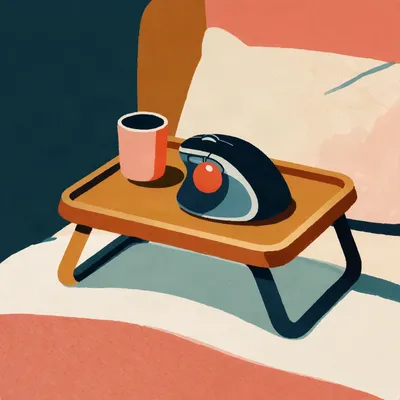
A firm lap tray with room for the mouse is a strong first experiment. A mouse needs a surface that stays put and tracks consistently. Duvets crease, compress and move under your arm. A cloth pad can improve tracking, but a cloth pad over a ridge is still a ridge. Firm support underneath does the important work.
Twenty to forty pounds could make the existing setup tolerable. I like that more than spending premium-mouse money to discover the problem was a blanket.
You were always going to defend the inert rectangular object before the adjustable electronics.
It has completed its firmware development.
It also needs to fit. The tray must leave room to move the mouse without making Daniel hold his arm away from his body. A tiny tray that accommodates the laptop and gives the mouse a narrow strip may reproduce the cabinet problem in a different location.
I'd consider leaving the laptop on the cabinet and putting only the controls on the tray. Assuming the screen is readable there. The computer doesn't have to accompany the keyboard everywhere.
That also bypasses the damaged deck. An external keyboard and pointing device can be positioned together, while the laptop stays stable with its vents clear. You aren't trying to operate broken buttons at an awkward reach.
The toddler has provided a compelling case for modularity.
The movement alternative is a thumb trackball. Your thumb rolls the ball while the housing remains planted. The MX Ergo S can work on a couch arm or a lap where an ordinary mouse would need more continuous flat space. Your shoulder and forearm have much less travelling to do.
I don't want to oversell the lap part. A trackball rocking every time you breathe still sounds irritating.
It needs stable support, yes. Stationary operation removes the travel requirement, not gravity. A small board or tray can still help. The distinction is that the board only needs to hold the device comfortably, rather than provide a runway around it.
The Ergo S is deliberately substantial, about two hundred and fifty-nine grams. Its plate offers a twenty-degree tilted position, so you can combine stationary control with a less palm-down hand posture. Those are separate benefits.
You're admiring the hinge, Herman.
I am. It is a useful hinge.
We've reached the expensive part.
Potentially. One review lists it at roughly a hundred and seventy dollars. Prices and regional listings vary, and I wouldn't make the premium model the default purchase here. Logitech's ERGO M575S gives you the central thumb-trackball experience for roughly half the price, without the tilt plate or rechargeable battery.
The thumb is included at every tier.
ProtoArc's EM01 NL has also been listed around forty-three pounds on sale. That's another way to try the category without buying the flagship. I'd choose on fit, returnability and button placement before chasing sensitivity specifications.
Returnability matters because Daniel wants relief now. If thumb steering takes a fortnight to feel natural, that device might become useful just after he's stopped needing to work in bed.
Most people need roughly a week or two to settle into it, and some never like it. Sustained thumb use can bring its own fatigue. You're shifting work from the arm to a smaller part of the hand, not abolishing effort.
I'd still rather overshoot an archive button than spend the afternoon reaching sideways. But if the thumb starts aching, the elegant mechanism has lost.
Fine positioning can also feel less direct than with a good mouse, particularly while you're learning. Email is forgiving compared with detailed graphics work, although selecting text and hitting small controls still expose that difference. Corn, would you actually pick one up for a temporary spell, or stay with the tray?
Tray first, using the Vertical. If the reaching still bothers me, borrow or buy a returnable trackball. There's another option I'd put ahead of a fancy one, though. A single couch keyboard with a pointer built in. You lift one thing, put it across your lap, and stop managing separate objects.
The Logitech K400 Plus is the familiar version, a compact keyboard with a trackpad beside it. That replaces both the laptop's failing controls and the need to keep a mouse within reach. You're still using a trackpad, but now it's functional and positioned where your hands are.
A working trackpad is a surprisingly competitive feature.
These keyboard-with-trackpad setups commonly sit in the thirty-to-eighty-dollar band. Separate keyboard, mouse and a proper supporting tray can cost considerably more, though those are example setup budgets rather than a required minimum. For email, the integrated unit's convenience could outweigh its less precise pointer.
You also keep a real Shift key next to the pointing task. That's useful for selecting groups, where supported. It gets us closer to the desktop workflow Daniel wanted without making him balance a miniature office.
There's a Perixx PERIBOARD-505H with a built-in trackball instead. Wired, with a ball a little over half an inch across and two USB hubs. Compact, but I'd be cautious about assuming a tiny ball feels like a full-size standalone trackball. The layout and the cable may decide whether it suits the bed.
The cable at least tells you where it went.
Flexible roll-up keyboards look like the obvious bed accessory, and they're a poor bet. One experienced typist described going from a hundred words a minute on a normal keyboard to thirty on an Adesso Flex. That is one person's comparison, but the explanation is persuasive. On an uneven surface, the keyboard yields beneath the keypress.
A keyboard upholstered in missed letters.
Even for short replies, you want predictable key actuation. Flexibility makes packing easier. It doesn't automatically make typing on bedding easier.
And now, as ever, here is Desmond with his money tip.

This is Desmond's Money Tip. Reuse the same piece of aluminium foil for a full calendar year. A roll costs about two pounds and holds roughly thirty sheets, so a year of fresh foil is two pounds you never see again. Reused, that is two pounds saved per annum, which over fifty years is one hundred pounds, and I have worked out that is not a holiday.
The embarrassing detail is that my foil has a name and a designated drawer, and I have refused to bake anything that would ruin it. Money is mostly just things you decide not to do.
I could spare a drawer. Your expression suggests not.
Not for that. Returning to flexible keyboards, the broader issue is whether a portable shape remains controllable during use. A device can be wonderfully easy to put away and miserable to work with.
The controller-shaped keyboards at least address that honestly. You hold the whole thing, rather than expecting bedding to become furniture.
AlphaGrip is the striking example. It looks like a game controller, with typing controls around the grip and a built-in trackball. The explicit pitch includes lying in bed without balancing a laptop on your lap. Both hands stay on one device.
You're about to forgive the learning curve because it resembles a spaceship control.
I'm about to admire the arrangement and then refuse to prescribe it for tomorrow morning. Those are compatible positions.
Progress.
Its site claims over seventy words a minute and carries a testimonial reporting sixty-one after six months. Those are vendor-hosted performance claims, not independent confirmation. The site is also running crowdfunding, so this isn't a straightforward buy-it-today solution for Daniel.
Six months of training to clear eighteen months of email. The backlog has started recruiting.
Longer-term, it could be worthwhile for someone who regularly works reclined. Learning a new layout is an investment. For a temporary illness, familiar controls have a large advantage. The question I'd ask you is, how much strangeness would you accept if it meant never supporting your hands on a desk?
Quite a lot, if that were my permanent arrangement. Very little for two days. Also, I'd want to hold it before committing. A controller can remove desk dependence while imposing a particular grip. You know my views on objects that assume everybody's hands close the same way.
I've watched you reject a touchscreen before it finished waking up.
It offered me a finger-shaped target. We were incompatible.
That physical fit is where assistive technology gets much more interesting than novelty retail. You can change keyboard size, key spacing, activation force, where a switch is mounted, or which movement activates it. The unusual shape usually follows a specific requirement.
A finger mouse listing often leaves that requirement unstated. Is it for someone standing, someone presenting, someone unable to reach a desk, or just someone willing to wear a mouse? Those are different jobs.
Consider air pointing. If moving your hand through the air steers the cursor, you've removed the tabletop but may have introduced sustained arm effort. A presentation clicker only needs occasional input. Clearing email asks for repeated positioning and scrolling. A demonstration lasting thirty seconds won't settle that.
My arm can be impressed for thirty seconds.
Ring and finger devices also need scrutiny around clicking. Does pressing the button move the pointer? Can you scroll without changing grip? Can the hand rest between actions? I wouldn't dismiss the category, but I wouldn't infer comfort from a small housing.
Nor infer anything about quality from where it's sold. A cheap device could be a useful simplified version. It could also have copied the shell and omitted the adjustment that made the original usable.
AbilityNet's alternatives catalogue makes that range concrete. Compact keyboards can bring the mouse nearer your centreline. Chording keyboards produce letters through combinations of a few keys and can serve one-handed users. Head and mouth sticks operate appropriately arranged keys. These are different access strategies, not decorative variations on a standard keyboard.
The keyguard caught my attention. A rigid plate over the keyboard, holes above the keys, so your hands can rest without producing a paragraph.
It reduces accidental presses while allowing supported movement between targets. Crucially, it fits a particular keyboard. It won't repair Daniel's unreliable trackpad or turn damaged laptop buttons into reliable switches.
Useful distinction. I initially pictured it as armour for the whole laptop deck.
It protects against unintended activation, not whatever mechanical damage is underneath. For someone who needs to support their hands while typing, though, that simple plate can matter more than an elaborate controller.
Switch access is the category that makes the novelty listings look less novel. A large button can be the useful part, provided something sensible happens after you press it.
A switch supplies an activation signal. Scanning software can cycle through choices, with the user selecting when the desired option is highlighted. There are plate switches, soft pillow switches and proximity switches. Depending on the person's movement, activation can come from a finger, head, foot, knee or elbow.
Breath-operated sip-and-puff interfaces exist too. They're part of this catalogue, though they are plainly not what I'd propose for Daniel during an asthma flare.
The required movement matters more than the gadget's silhouette.
The AbleNet Jelly Bean is a familiar external button switch, with a large surface that can be pressed from different angles and interchangeable tops. Its usefulness depends partly on where and how it's mounted. A button that moves away when pressed isn't accessible just because it's large.
That's the missing product photograph. The one showing hour three.
Exactly the duration worth thinking about... no, not exactly three hours. Long enough for posture and fatigue to change. An activation that works briefly may become tiring over a whole task. That is why adjustment and a proper trial matter so much.
Daniel would also appreciate that this isn't all proprietary hardware. There are open-source routes for people who need a particular arrangement.
AsTeRICS has the FLipPad, an open-source construction-kit module for minimal finger movement and external inputs, including sip-and-puff. Its FABI interface connects up to five momentary switches and presents their actions as ordinary mouse, keyboard or joystick input.
Meaning the application can receive familiar controls while the person supplies them in a completely different way.
Right. It works across the major desktop and mobile systems without extra software for that basic device behaviour. Configuring useful actions and arranging the switches is still work. Open source gives you room to adapt; it doesn't make fitting disappear.
I'd ask more of a wearable seller than whether it pairs over Bluetooth. Show me selecting a range of messages, scrolling a long list, opening one, then returning without losing my place. On a supported hand, not an arm held aloft for the camera.
That would tell us much more than a cursor moving around a desktop. Even the ordinary trackball has hidden physical details. The ball runs against those little rollers inside, and dirt changes how it feels.

They're bearings on mine. The one I had, anyway. I sold it to Martin from the darts club for twelve pounds this month. While you were talking about stationary mice, I rang him. He has been using it on the bed after hurting his ankle. He said it had started dragging. I made him take the ball out.
Twelve pounds is a less intimidating introduction than the premium Logitech.
He wanted to wipe it with a sock. I said no. Three little ruby bearings, all carrying grey fluff. I keep lint-free cloths in a tobacco tin, cut into squares small enough that people don't use them on windows. I photographed one for him. Herman, you spent all that time describing the tilt plate. He had put all of it on a paperback.
A paperback can provide stable support. Dirt on those contact points is a separate source of resistance, so the ball can feel wrong even when the housing is perfectly settled.
He cleaned it while I stayed on the call. It rolled properly afterwards. I want to know whether that button interface would let me put one switch under the blanket and have it archive whichever email is open. No pointer movement. I don't need the rest of the keyboard involved.
It could send a shortcut, but the email client has to give that shortcut the right job. Focus matters. Another window could receive the keypress instead.
You could configure an appropriate action, yes. I'd want a deliberate press and a visible result, particularly if you're doing it without looking at the controls. It wouldn't know which message you intended beyond what the application currently has selected.
Martin says his trackball is fine now. He has kept it on the paperback. Page two hundred and sixteen.
A dedicated archive switch is tempting, but for Daniel I'd first use the keyboard he already understands. Familiar shortcuts plus a reliable pointer remove a lot of the repetitive movement without another device to position.
Maintenance also belongs in the purchase decision. A stationary device still has a moving ball and contact points. Being able to clean it easily is a practical advantage, especially around bedding. Stationary doesn't mean sealed.
There was one adjacent detail I liked in that elaborate glasses-based bed setup. Despite the display glasses, phone and hub, it still included an ordinary cloth mouse pad and a folding laptop desk.
The display got futuristic. The support surface stayed furniture.
My recommendation is a firm tray first, then a returnable thumb trackball if moving the Vertical remains awkward, or a keyboard with an integrated pointer if keeping everything together matters more. Looking ahead, I'd like wearable sellers to demonstrate sustained work and ordinary cleaning, not merely successful pairing. That might reveal which cheap contraptions preserve a useful access method and which only preserve its appearance.
Thanks to Hilbert Flumingtop for producing the show.
For more along these lines, there's episode two, Local STT For AMD GPU Owners; episode four, If Your Voice Ages, Does Your Fine-Tune Become Useless; and episode ten, How ASR Went From Frustration To ... Whisper Magic. This has been My Weird Prompts, the human-AI collaboration podcast. No question too obscure, no rabbit hole too deep.
You'll find the episodes and show notes at my weird prompts dot com.
See you tomorrow.