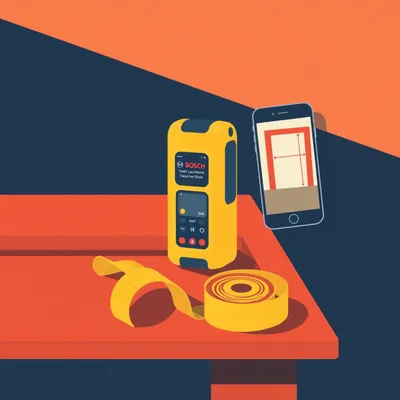
So Daniel sent us this one — he's in the middle of setting up a new rental, and he's doing the thing we've all done: measuring everything obsessively. Keyhole spacing, shelf brackets, parts bins. And he stumbled on something interesting in an app he already uses, ImageMeter — a Bluetooth menu he'd never noticed. Which got him asking: wait, can I pair a laser measure directly to my phone and skip the manual typing? And if so, does that actually work for the kind of tight, precise measurements he's doing, or is a tape measure still better? He's also asking about combo devices, the ones that jam a laser into a tape measure body, and how to make sure whatever he buys actually talks to his app.

This is one of those moments where a tiny discovery opens up a whole product category you didn't know existed. And Daniel's right to be cautious, because the compatibility landscape is genuinely messy. You can't just see "Bluetooth" on the box and assume it'll work with ImageMeter. That's the first thing to know. I've seen people buy a device, get excited, open the app, and just stare at a spinning connection wheel for ten minutes before realizing they've bought something that was never going to talk to their software.
So let's break down what this Bluetooth measuring ecosystem actually looks like. What's actually happening when ImageMeter talks to one of these devices?
The core workflow Daniel's trying to improve is this: you take a measurement, you read a number off a screen, you type that number into an app. It's slow, and more importantly, it's error-prone. You're crouched under a shelf, you read seven hundred forty-three millimeters, you stand up, you walk to your phone, and by the time you tap it in, it's seven hundred thirty-four. You've just drilled a hole in the wrong place.
And with keyhole spacing, a single millimeter off means the thing doesn't hang.
And it's not just the number transposition — it's the context switching. You're in a physical space, you're holding a tool, you're looking at a wall, and then suddenly you have to shift mental gears and interact with a glass screen and a numeric keypad. Every time you do that, you introduce a tiny opportunity for error. Multiply that by twenty measurements for a shelving project, and you're almost guaranteed to mess one up. So the promise of Bluetooth is that the number flows directly from the measuring tool into the app's measurement field. No transcription, no fat-fingering, no memory lapse. ImageMeter is particularly clever here because it's an app that lets you take a photo of a wall or a cabinet, then draw dimension lines directly on the image. You tap a line, it asks for the measurement, and normally you type it. But with a paired Bluetooth device, you just press the measure button on the laser, and the value populates automatically. It's a elegant workflow.
So walk me through that moment. I've got my phone in one hand, laser in the other, I've drawn a line on the photo — what actually happens when I press the button?
You've got the photo up on your phone, you've drawn a dimension line across the wall, and that line is currently unassigned — it's just sitting there waiting for a value. You tap it to select it, and ImageMeter opens a measurement input field. Normally you'd type. But with a paired laser, you just point the laser at the wall, press the measure button, and the number appears in that field instantly. You don't touch the phone at all. It feels like magic the first time you do it. Then you move to the next line, tap it, press the button again, and the next number drops in. You can measure an entire room in maybe two minutes and have every dimension annotated on a photo.
And the Bluetooth menu Daniel found — what's actually happening under the hood when you pair something?
So this is where it gets technically interesting, and also where the compatibility pitfalls start. ImageMeter supports a specific set of Bluetooth laser distance meters, and it's not a long list. Their help page names the Bosch GLM series, the Leica DISTO series, the Hilti PD series, and a few others. These devices use Bluetooth Classic, not Bluetooth Low Energy — that's an important distinction. Bluetooth Classic is the older standard, higher bandwidth, and it's what these laser measures use to stream measurement data. The protocol is relatively simple: the device outputs a distance value, and ImageMeter parses that data stream and drops it into whichever measurement field you've selected.
So it's not some sophisticated two-way handshake. It's basically the laser shouting a number and the app catching it.
That's actually a pretty good way to put it. Think of it like a radio broadcast — the laser is a tiny radio station that only broadcasts one thing: the last distance it measured. ImageMeter is tuned to that station. And that simplicity is why it works reliably — when it works. The catch is that most of these devices require manual pairing each session. You open ImageMeter, you go to the Bluetooth menu, you select the device, and it connects. It doesn't just auto-pair in the background the way your earbuds do. The Bosch GLM 50 C, for example — which is about a hundred dollars, one hundred sixty-five foot range, very popular model — you have to initiate the connection from the app every time you start a session. It's not a dealbreaker, but it's friction.
Why don't they auto-pair? Is that a technical limitation or a design choice?
It's partly technical and partly a power management decision. Bluetooth Classic is relatively power-hungry compared to BLE. If the device were constantly broadcasting and trying to auto-pair, it would drain the battery in a day or two of sitting in your tool bag. So they default to a mode where the Bluetooth radio is off until you explicitly connect from the app. It's annoying, but it means the batteries last months instead of hours. Some of the newer Leica models have improved this — they'll stay in a low-power listening mode and wake up when the app pings them — but the Bosch models generally require that manual initiation.
And that's the laser side. Daniel's actual question is more specific: he's measuring keyhole distances, shelf bracket spacing, the kind of thing where you're working inside a twelve-inch span. Lasers are terrible at that.
They really are. Laser measures have a minimum range, typically around two inches, but their accuracy falls apart below about six inches. The laser spot has a certain diameter, the sensor has a certain aperture, and at very short distances, the geometry gets weird. You're also dealing with the fact that you can't physically place the laser in a corner — the device body is three or four inches long, so you're already adding offset error. For measuring the distance between two keyholes on the back of a cabinet, a laser is the wrong tool. You want a tape measure.
And even if you could get an accurate short reading, the physical placement is awkward. You're trying to butt the back of the laser against one keyhole while pointing it at the other, and the device body is wider than the keyhole itself. You're measuring from somewhere near the keyhole, not from the keyhole.
Right. The laser measure is designed to be placed against a flat surface — a wall, a floor — and shoot a beam to another flat surface. It's not designed for point-to-point measurements between small features. A tape measure, on the other hand, has a hook that grabs the edge of the keyhole, and you can read the measurement directly at the other keyhole. It's the right tool for that geometry.
Which brings us to the other half of Daniel's question: do Bluetooth tape measures exist, and do they work with ImageMeter?
They exist. They mostly don't work with ImageMeter. This is the big compatibility gotcha. There are Bluetooth-enabled tape measures on the market — the Komelon SM4825 is one, about thirty-five dollars, twenty-five foot range, uses Bluetooth Low Energy to transmit measurements to a phone. The Lufkin Shockforce NiteEye has a Bluetooth variant around fifty dollars. But here's the problem: these devices use proprietary apps. Komelon has its own app. Lufkin has its own app. They don't speak the Bluetooth Classic protocol that ImageMeter expects, and they don't output their data in a format ImageMeter can parse.
So you've got a tape measure that technically has Bluetooth, but it's locked inside the manufacturer's own walled garden.
Right. And the manufacturer apps tend to be... let's say functional but uninspired. They'll log your measurements, maybe let you export a CSV, but they don't do the photo annotation thing that makes ImageMeter so useful. You're trading a great app for a mediocre one, just to get wireless data transfer from a tape measure. That's a bad trade. It's like buying a really nice camera and then only using the manufacturer's terrible photo editing app instead of Lightroom.
And with the Komelon specifically — I've actually used their app — it's basically a digital notepad. You press a button on the tape, the measurement appears in a list, and that's it. No images, no dimension lines, no project organization. You're getting wireless data transfer but losing all the context that makes the measurement useful.
And for Daniel's use case — measuring keyhole spacing on a cabinet — having a number in a list without any visual reference to which keyhole it corresponds to is almost useless. He'd have to manually label each measurement or remember the order he took them in. At that point, you might as well just write the numbers on a piece of tape and stick it to the cabinet. It's actually faster.
So if Daniel wants Bluetooth-to-ImageMeter for the kind of short, precise measurements he's doing, a dedicated Bluetooth tape measure is basically a dead end.
With one possible exception, and this is where the combo devices come in. There's a category of tools that put a laser measure and a manual tape measure in the same body. The Bosch PLR 50 C is the one that jumps out — it's about seventy-nine dollars, it's got a laser good to about one hundred sixty-five feet, and it's got a manual tape built in. And crucially, it uses Bluetooth Classic and is on ImageMeter's compatibility list.
So the laser side talks to ImageMeter, and when you need to measure keyhole spacing, you just use the physical tape and type the number manually.
It's not the fully wireless dream for every measurement, but it's the pragmatic sweet spot. You get Bluetooth-to-ImageMeter for the long stuff — room dimensions, ceiling heights, window placements, the kind of measurements Daniel's wife Hannah would use as an architect — and you still have a tape in your hand for the short stuff. You're not juggling two separate tools.
And that "not juggling" part matters more than people realize. If you're up on a ladder measuring ceiling height, and then you need to measure the width of a beam, switching tools means climbing down, swapping, climbing back up. Having both in one device means you stay in place and just flip the tool around.
That's the real ergonomic win. It's not just about having fewer things in your bag — it's about reducing the number of context switches during a measurement session. Every time you put one tool down and pick up another, you break your flow. You lose your place. You forget which measurement you were about to take. A combo device keeps you in the flow.
Let's talk about Hannah's use case for a second, because Daniel mentioned it specifically. She's an architect. She's measuring rooms, not keyholes. Does the combo device still make sense for her, or should she just get a dedicated laser?
For Hannah, I'd actually skip the combo and go straight to a dedicated laser measure. The Leica DISTO D2 is the benchmark here. About two hundred dollars, three hundred thirty foot range, plus or minus one sixteenth of an inch accuracy, and the Bluetooth connection is more reliable than the Bosch in most user reports. The DISTO line is basically the professional standard — if you walk onto a construction site and someone's using a laser measure, it's probably a Leica. The ImageMeter integration means she can stand in the middle of a room, take measurements to every wall, and have them populate directly onto a photo of the floor plan. That's a massive time saver for site surveys.
And she's not going to miss the tape component, because architects aren't measuring keyhole spacing on site visits.
Right. She's measuring room dimensions, ceiling heights, door openings, window placements. All long, straight, unobstructed lines. That's exactly what lasers are optimized for. The one thing to watch: lasers struggle with reflective surfaces. If you're shooting a measurement at a window or a mirror, the beam can bounce and give you a wildly wrong reading. You learn to aim at the frame instead of the glass, but it's a quirk worth knowing.
That's actually a decent litmus test for laser measure quality in general — how well the sensor handles dark or reflective surfaces. A cheap laser will give you nonsense off a black wall; a good one compensates.
The Leica handles dark surfaces well. The Bosch GLM series is decent too. The no-name forty-dollar Amazon specials? Not so much. I've seen those report a black wall as being thirty feet farther away than it actually is, because the sensor can't get a clean return off the dark surface and the time-of-flight calculation gets confused.
And that's a failure mode worth understanding. The laser measure works by sending out a pulse and timing how long it takes to bounce back. On a white wall, you get a strong, clean return. On a dark or textured surface, the return signal is weaker and more scattered. The sensor has to make a judgment call about when the pulse actually arrived, and a cheap sensor makes bad calls.
It's the same physics that makes radar stealth technology work — you're trying to minimize the return signal. A dark matte wall is stealthy to a laser measure. A good device has a sensitive enough sensor and smart enough signal processing to compensate. A cheap one doesn't.
So we've got two user profiles here. Hannah the architect: dedicated laser measure, Leica DISTO D2, done. Daniel the DIY organizer: needs short precision, wants Bluetooth, the combo device is the logical pick. But I want to push on that combo device a bit. What are we actually sacrificing?
A few things. First, bulk. A combo device like the Bosch PLR 50 C is thicker and heavier than a standard tape measure. If you're used to a slim twenty-five-foot tape on your belt, this thing feels chunky. Second, battery life — you're now powering a laser and a Bluetooth radio, so you're dealing with AAA or rechargeable batteries that will die at the worst possible moment. A manual tape measure never runs out of batteries. Third, and this is the one that bugs me, the tape component in most combo devices feels like an afterthought. The standout — that's how far the blade extends unsupported before it collapses — is often shorter than on a dedicated tape. The hook is smaller. The lock mechanism is stiffer. You're paying for the laser and getting a mediocre tape thrown in.
So you're saying the combo device is a good laser measure with a tape measure glued on, not a good tape measure with a laser added.
That's exactly the dynamic. And for Daniel's use case, where the tape is the primary tool and the laser is secondary, that might be annoying. He's going to be using the tape constantly, and if the tape action isn't smooth, or the blade is hard to read, or the hook doesn't grab well, he's going to resent it. Every time he extends that tape, he's going to think, "I wish this felt as good as my old Stanley."
Let me play devil's advocate for a second. Is the tape component actually bad, or is it just not as good as a premium dedicated tape? Because Daniel's not coming from a premium tape — he's setting up his first rental. He might not notice the difference.
That's fair. If you don't have a point of comparison, the tape in the Bosch PLR 50 C is perfectly functional. It extends, it retracts, it has numbers on it. It's not going to fail on you. But if you've ever used a really good tape measure — something like a Stanley FatMax with eleven feet of standout and a big, secure hook — the difference is immediately apparent. The Bosch tape feels a little flimsy in comparison. The blade is narrower, the markings are smaller, and the hook is more delicate. It's the difference between a tool that disappears in your hand and one that you're always slightly aware of.
Is there a device that flips that? A good tape measure with Bluetooth, where the laser is the add-on?
Not really, and this gets to the core of why the market is shaped this way. Bluetooth Classic is the protocol that ImageMeter and other serious measurement apps support. Bluetooth Classic is what laser measures use. Tape measure manufacturers, when they add Bluetooth at all, use Bluetooth Low Energy — it's cheaper, lower power, and fine for occasionally syncing a measurement log. But it's a completely different protocol stack, and the data format is proprietary. So the market has bifurcated: laser measures inhabit the open-ish Bluetooth Classic ecosystem that apps like ImageMeter can tap into, while Bluetooth tape measures live in their own proprietary silos.
So the reason we don't have a great Bluetooth tape measure for ImageMeter isn't a technical limitation — it's a market fragmentation problem.
Yes. And it's frustrating, because the technical capability exists. There's no reason a tape measure couldn't use Bluetooth Classic and output a standard distance string that ImageMeter could parse. The components are cheap enough. It's just that no manufacturer has decided to build that product. The tape measure companies are mostly old-school hardware manufacturers — Komelon, Lufkin, Stanley — and their software chops are, let's say, not their core competency. They bolt on a BLE chip and a basic app and call it a day. It's the classic hardware company approach to software: treat it as a checkbox feature, not as a product.
It reminds me of the early days of fitness trackers, where every manufacturer had their own terrible app, and eventually the market consolidated around a few platforms that actually worked well. The hardware became a commodity, and the software became the differentiator. We're not there yet with measuring tools.
We're not. And the tape measure companies are in a particularly tough spot because their core product — the mechanical tape measure — is a nearly perfect tool. It's been refined for over a century. It's cheap, reliable, requires no power, and does exactly what it's supposed to do. Adding Bluetooth to that feels like adding a touchscreen to a hammer. The value proposition isn't immediately obvious to the user, and the implementation is more complex than it looks.
Which means Daniel's best option, right now, is to accept the tradeoff. Combo device for the laser-to-ImageMeter workflow, manual tape for the short stuff, and he types those numbers himself.
Or he goes even simpler: a manual tape measure and a phone camera. Take the measurement, photograph the tape against the workpiece so the number is visible in the image, and annotate later in ImageMeter. It's not real-time, but it eliminates transcription error because you're reading the number off the photo, not from memory. For the kind of work Daniel's doing — setting up a rental, not running a production shop — that might actually be the most practical workflow.
That's the unglamorous answer, but it's probably the right one for a lot of people. The Bluetooth dream is real, but it's not evenly distributed across use cases.
And that's the thing to keep in mind with this whole product category. It's early. We're in the phase where the technology exists and works well for specific applications — long-distance laser measurements, primarily — but hasn't been fully adapted to the broader range of measuring tasks people actually do. The combo devices are a step in that direction, but they're a compromise, not a solution.
Let's talk about where this is heading, because I think there's a convergence coming. You mentioned BLE versus Bluetooth Classic. Is there a path to a universal standard?
I think there is, and the pressure is coming from the app side. ImageMeter is popular enough that device manufacturers are starting to notice. If Bosch or Leica builds a tape measure that speaks the same protocol as their laser measures, ImageMeter will support it immediately — the parsing logic is already there. The question is whether the tape measure companies will adopt that protocol, or whether they'll keep trying to build their own app ecosystems.
My bet is they'll be dragged into it. The app ecosystem is too strong. Nobody wants to use Komelon's app. They want to use ImageMeter or MagicPlan or whatever tool they've already integrated into their workflow. The hardware becomes a peripheral, not a platform.
And that's exactly what happened with cameras. For a while, every camera manufacturer had their own app for transferring photos to your phone. They were all terrible. Eventually, the operating systems built native camera import, and the manufacturer apps became irrelevant. I think measuring tools are on the same trajectory. The moment Apple or Google builds a native measurement input into the operating system — and you can see the seeds of this with Apple's Measure app — the proprietary apps are dead.
The Measure app is an interesting parallel, actually. It's doing AR-based measurement using the phone's camera, and it's... fine. Not accurate enough for construction, but good enough for furniture shopping. It's a preview of what happens when the platform owner decides to absorb a product category.
Right. And right now, the AR measurement isn't precise enough to replace a laser or a tape for serious work. The margin of error is still too high — we're talking half an inch or more, depending on distance and lighting. But that gap is closing. The lidar sensors in the newer iPhones and iPads are already much better. Give it another five years, and the phone might be accurate enough for a lot of what Daniel's doing.
So the advice for Daniel, and for anyone else looking at this category right now, is: buy for the ecosystem you're in, not the hardware specs. Check ImageMeter's compatibility list before you buy anything. Don't trust "Bluetooth" on the box.
And be honest about what you're actually measuring. If eighty percent of your measurements are under two feet, a laser measure — even a Bluetooth one — is not your primary tool. You're a tape measure user who occasionally needs a laser, not the other way around. That should drive your purchase decision.
So what should you actually buy? Let me give you four concrete recommendations based on everything we've covered.
First, before buying any Bluetooth measuring tool, check your app's official compatibility list. For ImageMeter, that's the help page listing Bosch GLM, Leica DISTO, Hilti PD, and a few others. If the device isn't on that list, assume it won't work, regardless of what the Amazon listing says about Bluetooth. I've seen listings that say "Bluetooth enabled" and what they mean is "it connects to our proprietary app that you will hate." That's not the same thing.
Second, for most DIYers — and this is Daniel's situation — a combo device like the Bosch PLR 50 C at about seventy-nine dollars is the pragmatic sweet spot. Laser for long distances, tape for short, Bluetooth to ImageMeter for the laser measurements. You're still typing the short measurements manually, but you're getting the wireless workflow for the stuff where it actually saves time. And you're only carrying one tool.
Third, if you're an architect or contractor doing primarily long, straight measurements — and this is Hannah's use case — skip the tape entirely. Get a dedicated laser measure. The Leica DISTO D2 at about two hundred dollars gives you better accuracy, longer range, and a more reliable Bluetooth connection than any combo device. The extra hundred dollars buys you professional-grade reliability. When you're billing clients for your time, a measurement error that sends you back to the site is far more expensive than the hundred bucks you saved on the tool.
And fourth, for the specific work Daniel is doing — keyhole spacing, shelf brackets, hardware placement — a quality manual tape measure is still faster and more accurate than any Bluetooth solution currently available. Use your phone camera as the bridge: photograph the measurement in place, annotate later in ImageMeter. It's not as slick as wireless syncing, but it eliminates transcription error without locking you into a proprietary app. And honestly, for a one-time rental setup, that workflow might be all he needs.
The through line in all of this is that the measuring tool market is in an awkward adolescence. The technology exists. The apps are ready. But the hardware ecosystem is fragmented, and the device that truly bridges laser, tape, and open Bluetooth in a single polished package doesn't quite exist yet. It's coming, probably in the next couple of years. For now, you're making tradeoffs.
Which brings us to the bigger question: will the measuring tool industry converge on a universal Bluetooth standard, or will we stay stuck in this fragmented world of proprietary apps? My money's on convergence, but it's going to take a couple of dominant apps — ImageMeter, MagicPlan, maybe one or two others — effectively dictating the standard by being too popular for manufacturers to ignore. The tail wags the dog.
And the really exciting thing is what happens after that. Once you've got a universal measurement data standard, you can start layering on augmented reality. Imagine pointing your phone at a wall, and your laser measure is feeding live dimensions into an AR overlay. You see the numbers floating on the wall in real time. You take a photo, and the measurements are baked into the image. That's not science fiction — the pieces exist. The laser measures exist, the AR frameworks exist in both Android and iOS, and ImageMeter is already doing the photo annotation part. It just needs the glue.
The measuring tool becomes a sensor, and your phone becomes the display. That's the endgame. The hardware just needs to output accurate numbers. You could imagine a world where the "measuring tool" is just a small, dumb laser module that clips to your phone case and feeds data to whatever app you prefer.
Which is why getting the compatibility layer right now matters. The devices you buy today, if they use an open or widely-supported protocol, will be part of that future. The ones locked into proprietary apps will be e-waste. When the universal standard arrives — whether it's driven by the app makers or by the platform owners — those proprietary devices won't get firmware updates. They'll be frozen in time, talking to apps that no longer exist.
Alright, that's the landscape. Hopefully Daniel and Hannah find the right tool for their respective workflows — and hopefully the rest of you check your app's compatibility list before clicking buy.
And now: Hilbert's daily fun fact.

In the early medieval period, dyers on the Yamal Peninsula produced a specific shade of red from bedstraw roots that required approximately fourteen kilograms of raw root material to dye a single kilogram of wool — a fifty-five pound to two-point-two pound ratio that would have made a single tunic's worth of dyed fabric a staggering investment of foraging labor. To put that in perspective, a typical adult's tunic required roughly two kilograms of wool, meaning the dyer would need to harvest and process nearly sixty-two pounds of bedstraw roots for a single garment. That's roughly the weight of a medium-sized dog, in roots, for one red tunic.
...fifty-five pounds of roots for a sweater. I'm trying to imagine the social status that conveyed. You walk into a room and everyone knows you either employed a full-time root-forager or you spent an entire season digging up plants just to wear red.
I have no follow-up to that. Hilbert, thank you. That's going to sit with me.
The open question we're left with is whether the measuring tool industry sorts out its protocol mess before AR makes the whole category irrelevant. Either way, we'll be watching. Thanks to our producer Hilbert Flumingtop, and thanks to all of you for listening. This has been My Weird Prompts. If you've got your own Bluetooth measuring tool experiences or compatibility discoveries, email the show at show at my weird prompts dot com. We'll be back soon.