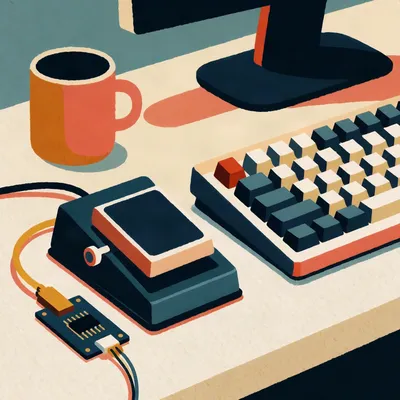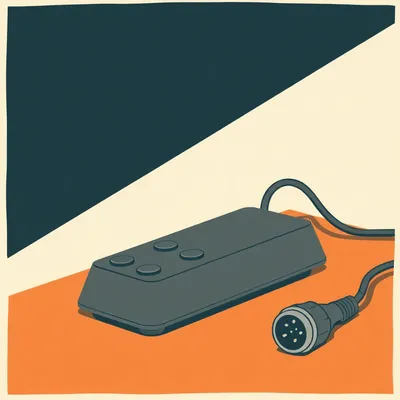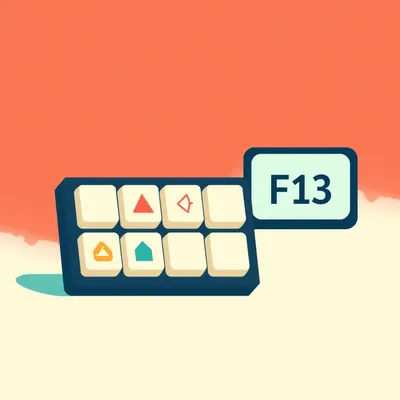
Daniel's pedal is plugged in, talking to the computer, everything works. And yet, he tells us, he's come one hundred and eighty degrees on the hard part. He used to want the perfect key burned into the hardware itself, something like F13 that the system recognises and nothing uses. He thought an interception layer was overcomplicating it. Now he thinks the opposite: let the pedal send something completely boring, have the operating system identify it by vendor and product ID, and rewrite that device's events and only that device's into whatever the workflow needs. The question he's sending us is what the professionals do, the dispatch rooms, the transcriptionists, the radio operators, the streamers. Do they pick a reserved key, intercept per device, or do something else entirely?
And it's a good question to ask now, because the tools have quietly matured. Keyd, kanata, Karabiner, AutoHotInterception, these have all reached the point where what Daniel's describing is a Saturday afternoon project rather than a kernel-hacking week.
Rather than a leaf and a prayer, which is my usual method.
Your usual method involves a hammock, but we've been through that. The problem underneath all of this is that a key is a global namespace while a trigger is a local intent. The pedal only sends a signal. It doesn't know you're dictating, doesn't know which app has focus, doesn't decide who spoke or write anything down. Its entire design freedom is which keycode it emits, and that keycode lands in whatever has focus at the moment.
One button, three overlapping shortcut namespaces fighting over it.
The browser, the foreground app's own hotkeys, and the desktop environment's global shortcuts. That's why dictation guides give advice like "pick something uncommon, Ctrl Alt Space or Ctrl Shift F12 are usually better than a single common key." Which sounds sensible until you notice it's an admission. The namespace is contested, and the guide is just hoping you pick a spot nobody's currently standing in.
Hope is not a binding strategy.
No. And there's a second axis underneath: hold-to-talk versus toggle. Most people should start with hold-to-talk, press while speaking, release when done. Toggle is nice for long notes but it's easier to forget recording is on. superwhisper documents both, press-and-hold records, a quick tap toggles.
I have never once forgotten a nap was on.
Nobody has ever needed to tell you that twice. So, three approaches on the table. One, the reserved key at the device or firmware level. Two, interception per device by vendor and product ID. Three, what the professionals actually do, which turns out to be a different thing entirely.
Let's do the reserved key first, because it's the one Daniel's walking away from, and I want to know if the door hit him on the way out.
The canonical argument is F13 through F24. The USB HID specification defines them, every operating system understands they exist, and no consumer keyboard ships with them. On Linux the input subsystem sees F13 as keycode 191. So in theory you've got this pristine namespace. Map your pedal to F13 and absolutely nothing else on your system is using it. The gaming and radio communities call the same idea deconfliction, because a game like Star Citizen eats nearly the whole keyboard by default and doesn't leave free keys for push-to-talk.
That's the pitch. Now the shelf life.
The shelf life is short. On macOS, F13 through F19 pass through to apps, but F21 through F24 are simply not passed on. On KDE, F13 is bound by default to something called Tools, so a user plugs in a pedal sending F13 and the desktop environment eats it. There was a fix reported mid-2025 adding an option to treat F13 through F24 as ordinary function keys, but the default had already claimed it.
The safe key, claimed by the desktop.
And Star Citizen, the very game motivating the deconfliction thread, doesn't recognise F13 through F24 at all. Mumble does, TrackIR does. The app you chose the key for is the one that can't hear it.
There's also the mythology. People assume Shift F1 is secretly F13.
That's a real documented myth, and the forum post is blunt about it. At some point decades ago it may have been true, but Windows discarded that convention long ago, and most macro capture today records Shift F1 as Shift F1, not F13. You think you've bound F13 and you've bound a chord that every text editor on the planet has opinions about.
So the reserved key isn't safe, it's merely rarely contested. Like claiming a parking spot by never moving your car.
Until the council paints lines over it. Now the interception side. On Linux, keyd is the one Daniel's pattern really fits. Its config files are keyed on device identity, literally. A valid config must begin with an ids section listing the device IDs you get from keyd monitor, or a wildcard with exclusions. And the man page explicitly names our use case. All keyboards defined within a config file share the same state, which it says is useful for linking separate input devices together, foot pedals in the example. The man page for a system daemon, name-dropping foot pedals.
Whoever wrote that had a pedal under a desk.
Probably several. And keyd runs below the display server, using the kernel's own input primitives, evdev and uinput, so it works system-wide, including in a virtual terminal. It also ships an application mapper that applies overrides per window class on focus change. So the pedal can send F13 in your dictation app and something completely different the moment you switch to the browser.
Same pedal, different meaning, depending on who's listening. That's the whole promise.
kanata does the same job from another angle. You select devices by path or by name, it supports live config reload, layers, tap-hold, macros. And here's the detail I love, it ships a sample config literally named f13 f24, the reserved-key pattern and the interception pattern living in the same tool as two alternate starting points. The author didn't pick a side either.
On Windows, I assume the story gets spicier.
It gets deeper, in the literal sense. The Interception driver sits below Windows proper, and AutoHotInterception on top of it lets you run AutoHotkey code in response to events from a specific keyboard or mouse, optionally blocking the native event so applications never see it. Their worked example is exactly the pedal problem. Three keyboards, no changes on the first, F1 becomes the letter a on keyboard two, and the letter b on keyboard three. Same key, different hardware, different meaning, nothing leaking through.
It binds by vendor and product ID, I assume, not by which port you're plugged into.
By vendor and product ID, with an instance parameter for multiple identical devices, because two pedals from the same maker report identical IDs. keyd hit the same wall and solved it the same way, a device ID format that distinguishes identical vendor product pairs.
And macOS?
Karabiner-Elements has first-class per-device conditions. Device if, device unless, taking identifiers like vendor ID, product ID, whether it's a keyboard, whether it's built in. There's a whole family of these, and the identifiers come from a built-in EventViewer tab, so you're not guessing. One gotcha, though. Karabiner ignores a device that declares itself as both a keyboard and a pointing device, unless you add an explicit block reproducing the exact identifiers including the booleans. Some pedals do declare themselves as both, so people plug them in and Karabiner pretends they don't exist.
The tool ignoring the pedal is at least an honest failure.
And kanata on macOS rides on the Karabiner driver, so the two share the same virtual HID mechanism underneath. Fine. Now, the argument for interception over the safe key, stated plainly. First, the safe key isn't safe, as established. Second, a reserved key is one binding for all contexts, while the interception layer can send F13 in one app, a modifier chord in another, a push-to-talk chord in a third. Third, firmware is write-once. Every workflow change means re-running the vendor utility. A config file is editable and live-reloadable.
And fourth, the one I think is actually the crux.
Say it.
Without device identity, the system can't tell the pedal from the keyboard. The listener-based approaches, ordinary hotkey apps, macro utilities, they all see every keyboard as one thing. InputConfig's own documentation admits it, every keyboard reports as one synthetic device id. Both your keyboard and the pedal send F13. Only vendor and product ID tells them apart. That's why Daniel's instinct is right even when his earlier version wasn't.
The one synthetic device id problem is exactly why plain AutoHotkey hotkeys fall down here. You bind F13, you press F13 on your main keyboard to check something, and the dictation starts.
Which is my nightmare, incidentally. A machine that starts recording me while I'm resting.
The visual record would be riveting. So the reserved key idea has a shelf life, and some people think interception is overcomplicating things.
That'll be our caller.
Listen to me, it is the pigeons, every single foot pedal on the planet has a tiny pigeon inside it, that is why the F thirteen key works and then suddenly does not, because the pigeon gets tired and goes off shift, and the interception layer everyone is so proud of is just a pigeon dispatcher in a little vest.
I have the receipts, I have photographs of the little vests, and I am telling you the reserved key is a myth because no pigeon has ever agreed to a standard, so you two need to look into the pigeon rota immediately, this is not a drill, LOOK INTO IT.
It's him again. How does he keep getting past the screening? Last month it was the hamsters in the power supplies.
For the record, foot pedals contain a spring switch and a microcontroller, no pigeons. Moving on, before the theory. Which is the cost side, because interception is not free. keyd's own security note says any user who can interact with a program that directly controls input devices should be assumed to have full access to the system, and that the keyd group should be regarded with the same reverence as wheel. You can render your machine unusable with a bad config file. There's a documented panic sequence, backspace, escape, enter, to get out of it.
A panic sequence. For a foot pedal config.
Because the daemon sits under everything, a config error isn't an app crashing, it's your input pipeline misbehaving before any app gets a say. AutoHotInterception's warnings are stronger. Because it's a driver, blocking goes so deep it can even block Control Alt Delete. Their own documentation says worst case would require the reset button, and the advice is to keep another keyboard or mouse handy, one you don't block.
Keep a spare keyboard so the main one can be bricked safely. That's a sentence you only say with a driver installed.
There's also a driver-level quirk that's worth knowing. The Interception driver assigns IDs one through ten to keyboards and eleven through twenty to mice, and the ID increments by one every time you replug a device or resume from hibernate. If a keyboard's ID climbs above ten, that device completely ceases functioning until the next reboot. Not just in the remapping tool, in Windows itself. The tool's own docs call it a limitation of the driver that they cannot fix.
Plug and unplug enough times and the keyboard retires. That's the kind of edge case nobody believes until it happens to them.
Which is why AutoHotInterception resolves the vendor and product ID to the current runtime ID rather than hard-coding anything. So that's the theory, the tools, and the blast radius. Now the part Daniel actually asked about, which is what the professionals do. And here's where it gets interesting, because the premise partly dissolves.
Meaning they don't pick a key at all.
Dispatch and control rooms first. The Essential Trading VM-1S is a USB dispatch microphone with a red push-to-talk button, and the user guide says it can be factory configured to provide standard HID sequences, a keyboard hotkey or a game controller button, for the push-to-talk function, with the HID sequences factory customised by request. It even has a dedicated foot switch jack, with one supported pedal accessory.
So the vendor decides what the button sends.
The vendor decides, at commissioning time. You don't buy a dispatch microphone and choose a key, you buy a dispatch microphone and tell the integrator what your console software expects. pei tel does the same at product-line level, their USB devices install with no drivers and offer configurable HID modes, their proprietary HID, game controller, or keyboard, for control centres, intercoms, petrol station night counters, banks.
Petrol station night counters.
Someone at a petrol station at two in the morning is talking through an intercom to a booth, and that conversation runs through a pei tel device presenting as one of three HID modes. The proprietary option is interesting because it's a fourth approach we hadn't listed. Don't send a key at all. Send a vendor-specific HID report and let the application read it directly. No namespace collision because there is no namespace.
Call centres and emergency services?
Herga markets a USB foot pedal specifically for push-to-talk. Their pitch is that a footswitch gives the user full use of their hands, and their specs are very dispatch-flavoured. Up to three keys simultaneously, mouse and game control functions, cable up to five metres, a waterproof version rated IPX8, which I assume is for the people who spill things in control rooms.
Or X-ray. You said the same pedals do X-ray image capture?
Same pedals, image capture. Hands stay sterile, feet do the talking. Now medical and legal transcription, because this is where the pattern is clearest, and it is emphatically not a reserved key. The vendors publish per-application key tables and ship a remapping utility called Pedable to program the pedal with it. Stenograph's guide for a common three-pedal unit sets the pedals to Ctrl F9, Shift F9, Ctrl Shift F9. InventoryBase maps the same three pedals to Ctrl Shift 8, Ctrl Shift 9, Ctrl Shift 0. Veritone recommends Left Ctrl with Left, Tab, Right Ctrl with Right. And SIL Transcriber's guide maps left, centre, right to F2, F3 and Escape.
Hold on. Same three pedals, four vendors, four completely different chord sets.
Four different answers to the same question, all modifier-heavy, all app-specific, all programmed into the pedal through a utility. And the kicker is InventoryBase's own note that other pedal brands require an app to map keys. So the collision problem, the exact thing Daniel is trying to solve, has been solved by pushing it onto the transcriptionist. She's not picking a safe key, she's looking up which unsafe chord her software wants this month.
That's the interception pattern implemented badly. Per app, per vendor, no device identity, and the user is the compatibility layer.
The user is the config file. Which, to be fair, mostly works, because a transcriptionist uses one app all day, every day. The chord set only has to hold in that one room.
So the reserved key was never really on the menu there.
Never. The interesting cases are at the edges. Amateur radio, a ham running wfview, which controls Icom radios remotely, found that its push-to-talk is a keyboard shortcut, Ctrl T for transmit, Ctrl R for receive. So he built an Arduino Micro emulating a USB keyboard to send those two chords from a foot switch. That's the DIY version of the vendor-configured HID approach, a man doing in his shack what Essential Trading does at the factory.
One man with a soldering iron, re-implementing a commissioning process.
And on the streaming and gaming side, the F13 through F24 deconfliction thread is the clearest reserved-key argument anywhere, with the caveat we already covered, that the game motivating it can't see those keys. And the Mac macro guides describe the same plan, set your macro keys to F13 through F20 in the maker's software, then give each key its job in a listener app, with the honest limitation printed right there. The listener doesn't block or remap the key itself, a numpad key still types its digit in the front app, and every keyboard reports as one synthetic device id.
The listener admits it can't tell the pedal from the keyboard, in its own documentation, in the guide recommending the setup.
It's a very honest guide. So the synthesis, and this is the finding. Daniel's one hundred and eighty degrees is the industry's split too, but nobody has landed where he landed. Dispatch vendors punt the decision to commissioning time, the firmware-level approach he's moved away from. Transcription vendors ship per-app chord tables and a utility, which is the interception approach implemented badly, per app, per vendor, no device identity. The clean pattern, boring key on the device, per-device rewrite at the OS, with the tools named and the pedal named in a man page, exists entirely in the enthusiast world. I found nobody professional running keyd or Karabiner per-device rules specifically for a pedal, even though the tools fully support it.
So the pattern Daniel converged on from his desk at home is better than what the control rooms and the transcription desks are doing, and nobody in those rooms has noticed.
Or they've noticed and rejected it, which is the more charitable read. Remember the blast radius. A dispatch centre is a room that must never lose input. You don't install a daemon whose own docs compare its permission group to wheel on a console that runs an emergency service, when the vendor will happily factory-configure the HID mode for you and the machine never runs anything exotic.
Fair. The mission-critical room buys boring on purpose, and boring at commissioning time is a feature.

Which one of you said the pedal only sends a signal? Corn, was that you, the slow delivery and then the pause before the word signal. I ran a transcription desk for a year, a medical one, before the recording equipment came in. We had three pedals, identical, second-hand, and the supplier would only sell the switch replacement as part of a full kit, thirty-eight pounds for a kit when the switch alone was a two-pound part. I kept the receipt. I agree with your Daniel fellow, but not for the reason you two keep giving. The boring key is better because you can remember it. We had a pedal send some chord, Ctrl and F9 I think it was, and a girl on the desk, Margaret, could never hold it in her head which pedal had which chord, so I wrote them on a slip of paper and taped it to the underside of the desk, and it stayed there longer than I did. I still have every pedal I ever owned, they're in a box behind the mixing desk, and I can tell them apart blind by the sound of the switch. The best one is the cheapest one, a Boots own-brand thing with a click you could set your watch by, and the expensive one has gone soft in the spring, like everything else. Margaret kept sending patients' letters to the wrong folder, but she never once mislaid a chord after the paper went up.
The slip of paper is the config file, essentially. Written once, taped where the work happens, versioned by pencil.
He kept the receipt from a dispute over a two-pound switch. Thirty-eight pounds, and he can still recite it.
Decades on, that's not a grudge, that's an audit trail. And his instinct about the boring key is real. Remember the transcription chord tables. The reason they're a mess is that nobody can hold four vendors' chords in their head, so the utility holds it instead. His paper was a manual Pedable.
With better uptime, probably. No reboot required.
Which leaves the question I can't shake. If the clean pattern, boring key plus per-device rewrite, is sitting right there in the enthusiast tools, and the man pages are literally naming foot pedals, why hasn't it crossed over into a single professional workflow we can point to? The blast radius argument covers dispatch, but transcription desks have no such excuse, those machines are ordinary office PCs running one app.
My guess is nobody sells it. The pedal ships with a utility, the software ships with a chord table, and the two never meet in the middle. The per-device rewrite layer has no vendor, so it has no manual in the box.
Then watch what happens as more peripherals ship with configurable HID modes. The which-key decision either moves further toward commissioning time, the pei tel path, or it moves toward the OS, if per-device interception ever gets easy enough to be somebody's product rather than somebody's weekend.
In the meantime the pedal sends a signal, and everything else is a decision about where the binding lives.
Producer Hilbert Flumingtop at the desk, as ever. If you want more of this, try episode two, Local STT For AMD GPU Owners; and episode five, Fine-Tuning ASR For Maximal Usability. This has been My Weird Prompts, where no question is too obscure and no rabbit hole too deep. You can find the show at my weird prompts dot com.
Leave us a review if the mood takes you. We'll be back soon.