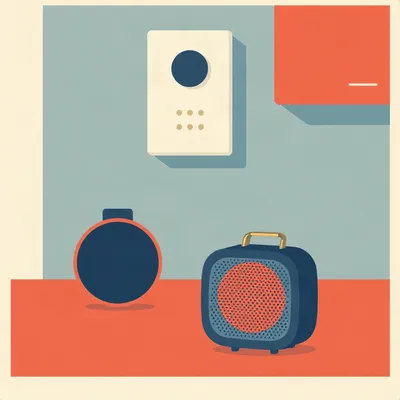
Daniel's been using Zello for something more serious than most of us ever will, and he's got four questions hiding inside one prompt. He and Hannah used it during the war with Iran to coordinate shelter locations when they were both out and had cellular. Now he's home, parenting a fourteen-month-old, and he wants the same immediacy for reaching his wife when hands are full and phones are off. The problem he ran into is that the portable Bluetooth speakers they use constantly for podcasts won't work with Zello, because their buttons are mapped to media controls. So he's asking, first, whether any Android app can intercept and rebind button events for one specific Bluetooth device without affecting others. Second, what's the use case for standalone PTT buttons versus a speaker with an integrated one, how long they last on a charge, and whether one can stay connected alongside a Bluetooth headset that lacks a PTT button. Third, what value do standalone Zello devices, these Android walkie-talkies with their own networking stack, provide over just running the app. And fourth, the unconventional one. He wants a pager-like fallback for parenting, a permanently mounted, powered-on standalone device in the kitchen that works even when phones are off or logged out. He's asking whether there are intercom units built for exactly this, or whether the best approach is a general-purpose app on dedicated hardware.

That fourth question is the one that makes the whole prompt cohere, and I want to sit with it for a second before we get technical. Daniel is not asking for a better messaging app. He's asking for a system that does not depend on the other person's phone being on, unlocked, logged in, and not silenced. A phone fails all four of those conditions routinely. That's the actual requirement hiding under the word pager.
And the through-line for all four questions is the difference between a thing that works and a thing you can depend on. The app works. The speaker works. The buttons work. They just don't work together, and the reason they don't is not a bug. It's a design decision made by people who never imagined you'd want to press play and have it mean talk.
Let's start with what Zello actually is, because the reason it deserves the credit Daniel is giving it is not obvious from the app store listing. Zello is push-to-talk over IP. That sounds like a voice chat app, but the mechanics are different from anything in the messaging category. It maintains a persistent presence model where channels behave like radio channels, not chat threads. You're either on the channel or you're not. When someone keys up, their voice comes through immediately. There's no ringing, no accept or decline, no read receipts, no threading. It's half-duplex, one-to-many, and immediate.
Which is the operational semantics of a two-way radio, preserved intact. Most apps that digitize an old category keep the content and throw away the behavior. A podcast app keeps the audio and throws away the broadcast schedule. A note app keeps the words and throws away the paper. Zello kept the behavior. The fact that you can't decline a transmission is not a missing feature. It's the point.
And that's why it's been used for consequential coordination. Disaster response, protests, conflict zones. Daniel's own use during the war. When you need to communicate something immediately and you don't have time for a call to ring and the other person to decide whether to pick up, the radio model is the right model. The app is the easy part. The hard part is the physical layer, the buttons, the speakers, the dedicated terminals, and what happens when the phone is off. That's where all four of his questions live.
And the first place that gap between the app and the physical world shows up is the one Daniel ran into. The speaker that works for everything except the one thing he bought it for.
So here's the mechanism, and it's worth being precise about because the diagnosis explains the fix. Consumer Bluetooth speakers and headsets implement a set of standard profiles. The two that matter here are AVRCP, which is the audio video remote control profile, and HID, the human interface device profile. When you press the play/pause button on a portable speaker, that button is not sending a generic keycode. It's sending an AVRCP media control event. Play, pause, track forward, track back, volume up, volume down. Those are the only verbs that button speaks.
And Zello is listening for a different verb entirely. It wants a push-to-talk event, which is a HID keycode, or it has a workaround where it listens for volume key presses. But play/pause is not in its vocabulary. So the speaker is not broken and Zello is not broken. They are speaking two different protocols that happen to share a radio.
And the key insight, the one that took me a while to really internalize, is that this is a profile problem, not a device problem. The same physical button can be a media key on one host and a PTT key on another, depending on what the host negotiates when the connection is established. That's why the same speaker works perfectly for podcasts and does nothing for Zello. The speaker is not refusing to work. It's doing exactly what it was designed to do, and what it was designed to do is control media playback.
It's the canonical symptom of AVRCP-only button mapping. If you have a Bluetooth accessory and its buttons work in Spotify and do nothing in your push-to-talk app, that's the diagnosis. The accessory never had a PTT key to send.
Now, Daniel's first question. Are there Android apps that can intercept and rebind button events for one specific Bluetooth device without affecting others? The honest answer is that Android does not expose a clean, supported, per-device key remapping API to third-party apps. There's no settings page where you say, for this specific speaker, treat play/pause as push-to-talk. The operating system does not give you that lever.
What it gives you instead is a workaround layered on a workaround. There are apps in the accessibility service space and the input remapper space that can intercept key events at a low level. Some of them can scope rules to a specific Bluetooth device by MAC address or device name. So in principle, yes, you could write a rule that says, when this particular speaker sends an AVRCP play event, translate it into the keycode Zello is listening for.
And in practice, the reliability is uneven. The accessibility service route has real latency and battery costs, because you're routing every input event through an extra layer. The behavior varies by OEM and Android version. Samsung does things differently from Google's Pixel line, and both of them change things between major releases. And the input remapper approach often requires the app to hold a persistent notification or run a foreground service, which means it's consuming resources all the time for a function you need occasionally.
So the honest answer is possible in principle, fragile in practice, and not something to build a family emergency plan on. If the fallback node in your kitchen depends on an accessibility service that might get killed by the battery optimizer, you don't have a fallback node. You have a hope.
And this points at something deeper about Bluetooth as a control surface. The protocol was designed for audio playback. Every attempt to use it for something else, push-to-talk, camera shutter, voice assistant, is a hack layered on top of a profile that was never meant to carry it. The profile system is elegant for what it does, but it's not extensible in the way you'd want for arbitrary button semantics. You can't just declare a new button meaning and have every device understand it.
The Bluetooth designers built a pipe for music and then everyone else showed up with a different liquid and asked the pipe to carry it. The pipe doesn't care what you put through it, but the valves at both ends only turn one way.
That's the image. So if the Bluetooth button problem is a profile problem and not a fixable one, the question becomes, what do you buy instead? And that's where the standalone devices come in.
Let's talk about standalone PTT buttons first, because Daniel asked about them specifically and the answer connects back to everything we just said. A dedicated PTT button is a single-purpose Bluetooth HID device. It emits a keycode that the PTT app can bind to. That's the entire product. No speaker, no microphone, no battery-hungry audio profile. Just a button.
And the reason you would buy one instead of a speaker with an integrated button is precisely the profile problem. A speaker's button is a media key. A PTT button's button is a PTT key. The two are not interchangeable, and the standalone button exists because the speaker manufacturers never had a reason to emit anything else. The speaker is for listening. The button is for talking. Those are different jobs, and the Bluetooth profiles treat them as different jobs.
Daniel asked how long they last on a charge. These are small BLE peripherals, so they're designed for low power. Typical figures are multi-day to multi-week standby and hours of active use. I've seen some rated for weeks on a coin cell, others for days on a small rechargeable. The point is that they're not trying to drive a speaker, so the power budget is tiny.
The coexistence question. Can a standalone PTT button remain connected while you also have a Bluetooth headset that lacks a PTT button? Generally yes, and the reason is that they occupy different roles in the Bluetooth topology. The headset is an audio sink using A2DP and AVRCP. The PTT button is a HID peripheral using BLE. They're not competing for the same profile slots, so the phone can maintain both connections simultaneously. You'd be wearing the headset for audio and holding or clipping the button for transmit.
Which is the answer to the implied question of why the standalone button is not redundant with a speaker. The speaker gives you audio. The button gives you transmit. If you try to get both from one device, you're back to the profile problem. The button on the speaker is a media key, and no firmware update is going to change that.
Now, standalone Zello devices. These are Android-based handhelds with their own cellular or Wi-Fi networking stack, running Zello as a first-class function rather than as an app on a phone. They look like walkie-talkies. They have a big PTT bar on the side, a loud speaker, a rugged case, often a physical channel selector. And the value is not the app, because the app is the same app you'd run on your phone. The value is the independence.
A phone is a general-purpose device that is always doing a dozen other things. It's competing for battery, for attention, for the user's willingness to keep an app in the foreground. A standalone Zello terminal is always on, always logged in, always on the channel. It doesn't get silenced because you put it in do not disturb mode. It doesn't log you out because the operating system decided to reclaim memory. It's a radio first and a computer second.
That's the bridge to Daniel's parenting use case. The real requirement is not a way to send a message. It's a way to send a message that does not depend on the other person's phone being on, unlocked, logged in, and not silenced. A phone fails all four of those conditions routinely. A permanently mounted, powered-on standalone device in the kitchen, always on the channel, always logged in, is a genuine fallback node. It's a better answer than a phone-based app for exactly the reason Daniel identifies.
Here's where I want to push on the intercom question, because Daniel asked whether there are intercom units built for exactly this. The answer is yes, dedicated home intercom units exist and are a mature product category. But they are almost universally either closed systems that only talk to other units of the same model, or Wi-Fi-based systems dependent on the same phone and app stack that Daniel is trying to route around. The closed systems are fine if you want to buy four of them and put them in every room. But they don't talk to anything else, and they don't follow you out of the house.
The Wi-Fi-based ones are just apps with a speaker attached. They depend on the same notification infrastructure, the same account system, the same potential for the app to be killed in the background. So the honest answer is that there is no clean consumer product that does exactly what Daniel wants. The closest thing is a general-purpose app on a dedicated always-on device, which is what the standalone Zello terminals are.
Which brings up the hardware selection angle. The list of devices built specifically as Zello terminals is smaller than the list of Android devices that will simply run Zello. And for a kitchen fallback node, a cheap Android tablet or an old phone kept permanently on a charger and logged into Zello may be a better answer than a purpose-built terminal, because the purpose-built devices are optimized for field use. They're rugged, loud, glove-friendly. They're built for a construction site or a disaster zone, not for sitting on a counter next to the coffee maker.
The countertop use case has different requirements. It needs to be always on, always plugged in, always logged in. It needs a speaker that's loud enough to hear from the next room. It needs a screen that shows the channel status at a glance. A cheap tablet does all of that, and it costs less than a ruggedized field terminal. The field terminal is overbuilt for the kitchen in the same way a four-wheel-drive truck is overbuilt for a grocery run.
The old phone is even cheaper, because everyone has one in a drawer. The battery is probably degraded, but it's going to live on a charger, so that doesn't matter. The screen is probably fine. The speaker is probably fine. You install Zello, you log in, you set the channel, and you leave it alone. If it dies in two years, you have another old phone in the drawer.
Let me make sure I'm answering all four questions directly, because Daniel asked them in order and they deserve direct answers. First, the Android interception question. Possible in principle, fragile in practice, not something to rely on for emergencies. Second, the standalone PTT button question. The use case is that it emits a PTT keycode instead of a media keycode, it lasts days to weeks on a charge, and it can coexist with a Bluetooth headset because it uses a different profile. Third, the standalone Zello device question. The value is independence from the phone's battery, attention, and notification system. Fourth, the pager question. A permanently mounted, powered-on Android device running Zello is a legitimate fallback node, and it's probably a better answer than any dedicated intercom unit.
The thing I keep noticing is that all four answers point in the same direction. The software solved the hard problem. The radio semantics, the presence model, the immediacy, all of that is done. What's left is the physical layer, and the physical layer is a patchwork of devices designed for other purposes. The speaker that won't work, the button that sends the wrong keycode, the phone that turns itself off.
The pager worked for forty years because it was a single-purpose device with a single-purpose button and a battery that lasted a month. Nothing about that has stopped being true. We just stopped building it.
We replaced the pager with the smartphone and got a thousand features and lost the one that mattered. The pager never had to be unlocked. It never had to be logged in. It never ran out of battery in the middle of the day because you watched a video on it.
That's why Daniel's instinct is right. He's not trying to recreate the pager. He's trying to recreate the property of the pager that mattered, which is that it was a dedicated node on a network that existed for one purpose. Zello gives him the network. The hardware gives him the node.
Hilbert, you've been quiet about the buttons, and I know you have opinions about buttons.

The button on a speaker is the wrong shape. That's the whole thing. You can remap the protocol all you want, but the button on a portable speaker is designed to be pressed with a fingertip, deliberately, by someone looking at it. A push-to-talk button is designed to be pressed blind, with a thumb, by someone whose hands are full. Those are different physical design problems. The speaker button is small and flush and you have to find it. A real PTT bar is big and raised and you can hit it without looking, with gloves on, with a kid on your hip.
The remapping question is moot before you even get to the protocol.
That's what I'm saying. I spent eighteen months in the late nineties working for a company that made commercial two-way radio accessories. The wired speaker-mics that clipped to a shirt collar, with the big rubber PTT bar on the side. I was on the team that did the button-feel testing. We had a rig that measured actuation force, and we'd sit there with a box of prototypes pressing them a thousand times a day, trying to find the force curve that felt right through a work glove. The number we settled on was about four hundred grams of force with a travel of about three millimeters. That's the sweet spot. Enough resistance that you don't key up by accident when you lean against something, but not so much that you have to think about it.
That's a completely different specification from a media button. A play/pause button is designed for deliberate, low-force activation. You're not going to press it by accident because you're not carrying it in a way where accidental pressing is a risk.
Right. And the other thing is the shape. A PTT bar is a bar. It's long and raised, and you can find it by feel because it's the only thing on that side of the device. A speaker button is a little circle in a row of little circles. You have to look at it to know which one you're pressing. When your hands are full and you need to talk right now, you don't have time to look.
The standalone PTT button is not just a protocol fix. It's a physical design fix.
It's both. The protocol fix gets the signal through. The physical design is what makes it usable in the situation where you actually need it. And the situation where you actually need it is never the one where you have a free hand and time to look at the device. It's the one where you're holding a kid and a bag of groceries and the door is closing and you need to say something in the next two seconds.
That's the operational semantics again, but at the level of the hand instead of the level of the network.
I still have one of the prototype speaker-mics from that job in a box in my garage. The actuation force on it is still better than anything I've bought since. And I've bought a lot, because I keep losing them. They're small and they clip to things and then the clip breaks or the thing gets left in a coat pocket and goes through the wash.
The button matters as much as the protocol. That's the whole episode in one sentence.
The button is the protocol. The protocol is just the part you can see in the spec sheet. The button is the part you touch when it's raining and you're scared and you need to reach someone. If the button is wrong, the protocol doesn't matter.
That's the gap Daniel is trying to close. The app works. The network works. The speaker he bought works for what it was designed for. But the button on that speaker was designed for a different hand, in a different situation, with a different intention.
Where does that leave the parenting use case? I think it leaves it in a good place, actually. The answer is not to buy a purpose-built Zello terminal. The answer is to take an old phone or a cheap tablet, put it on a charger in the kitchen, install Zello, and leave it logged in. The screen shows the channel status. The speaker is loud enough. The battery never dies because it's always plugged in.
Pair a standalone PTT button with it if you want a physical transmit control. The button gives you the tactile, blind-operable interface. The tablet gives you the always-on node. The phone in your pocket gives you the mobile end. Three devices, one channel, no single point of failure.
The pager worked because it was one thing doing one thing well. We can't buy that thing anymore, but we can assemble it from parts. The parts are cheap and they're all in the drawer already.
The open question, and I think this is where we should leave it, is whether the hardware ecosystem will ever catch up to the software. Zello solved the two-way radio problem in software a decade ago. But the hardware around it is still a patchwork of devices designed for other purposes. The speaker that plays podcasts, the button that controls media, the phone that turns itself off to save battery. None of it was built for this.
The broader implication is that as more of our communication moves to apps, the physical layer becomes the actual constraint. The buttons, the batteries, the always-on devices, the question of whether the other person's phone is even on. The app is the easy part. The dependable part is the part nobody wants to manufacture anymore.
The pager worked for forty years because it was a single-purpose device with a single-purpose button and a battery that lasted a month. Nothing about that has stopped being true. We just stopped building it. And the people who need that property now are left assembling it from parts, which is exactly what Daniel is doing, and exactly what the prompt is really about.
Thanks to our producer Hilbert Flumingtop for keeping the show running. This has been My Weird Prompts. If you've got a prompt for us, email us at show at my weird prompts dot com. We'll be back soon.