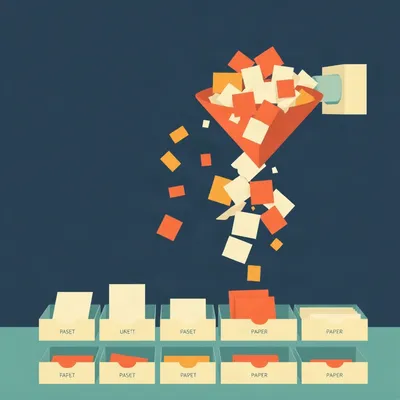
Daniel's got this thing where Google Photos is his notebook. Screenshots of quotes, to-do lists, random ideas, all sitting in albums that Google will happily back up to the cloud but never let him search properly. And he's also the guy who makes a full-day calendar event just so an important task stares at him for twelve hours. These aren't failures of discipline, they're evidence of something. The capture instinct is there. What's missing is everything after.
His prompt this week is basically a grievance against every to-do list manager he's tried. The Getting Things Done philosophy, the part that hooked him, says step one is get everything out of your head into some capture mechanism and organize it later. But most to-do apps enforce a low limit on how many unorganized tasks can sit in your inbox. The apps are trying to force you into the methodology, but it makes for terrible onboarding and zero flexibility when you're in a phase of life where you don't have time for the organization layer. His argument is that this layer, assigning priorities, categorization, even task ownership, is exactly where AI makes way more sense. The human should be unconstrained in jotting things down, and a second AI brain should take the firehose. Prune duplicates, fix typos, organize. He's asking whether anyone has built this, which task managers come closest, and whether we even have a name for the preference. And underneath all of it is the fear that GTD becomes a big administrative haul. The more proficient you get at capturing, the more impossible it is to keep up with the processing.

GTD's entire pitch is frictionless capture. Get it out of your head, trust the system, your brain is for having ideas not holding them. David Allen's phrase. And then the software built around his methodology puts a gate on the inbox. Things 3 is actually unlimited, but plenty of others cap you at fifty or a hundred items before they start nagging. The philosophy says capture everything. The tool says no, not that much.
It's like a library that gives you an unlimited library card and then tells you you can only check out three books until you've filed reviews for the first three.
And the review is supposed to happen weekly. The famous GTD weekly review. Clear the inbox, process every item, decide what it is, assign the context, the project, the next action. For a certain kind of person that's clarifying. For most people it's a second job.
Carl Pullein wrote a piece called The Tyranny of Getting Things Done. His argument was that the weekly review becomes this thankless administrative slog. People abandon the system not because the output isn't valuable, but because the middle layer, manually assigning categories and priorities to every captured item, is dull. It's data entry on your own life.
And Daniel's point is that this middle layer scales with capture volume. If you capture ten things a day, processing takes ten minutes. If you get really good at capturing, twenty things a day, thirty things, you've built yourself a backlog that compounds. The GTD forums have threads about this. Long-time practitioners admitting that the more faithfully they capture, the more the processing pile becomes unmanageable.
So the system punishes you for using it well. Capture proficiency creates processing debt.
Which is why AI is the obvious fit for exactly this layer. Classification, prioritization, deduplication, typo fixing, these are pattern matching tasks. A language model can take a firehose of unstructured captures and output organized tasks with priorities and categories. It doesn't get bored. It doesn't dread the weekly review. It processes three hundred brain dumps the same way it processes three.
The division of labor is clean. Human captures, AI organizes, human reviews. The human stays in the mode that's natural, which is noticing things and jotting them down. The machine does the part that's tedious. And the output, the quadrants, the matrices, the urgent tasks that need to be done today, those still land with the human. Daniel's not saying the output is worthless. He's saying the middle part is a slog.
Let's talk about why the inbox limits exist in the first place, because I think there's a design philosophy argument worth taking seriously even if it's wrong.
Go on.
The apps are built around GTD's process your inbox to zero principle. The limit is meant to force processing. If you can dump unlimited unorganized tasks into an inbox, the thinking goes, you'll never process them. The inbox becomes a graveyard. The limit is a nudge. It says, hey, you've got sixty things in here, time to sort them out.
Which assumes the user has time and energy for the organization layer right now. When you're in a capture-heavy phase, a busy week, a new project, life chaos, the limit becomes a wall. You're not avoiding processing because you're lazy. You're avoiding it because you're overwhelmed, and the app's response is to make it harder to capture.
It's a mismatch between the tool's model of the user and the user's actual life. The tool models a user who captures in moderation and processes on schedule. The reality is a user who captures in bursts and processes when they can. Daniel's Google Photos workaround is a direct response to this. Photos doesn't care how many screenshots you take. It just stores them. The retrieval is terrible, but the capture is frictionless.
The calendar hack is the same thing. A full-day event for an important task. It's wrong in every way. It pollutes the calendar, it doesn't track completion, it doesn't aggregate with other tasks. But it works because creating a calendar event is one tap and it puts the thing in front of your face.
And that's the key insight. People will choose frictionless capture with terrible organization over organized capture with friction. Every time. The hacky workarounds persist because they solve the immediate problem, which is I need to not forget this.
So the question becomes, has anyone built the thing Daniel is describing? Unconstrained capture with an AI brain handling the organization layer.
I've been digging into this. The current landscape is mostly not there. Most AI task managers, Motion, Reclaim, Trevor AI, they focus on scheduling and calendar optimization. They assume you already have organized tasks. They're answering the question of when should I do this, not what is this.
So they're solving the layer after the layer Daniel cares about.
Right. They take a list of tasks with priorities and deadlines and they shuffle them into your calendar. That's useful, but it doesn't help if your capture is a firehose of unstructured text. The gap is in the post-capture layer. Taking raw captures and turning them into organized tasks.
What about the traditional players? Todoist, Things, OmniFocus?
Todoist has natural language input. You type buy milk tomorrow at nine and it parses the date and time. That's capture assistance, but it's not organization. It doesn't look at your whole inbox and say, these five items are actually the same task, this one is high priority, this one belongs to your home maintenance project. Things 3 has an unlimited inbox, which is philosophically aligned with GTD, but there's no AI layer at all. OmniFocus has a powerful inbox with custom perspectives, but processing is entirely manual. None of them integrate AI as the organization engine.
So the big names are all missing the same piece.
There's a newer tool called ZenDump that's the closest I've found to Daniel's vision. It's designed specifically for brain dumps. You write out everything in your head, unstructured, messy, and the AI processes it into organized tasks. It's built around exactly the workflow Daniel is describing. Capture without constraints, AI handles the backend.
ZenDump. That's a good name. It's what the tool does. You dump, it organizes.
It's early, but it's a signal. There are also power users building their own versions with Apple Notes and Shortcuts. You dictate a note, a shortcut sends it to an AI, the AI returns organized tasks, and they get appended to a task manager. It's a three-step pipeline that requires some setup, but the people who build it swear by it. The second brain community has been experimenting with AI-powered inbox processing for a while.
So the pieces exist. The question is whether anyone has put them together in a way that's accessible to someone who isn't a power user.
And that's the adoption barrier. If the AI organizes your tasks wrong, you lose trust and revert to manual processing. The tool has to be transparent about its organization logic and allow easy correction. If you have to audit every AI decision, you haven't saved any time.
Which brings up the naming question. Daniel asked if we have a name for this preference. Unconstrained capture plus AI organization.
I don't think there's a standard term. The GTD community calls the processing step clarifying. But there's no name for the model where AI handles clarifying. I've seen capture-first workflow used, AI-assisted GTD, frictionless capture, inbox zero without the zero. But none of them have stuck.
Inbox zero without the zero is good. It captures the shift. The goal isn't an empty inbox anymore. The goal is an inbox that's always being processed by something else.
The interesting thing is that the GTD vocabulary is built around human processing. Clarify, organize, reflect, engage. Those are verbs for a person. If a machine is doing the clarifying and organizing, the human's role shifts to capture and review. You don't need to be good at GTD's methodology. You need to be good at capturing and giving feedback to the AI.
That's a different skill set. It's less about discipline and more about judgment. You're not sorting items into buckets. You're looking at how the AI sorted them and saying, yes, that's right, or no, this one is actually urgent.
And the weekly review changes too. It becomes a review of AI-organized output, not a manual processing session. You're checking the machine's work, not doing the work yourself. That's a much lighter lift.
The risk is what you said earlier. Misclassification. If the AI puts a task in the wrong project or assigns the wrong priority, and you don't catch it, you get a false sense of organization. The system looks tidy but it's lying to you.
That's the trust problem. And it's why transparency matters. The AI should show its reasoning. This task looks like it belongs to your home maintenance project because it mentions a leaking faucet. If the user can see the logic, they can correct it quickly. If it's a black box, they have to re-derive everything.
So the tools that win will be the ones that make the AI's organization legible. Not just organized output, but organized output with an explanation attached.
And that's a design challenge, not a technical one. The language models are already good enough to do the classification. The hard part is building an interface that lets a human trust the classification without having to verify every single item.
Let's talk about the knock-on effect. If AI handles the organization layer, what happens to the GTD methodology itself? Does it become obsolete, or does it evolve?
I think it evolves. The core insight of GTD, that your brain is for having ideas not holding them, that's still true. What changes is the implementation. The weekly review becomes a weekly check-in with your AI. The contexts and projects become tags that the AI maintains. The methodology gets lighter because the heavy lifting is automated.
So the philosophy survives, but the administrative haul dies. That's the pitch.
And it's a good pitch. The people who abandoned GTD because of the processing burden might come back if the burden is lifted. The people who never tried it because they saw the overhead might give it a shot.
The question is whether the current tools can get there. Todoist, Things, OmniFocus, they all have massive user bases and years of development. Adding an AI organization layer is possible, but it requires a philosophical shift. These apps were built around the idea that the human processes the inbox. Changing that means changing the core loop.
It's the innovator's dilemma in miniature. The established players are optimized for the manual processing model. The AI organization model is a different product. New tools like ZenDump can build it from scratch. The incumbents have to retrofit it.
And retrofitting is hard. You don't just add a button that says organize with AI. You have to rethink the inbox, the review flow, the way tasks are displayed. It's a redesign, not a feature.
Which is why I think the new tools have an advantage. They're not carrying the legacy of manual processing. They can start from the assumption that the AI is the processor and the human is the reviewer.
Let's go back to Daniel's specific workarounds for a second. Google Photos as a notebook. Calendar events as task holders. What do these tell us about what he actually needs?
They tell us he needs capture that's always available and requires zero thought. Photos is one tap. Calendar is one tap. The bar for capture is incredibly low. And he's willing to accept terrible retrieval and organization as long as the capture is easy. That's the trade he's making.
So the ideal tool for Daniel would have the capture friction of Photos or Calendar, but with an AI layer that turns those captures into organized tasks automatically. He shouldn't have to change his capture behavior. The tool should adapt to him.
That's the dream. And it's technically achievable. You could build a pipeline that watches a Photos album, runs OCR on new screenshots, extracts tasks, and files them into a task manager. The pieces all exist. The integration is the missing part.
Which is a recurring theme in Daniel's prompts. The pieces exist. The integration is missing.
He's good at spotting the gaps. That's why his prompts are useful.
Let's talk about the naming question more seriously. If we were going to coin a term for this, what would it be?
I've been thinking about this. The GTD community has a term for the capture step. They call it mind sweep. Get everything out of your head. The AI version would be something like automated clarifying. Or AI-mediated processing.
Neither of those rolls off the tongue.
No. Capture-first is probably the best existing term. It names the preference without overcommitting to a specific implementation. You want capture to be the primary activity, and everything else to be downstream.
The problem with capture-first is that it doesn't specify the AI part. You could have a capture-first workflow with manual processing. The thing Daniel is describing is specifically capture-first with automated processing.
So maybe the name needs to include both parts. Unconstrained capture, automated organization. That's the full description.
Unconstrained capture, automated organization. UCAO. That's a terrible acronym.
It sounds like a medical condition.
It does. I think the name will emerge from the tool that wins. When a tool becomes the default for this workflow, its name becomes the category. Like how we say Google it instead of search the web.
So the question is which tool gets to define the category. ZenDump has a shot if it gains traction. The incumbents have a shot if they retrofit successfully. Or someone we haven't heard of yet builds the thing that clicks.
The interesting thing is that this is a preference that already exists. Daniel has it. The power users building Apple Notes pipelines have it. The people abandoning GTD because of the processing burden have it. The demand is there. The supply is lagging.
Which is why I think this is a real opportunity. The first tool that nails unconstrained capture with trustworthy AI organization will have a very loyal user base.
Let's talk about what trustworthy means in practice. If the AI organizes your tasks, how do you know it did a good job?
You need a few things. First, transparency. The AI should show its reasoning. Second, easy correction. If it got something wrong, you should be able to fix it in one tap. Third, learning. The AI should remember your corrections and apply them going forward. If you always mark tasks about your car as high priority, it should learn that.
That's the feedback loop. The more you correct it, the better it gets. And the better it gets, the less you correct it. Eventually it's doing the organization the way you would do it, just faster.
That's the promise. And it's not far off. The language models are capable of this. The missing piece is the interface and the integration.
So we're back to the integration gap. The AI can do the work. The tools haven't caught up.
I think the next year or two will be interesting. The AI task management space is moving fast. Motion and Reclaim are adding features. New tools are appearing. The capture-to-organization pipeline is an obvious gap, and someone is going to fill it.
And when they do, the GTD purists will have opinions. There's a whole community that believes the processing step is sacred. You can't outsource clarifying to a machine because the act of clarifying is what makes you aware of your commitments.
That's a real argument. The processing step isn't just about organizing tasks. It's about confronting them. When you manually process your inbox, you're forced to look at every item and decide what it means. That's a form of engagement. If the AI does it for you, you lose that engagement.
So the counterargument is that the AI makes it too easy to ignore your tasks. You capture everything, the AI organizes it, and you never actually look at the list because the looking was the hard part.
That's the risk. The weekly review is annoying, but it forces you to see what's on your plate. If the AI does the review, you might never look at the plate.
So the ideal system would automate the organization but preserve the review. The AI sorts everything into the right buckets. The human still looks at the buckets and makes decisions. The engagement is preserved, but the drudgery is removed.
That's the balance. And it's a design challenge. How do you automate the boring part without automating away the important part?
The boring part is the categorization. The important part is the confrontation with your own commitments. Those are different things. The AI can do the first. The human has to do the second.
And that's the answer to the GTD purists. The AI isn't replacing the methodology. It's removing the part of the methodology that nobody enjoys. The confrontation remains.
Let's talk about the specific tools one more time. If someone listening wants to try this workflow today, what should they do?
The easiest path is probably to use a tool like ZenDump for the brain dump processing, and then feed the output into a task manager like Todoist or Things. Capture in ZenDump, organize with AI, then review in your task manager. It's a two-step pipeline, but it works.
And the power user path?
Apple Notes plus Shortcuts plus an AI endpoint. You dictate or type a note, a shortcut sends it to the AI, the AI returns organized tasks, and the shortcut appends them to your task manager. It takes some setup, but once it's running it's seamless.
And the lazy path?
Keep using Google Photos and calendar events, and wait for someone to build the tool that does what Daniel wants. The demand is there. The supply is coming.
That's a very passive approach.
It's realistic. Most people won't build a custom pipeline. They'll wait for the product.
Which brings us back to the naming question. If the product arrives and it's good, the name will follow. The category will be defined by the winner.
I think that's right. The term will emerge from the tool, not from a committee.
Let's talk about the broader implication. If AI handles the organization layer, what does that mean for the productivity industry? The books, the courses, the coaches?
It changes the value proposition. The value used to be in teaching people the methodology. The value shifts to teaching people how to work with the AI. How to capture effectively, how to review the AI's output, how to give good feedback. It's a different skill.
So the productivity gurus become AI wranglers.
Some of them. The ones who adapt. The ones who don't will keep selling the old methodology to people who still want to do it manually. There will be a market for that too.
There's always a market for the manual version. Vinyl records, mechanical watches, paper planners.
Paper planners are a great example. They're wildly popular among a certain demographic. The physical act of writing things down is part of the appeal. The AI organization layer won't replace that. It'll coexist.
The future is fragmented. Some people will use AI-organized digital systems. Some will use paper. Some will use a hybrid. The tool doesn't determine the outcome. The person does.
Which is the thing that gets lost in all the tool talk. The tool is secondary. The behavior is primary. Daniel's Google Photos hack works for him because it matches his behavior. The ideal tool would match his behavior even better.
That's the real design challenge. Not building a more powerful task manager. Building a task manager that adapts to how people actually work.
The two a.m. test. Capture has to be one-handed and nearly thoughtless. If the tool requires more than that, people will find a hack.
The bar is low, and most tools still miss it.

The inbox limit in the app Daniel tried was fifty. Not a hundred. Fifty.
Fifty? That's even worse than I said.
I worked as a professional organizer for a while. Not the garage kind. The executive kind. A company was rolling out a productivity system, lots of binders, and they hired me to sit with a manager two hours every Friday and help him process his inbox. Physical and digital. Seventy-five dollars an hour to watch a man decide whether a piece of paper was a reference or an action item.
Two hours every Friday.
He'd hold up a memo and say, is this a project or a next action? And I'd say, what do you think it is? And he'd say, I think it's a memo. And then we'd file it in the memo folder, which wasn't one of the tabs.
The system had tabs for projects and next actions and waiting for, but not for memos.
It had a tab for someday maybe. That's where the memos went. The someday maybe folder was three inches thick by the time I left.
How long did he last?
About four months. Then he quit the system and used a legal pad. He'd write things down, cross them off when they were done. He was happier. And he got more done.
The legal pad is the original frictionless capture tool.
I still have one of the binders. Three-ring, tabs for projects, next actions, waiting for, someday maybe. It's on a shelf in my garage. I've never opened it. But I can't throw it away.
Why not?
It's a monument. To a system that promised to save time and ended up costing it.
That's the thing about these systems. They're designed by people who love organizing. And they assume everyone else loves it too.
The manager didn't love it. He loved his legal pad. The system was for the company. The legal pad was for him.
The real problem isn't the apps or the binders. It's the assumption that everyone needs the same level of organization.
Most people need a place to dump stuff and a way to see what's urgent. That's it. The quadrants and the matrices and the contexts, that's for people who enjoy that kind of thing.
The AI layer is fine for the people who want it. But the real fix is admitting that the organization layer is overkill for most people.
The manager didn't need an AI to process his inbox. He needed permission to use a legal pad.
The question isn't just whether AI can handle the organization layer. It's whether the organization layer needs to exist at all.
Daniel wants the output, the quadrants, the urgent tasks. But maybe the output can come from a much lighter process. Capture everything, let the AI surface what's urgent, and skip the rest.
The urgent stuff has a way of making itself known. The legal pad worked because the important things were always on the top page.
The future might not be AI-organized GTD. It might be AI-assisted legal pad. Capture everything, let the machine flag what matters, and ignore the taxonomy.
That's a much more radical vision. And it's probably closer to what most people actually need.
Which means the task managers that win won't be the ones with the best organization features. They'll be the ones that get out of the way.
The two a.m. test again. Capture has to be effortless. Everything else is optional.
Daniel's Google Photos hack is a legal pad. It's a digital legal pad with terrible search. The calendar events are a legal pad. The pattern is consistent.
The tool he's looking for is a legal pad with an AI that reads it and tells him what's on fire.
That's a good product description. Someone should build that.
The legal pad company already did. They called it a legal pad. The AI part is the only new thing.
Fair enough. The cutting room floor detail I wanted to mention: the GTD forum thread on practical limits of capturing and processing everything ran for pages, and the consensus among long-time practitioners was that the processing backlog is the number one reason people fall off the wagon. The processing. Which is exactly the layer Daniel wants to automate.
The community itself has identified the problem. The solution is just arriving later than the pain.
The open question for me is whether the AI organization layer will actually reduce the administrative haul, or just shift it. Instead of manually sorting tasks, you're manually correcting the AI's sorting. If the correction burden is lighter, it's a win. If it's the same, it's a wash.
That's the thing to watch. The correction loop. The tools that make correction effortless will win. The ones that make you audit every AI decision will fail.
The future of task management isn't about capture. Capture is solved. It's about trust. Can you trust the machine to organize your life well enough that you only have to glance at the output?
If you can, the name for this preference will emerge on its own. The tool that earns the trust will define the category.
Thanks to Hilbert Flumingtop for producing. This has been My Weird Prompts. If you're enjoying the show, leave us a review, it helps other people find us. And if you have a weird prompt, send it to Daniel.
We'll be back soon.