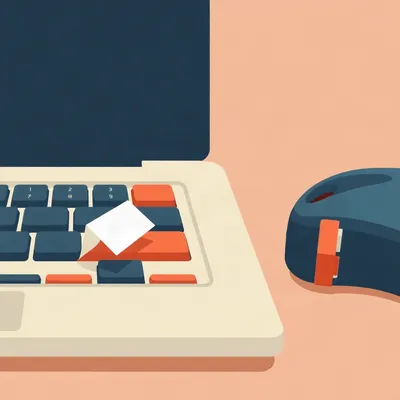
So this is a nice one, because the show is literally about prompts, and today's prompt is about the physical interface to a prompt. Daniel writes in about that meme going around, the tiny keyboard with one giant yes button for approving Claude Code. And his version is modest, almost touchingly modest. He has exactly two spare keys on his laptop, and he wants them to inject two strings. One says something like yes, that action is approved, and the other says no, not approved, please await my review. And his actual question is not the electronics at all. It's labelling. Can you print your own keycaps on a laptop, can you print directly onto an existing keycap, would laminated stickers like his Brother TZe-231 tape survive hundreds or thousands of presses, and failing all that, which permanent marker would actually hold up. He even ranks them by beauty, and marker is, in his words, the last and least beautiful approach.

He knows his own aesthetic hierarchy, I respect that.
He does. And I'll say this for him, the strings themselves are the most Daniel thing imaginable. The no key doesn't just say no. It says no, not approved, please await my review. It's a polite no. The no key has manners.
It's a very Irish no. A no that apologizes on the way out. But Corn, before we laugh too hard, this joke is basically real now. You've seen the meme render everyone's passing around? The brushed aluminum keyboard with three keys. A modest allow once in the corner, a tiny reject exiled up in the upper right where no finger ever travels, and then a full spacebar-width allow always dominating the entire center of the board.
I've seen it. The entire satire is conducted through key sizing. It's Fitts's law weaponized. Bigger, closer targets get hit faster, so the render manufactures revealed preference as hardware. You think you're choosing, but your thumb was always going to land on the big one.
Right, and someone decoded that meme nicely. They said the checkpoint exists, the guard waves everyone through, and we've now ergonomically optimized the waving. Which is brutal, and also accurate. Permission fatigue used to mean cookie banners and macOS privacy dialogs. Now the highest-frequency consent interaction in a developer's day is the coding agent asking whether it may run a tool. And everybody knows how this goes. You review the first five requests carefully. Then by request fifty you're chording allow always like it's a rhythm game.
And here's the part that makes it not a joke anymore. OpenAI shipped the Codex Micro in July. Two hundred and thirty dollars, limited run, built with Work Louder. Thirteen low-profile mechanical switches, rated to fifty million keystrokes, forty gram actuation, two point eight millimeter travel. A rotary encoder, a little joystick. The six top-row agent keys light up, white idle, blue thinking, green done, amber when it wants your attention.
And it ships with thirty-two spare keycaps. Including keycaps that say yolo and yeet. That's in the box. First-party. Newell Brands should sue.
And it's not alone. There's VibeKeys, a six-key pad with keys labeled Accept, Retry, YOLO, ESC and Voice, starting around twenty-nine dollars. There's the Claw Pad, sixteen keys of aluminum, a hundred fifty-nine dollars, whose headline feature is an AUTO key that, quote, toggles auto-accept mode instantly. Claude stops asking and starts doing. That's the marketing copy. And there's an open-source nine-key Matosic pad for the purists.
So the joke became an SKU. Multiple SKUs. And Daniel's two-key approach, I want to say this carefully, is actually the honest version of the whole thing. He's not buying a yolo key. He's got two spare keys, a yes that's full sentences, and a no that is deliberate, reversible, and logged in the transcript. That's not the meme. That's the opposite of the meme.
So the joke is real, the products exist, and Daniel's two keys are the DIY version. But before we get to the labels, let's talk about what those keys actually do. Because the plumbing is more interesting than people think.
It really is. The canonical build here, the one everybody references, is Nick Liu's Stream Deck setup. And the piece that matters is the timeout. Claude Code's PreToolUse hook is a synchronous gate. When the agent wants to run a tool, the hook fires, and the process waits for the answer. The timeout on that gate is six hundred seconds. Ten minutes. Liu's daemon holds the HTTP response open for five hundred and ninety of those seconds, leaving himself a ten second safety margin, until a physical yes, no, or always key is pressed.
So the button isn't about speed. It's about not losing the approval to a timeout.
That's his lesson, verbatim. Size for the maximum reasonable human latency, not the median. Which is a wise sentence that applies way past keyboards. You don't design the gate for the version of you that's on the ball. You design it for the version of you that went to make tea and got distracted by the neighbor's cat.
As one does. Now here's the catch, and it's the catch under this whole product category. Liu flags it himself. The hook fires regardless of permission mode. So if you wire a physical button into the gate, you end up pressing yes even on calls Claude would have auto-allowed anyway. You haven't added deliberation to the loop. You've added a reflex.
The button makes the reflex faster, not more careful. And DevMeme's whole point is that mash allow is the use case, not a failure mode. The products are now literally positioned that way. The Claw Pad's auto key says it out loud. Claude stops asking and starts doing.
And there's a security argument against the entire shortcut economy. A developer named gabrielanhaia wrote a piece with a line I keep coming back to. Once your coding agent stops to ask, only you should answer. Which rules out wrappers, rules out scripts that auto-send yes, rules out anything in between you and the question. And the reason that's not paranoid is the Invariant Labs demo from May twenty twenty-five. They showed a prompt injection delivered through a malicious GitHub issue. The agent reads the issue, the issue contains instructions, and suddenly the agent is asking permission for something an attacker authored. If your answer to that question is automated, the attacker is approving things with your button.
And that's Chris Parker's point too. He wrote in August, a yes button that can approve anything is not a control surface. It is a liability with nice keycaps. Which is the single best sentence written about this category. His argument is that a real control surface needs logs. Which human approved which action, from which device, at what time, against what diff.
And notice, Herman, what Daniel's strings actually do. The yes key injects text. Yes, that action is approved. That text goes into the transcript. It's attributable, it's searchable, it's timestamped by the session. His two-key setup accidentally satisfies Parker's whole checklist. Which human? Daniel. From which device? The laptop. Against what diff? Whatever was on screen when he pressed it.
It's the honest version of the joke. The giant allow always bar manufactures consent fatigue. Two quiet keys with full-sentence answers do the opposite. The friction is the feature. A no that types out please await my review forces half a second of meaning it.
So the plumbing works, the consent fatigue argument is real, and Daniel's two keys are the reasonable middle. Which leads us to the question he actually asked. How do you label them?
Okay. Deep breath. Because this is where the research gets thin, and I want to be honest about it rather than confident and wrong. Question one. Can you print your own keycaps for a laptop? No. Not in any way that matters. Keycaps, by definition, are separate covers over the keyswitches, often illustrated to indicate the key function. On a mechanical keyboard, they're removable, they're standardized, there's a whole custom keycap industry. You can buy dye-sublimated keycaps, you can buy double-shot keycaps where the legend is a second layer of plastic molded in so it can never wear off. Beautiful. Wonderful. Irrelevant.
Because laptop keys aren't that.
Because laptop keys are low-profile scissor-switch keys. The cap is a thin plastic tile clipped onto a scissor mechanism, sitting on a rubber dome, and all of it is a few millimeters tall and held on by astonishingly small clips. There is no documented consumer method for printing onto an existing laptop keycap. I looked, and I want to be clear about what that means. Not that no method exists anywhere in the universe, but that nobody has documented one, which for our purposes is the same thing. Dye-sub needs heat and pressure and a flat replaceable cap. Double-shot needs injection molding. Neither of those is happening to a scissor key that's still attached to a laptop.
And Daniel's own situation closes the door further. He's on his laptop's built-in keyboard. It's not like he can pull the caps and swap in MX-compatible ones, because there's no MX anything under there. On the ThinkPad side of things, half the keyboards are integrated into the top case anyway. You'd be rebuying the machine to change a legend.
So printed keycap is out. Not least beautiful, just not available. Which moves us to option two, the laminated sticker. And this is where I'm fond of Daniel's instinct, because the Brother TZe-231 is actually a well-chosen candidate. Twelve millimeter tape, black on white, and crucially it's laminated. The Brother P-touch laminated tapes have the printing sandwiched inside the tape, so there's a clear protective layer over the text. The ink can't rub off because it's not exposed. The question isn't whether the text survives. The question is whether the sticker survives.
Is there an answer?
There is not. And I'm not hedging for fun, I'm telling you the state of the world. Nobody has published a test of laminated label tape under repeated key presses. There's no spec sheet entry for it, no one's blog post with a press counter. The honest answer is that it depends on three things. The adhesive, which is good on clean plastic. The surface texture of the keycap, because a smooth cap bonds better than a textured one, and a lot of laptop caps have a very slight matte finish. And whether the label sits under your finger or beside it.
Say more about that last one, because I think it's the actual engineering question here.
It's the entire business. A laptop key is maybe fifteen by fifteen millimeters, and the twelve millimeter tape is almost exactly the width of the cap. So your label is going to cover most of the top surface. Your fingertip lands on it every press. Human skin is mildly oily, skin oils work into adhesive edges, and the corner that lifts first is the corner your finger drags across on the way off the key. If the label sits under a finger, hundreds of presses is plausible, thousands is optimistic. If you use keys that sit beside your resting finger path, like right in the function row where you reach deliberately, the sticker is basically decoration and it'll outlive the laptop.
His two spare keys, are they in the finger path or out of it?
On most laptops, the spare keys are things like right ctrl, or unused function keys. Right ctrl is directly under the right pinky, so that one's in the blast zone. If it's an F-row key, he's safe. He should check which keys he's actually sacrificing before he picks his adhesive strategy. That's more important than any brand choice.
Practical note. Cut the label with rounded corners, or better, use the label maker's own die, because it already rounds them. A sharp ninety-degree corner on a sticker is where lifting starts.
Clean the cap first with isopropyl alcohol, let it fully dry, then apply and press firmly for a few seconds. The classic failure with any adhesive label is applying to a cap that still has finger oil on it from years of typing. That's the number one reason a sticker peels in week two.
Option two works conditionally. Option three, the marker. The least beautiful approach, per the man himself. What does permanent actually mean here?
Less than people think. Permanent markers used to be toluene and xylene based, the serious solvents. Modern ones are alcohol based, things like one-propanol, one-butanol, diacetone alcohol, cresols. Sharpie is the dominant brand, Newell Brands, tips from ultra-fine up to magnum. And permanent in Sharpie language means permanent on paper. On plastic, especially the ABS or PBT-ish blends laptop caps are made of, alcohol-based ink sits mostly on the surface. Finger oils, friction, and honestly just time will fade it. If he writes on the cap and types on that key daily, I'd give it weeks to a few months before it's a ghost of itself.
The marker is a placeholder, not a solution.
It's a prototype label. And actually, there's a case for that. Mark the keys with a fine permanent marker on day one, use them for a month, learn whether the key placement is even right, and only then commit tape to it. Because the expensive mistake here isn't the label. It's labelling a key and then realizing you put your approval key somewhere your hand hates.
That's the pattern with all his marking projects, though. He engraves his storage boxes, he has a two-layer marking system for harsh environments, and now a marking system for keys that approve an AI's actions. The man cannot have an object without a durable identifier on it. I respect the consistency.
Notice the ranking he proposed is exactly backwards in one respect. He says printed keycap is the most beautiful, then sticker, then marker. But for his actual stated goal, thousands of presses, the sticker is the most beautiful one that's available. The printed keycap doesn't exist as an option, so the podium is sticker by default, and I'd put marker in second place purely because a faded Sharpie ghost is at least honest. The ranking is a reasonable prior, and I want to flag that clearly. It is not a tested result. Nobody has tested any of this on laptop keys. Daniel is doing original research in his living room whether he knows it or not.
He does know it. There's a whole angle here that I find quietly funny, Herman. Every commercial pad ships spare keycaps. The Codex Micro includes thirty-two of them. VibeKeys, presumably the same. The entire category solved labelling at the factory. But the DIY laptop user, the person with two spare keys and a dream, has no equivalent. Labelling is the unsolved last mile of the DIY approval button project.
Which is maybe the most honest thing about the whole category. The expensive aluminum pads have solved the problem that doesn't exist, the hardware, and the people with actual spare keys on actual laptops are out here with a label maker and hope.
One more variant worth naming, because it's the best-looking cheap option. A dymo-style embossed label is worse, don't do that. But laser-printed vinyl, the kind a print shop cuts on a plotter, outperforms the Brother tape on abrasion if he wants to go one step further. The catch is the minimum order size, you'd be buying ten labels to use two. For a two-key project, the Brother tape is the rational choice.
Agreed. Use what's in the drawer. His P-touch takes the TZe tapes, the 231 is black on white twelve millimeter, and if he wants it to look less like a filing cabinet he could use the TZe-241, black on clear. The clear tape lets the keycap show through around the text, so it reads as printed on the key rather than stickered over it. That's the trick. Clear tape is the closest a sticker gets to looking like printing.
Though on a black keycap, black on clear with white text, what's the tape part number for that?
That I'd have to check against the actual Brother catalog, and I'd rather he does that than trust my memory. Search TZe black on clear twelve millimeter and Brother's own store will sort him out. The white-on-clear variant exists, I'm just not certain of the exact suffix from memory, and the suffixes are how Brother sells them, so a wrong number buys the wrong tape.
One trap. There are third-party TZ-compatible tapes everywhere at a third of the price. Some are fine. Some have noticeably weaker adhesive and thinner lamination. For two labels total, buy the genuine Brother. The savings on third-party tape is about four shekels and the downside is the exact failure we're trying to avoid.
Daniel's ranking is printed keycap, then laminated sticker, then marker. Printed keycap is impossible, the sticker is good, the marker is a fade-in-progress.

I have been waiting for you two to get to the adhesive question, and I notice neither of you asked the only question that matters, which is whether you will still mean what the label says in six months.
Hilbert Flumingtop, everyone. Go on.
I have labelled things my whole life. And I agree with Daniel that laminated tape is the right answer, I've used Brother laminated tape since before either of you had opinions, and I'll tell you the lamination is not the issue. The tape will outlast the machine. The issue is what you write on it. Eleven years ago I labelled a relative's entire kitchen. Every jar, every tin, every drawer, everything. I was thorough, and I was correct, and the flour tin got a label that said FLOUR, and then, in parentheses, DO NOT TOUCH.
Why did the flour tin say do not touch.
Because I had organized it, and touching it would disorder it. The label was an instruction, and it was accurate. That label is still on the tin. Eleven years. Which proves my point about laminated tape, and proves the relative's point about me, which I resent, but I'm a fair man, so I'll concede it. The adhesion was never the problem. The problem is the label has to say something you'll still mean in six months. The relative has never forgiven me for that flour tin. And I want to be clear about the sequence of events here, because it matters. The label maker was a wedding gift. From that same relative. I did not buy the machine. I was equipped by them, and I used the equipment they gave me, and somehow I'm the villain.
How did the relative respond to the kitchen?
With labels. The relative has since labelled my belongings in retaliation. Including my car keys, which now say HILBERT'S KEYS, and then, in parentheses, DO NOT TOUCH. Which is, I will note, an incorrect instruction, because they are my keys, and I am the only person with a legitimate reason to touch them. The label is adhesive and it is durable and it is wrong, which is exactly my point. Durability is not a virtue when the content is wrong. It's a commitment device.
You're saying Daniel's key label is a commitment device.
I'm saying every label is. The relative made my own point back at me on the same machine I gave, no, that they gave me. Which brings me to the current situation. I still have the label maker. It's in my drawer. And I have bought tape for it. A fresh cassette, genuine, laminated. And when the relative next visits, I am going to label the label maker.
You're going to label the machine.
I'm going to label the machine, in front of them, so they can watch it be done properly. It will say HILBERT'S LABEL MAKER, and then, in parentheses, DO NOT TOUCH, and it will be on there in laminated tape for the next eleven years, and I have thought about this for a long time and I am at peace with it.
Corn, I want you to appreciate that our producer has escalated a domestic flour dispute into a multi-generational labeling arms race, and both sides are armed with the same Brother hardware.
The flour is still organized. Nobody disputes the flour. Eleven years and that tin has never been disordered. The system works, it's just that the system has made everyone involved furious.
The system works. That's all I ask of a label.
The labels are the last mile, and the last mile is unsolved. Which is maybe the most honest thing about this whole category. The open question, the one I'd leave Daniel with, is whether a physical approval button makes you more careful or just faster. The meme's thesis is that mash allow is the use case. And the product category now literally positions it that way. The Claw Pad sells the end of asking as a feature.
Parker's line sits over the lot. A yes button that can approve anything is not a control surface, it's a liability with nice keycaps. As these tools get more approval hungry, the interface question stops being an interface question and becomes a security question. Daniel's two keys are on the right side of that line, because the answer goes through him, in full sentences, on the record.
If you take one thing from this, take this. The label's job isn't to survive the presses, it's to make you mean the press. Hilbert's flour tin has been technically correct for eleven years and nobody's happy. The durable label is the one you'd still sign today.
Daniel's no key, the one that says please await my review, is the only label in this whole category that makes the human slower on purpose. That's the feature.
Which is maybe the most Daniel sentence of hardware ever built. Total cost, by the way, since this is the rare build where you already own the machine. One genuine Brother tape cassette, roughly fifteen to twenty dollars if he's starting from zero, nothing at all if the drawer tape still has life in it, plus a marker he already has.
Have fun with it, Daniel. Send us a photo when it's done, we want to see the two keys in their labeled glory. And keep the press-count log, because you're the first documented test of laminated tape on a scissor switch and the internet deserves the data.
Thanks to our producer, Hilbert Flumingtop, and to his relative, wherever they are, for the flour. If you enjoyed this one, try episode fifty-seven, From Lawyers in Limousines to Developers in Their PJs; episode seven, Building Custom ASR Tools; and episode eight, Building Your Own Whisper. This has been My Weird Prompts, the human-AI collaboration podcast. If you enjoyed this one, leave us a review wherever you listen, it helps other people find the show.
Corn, until next time.
Build carefully, and read your labels. Goodnight, everyone.