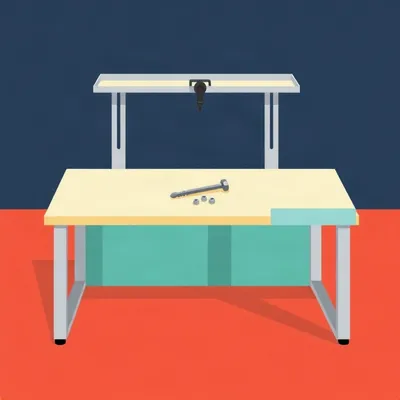
Daniel's been staring at industrial workbench catalogs again. His question this week is about the superstructure, the vertical frame at the back that holds monitor arms, shelves, pegboard, lighting. He's got a hundred sixty by eighty centimeter melamine top on IKEA trestles, three monitors, and a long-term ambition to motorize the height. The trestles, he says, would go. The tabletop stays. What he wants to know is how you build the supporting frame around an existing table at home. Where do you start with framing options, what kind of metal, where do you buy it, what does it cost, and can this work for a computer setup, a hardware bench, or some blend of the two.

The thing Daniel's spotted is the actual secret of industrial workbenches. They're not tables. They're a table plus a standardized vertical slot system, and the slot is what makes everything else possible. Bench-Tek sells a modular bench where the frame is a fully welded four-leg base and then a pair of forty-eight inch slotted uprights at the back. Those uprights carry monitor arms, bin rails, CPU holders, keyboard drawers, shelves, lighting, tool rails. The uprights are the product. The table is almost an afterthought.
So the glue is the groove.
The glue is the groove. Unistrut channel, T-slot aluminum, slotted steel upright, whatever the vendor calls it. One standardized slot geometry accepts every accessory. You commit to the slot system and then every bracket, every arm, every shelf from any vendor that uses that standard just slides in and locks.
Which is why the command center pattern he's describing isn't people being fancy. It's people not wanting to drill a new hole every time they move a monitor.
Right, and the industry is explicit about this. Treston sells their MTS one uprights with C-clamp bases, three sixteenths plate steel that bolts through the worksurface. That's their entry tier. The slotted upright system is the premium one. C-clamp and through-bolt are the cheap mounting options. Daniel's instinct that C-clamps feel wrong is validated by the people who sell both.
And drilling through the desk is a one-shot modification. You've got a hole in your melamine forever. The frame's slots are reversible. You move the arm, you loosen a bolt, you slide it, you tighten it. The desk top doesn't know anything happened.
Melamine especially. It's particle board with a laminate skin. Once you breach the skin you've got a point where moisture gets in and the board swells. It's not just cosmetic.
So let's talk about what he actually asked. Framing options. What metal. Where to buy. What it costs.
Three realistic routes. T-slot aluminum extrusion, which is the eighty twenty, Bosch, Motedis, Vention, Faztek, Tnutz world. Welded steel tube. And strut channel, which is the Unistrut pattern. For a six foot bench, T-slot aluminum runs six hundred to twenty five hundred dollars in profiles alone. Welded steel tube, three to eight hundred, but you need to weld it, and once it's welded it's welded. Strut channel is the cheapest and it's what a lot of the industrial catalog systems actually use, but it's steel and it's heavier and the accessory ecosystem assumes you're building a factory bench, not a home office.
Six hundred to twenty five hundred is a range wide enough to park a truck in. What decides where you land in it?
Profile size and how much of it you use. The eighty twenty one inch by one inch profile, the ten ten, is about twenty three cents an inch plus a buck ninety five per cut. A six foot extrusion is eighteen fifty one. That's the cheap end. But that's a light profile. The ten ten has a static load rating on the order of a hundred fifty pounds over a three foot span. If you're hanging three monitors and a shelf and a lighting bar, you step up to the twenty twenty or the forty by forty, and the price climbs with the cross section. Motedis recommends forty by eighty L profiles for the uprights because that's where the stiffness lives, then forty by forty or twenty by forty for rails and cross bracing. The uprights are doing the work, so they're the ones you don't cheap out on.
And what does a complete frame actually look like in part count?
Vention published a bill of materials for an industrial workstation they sell as a design. Forty pieces of aluminum extrusion, sixteen L-shaped assembly plates, twenty plus gussets, three hundred ninety five M8 T-nuts, three hundred thirty seven M8 by eighteen screws, plus the electric lift legs, a gas spring monitor arm, DIN rail, power strip, LED bars, casters. Total weight a hundred fifty eight kilos. Listed assembly time, fourteen hours.
Fourteen hours.
That's a full industrial build with telescopic drawers and a lift mechanism. A home superstructure is simpler. But the part count is the reality check. T-slot is like Lego where every brick needs its own fastener, and the fasteners are where the cost quietly accumulates. The ToolGuyd breakdown had end fasteners at a buck fifty each, gusseted corner brackets at three ninety five, anchors at two ninety, tapping at a buck ninety five per hole. A commenter named Frank D made the skeptic's case pretty well. For home use and simple storage, he couldn't see the cost justification at so much per rail section, per fastener, per bracket, per machined hole, plus shipping. And he's not wrong, if you're building a shelf.
But Daniel's not building a shelf. He's building the thing the shelf hangs on, and he wants to hang monitors on it and then maybe move them.
And that's where T-slot earns its keep. The reconfigurability. Motedis makes the point directly. You add shelves, tool rails, panels later without re-drilling. The ToolGuyd thread had the counterpoint too. The ability to knock it down and integrate it into the next build is a pretty valuable feature. With welded steel, your next build starts with a saw and a grinder.
So the three options are really three philosophies. Welded steel is cheap material, permanent shape, needs a welder. T-slot is expensive material, permanent flexibility, needs only hex keys. Strut channel is cheap, steel, and the industrial standard, but the accessory ecosystem assumes you want a factory bench.
And there's a hybrid that shows up in the forums. Welded steel base for the legs and lower frame where you want rigidity and cheap mass, then T-slot or strut uprights at the back where you want adjustability. You get the stiffness where it matters and the slots where they matter.
That's the part Daniel asked about specifically, the back frame. So let's talk about the monitor mounting, because that's the detail he's circling. He wants the steel frame at the back with VESA mounts on it, not clamped to the desk.
And this is a real product category that almost nobody markets to home office builders. Premier Mounts makes a bracket, the UMB DBT, that attaches directly to slotted channel strut. VESA up to four hundred by four hundred millimeters, displays up to seventy five to a hundred twenty pounds, zero to fifteen degrees of tilt. About a hundred eight to a hundred forty eight dollars. WallMountWorld sells a three screen kit for five hundred forty three dollars, brackets that attach directly to one and five eighths Unistrut channel, supporting displays up to seventy five inches at a hundred twenty pounds each, VESA up to eight hundred by four hundred, eighteen degrees of tilt, tool-free plumb adjustment.
Tool-free plumb adjustment. That's the phrase that tells you this gear was designed for digital signage installers who hang thirty screens in a day and don't want to fiddle with a spirit level on each one.
These are menu board kits. They're sold for restaurants and command centers and control rooms. The exact pattern Daniel described, a steel frame at the back with VESA mounts on it, is off-the-shelf technology. It's just living in the commercial AV catalog instead of the home office catalog.
Which is such a strange market failure. Everyone who's ever clamped a monitor arm to a particle board desk and watched the clamp start to chew through it would buy the strut bracket if they knew it existed.
And the clamp is the failure point. A C-clamp concentrates all the load on a small area of the desk edge, and on melamine that's a slow disaster. The strut bracket spreads the load along the channel and the channel spreads it down the uprights to the frame. The desk top isn't even involved.
So if Daniel wants the professional pattern, the recipe is a pair of vertical strut channels or T-slot uprights at the back of the table, bolted to a frame that stands on the floor, and VESA brackets that clamp to the channels. The monitors float on the frame. The desk top just sits there.
And that's the key architectural decision. The uprights should not be bolted to the desk top. They should be bolted to a frame that stands on the floor. If you bolt the uprights to the melamine, you've just recreated the drill-through problem in a different location. The whole point of the industrial pattern is that the frame is the structure and the top is a surface.
So the trestles go, and what replaces them is a frame that has legs, cross members, and vertical uprights at the back, all one connected structure. The tabletop sits on the frame. The monitors hang on the uprights. Nothing touches the melamine except gravity.
Right. And that's where the height adjustment question gets interesting, because Daniel wants motorized height adjustment too, and there's a fork in the road.
Walk me through the fork.
Route one is buy an electric sit-stand frame only base, and keep the melamine top. This is the cheapest path to motorization. Desky sells a single motor frame, seventy three to a hundred twenty three centimeters, eighty kilos capacity, twenty five millimeters per second. iMovR sells a made in USA DIY base, the Lander. ApexDesk Elite Pro, Autonomous DIY, Vivo, Shappa, Luxor. Luxor starts at ninety nine dollars. Vivo's dual motor frame is a hundred kilos. These are closed systems, though. They lift the desk, and that's all they do. You can't hang a monitor arm off them. The uprights are inside the leg columns and there's no slot anywhere.
So route one gives you motorized height and throws away the superstructure.
Correct. Route two is build the whole frame from T-slot with telescopic profile-in-profile legs and locking bolts, or threaded leveling feet for fine adjustment. That gives you the superstructure and the slots and the monitor mounting, but the height adjustment is manual. You loosen bolts, you slide the inner profile, you tighten. It's not motorized.
And Daniel wants both. Motorized height and the superstructure. So what does the real answer look like?
Realistically, a sit-stand frame under the desk for the lifting, plus a separate bolt-on upright pair at the back for the accessories. The uprights don't have to move with the desk. If the monitors are on the frame and the desk moves, the monitors stay put and you've got a sit-stand desk that doesn't carry your screens. That might be fine if the monitors are on their own arms and you want them to stay at eye height while the keyboard surface moves. Or the uprights are tall enough that the monitors can ride up and down with the desk if you mount them to a crossbar that's attached to the lifting portion.
That's the second-order problem. If the desk goes from sitting to standing height, that's roughly forty five centimeters of travel. The monitors have to either travel with the desk, which means the uprights are attached to the lifting frame, or stay fixed, which means the uprights are attached to the static frame and the monitors don't move. If the monitors don't move, you're no longer looking at them when you stand.
And the commercial sit-stand frames are not designed to have a superstructure bolted to them. The lifting columns are in the legs. There's no provision for vertical uprights at the back. You'd be fabricating a bracket to attach the uprights to the lifting crossbar, and then you've got a hundred kilos of motorized desk trying to lift a steel frame and three monitors. The motors are rated for the desk top and whatever's on it, not for a structural frame.
So the honest answer is that Daniel's two goals are in tension. The motorized base is a closed system that doesn't want a superstructure. The superstructure is an open system that doesn't motorize easily. You either pick one, or you build a hybrid, or you spend real money on a custom T-slot frame with integrated electric lift legs.
Vention's workstation has the electric lift leg assembly as a component. It exists. But you're now in the fourteen hour assembly, hundred fifty eight kilo territory. It's not a weekend project with an Allen key. It's a project.
Let's talk about where to actually buy the metal, because that's the practical question and it's the one most guides skip.
For T-slot, the vendors are eighty twenty dot net, Motedis, Bosch Rexroth, Faztek, Tnutz, Vention. Motedis is the one that comes up most in European DIY circles because they sell direct and they cut to length. In the US, eighty twenty is the brand name that became the generic, like Kleenex. The comment from Patrick Ryan at F and L Industrial Solutions was that eighty twenty and Bosch are the Coke and Pepsi of the industry and everyone else is basically a copy. If price is the number one priority, off-brand T-slot is probably a good idea.
Coke and Pepsi of aluminum extrusion. That's a sentence that has never been said in a boardroom.
And it's accurate. The slot dimensions are standardized. An off-brand forty by forty profile with an eight millimeter slot will accept the same T-nuts as the name brand. The aluminum alloy might be slightly different, the anodizing might be thinner, but the geometry is the geometry. That's the whole point of a standard.
The advice is buy the cheap profile and the good fasteners.
The fasteners are where the quality matters. A T-nut that strips inside the slot is a bad day. The profile is a bar of aluminum with a groove in it. There's not much to get wrong. The fasteners are the moving parts.
For strut channel, where do you go?
Any electrical or plumbing supply house. Home Depot, Grainger, McMaster. One and five eighths inch strut channel is a commodity. The price per ten foot length is roughly fifteen to thirty dollars, though I couldn't verify an exact current number. The channel itself is cheap. The accessories, the spring nuts, the brackets, the VESA mounts, those are where the cost is.
If he wants the welded steel route?
Local steel supplier, buy square tube, cut it, weld it. The material is cheap. The welder is the expensive part, whether that's a machine he buys or a shop he pays. A six foot bench frame in welded steel tube is three to eight hundred dollars in material. But every future modification is a welding job.
The decision tree is: motorized height is the priority, buy a sit-stand frame and accept that the superstructure is a separate project. Superstructure is the priority, build a T-slot or strut frame and accept manual height adjustment. Want both, prepare to spend real money and real hours.
There's a fourth path that's worth naming. Daniel's table is a hundred sixty by eighty. That's a standard size for a sit-stand frame. He could buy a frame only base, keep the melamine, and then build a separate floor-standing superstructure that sits behind the desk and doesn't touch it at all. Two uprights on their own base, a crossbar at monitor height, the VESA brackets on the crossbar. The desk moves up and down. The monitors stay at eye height. If he wants to switch to standing, he raises the desk and the monitors are already at the right height because they never moved.
That's the command center pattern, actually. The desk is a console, the monitors are on a separate structure. In a control room the monitors don't move with the operator's keyboard. They're on the wall or on a frame.
It solves the melamine problem completely. The top is just a surface. It sits on the sit-stand frame and nothing is clamped to it, nothing is drilled through it, nothing is hanging off it. The monitors are on the superstructure. The desk is just a place for keyboard and mouse and coffee.
Coffee on a melamine top. That's a whole other episode about coasters.
The melamine will survive the coffee. It's the clamp that kills it.
Let's talk about cost, because Daniel asked for approximate numbers and I want to give him something he can actually budget with.
The cheapest path to motorized height is a Luxor frame at ninety nine dollars. The Vivo dual motor is around two to three hundred. The iMovR Lander is more, but it's made in the USA and it's built for heavier tops. For the superstructure, if he goes strut channel, he's looking at maybe thirty to sixty dollars for the channel itself, another fifty to a hundred for brackets and hardware, and then the VESA brackets at a hundred to a hundred fifty each. Three monitors, three brackets, that's three to four hundred fifty just for the monitor mounting. The WallMountWorld three screen kit at five forty three is actually not a bad deal when you add it up.
The strut route for a three monitor superstructure is roughly six to eight hundred all in, not counting the desk frame.
The T-slot route is more. The profiles for a pair of uprights and a crossbar, forty by eighty for the uprights, forty by forty for the crossbar, with gussets and T-nuts and end fasteners, you're probably at four to six hundred before the VESA brackets. The VESA brackets for T-slot are the same strut brackets if you use strut channel, or you use T-slot specific monitor arms which are more expensive.
The full custom T-slot frame with electric lift legs, that's the Vention territory. A hundred fifty eight kilos, fourteen hours, and a bill of materials that reads like a phone book.
The build-construct estimate for a complete six foot T-slot bench was six hundred to twenty five hundred in profiles alone, with the frame being thirty five to fifty percent of the total build cost, drawers twenty five to forty percent, worktop ten to twenty percent. Daniel already has the worktop, which helps, but the frame is still the big line item.
The honest budget range is: ninety nine dollars if he just wants motorized height and keeps the trestle life, six to eight hundred if he wants a strut superstructure for the monitors, four to six hundred more if he wants T-slot, and somewhere north of two thousand if he wants the full integrated motorized T-slot build.
The strut superstructure is the one I'd actually recommend for his use case. It's steel, it's cheap, it's the industrial standard, the VESA brackets are off-the-shelf, and it doesn't pretend to be anything it isn't. It's a frame that holds monitors. That's what he described wanting.
The one thing I'd add is that whatever he builds, he should bolt it to the floor or at least make the base wide enough that it can't tip. Three monitors on a crossbar is a lot of top-heavy mass. If the base is just two uprights with small feet, it's a lever waiting for a toddler.
Ezra. Yes. The base needs to be a proper H-frame or T-frame with the crossbar at the bottom, not just two posts with feet. The industrial catalogs all show the uprights bolted to the bench frame, not free standing. The bench frame is what keeps them from tipping.
The recipe is: a floor-standing frame behind the desk, two uprights, a base crossbar, a monitor crossbar, VESA brackets on the crossbar, the desk top on its own sit-stand frame in front, nothing touching. The monitors float. The desk moves. The melamine survives.
If he ever wants to add a shelf or a light bar or a tool rail, he buys another bracket and slides it into the slot. That's the whole point of the system. The glue is the groove.
The glue is the groove. Daniel's going to put that on a t-shirt.

I agree.
The groove's the thing. I built a rig like this in eighty five for a dispatch office in Newark. Strut channel, not the aluminum stuff. We hung six CRTs off a crossbar. Six of them. Those things weighed ninety pounds each. The crossbar sagged about half an inch in the middle until we put a center post in. Then it was fine.
The question I've got is whether that strut bracket, the Premier Mounts one, would let me hang a monitor upside down. I've got a screen I want to mount under a shelf, facing down, for a thing I'm doing. I don't want to say what the thing is. But the bracket's got tilt, you said fifteen degrees. That's not enough to point it at the floor. Unless I mount the bracket to the underside of the shelf and let the screen hang. Then the tilt is just for fine adjustment. That would work, wouldn't it.
If the bracket's rated for the weight and the VESA pattern matches, mounting it to the underside of a strut channel and letting the display hang is mechanically the same as mounting it to the back of a channel and letting it tilt forward. The load path is the same. The only question is whether the bracket's tilt mechanism is designed to hold position under tension rather than compression. Some of them have a friction hinge that's meant to resist gravity pulling the screen down. If you invert it, gravity's pulling the other way and the hinge might creep.
I'd want one with a locking tilt, not a friction tilt.
A locking tilt or a fixed bracket. The fixed ones are cheaper and they don't creep. If you don't need the tilt, buy the fixed version.
Fixed's fine. I can shim it if I need to.
The thing this makes me wonder is how many of these brackets are out there doing jobs they were never sold for. The menu board kit is for restaurants. The command center frame is for control rooms. And the home office builder who wants a monitor on a strut channel is buying the same part and nobody's marketing it to them.
The marketing's the problem. Always has been. I sold industrial shelving for two years in the late eighties. The catalog had a hundred pages of brackets and every one of them was photographed on a factory floor. Nobody ever showed one in a kitchen. But a strut channel with a shelf bracket on it holds a spice rack just as well as it holds a bin of bolts.
The screen I've got is thirty two inches. VESA two hundred by two hundred. Weighs about fourteen pounds. The bracket's rated for seventy five. So that's fine. The channel's the part I need to figure out. I've got some one and five eighths strut in the garage from a different project. The spring nuts are still in the bag. I think I've got enough.
You've got the channel, the nuts, and the screen. You're three quarters of the way to whatever this thing is.
I'm not saying what it is.
The fixed bracket's the move. And if you're mounting to the underside of a shelf, make sure the shelf is attached to the channel with something stronger than a spring nut. A spring nut in a slot has some play in it, and if the shelf is carrying the weight of the screen, you want a bolt through the channel, not just a spring nut holding the bracket.
Through-bolt. I can do that. Drill a hole in the shelf, bolt through into the channel. The channel's already got holes every inch and a half.
There it is. The groove's the glue, and the holes are the backup.
I'll use both.
The thing I didn't get to in the main discussion is the standard workbench height numbers, because Daniel asked about the industrial catalog pattern and the height thing is actually part of why those benches look the way they do. General purpose workbenches are thirty four to thirty six inches. Detailed assembly and inspection benches are forty inches, because you're leaning in and looking at small parts. Hand tool planing benches are twenty eight inches, because you need downward force from your whole body. The superstructure uprights are sized to those heights, and the monitor arms are positioned for someone standing at a forty inch bench, not sitting at a twenty nine inch desk. When you adapt the industrial pattern to a home desk, the uprights need to be taller than the catalog ones, because a seated desk is lower and the monitors still need to be at eye height.
That's the detail that would bite him. He buys a catalog upright pair, bolts it to his frame, and the monitor crossbar is at factory bench height, which is designed for standing. He sits down and he's looking at his own forehead.
The uprights are the part to buy long and cut to length. Strut channel comes in ten foot lengths. Cut it to whatever height puts the monitor center at eye level when he's seated, and if he later switches to a standing setup, the slots let him move the crossbar up.
Which is the whole argument for the slotted system in one sentence. The upright is just a rail. The height is a decision you make with a wrench, not a saw.
That's the forward-looking thought I'd leave him with. The frame he builds now for a seated desk with three monitors is the same frame he can reconfigure for a standing bench with a tool rail and a light bar in five years. The metal doesn't care what it's holding. The slot is the system.
Thanks to Hilbert Flumingtop for producing.
This has been My Weird Prompts. The human-AI collaboration podcast.
Email us at show at my weird prompts dot com.
We'll be back soon.