Daniel sent us one this week that gets at something genuinely weird about the state of biometrics. He's asking why, if you're a privacy-conscious user who actually wants to use fingerprint or facial or voice authentication, the tools on offer almost always feel like black boxes. Where does the data go? Can you store it yourself? And why does it feel like you're being treated as the threat when it's your own face?

This is one of those areas where the technical reality and the user experience have completely diverged. The short answer is yes, you absolutely can do biometric authentication on Linux or Windows where you know exactly where the data lives. The long answer involves secure enclaves, TPMs, and a philosophical question about who gets to hold the keys to your face.
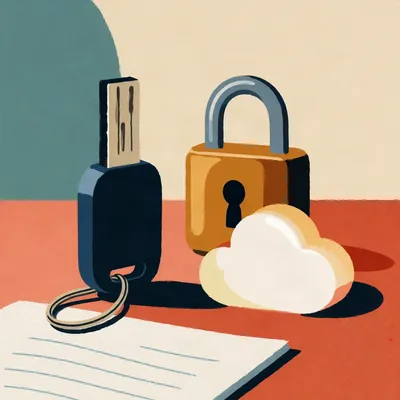
Daniel specifically flagged that he'd trust a system more if he could point to the file and say "it's there, I encrypted it, I put it in my own cloud storage." Which sounds reasonable until you realize that's exactly the kind of thing security architects lose sleep over.
Right, because the entire point of modern biometric storage is that you cannot point to the file. That's not a bug. The secure enclave on your device is designed to be opaque even to you, the device owner. And that creates this perverse situation where the more secure the implementation, the less transparent it feels.
Which is the TSA-in-your-living-room problem again. The system is protecting you from threats you can't see, but all you experience is the friction.
Let me lay out the actual landscape, because it's more fragmented than most people realize. On Linux, if you want fingerprint authentication, the standard stack is fprint, specifically libfprint. It's been around for years, it integrates with PAM, which is the pluggable authentication module system that controls who gets to log in and how. Most major desktop environments, GNOME, KDE, they hook into this. And the fingerprint templates, the actual biometric data, they're stored locally.
That's where it gets interesting. By default, libfprint stores fingerprint data in your home directory, under dot-local-slash-share-slash-fprint. It's a binary blob, encrypted with a device-specific key. So it's on your machine, you can back it up, you can delete it, you can inspect it if you really want to poke at a binary file with a hex editor.
Can you meaningfully verify what's in it?
Not easily, and that's the tension. Even when the data is on your own disk, the format is deliberately opaque to prevent tampering. If you could open it up and see a nice JPEG of your thumbprint, an attacker could too. The opacity is part of the security model. But the crucial difference from Windows Hello or Apple's Touch ID is that on Linux with fprint, there's no secure enclave by default on most hardware. The encryption key is derived from your system, but it's not hardware-backed unless you go out of your way to set that up.
You trade hardware-grade isolation for filesystem-level transparency. You can see the file exists, but you can't really audit what's inside it.
And that's the fundamental fork in the road. If you want hardware-backed security, the biometric template goes into a secure enclave, a TPM or Apple's Secure Enclave or Google's Titan chip, and you never get to see it. If you want transparency, you store it in software, but then you're vulnerable to a much wider class of attacks.
Daniel mentioned Howdy, which is the facial recognition tool for Linux. That's an interesting case because it takes a completely different approach.
Howdy is essentially Windows Hello for Linux, built on top of OpenCV and dlib's facial recognition models. You point a webcam at your face, it takes a few snapshots, builds a mathematical model of your facial features, and stores it. In slash-etc-slash-howdy-slash-models. Plain directory, accessible to root. The facial models are stored as encoded arrays, not raw images, but they're files on your filesystem.
Which means anyone with root access can grab them.
Yes, and that's the tradeoff Howdy makes. It prioritizes being installable and functional on commodity hardware over hardware-backed security. There's no TPM requirement, no secure enclave, no trusted execution environment. It's a Python script that compares your face to a stored model and authenticates you through PAM. It's transparent in the sense that you know where the data is, but it's also transparent in the sense that the security boundary is tissue paper compared to what Apple and Microsoft are doing.
The honest answer to Daniel's question about whether you can do biometrics where you know where the data lives is: yes, absolutely, and the security community will also tell you it's a terrible idea.
They will, and they have good reasons. Let me walk through what Windows Hello actually does, because it's the standard comparison point. When you enroll your face or fingerprint in Windows Hello, the biometric data goes into what Microsoft calls the biometric credential store. That store lives inside the TPM, the Trusted Platform Module, which is a dedicated hardware chip on your motherboard. The operating system never sees the raw biometric data. Applications never see it. When you authenticate, the sensor captures your face, the TPM compares it against the stored template, and the TPM just says yes or no. The raw data never leaves that chip.
You can't export it.
You cannot export it. There is no API for "give me the user's face model." That's by design. Microsoft's documentation is explicit that the biometric data is bound to the device, it's encrypted with keys that never leave the TPM, and if you wipe the device or replace the motherboard, you re-enroll. There's no backup, no migration, no cloud sync for the biometric templates themselves.
Which is secure, but also means if your laptop dies, you're re-enrolling your face on the new one. That's the convenience tradeoff.
And that's where the privacy question gets complicated. Daniel said he'd feel better if he could store his own biometric data, encrypted, in his own cloud drive. But the moment you do that, you've created an exfiltration vector. Your face model is now only as secure as your cloud account password. And we both know how many people reuse passwords.
Password reuse is the original sin of authentication. But I think what Daniel's getting at is different. He's not saying he wants weak security. He's saying he wants to understand the risk model. If I put my encrypted fingerprint blob in my own Nextcloud instance, I know the attack surface. Someone has to compromise my Nextcloud, then break the encryption. If Microsoft stores it, the attack surface is opaque to me. I don't know who has access, under what circumstances, with what legal compulsion.
That's a legitimate distinction. And it gets at something the security industry is bad at communicating. When Apple says your Face ID data never leaves the Secure Enclave, they're telling the truth as far as we can verify. But the verification is limited. The Secure Enclave is a black box running proprietary firmware. We trust it because Apple's reputation depends on it, because security researchers have poked at it, because there's a secure enclave processor running a separate OS with a hardware-encrypted memory region. But you can't independently audit it the way you can audit an open source tool storing files on disk.
There was actually a good piece on this from some security researchers a couple years ago. They pointed out that the Secure Enclave's firmware is signed and encrypted, so even if you have physical access to the device, you can't dump the firmware and verify what it's doing. You're trusting Apple's attestation.
That's the core of the tension. The most secure implementations are the least auditable. The most auditable implementations are the least secure. There is no sweet spot where you get hardware-grade isolation and full transparency. You pick your poison.
What about fingerprints specifically? Daniel mentioned that as his preferred option because at least when the sensor's sitting on your desk, you know it's not doing anything. Unlike a webcam that's always pointed at you.
Fingerprint sensors have their own trust problems, but they're different. Most fingerprint sensors on laptops today use a protocol called Secure Sensor, where the sensor itself does the matching. The sensor has its own flash storage, its own processor. It stores the fingerprint template internally, does the comparison internally, and sends a yes or no to the host. The host never sees the fingerprint data.
Which is similar to the TPM model, just pushed further down the stack.
And on Linux, libfprint supports two modes. The older mode is where the sensor sends the raw fingerprint image to the host, and the host does the matching. That's what you get with older USB fingerprint readers. The newer mode, which is what most modern laptops use, is the secure sensor mode where the matching happens on the sensor itself. The fingerprint template never leaves the sensor hardware.
Even with fprint on Linux, if you have modern hardware, your fingerprint data might be locked in a chip you can't access.
And that's actually better security, but it also means you can't back it up, you can't migrate it, and you can't verify what the sensor is doing with it. Most of these sensors are made by companies like Synaptics, Goodix, EgisTec. Their firmware is proprietary. You're trusting a black box made by a Taiwanese or Chinese semiconductor company with your fingerprint.
Which, I mean, that's the global supply chain for you. But it does make you think.
And this is where the privacy concerns Daniel raised become very concrete. If you're using a fingerprint sensor on a ThinkPad running Linux with fprint, your fingerprint template might be stored on the sensor itself, encrypted with keys you don't control, running firmware you can't audit. That's more secure against remote attackers than storing it in your home directory, but it's less transparent, and depending on your threat model, it might be less trustworthy.
The threat model is everything here. If you're worried about your laptop getting stolen, you want the sensor to hold the template. If you're worried about the sensor manufacturer, you might actually prefer the software-based approach where you can at least verify that the data isn't being exfiltrated over the USB bus.
Most people don't even know they're making that choice. They just see "fingerprint login works" or "fingerprint login doesn't work.
Let's talk about voice, because Daniel mentioned it and it's the one biometric that's different from the others.
Voice biometrics is fascinating and almost entirely absent from consumer authentication. There are a few reasons. One, voice is inherently noisier than a fingerprint or a face. Background noise, microphone quality, whether you have a cold, whether you're stressed. Two, voice is trivial to record and replay. A four-dollar microphone can capture your voice from across a room. Three, voice is not protected by the same legal frameworks as fingerprints and faces in many jurisdictions.
That last one is underappreciated. In the US, your fingerprint is protected under the Fifth Amendment in a way that a passcode isn't. Courts have generally held that you can be compelled to provide a passcode but not a fingerprint, though that's been challenged. Voice is in a weird gray area because speaking is an act you do in public constantly.
Voice samples are everywhere. Your voicemail greeting, your podcast appearances, your Zoom recordings. The raw material for spoofing your voice is vastly more accessible than the raw material for spoofing your fingerprint.
Though voice synthesis is also getting terrifyingly good. We're at the point where a few seconds of audio can produce a convincing clone.
Right, so voice as an authentication factor is in this weird position where it's simultaneously one of the most natural biometrics, you're already using your voice to interact with devices, and one of the hardest to secure. The state of the art in voice authentication involves challenge-response systems, where the system asks you to say a specific phrase and verifies both the content and the vocal characteristics. But even those are vulnerable to real-time voice conversion attacks.
There was a paper from the University of Waterloo a couple years ago that demonstrated real-time voice mimicry that defeated several commercial voice authentication systems. The attack required about five minutes of target audio and could be run on a gaming laptop.
That's the thing. Voice authentication is a hard problem getting harder as synthesis improves. Fingerprints and faces require physical access or high-resolution imagery to spoof. Voice requires a recording and some open source software. The barrier to entry is dramatically lower.
If you're a privacy-conscious user trying to set up biometric authentication on your own terms, voice is probably not where you start.
Probably not, unless you're using it as one factor in a multi-factor setup. Voice plus a hardware key, voice plus a passcode. The voice part adds convenience without being the sole thing standing between an attacker and your accounts.
Which brings us back to the core question. What can you actually set up today, on Linux or Windows, where you understand where your biometric data lives?
I'll give you the honest map. On Linux, for fingerprints, you install fprintd and libfprint. Your fingerprint templates either live on the sensor, if it's a modern secure sensor, or in your home directory. You can check which by looking at the fprintd documentation for your specific sensor model. For facial recognition, you install Howdy. Your face model lives in slash-etc-slash-howdy-slash-models. It's a file on disk. You can back it up, encrypt it, move it to your own cloud storage, whatever you want. The cost is that anyone with root access can grab it, and the matching is done in software with no hardware security boundaries.
On Windows, Windows Hello is the standard path, and it's the black box Daniel was talking about. The biometric data goes into the TPM, you can't access it, you can't back it up, you can't migrate it. That's secure, but opaque. There are third-party alternatives, but they're niche. Some enterprise authentication systems let you store biometric templates on a smart card or a hardware token, so the template is physically in your possession. But that's not a consumer setup.
The smart card model is actually the closest to what Daniel described wanting. Your biometric template is on a piece of hardware you physically control. You plug it in, it does the match, it says yes or no. The template never touches the host operating system.
That model exists. The US Department of Defense uses it with the Common Access Card. There are commercial versions from companies like Yubico, where the YubiKey Bio stores your fingerprint on the key itself. The fingerprint template is enrolled directly on the key's secure element, matching happens on the key, and the key just sends an authentication assertion. The host never sees your fingerprint.
That's elegant. You get hardware-backed security, and you know exactly where your biometric data is. It's on the key in your pocket.
If you lose the key, you lose the biometric enrollment. You re-enroll on a new key. That's the tradeoff, but it's a tradeoff you can understand. The risk model is legible.
Legible risk models. That might be the thing Daniel's actually asking for. Not maximum security, not maximum convenience, but a risk model he can reason about.
I think that's exactly right. And the industry is bad at providing that because legibility and security are often in tension. The most secure systems are designed to be opaque to prevent social engineering and user error. The thinking goes, if you give users access to their biometric templates, they'll store them insecurely, share them, lose them, and then blame the vendor when they get hacked.
Which is not entirely wrong. Most users should not be managing their own biometric templates. But Daniel's not most users. He's someone who runs his own servers, reads security documentation, and wants to make informed tradeoffs.
That's the niche that tools like Howdy and fprint fill, however imperfectly. They're for people who are willing to accept weaker security guarantees in exchange for transparency and control. The problem is that the tooling is rough. Howdy is a Python script maintained by a small group of volunteers. Fprint has better backing, it's part of the freedesktop.org ecosystem, but hardware support is hit or miss. You buy a laptop and there's a fifty percent chance the fingerprint sensor works on Linux.
The driver situation is bad. Fingerprint sensor manufacturers are not in the business of releasing Linux drivers or datasheets. The fprint developers have to reverse engineer USB protocols.
It's gotten better. The libfprint team has done heroic work. They support a decent range of sensors now, especially the ones in ThinkPads and Dell XPS laptops. But it's still a far cry from the Windows experience where you buy a laptop and Hello just works.
The state of play is: you can do what Daniel's asking for, but you'll be using community-maintained tools, on a subset of hardware, with security properties that range from "better than a password" to "hope nobody gets root." And you'll know where your data lives, which is valuable for threat modeling, but you'll also be carrying more of the security burden yourself.
That's the summary. And I want to add one more layer, because Daniel asked specifically about why this is so hard to find in security tools. The answer is liability. If Google or Microsoft ships a feature that lets users export their biometric templates, and those templates get stolen, the PR disaster and regulatory fallout would be enormous. Under GDPR, biometric data is special category data. Under the Illinois Biometric Information Privacy Act, companies have been sued for billions over improper biometric data handling. The incentives are entirely aligned toward locking the data down as tightly as possible.
The market for "transparent biometric authentication" is tiny, the liability is enormous, and the technical challenges are significant. It's a miracle anything exists at all.
Yet it does. Howdy has thousands of GitHub stars. Fprint is installed by default on Fedora and Ubuntu. There's a community of people who want this and are building it. It's just never going to be as polished as the commercial offerings because the incentives aren't there.
Let's talk about the webcam concern, because Daniel raised it and I think it's worth taking seriously. If you're using Howdy for facial recognition, you have a webcam pointed at you. How do you know it's not being accessed by something else?
This is actually a broader problem than biometrics. Webcam access control on Linux is primitive compared to what Apple and Microsoft have built. On macOS, the green light next to the camera is hardware-wired to the camera power. You cannot activate the camera without the light turning on. That's not software, that's a physical circuit. On most Windows laptops, there's a similar hardware indicator, and Windows has per-app camera permissions that are enforced by the OS.
On Linux, it depends on your desktop environment and your kernel version. Modern kernels have the USB video class driver, and there are access control mechanisms, but they're not as granular or as user-visible. The camera indicator light on many laptops is controlled by firmware, not by the OS, so it should turn on whenever the camera is powered. But should is doing a lot of work there. There have been demonstrated attacks where malware activates the camera while suppressing the indicator light by reflashing the camera firmware.
That's the Pegasus-adjacent fear. If you're worried about sophisticated attackers, a webcam is a sensor you can't fully trust.
And the practical mitigation is a physical camera cover. A piece of tape, a sliding shutter. It's low-tech but it's effective and it's verifiable. You can see that the camera is blocked. You can't verify that the firmware hasn't been tampered with, but you can verify that even if it's activated, it's not seeing anything.
Which is why Daniel said he'd lean toward fingerprint authentication. A fingerprint sensor sitting on your desk is inert until you touch it. The attack surface is smaller and the state of the sensor is more legible.
That's a completely reasonable position. Fingerprints have their own vulnerabilities, lifted prints, sensor spoofing, but for the threat model Daniel described, where the concern is remote surveillance rather than targeted physical attacks, a fingerprint sensor is lower risk than a webcam.
Let's pull this together. If someone listening wants to set up biometric authentication on their own terms, what's the practical path?
Step one, decide your threat model. If you're worried about remote attackers, software-based biometrics with local storage is probably fine. The attacker needs root on your machine, and if they have root, biometrics are the least of your problems. If you're worried about physical theft, you want hardware-backed storage, TPM or secure enclave. If you're worried about the vendor or the supply chain, you want open source tools where you can inspect the code, even if you can't inspect the sensor firmware.
Step two, pick your biometric. Fingerprint is the most mature on Linux. Install fprintd, enroll your fingers, configure PAM to accept fingerprint authentication for sudo and login. Your templates will be in your home directory or on the sensor, depending on hardware. Facial recognition, install Howdy, enroll your face, configure PAM. Your face model will be in slash-etc-slash-howdy-slash-models. Voice, I wouldn't recommend as a primary factor for the reasons we discussed.
Step three is accept the tradeoffs. You're getting transparency at the cost of weaker security boundaries. You're getting control at the cost of rougher tooling. You're getting a legible risk model at the cost of carrying more of the security burden yourself.
That last point is the real answer to why this is hard to find. The industry has decided, I think correctly for most users, that the security burden should be carried by the platform vendor. The platform vendor has resources, expertise, and liability. They lock down the biometric data in hardware because that's the right default for the billion people who will never read a privacy policy. The cost is that the small number of people who want to carry their own burden are left with community tools and incomplete hardware support.
It's the same dynamic we see everywhere in tech. The defaults serve the median user. The power users who want to deviate from the defaults have to do more work and accept rougher edges.
I'll say one thing in defense of the black box approach. The TPM model where your biometric data never leaves a hardware chip, where even the operating system can't access it, that's impressive engineering. It protects against an entire class of attacks that software-based storage is vulnerable to. Malware on your machine can't exfiltrate your fingerprint template if the template is in a chip that the malware can't address. That's real security, not just security theater.
The question is whether you trust the chip.
That's the question that has no universal answer. If you trust the manufacturer, the hardware model is superior. If you don't, the software model at least gives you visibility. There's no technical solution to the trust problem. It's a policy question, a governance question, ultimately a values question.
Which is a good place to land. The tools exist. The tradeoffs are knowable. The decision is yours.
If you're going the Linux route, I'd add one practical note. Test your hardware before you commit. Boot a live USB, check if fprint detects your sensor. Check if your webcam works with Howdy. The hardware compatibility landscape is uneven, and the last thing you want is to plan a whole authentication setup around hardware that doesn't have Linux drivers.
The driver situation really is the unglamorous bottleneck on all of this. You can have the most elegant authentication architecture in the world, and it doesn't matter if your fingerprint sensor shows up as an unknown USB device.
There's been some movement on this. The Linux kernel has been adding support for more sensors, and the fprint project maintains a compatibility list. But it's still a fraction of what Windows supports. If you're buying hardware specifically for this, check the fprint supported devices list first.
On the facial recognition side, Howdy works with basically any UVC webcam, which is most of them. The quality of the recognition depends on the camera quality, but the compatibility is broad.
The recognition accuracy is actually pretty good with a decent camera in good lighting. Howdy uses dlib's face recognition model, which is the same underlying technology as a lot of commercial systems. It's not as polished as Apple's Face ID, which uses structured light and depth mapping, but for login authentication on a laptop, it's more than adequate.
Structured light is a whole other rabbit hole. Apple's Face ID projects thirty thousand infrared dots onto your face and reads the distortion pattern. That's why it works in the dark and why a photograph won't fool it. Howdy is doing two-dimensional image comparison. It's checking that the face in front of the camera looks like the stored model. A high-quality photo could potentially fool it.
Which is why Howdy's documentation recommends using it as a convenience factor, not a security factor. Pair it with a password or a hardware key. The face gets you past the lock screen quickly, but for sensitive operations, you still need something stronger.
That's actually good security advice for any biometric. Biometrics are usernames, not passwords. They identify you, they don't authenticate you in the cryptographic sense. A fingerprint says "this is probably Corn." A hardware key says "this is definitely Corn's key, which only Corn should have, and it just performed a cryptographic challenge.
The phrase I've heard from security engineers is that biometrics are identification, not authentication. They answer "who are you," not "prove you're you." The distinction matters because identification can be spoofed, lifted, or coerced in ways that cryptographic authentication can't.
Yet, for the vast majority of threat models, a fingerprint or a face scan is good enough. Most people are not being targeted by nation-states with lifted fingerprint capabilities. They're worried about someone guessing their password or shoulder-surfing their PIN.
The threat model determines everything. And I think that's the most useful thing we can say to someone in Daniel's position. Figure out what you're actually worried about. Then pick the tool that addresses that specific concern. Don't optimize for a threat you'll never face.
Don't let the perfect be the enemy of the good. A fingerprint login that's stored in software on your Linux machine is vastly better than a password like "password one two three." It's not as good as a TPM-backed biometric, but it's a meaningful improvement over the baseline.
The baseline is so low. Most people are still reusing passwords across dozens of services. Any biometric, even a janky open source one, is a step up.
To answer the prompt directly: yes, you can use biometric authentication without handing your data to a black box. The tools are Howdy for face, fprint for fingerprints, and the cost is weaker security boundaries and rougher edges. The data lives on your machine, you can back it up, you can encrypt it, you can store it wherever you want. The tradeoff is that you're trusting software isolation instead of hardware isolation. Whether that's acceptable depends on your threat model.
If you want the best of both worlds, hardware-backed security with user-controlled storage, the closest thing is a biometric hardware key like the YubiKey Bio. The template lives on the key, matching happens on the key, and you control the key. It's not cheap, it's not as seamless as built-in sensors, but it's the cleanest answer to the trust problem.
It sidesteps the webcam concern entirely. No camera pointed at you, no sensor you have to wonder about. Just a key in your USB port that does one thing and does it in a way you can physically verify.
The physicality of a hardware key is underrated as a security property. You can hold it. You can put it in a safe. You can destroy it if you need to. You can't do any of that with a biometric template stored in a TPM on your motherboard.
Though destroying a TPM has its own appeal, depending on the day.
That's a different episode.
Now: Hilbert's daily fun fact.
The naked mole rat can survive without oxygen for up to eighteen minutes by switching its metabolism to fructose, which is roughly the same amount of time it took a sixth-century Byzantine merchant to sail the length of Lake Tanganyika in a dhow, assuming favorable winds and no hippo encounters.
...right.
The hippo encounters really make that fact.
This has been My Weird Prompts. Our producer is Hilbert Flumingtop. If you enjoyed this episode, head over to myweirdprompts.com for the full archive and links to wherever you get your podcasts.
We'll be back next week with another prompt. Until then, maybe put a piece of tape over your webcam.
It's the most cost-effective security upgrade you'll ever make.