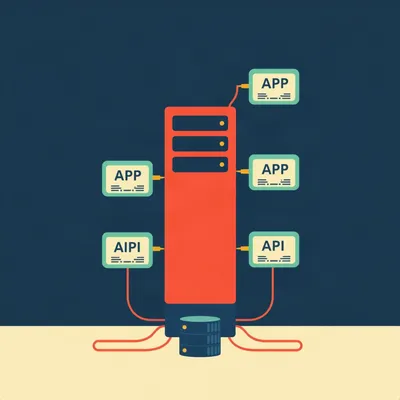
You're sitting on a laptop, you need GPU compute, and your desktop with a perfectly good AMD GPU is sitting right there on the same network. Daniel sent us this one, and I'm going to read it nearly in full because the specifics matter.

Go for it.
He writes: "I do most of my work from a desktop computer which has a decent AMD GPU. Right now, however, I'm working on a laptop. I was trying to run a simple image processing script in Python, and then I forgot for a second that I am on a laptop without a GPU, and it wasn't viable. I thought about running a local Ollama server. But truth be told, I don't actually make that much use of local AI at all. But there are a couple of things that might be useful. One would be running a Whisper instance at home so that I can do dictation without leaving the network. But probably the more practical one would be the ad hoc use case like this. One could do this by SSH-ing into the local box with the GPU and then running the script there. But I was wondering if there's any way to do what would be a more elegant architecture. Let's say that I wanted to expose the GPU, or even a slice of the GPU's capacity, as a virtualized hardware device on the local network, such that if the workstation were always running, I could use this at a more hardware-like level through virtualization. The same question could be asked of any resource that might be useful to borrow from, like CPU, or memory, or storage, but I think that each probably has its own constraints. So let's focus on GPU, given that it's the most useful one. Let's walk through any technologies that exist and whether they need virtualization and abstraction or anything special on the host."
That's a properly good question. He's articulated something that I think a lot of people feel intuitively — the hardware is right there, why can't I just reach over and use it as if it were plugged into my laptop?
The fantasy is plug-and-play over Ethernet. The reality is... well, let's walk through every layer of the stack that could make this work, from hardware partitioning to network protocols to software shims, and figure out which ones actually solve the problem as asked.
And the core tension is right there in Daniel's phrasing. He wants hardware-like semantics — low latency, no code changes, transparent access — but over a network boundary where PCIe doesn't reach. Those two things pull in opposite directions.
So let's structure this. There are really three conceptual layers here. Hardware partitioning — that's MIG, SR-IOV, technologies that slice up a physical GPU. Software abstraction — that's rCUDA, VirtualGL, things that intercept API calls and forward them. And then remote execution — SSH plus scripts, Ollama's API, the simple stuff. Each layer makes different tradeoffs between transparency, performance isolation, and setup complexity. And here's the spoiler — none of them delivers exactly what Daniel imagined.
None of them. And the reason is interesting, not disappointing. Let's start at the hardware level because that's closest to his mental model. He said "expose the GPU as a virtualized hardware device." The closest thing that exists to that idea is NVIDIA's Multi-Instance GPU, or MIG.
Which does what, exactly?
MIG takes a single physical GPU and carves it up into completely isolated instances. Each instance gets its own dedicated slice of memory, its own compute pipelines, its own cache. On an A100, you can partition it into up to seven instances. Each one appears to software as a fully independent GPU. The operating system sees seven GPUs where there's physically one.
So if I've got an A100 and I want to give three people each a chunk of it, MIG does that at the silicon level.
At the silicon level. It's not software time-slicing. The hardware itself enforces isolation — one instance cannot peek into another's memory, cannot starve another's compute. It's genuinely elegant engineering.
And what's the catch?
Several catches. First, it's A100, H100, and B100 only. These are datacenter GPUs that cost as much as a used car. Second, it requires a license. Third — and this is the one that kills it for Daniel's use case — MIG is strictly local PCIe. It partitions the GPU for processes and VMs running on the same machine. There is no network fabric. You cannot say "MIG instance three, please appear on my laptop downstairs."
So it solves the slicing problem beautifully and completely ignores the network problem.
And that's the pattern we're going to see over and over. Hardware virtualization solves isolation and partitioning. It doesn't add a network.
What about SR-IOV? I've seen that term floating around in VM contexts.
Single Root I/O Virtualization. The idea is that a physical device — a network card, a storage controller, a GPU — presents itself as multiple "virtual functions" to the hypervisor. Each VM gets its own virtual function and talks to it directly, bypassing the hypervisor for data path operations. Very low overhead.
So the GPU says "I am actually four GPUs" and each VM gets one.
That's the dream. And for GPUs, it exists — NVIDIA calls it vGPU, AMD calls it MxGPU. Both implement SR-IOV under the hood. But again, it requires specific hardware. NVIDIA vGPU needs Tesla or Quadro cards, a supported hypervisor like VMware vSphere or Citrix Hypervisor, and — here's the recurring theme — a license. vCS or vWS license, which is not cheap.
And still no network.
Still no network. SR-IOV exposes virtual functions on the local PCIe bus. The VMs are running on the same physical machine. You can't route a PCIe virtual function over Ethernet.
So what would it actually take to make a GPU appear as a hardware device on another machine? Like, at the hardware level?
You'd need something like PCIe over a network fabric. This exists. Intel has Tofino. There are companies like Liqid that do composable disaggregated infrastructure — you've got a rack with a pool of GPUs, a pool of storage, a pool of network cards, and you compose a server out of them dynamically over PCIe fabric.
Which sounds like science fiction and costs like it too.
Enterprise datacenter gear. We're talking six-figure setups. Not a desktop and a laptop on a home network. And there's a physical reason for this — PCIe is a tightly timed protocol. The latency tolerance is measured in nanoseconds. Ethernet is measured in microseconds, sometimes milliseconds. You can't just wrap PCIe in TCP packets and expect it to work. You need specialized hardware, specialized switches, specialized everything.
So the hardware-level approach to Daniel's question is: yes, the technologies exist, but they solve a different problem for a different audience at a different price point.
And none of them make a GPU network-accessible. That's the key misconception to bust right now. MIG and SR-IOV and vGPU are about multi-tenant isolation on one machine. They are not about remote access.
Which brings us to the software layer. What actually works over IP?
rCUDA. Remote CUDA. This is the closest thing to what Daniel described. Here's how it works. You install the rCUDA runtime on both machines. On the server — the desktop with the GPU — you run the rCUDA daemon. On the client — the laptop — any CUDA application is recompiled against the rCUDA library instead of NVIDIA's native CUDA library. When the application makes a CUDA API call, rCUDA intercepts it, serializes the parameters, sends them over TCP to the daemon, the daemon executes the call on the real GPU, and sends the results back.
So the laptop thinks it's talking to a local GPU, but every function call is actually a network round trip.
Every single one. And CUDA applications make a lot of API calls. A typical PyTorch training loop might issue thousands of kernel launches per second. Local latency for a CUDA call is on the order of five microseconds. Over rCUDA on Gigabit Ethernet, you're looking at roughly two hundred microseconds per call. That's a forty-X increase.
So it works, but it's slow.
It works, it's slow, and you have to recompile your application. Daniel's Python image processing script — if it's using PyTorch or TensorFlow or even just CuPy, he'd need to rebuild the whole stack against rCUDA. That's not trivial.
And the slicing? Can rCUDA give me a fraction of the GPU?
Yes, actually. rCUDA supports multiple concurrent clients. It can multiplex them onto a single GPU. But it's time-slicing, not hardware isolation. Client A runs for a bit, then client B. If client A allocates ten gigs of memory, client B can't use that memory until A releases it. There's no hard partitioning the way MIG does it.
So it's more like a queue than a partition.
And that's going to be a theme too — software approaches tend to solve the network problem but lose the hardware isolation.
You mentioned VirtualGL earlier. Where does that fit?
VirtualGL is designed for a very specific use case: remote visualization. You've got a server with a monster GPU, you want to run an OpenGL application — CAD software, scientific visualization — and see the rendered output on a thin client somewhere else. VirtualGL uses what's called a split-render model. The application runs on the server, the GPU does all the 3D rendering, and then only the final rendered frames are compressed and sent over the network to the client.
So it's not forwarding GPU commands. It's forwarding pictures.
It's forwarding JPEGs, essentially. Which is brilliant for the use case it was designed for. But it's completely useless for compute. Daniel's image processing script isn't producing frames to display. It's producing arrays of numbers. VirtualGL has no mechanism for returning GPU computation results to the client — it only knows how to send pixels.
So we've got hardware partitioning that doesn't do networking, software forwarding that does networking but is slow or domain-specific, and neither one gives Daniel the transparent hardware-like access he's asking for.
And here's where I want to step back and look at what he's actually trying to do. He's got two concrete use cases. One, run a Python image processing script. Two, run Whisper for dictation. Both are ad-hoc. Both are "I need the GPU for five minutes, then I'm done."
He already knows the simple answer — SSH into the desktop and run the script there. He said that himself. He's asking whether there's something more elegant.
What does elegant actually buy you here? I think it's worth asking that question seriously, because the answer reveals something about why we reach for virtualization when we don't need it.
Go on.
Elegance, in Daniel's framing, means the laptop doesn't know the GPU is remote. You write your Python script exactly as if you had a local GPU. You import torch, you call dot-cuda, and it just works. No SSH, no file copying, no API calls. That's the dream.
The dream is expensive.
The dream, if you could achieve it, would mean every CUDA call in your script incurs a network round trip. For a batch image processing job, that might be fine — you load the image once, do a bunch of work, get the result. But for anything iterative, the latency compounds. And you've added a complex software stack — rCUDA or equivalent — that needs maintenance, updates, debugging when it breaks.
Versus SSH where you type one command.
Versus SSH where you type one command. Or, even simpler, versus running a service.
Let's talk about the service model, because I think that's where this lands practically.
This is the part where we validate Daniel's intuition while correcting the implementation path. He mentioned Ollama in his prompt. He said he doesn't use local AI much, but he thought about running an Ollama server. And that instinct is actually the right one — he just applied it to the wrong use case.
How so?
Ollama's architecture is exactly the pattern I'd recommend for his image processing and Whisper needs. You run ollama serve on the desktop. It binds to localhost port 11434 by default. You change one config line to bind it to 0.0.0.0, and suddenly your laptop can hit it at desktop colon 11434. No GPU driver on the laptop. No CUDA installation. No virtualization. Just HTTP.
And the slicing problem?
Solved by queue management. Ollama handles concurrent requests. If two clients hit it at once, one waits. It's not hardware isolation, but for ad-hoc use, hardware isolation is overkill. You don't need dedicated memory slices for a five-minute image processing job.
What about the Whisper case? He wants to do dictation without leaving the network.
Whisper dot cpp has a server mode. You compile it, you run dot slash server dash m ggml hyphen base dot en dot bin, and it listens for HTTP requests. You send it audio, it sends back text. The laptop doesn't know or care that a GPU is involved. It just sees a transcription API. This is dramatically simpler than any GPU virtualization approach.
For the image processing script?
Wrap it in a tiny Flask or FastAPI server. Ten lines of Python. The desktop runs the server, the laptop POSTs an image, gets back a processed image. Or whatever the output is. No GPU awareness needed on the client side at all.
The elegant architecture Daniel wants already exists. It's just not shaped like a virtualized hardware device. It's shaped like a service.
This is the central insight. For ad-hoc compute, the overhead of virtualization — the hypervisor, the vGPU license, the network latency on every API call — often exceeds the overhead of a simple client-server model. The service approach gives you everything you actually need. It works over any network. There's no GPU driver on the client. The slicing is handled by queue management. And you can implement it tonight with tools you already have.
Let me push on that, though. The service model requires you to wrap every workload in an API. Daniel's ad-hoc use case is "I have a random Python script I want to run." Wrapping it in FastAPI is not zero effort.
It's not zero effort. But compare it to the alternatives. rCUDA requires recompiling the CUDA stack. MIG requires a datacenter GPU and a license. SR-IOV requires a hypervisor and a license. PCIe-over-fabric requires enterprise hardware. Writing a ten-line Flask wrapper is, by comparison, essentially free.
That's fair. And I think there's a deeper point here about what we mean by "hardware-like." When Daniel says he wants to expose the GPU as a virtualized hardware device, he's picturing something where the operating system on the laptop sees a GPU and the application talks to it normally. But the operating system seeing a GPU doesn't actually help if the GPU is forty microseconds away on the network. The application still pays the latency tax — it just doesn't know it's paying it.
Right. The abstraction hides the cost but doesn't eliminate it. And in some ways, hiding the cost is worse, because you can't optimize for it. If your Python script knows it's talking to a remote service, you can batch your requests. Send the whole batch of images at once instead of one at a time. If the script thinks it has a local GPU, it's going to make a thousand individual CUDA calls and each one is going to take two hundred microseconds.
The transparency actually makes performance worse.
In many cases, yes. The abstraction that makes development easier makes execution slower. That's not a law of nature, but it's a strong pattern with networked GPU access.
I want to zoom out for a second and look at the other resources Daniel mentioned. CPU, memory, storage. He said each probably has its own constraints, and he's right. Let's compare them.
Storage is the easy one. We solved this decades ago. NFS, iSCSI, SMB — you can mount a remote disk and treat it exactly like a local one. The operating system has mature, stable abstractions for block-level and file-level remote access. Latency is tolerable for most workloads. It just works.
CPU?
Also basically solved, just not in the way Daniel described. You don't virtualize a CPU and make it appear on another machine. You use distributed computing frameworks. Dask, Ray, MPI. You run a scheduler on the desktop, workers on the laptop, and the framework handles task distribution. Or you just SSH in and run the command. The Unix model of remote execution — SSH, rsh before it — has been the standard for forty years.
Memory is where it gets interesting.
Memory is the hardest one after GPU. We've got RDMA — Remote Direct Memory Access — which lets one machine read and write another machine's memory directly, bypassing the CPU. InfiniBand and RoCE do this. But the semantics are tricky. What happens when the remote machine goes down? What's the consistency model? CXL — Compute Express Link — is the emerging standard that might make memory pooling transparent. CXL allows a CPU to access memory attached to another device over a PCIe-like protocol. But it's still early, still datacenter-grade, and still requires specialized hardware.
GPU is uniquely hard. Harder than storage, harder than CPU, harder even than memory.
GPU is uniquely hard because of its architectural coupling. A GPU is not a general-purpose resource. It's tightly bound to the PCIe bus, it has its own memory space with its own addressing, and the programming model — CUDA, OpenCL — assumes low-latency, high-bandwidth access to that memory. When you move the GPU across a network, you break every assumption the programming model is built on.
There's no standardized network protocol for GPU memory access.
There isn't. NVIDIA has GPUDirect RDMA, which allows direct GPU-to-GPU communication over InfiniBand or RoCE. But that's GPU-to-GPU, not CPU-to-remote-GPU. And it's InfiniBand, not home Ethernet. The industry is moving toward GPU-over-fabric with things like NVLink Switch and DGX systems, but again — datacenter. Not a desktop and a laptop.
Where does this leave Daniel?
With three actionable paths, depending on how much pain he's willing to tolerate. Path one, and the one I'd recommend for ninety percent of people: don't virtualize the GPU, expose it as a service. Run Ollama if you need LLM inference. Run a FastAPI wrapper for custom Python scripts. Run whisper-server for dictation. Call them over HTTP from the laptop. This gives you slicing through queue management, no client GPU driver, and it works over any network. You can implement all of this in an afternoon.
Path two?
If you absolutely need transparent CUDA access — you've got a compiled application you can't modify, you need it to think it has a local GPU — rCUDA is the only viable option. But you're signing up for recompilation, latency overhead on every API call, and a setup process that's more complex than SSH. And you still need to be okay with the performance hit.
Path three is the one nobody should take for a home setup.
Hardware GPU virtualization. MIG, SR-IOV, vGPU. These solve multi-tenant isolation in datacenters. They do not solve "I want to use my desktop GPU from my laptop." The licensing costs alone make it impractical. A vGPU license is hundreds or thousands of dollars per year. The hardware requirements — specific Tesla or Quadro cards, supported hypervisors — rule out most home workstations. And even after all that, you still don't get network access. You'd need a separate solution for that.
The elegant architecture Daniel imagined — GPU appearing as a virtualized hardware device on the network — doesn't exist in the form he pictured. But the thing he actually wants to do? Run a script from his laptop that uses his desktop's GPU? That's completely doable. It's just doable with HTTP, not with PCIe.
I'd argue the HTTP version is more elegant anyway. It's simpler to reason about. It fails gracefully — if the desktop is off, you get a connection refused error, not a mysteriously hanging CUDA call. It's debuggable with curl. You can add authentication, rate limiting, logging with off-the-shelf tools. The "hardware-like" approach sounds cleaner in theory but is messier in practice.
There's an open question here that I think is worth sitting with. Will GPU-over-fabric protocols ever trickle down to consumer hardware? NVLink over Ethernet, or something like it?
I'm skeptical in the near term. The physics is unforgiving. GPU workloads are sensitive to latency in ways that storage and even CPU workloads aren't. A ten-microsecond latency on a memory access that should take a hundred nanoseconds is a hundred-X penalty. You can't hide that with better drivers. You'd need a fundamental change in how GPUs are architected — something like CXL for GPU memory, where the coherence protocol is designed for network distances from the start.
CXL is the one to watch, then.
CXL is absolutely the one to watch. If CXL matures to the point where memory pooling is transparent and performant, GPU compute could follow. But we're years away from that being consumer-accessible. For now, the pragmatic answer is: run a lightweight API server on the desktop, call it from the laptop. It's not as exciting as hardware virtualization, but it works today.
Daniel, if you're listening — your Ollama instinct was right. You just need to generalize it. Anything you'd want a GPU for, wrap it in a service. The desktop becomes your compute server, the laptop becomes your thin client. It's not hardware virtualization, but it's the architecture that actually delivers what you want.
One thing I'll add for the Whisper case specifically. Whisper dot cpp's server mode is excellent. You run it once on the desktop, it loads the model into GPU memory, and then it just sits there accepting audio and returning text. The client can be anything — a curl command, a keyboard shortcut that pipes your microphone to the server, a little menu bar app. Zero GPU awareness on the client. It's exactly the experience Daniel described, just implemented differently than he imagined.
That's probably the broader lesson here. When you're trying to share a resource over a network, the right abstraction is usually a service, not a virtualized device. The device abstraction promises local semantics over a non-local transport, and that promise is expensive to keep. The service abstraction is honest about the network boundary and gives you tools to work with it.
Storage figured this out decades ago. NFS doesn't pretend the remote disk is a local SATA drive. It says "I'm a filesystem, but I'm over the network, and here's how you deal with that." GPU compute is still figuring out its equivalent of NFS. rCUDA is one attempt. The service model is another. Neither is perfect, but the service model is simpler and works now.
I think that's a good place to land. The question of where composable hardware goes from here is open. CXL, NVLink fabrics, maybe something we haven't seen yet. But for the listener who just wants to run a Python script from their laptop tonight — wrap it in FastAPI, stick it on the desktop, and call it a day.
If someone out there has built something clever in this space — a lightweight GPU-sharing layer that we haven't covered — we'd love to hear about it. Send your weird prompts, and your weird solutions, to show at my weird prompts dot com.
This has been My Weird Prompts. We'll be back soon.
Thanks to our producer Hilbert Flumingtop. See you tomorrow.