Three displays, a keyboard, a mouse, and the actual computer is in a different room.

And that's the whole dream, isn't it. Everything else is just shelving.
Daniel's got a whole thing this week about the home networking rack he wants to build one day. Right now he's setting up an office in a smaller rental, trying to keep the desktop off the floor space he doesn't have, and the thing keeping him going is the picture of a place he actually owns. A wall cabinet, one planned point where the fiber comes in, a rack with everything in it, one big UPS carrying both the network and the workstation through the winter outages, one big PoE switch instead of the daisy chain of eight-port switches he kept buying and outgrowing. The workstation itself recased as a rack unit. And then display and USB extended out to a desk in another room, through a conduit.
That's the part he called the most interesting.
He did. And he asked for a lot. What's the actual best connectivity path for a cross-room workstation. Fiber versus the alternatives. Rack sizing, specific depth, how many units of height. An approximate cost, which he already knows is a vast multiple of what he can afford right now, and he's fine with that, it's a spec exercise. Whether recommendable rack-mountable NAS units exist. And how Wake on LAN plus smart home integration ties the whole thing together.
That's a good list.
So let's start with the part that makes this whole idea possible or impossible. Getting pixels and USB across a room.
Here's the thing that makes it a real engineering problem and not just a shopping problem. A rack-mounted workstation only works if the distance between the rack and the desk stops being a physical constraint. Everything else, the rack size, the UPS, the switch, the NAS, all of it is downstream of that one question. If you can't get display and USB across the room cleanly, the rest of the build is a very expensive way to store a computer.
And it's specifically a renter's problem. You can't drill the walls, you don't get to choose where the ISP drops the fiber, so the network starts wherever the landlord decided it starts and you spend your life extending toward it. Daniel's been running flat Ethernet between rooms for exactly this reason.
A planned build inverts that. You pick the point. The fiber lands in the cabinet because that's where you decided the cabinet goes. And then you design outward from there instead of backward from a wallpoint somebody else chose in 1998.
Three different signals have to make that trip, though. Display, which is high bandwidth and latency sensitive. USB peripherals, which are low bandwidth but timing sensitive and power sensitive, and that distinction is going to matter a lot. And power management, which is Wake on LAN, UPS signaling, smart home integration.
Three signals, three completely different sets of problems. And the funny part is the one everybody worries about, the display, is the easy one.
Is it.
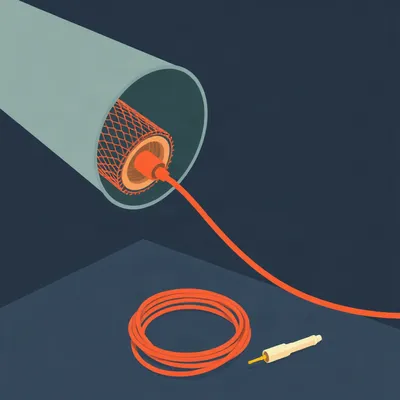
It really is. Display over fiber is a solved problem and it's been solved for years. The cables are called active optical cables, AOC. Monoprice SlimRun AV is the one people usually end up buying. What's happening inside is that the transceiver is embedded in the connector itself. So from the operating system's point of view it's just a DisplayPort cable. There's nothing to configure, no driver, no pairing, no little box on either end with a status light.
So you plug it in and the computer thinks it's plugged into a monitor.
And it's directional, which is the one thing that trips people up. There's a source end and a display end and if you run it backward it does nothing. But it'll carry full resolution, full refresh rate, out to thirty meters or more on the good ones. Effectively zero added latency. And the cable itself is thin, maybe four millimeters, because it's fiber. The only bulky part is the connector head.
Which matters because of the conduit.
Three of those plus a USB run plus maybe audio, you want at least an inch and a half inner diameter, two inches if you can. With pull strings, and gentle bends, because fiber does not like a sharp corner. And that's the one part of this build you cannot retrofit later. Everything else you can upgrade in place. The conduit is the thing you get one shot at.
Let me push on that, because I think people hear "conduit" and think it's optional. Walk me through what actually happens if you skip it.
If you skip it, you're committing to whatever cable you ran on day one, forever, or you're committing to opening the wall again. And in a rental you're not opening the wall again. So you run three display cables today because you want three monitors. Two years from now you want a fourth display, or you want to move the desk six feet, or DisplayPort gets replaced by something else and the cables you buried are obsolete. With conduit, you tie a pull string to the new cable and you drag it through in ten minutes. Without it, you're running cable along the baseboard and around the doorframe like everybody else, which is exactly the compromise Daniel is trying to escape.
So the conduit is the difference between a build and a workaround.
The conduit is the entire difference. It's maybe fifty dollars of PVC and an afternoon, and it's the thing that makes the build upgradeable instead of frozen.
So display is solvable with money and the right cable. USB is where it gets annoying.
USB is where it gets annoying. And the reason is that USB 3 over copper has a real distance limit. Past about three meters without active extension, it degrades. You start getting dropouts, devices that enumerate and then disappear, drives that disconnect mid-transfer. USB 2 will go further, but you're capped at four hundred and eighty megabits, which for a keyboard and mouse is completely fine and for anything else is not.
What does that failure actually look like in practice, though? Because "degrades" is abstract.
It's maddening, is what it is. It's not a clean failure where the device just stops working. It's intermittent. Your keyboard works for an hour and then a key sticks. Your external drive mounts, copies four gigabytes, and then vanishes from the file system mid-transfer and you've got a half-written file and no error message that tells you why. You spend a week blaming the drive, then the port, then the operating system, and the whole time it's the cable run being three meters too long. That's why people give up and just move the computer back under the desk.
So what are the actual paths.
Three of them, roughly. USB over fiber extenders. USB over Cat6a with a powered receiver on the far end. Or a KVM-over-IP solution that tunnels the USB and the video together over Ethernet.
Let's take those in order.
USB over fiber. Icron makes the ones people point to, the Raven line, the three two one. These are the same units used in industrial settings and in medical imaging, where the machine is in one room and the operator is in another and neither of those rooms is negotiable. They work. They're transparent. And they cost accordingly. You're looking at two hundred to six hundred dollars for a single-port setup, more if you need multiple devices.
And the Cat6a option.
That's the cheaper version of the same idea. You run Cat6a, you put a powered receiver at the desk end, and it extends USB 3 out to maybe a hundred meters. It's less expensive, it's more finicky, and the receiver needs power at the desk, which is going to come back around later when we talk about the UPS plan. But it works and it's the option most people actually end up using.
When you say finicky, what's the actual failure mode.
The failure pattern is that it works great for a keyboard and a mouse and it falls over the moment you plug in something that draws real power or pushes real bandwidth. A webcam that needs more current than the receiver wants to supply. A capture card. A bus-powered SSD. The extender is rated for the bandwidth in theory and then you find out in practice that the receiver's power budget is the real limit. So you end up putting a powered hub at the desk anyway, which is fine, but it's another thing plugged into the wall, which is the thing we keep coming back to.
And then the expensive one.
KVM-over-IP. And this is the one that solves the problem completely, because it doesn't extend a cable at all. It turns the display signal and the USB into network traffic and sends it down a single Ethernet run. Level1Techs makes one, Aten makes the KE series, Adder makes them. You plug the workstation into the transmitter, the desk peripherals into the receiver, and there's one cable between them. No conduit width concern at all, because it's one Cat6.
What's the catch.
Two catches. Latency, and money. On latency, expect one to two frames of delay, and at four K sixty you may see chroma subsampling, which is a compression artifact where the color information is carried at lower resolution than the brightness. For coding, for office work, for writing, you will never notice. For anything timing sensitive, you will. And on money, a multi-head KVM extender that handles three displays plus USB costs more than the workstation it's connected to. You're in the eight hundred to three thousand dollar range depending on how many heads and how much bandwidth.
And this is the part I find funny. The solution that's most elegant on paper is the one that costs the most and performs the worst.
That's true of a lot of engineering, honestly. The cleanest architecture is rarely the cheapest or the fastest. It's the one that's easiest to reason about, and you pay for that in latency and dollars.
So for three displays, the realistic choice is three separate fiber display runs plus one USB extender.
That's what I'd do. Three SlimRun AV cables, one USB-over-fiber or USB-over-Cat6a extender, and you've spent maybe six hundred to twelve hundred dollars on connectivity and you have a system that behaves exactly like the computer is under the desk. No latency, no compression, no software in the middle. The KVM-over-IP route is the option you take when you can't run the conduit, or when the desk is in a different building.
And there's a power consequence to all of this that I want to get to, because it undercuts part of the dream.
Go ahead.
Neither the fiber display cables nor most USB extenders carry meaningful power to the far end. The fiber cable has no copper in it at all, it can't. The USB extender might carry a little, but not enough to run three monitors and a powered hub.
Right. The desk still needs its own power. Monitors need to be plugged in, the USB hub needs to be plugged in, and if you want any of that protected during an outage, you need a small UPS at the desk too. Which means the single-big-UPS vision doesn't fully close. It protects the rack, it does not protect the desk.
That's worth saying plainly, because it's the part of the design that everyone assumes will work and it doesn't. The single UPS is a rack-side solution.
The desk is a separate power domain and it always will be, unless you run a protected circuit out to it, which in a rental you're not doing.
That's the signal path. Now let's talk about what actually holds all this gear.
Rack sizing. And the first thing to say is that depth matters more than height, and almost nobody thinks about depth until they've bought the wrong rack.
What's the constraint.
The workstation. If you're recasing a desktop into a rackmount chassis, a Silverstone RM series or one of the Rosewill four-U cases, that chassis needs twenty to twenty-five inches of depth. And a rack UPS needs twenty to twenty-four. So you add those up and you're looking at a rack with at least a thousand millimeters of usable depth, which is about thirty-nine inches. That's the sweet spot. Eight hundred millimeters is tight, you'll be fighting cable management the whole way. Six hundred millimeters is a networking-only rack and the workstation will not fit. Full stop.
So the depth decision is made by the deepest thing you plan to put in it.
And you should assume the deepest thing is coming later, because it always does. Buy the thousand-millimeter depth even if today you're only putting a switch and a patch panel in it.
On height, what's the budget.
Let's count it. One four-U workstation. One two-U NAS. One one-U switch. One two-U UPS. One one-U patch panel. One one-U cable management. That's twelve U of gear. Add growth, add a shelf, add a second workstation later, and a twenty-four U rack gives you room to breathe. A forty-two U rack is overkill for a home, but it's the size where you get a proper cabinet with a door and a lock, and some people want that for the noise reason as much as anything.
And the noise reason is real.
The noise reason is very real. Rackmount NAS units use small high-RPM fans because they're designed for a data center where nobody's sitting next to them. A Synology RS1221+ or a QNAP TS-h series, both perfectly good, both rack-mountable, both support 10 gigabit Ethernet, both louder than a desktop NAS sitting on a shelf. If the rack lives in a closet or a utility space, this is a non-issue. If the rack lives in the office where you're working, you will hear it and you will resent it.
So the rack-mountable NAS question has a real answer, which is yes, they exist and they're recommendable, with a caveat.
The caveat is placement, not capability.
Cost. Give me the number.
Let's go down the list in order of impact. The rack itself, a twenty-four U wall-mount or floor-standing cabinet, three hundred to eight hundred dollars. A forty-two U enclosed cabinet, eight hundred to two thousand. The UPS, a two-U rack unit with pure sine wave output and a network management card, five hundred to fifteen hundred. The switch, a twenty-four port PoE plus managed switch, three hundred to eight hundred, or eight hundred to two thousand if you want forty-eight ports and 10 gigabit uplinks. The NAS, that's the big variable, depends entirely on how many bays and whether you're reusing drives. The workstation recase, two hundred to five hundred for the chassis plus the labor of moving the motherboard, which is a Saturday. And the connectivity, fiber display cables fifty to a hundred and fifty each, USB extender two hundred to six hundred, KVM-over-IP eight hundred to three thousand if you go that route.
Total.
Three thousand to eight thousand dollars, depending on how much you're reusing. And the connectivity alone is five hundred to fifteen hundred of that. Which is a vast multiple of what Daniel can afford right now, and he knows that, and that's the point of the exercise.
The rack is the easy part.
The hard part is keeping it alive.
APC Smart-UPS, CyberPower PR series, both of them have network management cards. What does that actually buy you.
It buys you a conversation. The UPS can talk to Home Assistant over NUT or over SNMP, which means Home Assistant knows the battery state, knows when the power drops, knows how many minutes of runtime are left. And then you can build automations on top of that. Wake on LAN from Home Assistant powers the workstation on when you sit down at the desk, so the machine in the rack spins up when you need it and sleeps when you don't. And on an extended outage, the UPS signals Home Assistant, Home Assistant gracefully shuts down the NAS and the workstation before the battery runs out, so you don't come back to a corrupted array.
That's the part that makes it feel like one system instead of a pile of gear.
That's exactly what it is. The rack is a pile of gear until the software ties it together. And the tie is the UPS, because the UPS is the only component that knows something is wrong.
So the single-UPS dream works for the rack and not for the desk.
Works for the rack, not for the desk. And that's the honest version of the answer.
I want to go back to something. Daniel said he bought an eight-port switch, then discovered he needed PoE, so he daisy chained a PoE switch onto it. And then presumably found he needed more ports.
That's the accretion pattern. Every rental, every move, you buy the switch that solves today's problem and it becomes tomorrow's bottleneck. One big PoE switch with enough ports at the right speed is the fix, and it's the fix precisely because you're planning instead of reacting.
Which is the whole theme. What model number is on the battery pack.
Hilbert: RBC 124. Hundred and ten dollars in the mid eighties, which was real money then. My brother in law had a small recording studio, sixteen track, and he asked me to help him spec the rack because he knew I'd done power work. We got him a two-U UPS, six hundred dollars, and it ran the console and the tape machine and the outboard. Beautiful setup. And then year four came and the batteries were done. Two of them, RBC 124, and they cost almost as much as the UPS had.
The UPS is a subscription.
Hilbert: It's a subscription. Everyone budgets for the rack and nobody budgets for the batteries. You buy the UPS for six hundred and you feel good about it, and then every three or four years you're standing in a shop holding a four hundred dollar battery pack for a UPS you bought for six hundred. And you buy it, because the alternative is the console goes down mid-session.
That changes the cost estimate.
Hilbert: It changes the cost estimate. The three to eight thousand is the assembly. The maintenance is separate and it never stops. My brother in law sold the studio eventually and the rack went with it, and I'd bet you anything the new owner is still buying RBC 124s.
The dream build isn't just expensive to assemble.
Hilbert: It's expensive to keep. Nobody puts that in the spec sheet.
There's a detail from the research I want to get on the table before we close, because it didn't fit anywhere else. The fiber display cables are directional.
They are, and it's the single most common support call. There's a source end and a display end and they're labeled, but the labels are small and the connectors look identical. You run it backward and nothing happens, no signal, no error, and you spend twenty minutes checking the monitor.
Twenty minutes if you're quick. So the open question I keep landing on. Is the cross-room workstation actually a good idea, or is it a solution to a problem that only exists because rentals force you to centralize everything in the first place.
In a home you own, you might just put the workstation where you want it. Under the desk, where it's always been, and run a single fiber drop back to the rack for the network. The whole cross-room problem disappears because you stopped creating it.
Which is the wistful part of this. The dream build is aspirational precisely because it's a response to years of workarounds. You're designing the home you want by fixing the home you have.
The spec is the easy part. The hard part is deciding whether you're building for the home you're in or the home you're going to have. And as the fiber display cables and the USB extenders get cheaper, the rack-mounted workstation gets more practical for more people. But the desk-side power problem doesn't go away. That's the piece that keeps the single-UPS dream from fully closing, no matter how good the cables get.
The batteries keep coming due, too.
The batteries keep coming due.
That's the show. Thanks to Hilbert Flumingtop for producing.
This has been My Weird Prompts, the human-AI collaboration podcast. If you've built something like this, or you've got a rack in a closet that you're proud of, tell us about it. Email us at show at my weird prompts dot com.
We'll be back soon.
See you tomorrow.